
Visitor Management System for a Smoother, Safer Welcome.
Replace paper registers with digital visitor check-in, QR invitations, host notifications and a real-time visitor log. Vizitor helps offices and facilities manage who arrives, who they are visiting and when they leave.
500+ workplaces · 1M+ recorded check-ins · 15+ countries












Visitors checked in on Vizitor
NDAs signed digitally
Average check-in vs. 5-8 min on paper
From download to first visitor
What is a visitor management system?
A visitor management system (VMS) is software used to register visitors, manage check-in and check-out, notify employees and maintain digital records of people entering a workplace. Depending on the software and plan, it may also handle QR passes, visitor badges, document signing and emergency processes.
Vizitor brings these visitor workflows into a dashboard so reception, facilities and security teams spend less time handling paper forms and have better visibility of arrivals.
Read the complete visitor management guide ↗
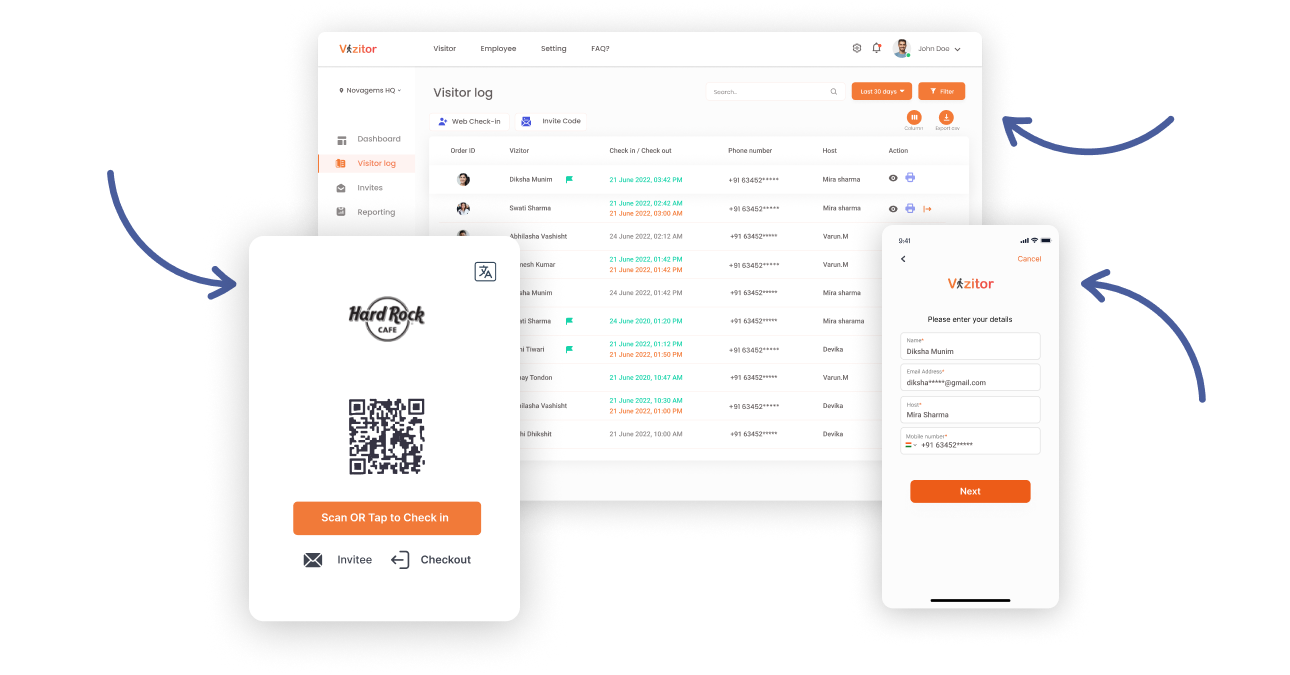
How does Vizitor visitor management work?
A practical visitor journey, with optional steps governed by the plan and the workflow you configure.
Invite the visitor
Register an expected visitor and share an invitation or QR-based arrival option.
Check in
The visitor follows the check-in flow on a compatible device and supplies required details.
Notify and record
Send the host an arrival alert and make the visit visible to authorised users.
Check out and review
Record check-out and access the visit log when reports or follow-up are needed.
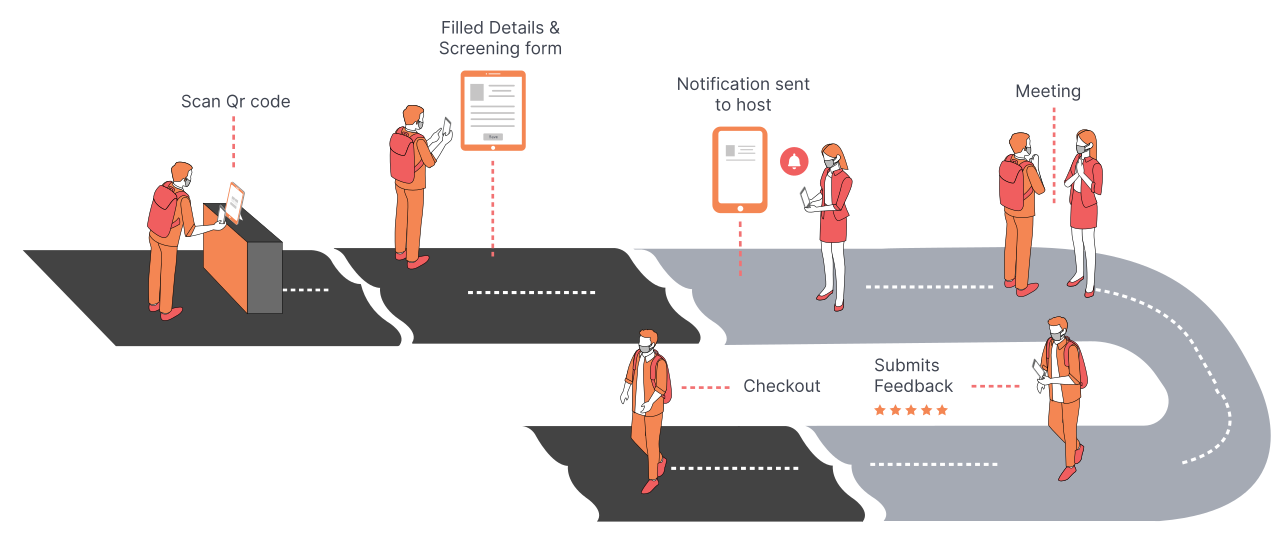
Photo capture, physical badges, NDA signing and certain advanced safeguards depend on configuration and plan. Compare available capabilities.
Visitor management features, explained clearly.
Explore what each feature does and which functions are available in different plans. This overview is based on Vizitor's public feature and pricing pages.
Pre-registration & invitations
Invite expected visitors before arrival and provide an easier path to check-in.
Explore details ↗iPad & Android check-in
Use a compatible tablet for self-service reception and gate check-ins.
Explore details ↗QR and contactless arrival
Offer QR-based arrival flows and capture visitor activity digitally.
Explore details ↗Host notifications
Alert employees when guests arrive rather than depending on reception phone calls.
Explore details ↗Visitor badges
Issue e-badges, with physical badge printing when available in your plan.
Explore details ↗Digital NDAs and forms
Collect visitor details and approved documents as part of the check-in process.
Explore details ↗Live visitor records
See who has checked in, review visits and export information for operations.
Explore details ↗Multi-location & evacuation
Manage multiple locations and access emergency support features when your plan includes them.
Explore details ↗Web-based visitor management system: manage check-ins without a local server
A web-based visitor management system lets teams access visitor records and administer check-ins through a cloud-hosted platform rather than maintaining a visitor database on a reception PC. Vizitor combines browser-accessible administration with compatible iPad and Android visitor check-in options.
Access visitor records from a browser
Review check-ins, search visit history and manage the front-desk workflow through your online dashboard, subject to your account permissions.
Offer digital check-in at reception
Set up a compatible tablet for visitors or use supported QR-based check-in and pre-registration flows. The visitor experience and device requirements depend on the selected configuration.
Work across locations
View and organize visitor activity across offices from a central platform when multi-location management is enabled on your plan.
How does web-based check-in work?
Configure your workplace.
Set visitor types, registration fields and host-notification preferences.
Make check-in available.
Use a supported tablet check-in setup or an available QR-based flow.
Register the arrival.
The visitor submits their information and the host is notified according to your settings.
Manage the visit online.
Authorized staff review visitor activity and retrieve records from the dashboard.
Web-based vs locally hosted systems
Cloud-hosted administration can reduce the need to maintain a reception-side server and make records accessible to authorized staff at other sites. Network availability, data protection requirements, device setup and business-continuity processes still matter.
Planning multiple offices? Confirm which Vizitor plan supports your number of locations and administrator roles.
Browser access to the admin dashboard does not imply every visitor-facing kiosk operates in every browser. Confirm your intended check-in devices, internet requirements and offline behavior with the Vizitor team before deployment.
Less administration at reception. More visibility for your team.
Visitors want an uncomplicated arrival. Reception wants fewer repetitive tasks. Security and facilities teams need records they can use. A good VMS should help each group without creating a complicated rollout.
Vizitor is suited to teams moving away from paper sign-in, managing appointments, or standardising visitor processes across locations.
See the complete workflow ↗What buyers should verify
- Visitor volume and expected peak arrivals
- Device, printer and connectivity requirements
- Host alerts and supported channels
- Visitor consent, retention and security policies
- Multi-location visibility and administrator roles
- Integrations required by your workplace
Visitor check-in for different workplace needs.
The reception desk, factory entrance and healthcare lobby may all need different questions and approval processes. Explore the workflows that matter to your facility.
Corporate offices
Manage candidates, guests, meetings and employee host notifications.
Office visitor management ↗Manufacturing sites
Support guest and vendor check-in with configurable forms and visit records.
Manufacturing visitor management ↗
Healthcare facilities
Coordinate check-in information and visitor processes appropriate to your facility.
Healthcare visitor management ↗Plans That Fit Every Workplace Size
Start with a free trial and see Vizitor running in your lobby today. No hidden fees. Pick the plan that fits your workplace today and upgrade as you grow.
Save upto 60% with Vizitor
Monthly
Annual

Recommended
Enterprise
Connect
 Unlimited visitors
Category based form,
Third party integration
Black listing
Evacuation alerts
How should you compare visitor management systems?
Don't judge visitor management software solely by a headline price or a long feature checklist. Compare each vendor on the same required workflow and confirm the relevant plan.
Before choosing a provider, assess device compatibility, monthly visitor allowances, digital badges, NDA signing, reporting, administrator controls and multi-site requirements. Check pricing per location, hardware costs and the ability to export your data. Use current product documentation to validate every requirement.
A five-question shortlist
- How many visitors and locations do you manage?
- Is the check-in experience right for your guests?
- Which compliance tasks require documents or consent?
- What are the actual tier and hardware costs?
- Can IT verify privacy, access and integrations?
Visitor data protected by established security controls.
Vizitor publicly lists ISO 27001 certification, third-party security testing, GDPR-focused privacy controls and AES-256 encryption. Review the security practices behind your visitor records and request current evidence from our team.
Explore security and compliance ↗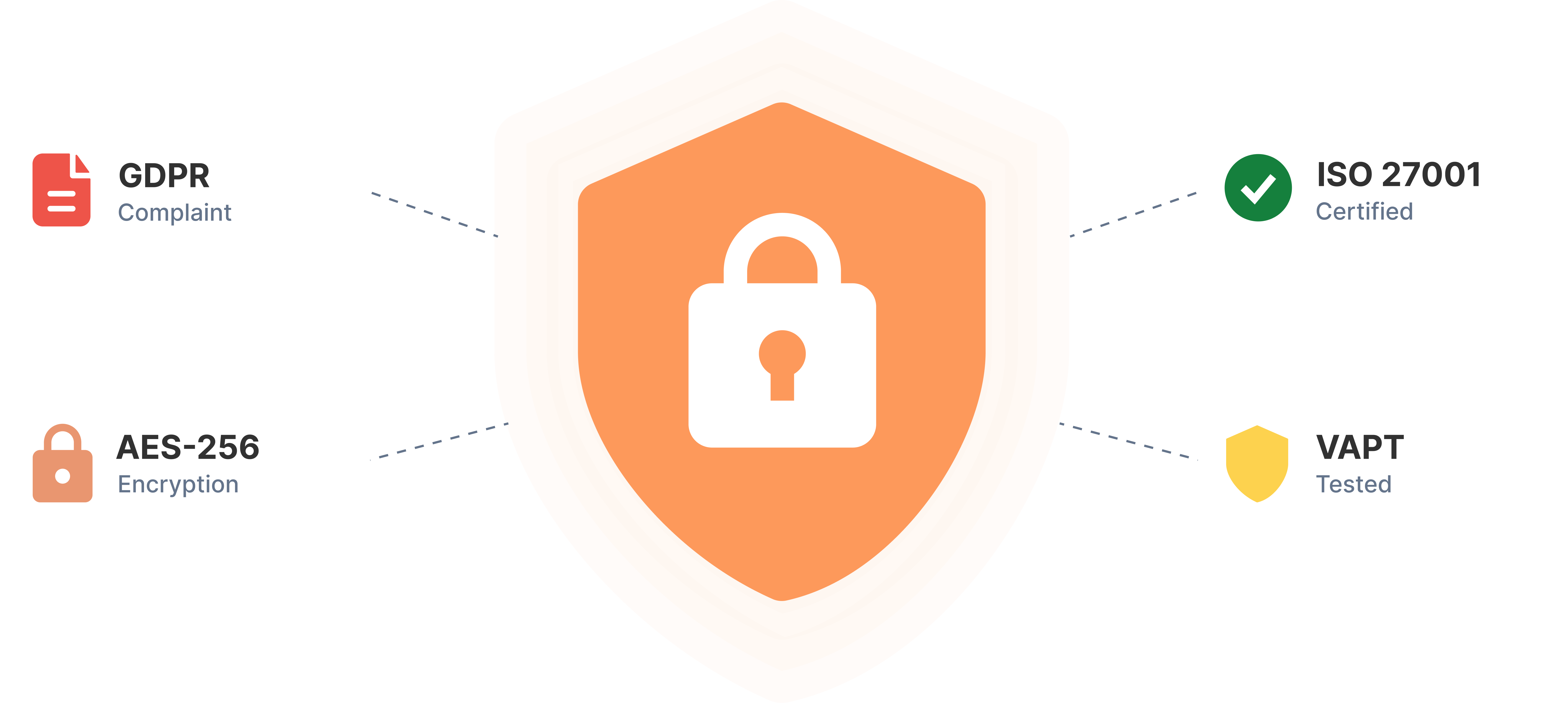
Built for confident check-ins
Visitor logs, access permissions, retention settings and privacy controls support a more accountable visitor management process. Confirm configuration and plan availability for your organisation.
Security statements reflect Vizitor’s published documentation. Ask the Vizitor team for current certification scope, audit evidence and applicability to your deployment.
Trusted by Workplaces Worldwide
Rated 4.7 on Capterra and backed by 185+ reviews across Capterra, G2, Techjockey, and Google Play, from 500+ workplaces in 15+ countries.
"Better visibility and audit trails for our facility"
We wanted a simple, cost-effective way to replace our paper visitor register. Vizitor streamlines check-in and check-out, notifies our team instantly by email, SMS, and WhatsApp, and speeds up approvals. For our manufacturing facility it's meant more organized visitor management and better audit trails for security and compliance.
"Six years in, it still meets our needs"
Vizitor digitizes vendor visits and notifications so everything sits in a single dashboard, no more manual record-keeping in books. The automated notifications, especially for managing interview candidates, are genuinely valuable. Setup was easy. I've used it for six years and it meets our needs well.
"The perfect solution for enterprise"
Very easy configuration that lets you monitor visitors easily. It connects to third-party apps and notifies your team, and the admin page is simple enough for anyone to use. The plans make it easy to scale up as your organization grows.
"Custom forms and signed waivers before training"
I own a martial arts studio and needed a better way to track walk-ins. Now they leave their basic info and a signed waiver before training, I can add any form for visitors to sign. Works wonders on a kiosk at events, too. Very reasonable cost.
- Capterra4.7
- Techjockey5.0
- G24.3
- Google Play4.3
Visitor management FAQs
Direct answers about what a VMS does, how Vizitor works and which capabilities depend on plans.
A visitor management system is software that replaces a paper visitor register with digital check-in, host notifications and a searchable visitor log. Depending on the product and plan, it can also support pre-registration, badges, document signing and emergency workflows.
Hosts can pre-register visitors and share invitations. At arrival, a visitor checks in using a compatible tablet or QR-based flow. Vizitor records the visit, notifies the host and makes the visitor status available in the dashboard. Available steps depend on configuration and plan.
It is cloud-hosted visitor management software that allows authorized teams to manage visitor registration and records through an online platform. Vizitor offers browser-based administration alongside supported tablet and QR-based check-in workflows.
For supported QR-based visitor registration, guests can open the check-in flow on their own phone without installing an app. Other check-in options may use a configured iPad or Android tablet. Confirm the exact workflow for your plan and deployment.
Yes. Vizitor offers visitor check-in for compatible iPad and Android tablets. Confirm device and OS compatibility before deployment.
Yes. QR-based check-in and pre-registration are listed among Vizitor’s visitor management features.
Digital e-badges are available across the published plans. Physical badge printing is listed for Premium and Enterprise; a compatible printer is required.
Yes. Legal document signing is listed for Premium and Enterprise on Vizitor’s published pricing comparison.
Yes. Multi-location management is listed for Premium and Enterprise plans. Administrators can manage supported locations through the platform according to their permissions and configuration.
Yes. The published pricing table lists multi-location management for Premium and Enterprise. Starter is listed for one location.
Yes. Vizitor describes live visitor information and emergency workflows; the public pricing comparison lists emergency evacuation for Premium and Enterprise, with additional evacuation alerts under Enterprise.
Vizitor publishes security and compliance information about its platform. Assess data retention, access controls, processing locations and evidence relevant to your organisation on its security page and with the Vizitor team.
On the India pricing page, annual billing is advertised at ₹1,600 per month per location for Starter and ₹3,200 per month per location for Premium. Enterprise pricing is available on request. Rates, currency and taxes can change; check the live pricing page.
Vizitor’s signup page describes an ongoing free plan, while other marketing pages also mention a trial. Check the current signup and pricing terms for eligibility, free-tier limits and trial feature access before choosing a plan.
Make every arrival easier to manage.
Explore Vizitor with your actual visitor volumes, workflows and device setup in mind.