
Attendance Management System
Know who is in, who is remote, and who is on leave before the day starts.
Vizitor records every check-in, shift, leave and overtime entry automatically, and runs on the phones your team already carries. No biometric scanners, no hardware to procure, no manual reconciliation before payroll closes.











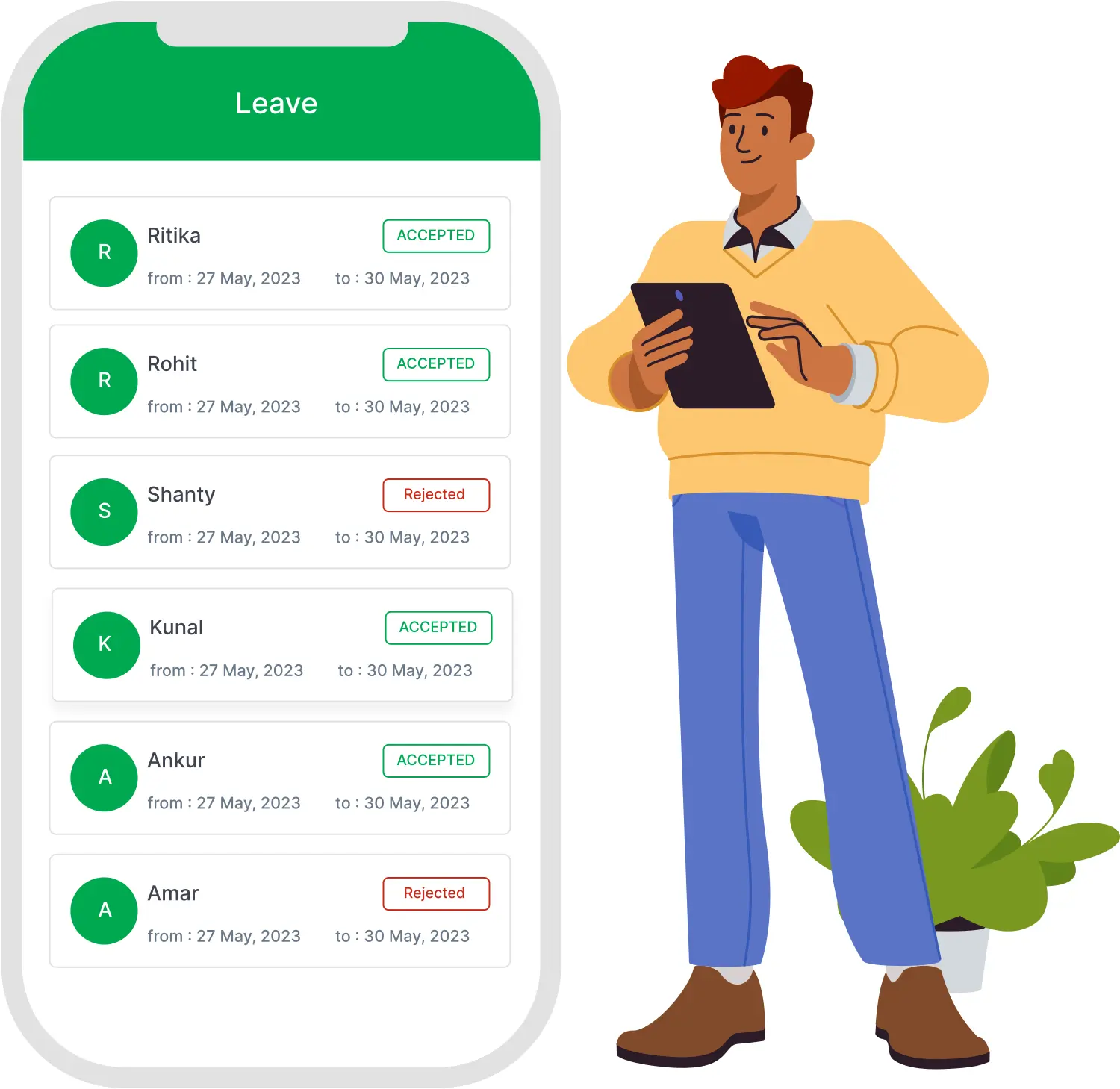
Still running attendance on registers and spreadsheets?
Records nobody can trust
Missed punches, edited entries and late corrections that only surface after payroll has already been processed.
No live view of the floor
Absences and late arrivals reach the manager hours into the shift, long after anything can be done about them.
Hybrid teams stay invisible
Office and remote days come from self-reporting, with nothing to verify them against and no way to enforce a policy.
One platform for check-in, shifts, leave and reporting
Vizitor's attendance management system replaces registers and spreadsheets with verified digital check-ins, and hands your payroll team a finished file at the end of every cycle.
- QR and GPS-verified check-in confirms location at every clock-in
- Live dashboard showing present, absent, late, on leave and working remotely
- Shift management for rotating, fixed and round-the-clock schedules
- Requests, regularization and multi-stage approvals in one workflow
- Exports carrying verified hours, overtime and leave in a single file
How it works
Configure the setup
Add departments, shift patterns, overtime rules, leave policies and the location boundary for each site from one admin panel.
Employees sign in to the app
Each employee signs in to Vizitor Pass on their own phone. The signed-in session is what identifies them at every check-in.
Scan and clock in
Employees scan the QR at the entrance or check in from the app. The record is logged only if their location matches the approved boundary.
Export at the end of the cycle
Managers work from a live dashboard through the month, then export verified hours, overtime and leave as one file.
What you get
Eight capabilities that remove manual entry, give managers a live view of the workforce, and make every record ready for payroll from day one.
QR and GPS-verified clock-in
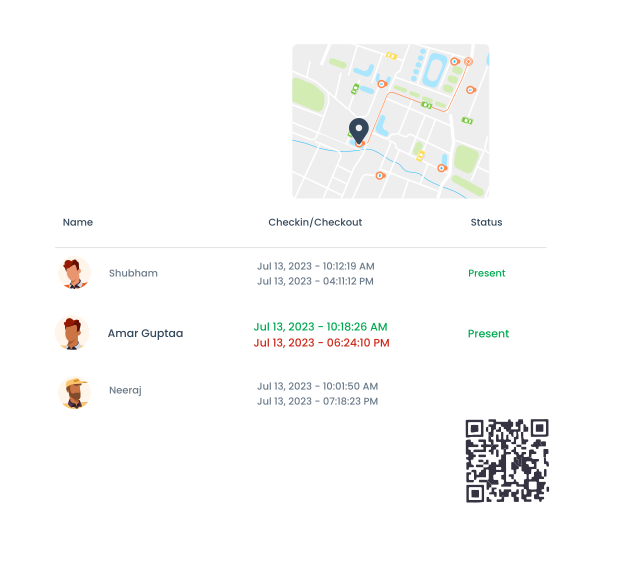
Employees scan the QR at the entrance from their own signed-in app, or check in directly from the app when they are working elsewhere. Location is matched against the approved boundary before the record is written, so a check-in from outside the site is blocked rather than logged. No fingerprint reader, no card, no proprietary terminal.
- Location matched against the site boundary at every clock-in
- Check-in blocked when the location does not match
- Works on any Android or iOS device your team already owns
Real-time attendance dashboard
The dashboard shows the live status of every employee: present, absent, late, on approved leave or working remotely. At five past nine a manager can see exactly who has not clocked in and notify them from the same screen. Filter by department, location, shift or date range without switching systems.
- Status updates the moment an employee checks in
- Remote and on-site days tracked and displayed separately
- Late and absence alerts sent to managers automatically
.svg)
Shift scheduling and management
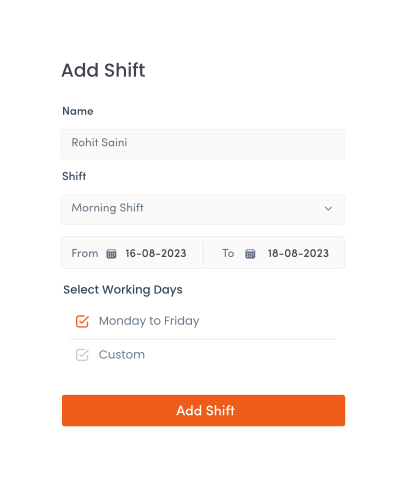
Build rotating, fixed and round-the-clock shift patterns and assign them to individuals or whole departments. Attendance is measured against each employee's own shift window, so a late arrival on a night shift is flagged the same way as one on a morning shift. Employees see schedule changes in the app.
- Multiple and rotating shifts configured from the admin panel
- Grace periods and overtime thresholds set per shift
- Late arrivals, early exits and missed shifts flagged automatically
Leave and time-off management
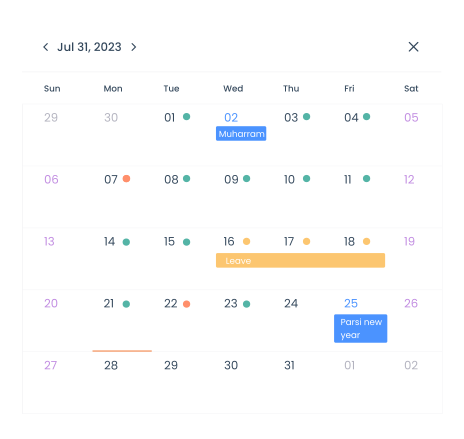
Employees apply for leave in the app and the request goes straight to the assigned approver. Approved leave updates the attendance calendar and the employee's balance on its own, with no separate entry anywhere. HR sees the organisation-wide picture: who is out, who has applied, and what coverage looks like on any given day.
- Balances update automatically when leave is approved
- Full leave history visible to the employee and to HR
- Holiday calendar managed centrally and visible in the app
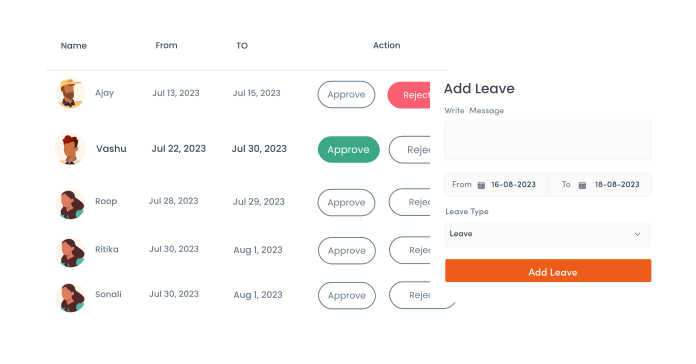
Attendance requests from the app
When an employee is on client site, travelling or checks in outside the boundary for a valid reason, they raise an attendance request in the app instead of messaging their manager. The request carries the date, the reason and the entry being claimed, so the approver has everything needed to decide without a follow-up conversation.
- Raised from the app with date, reason and supporting note
- Routed to the assigned approver, not to an inbox
- Employee sees the status without having to chase it
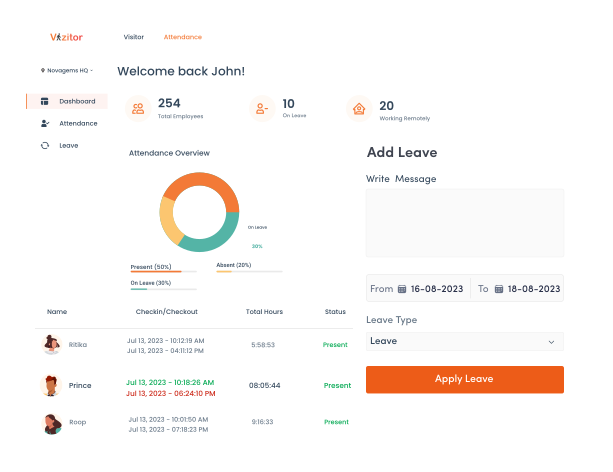
Attendance regularization for missed punches
A forgotten clock-out or a phone left at a desk should not turn into a payroll correction three weeks later. Regularization lets the employee correct a missed or incorrect entry against a specific date, send it for approval, and have the corrected record replace the original in the same log everyone else is reading.
- Correct a missed check-in or check-out against the exact date
- Corrections go through approval before they change the record
- Original and corrected entries both retained in the history

Approval workflow
Leave, attendance requests and regularizations all move through the same approval path, so approvers work from one queue instead of three. Requests can pass through a reporting manager before reaching HR where the policy requires it, and every decision is timestamped against the person who made it.
- One approval queue for leave, requests and corrections
- Routing configurable by reporting line or department
- Approve, reject or send back with a note, from the app
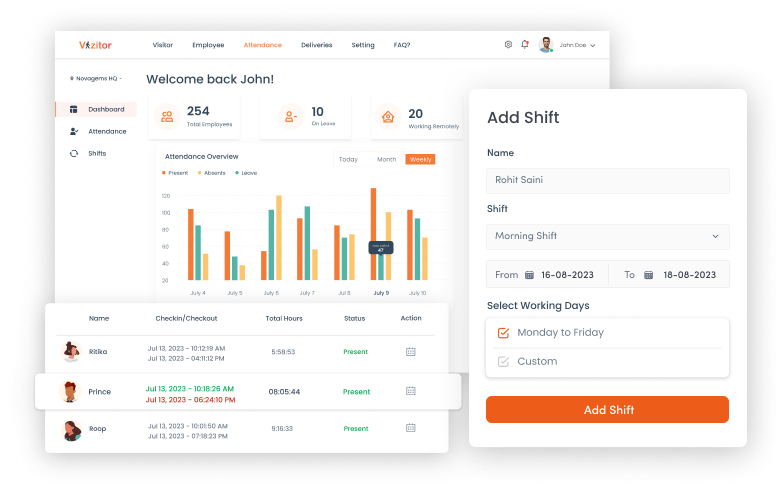
Attendance from any phone
The Vizitor Pass app is the whole system in the employee's pocket: check in, view the shift roster, apply for leave, raise a request, regularize an entry and see the running total for the month. Managers approve from the same app. Nothing here needs a desktop, which is the point for teams that do not sit at one.
- Check in, apply, request and regularize from one app
- Shift roster and monthly totals visible to the employee
- Available on Android and iOS
Reports your payroll team can use as they are
Attendance management software only saves time if the output needs no rework. Vizitor exports verified totals in a clean structured file that goes straight into your payroll process, with every clock-in, break, overtime entry and approved leave already reconciled against it.
Daily
First in, last out, late arrivals and overtime worked for the day.
Weekly
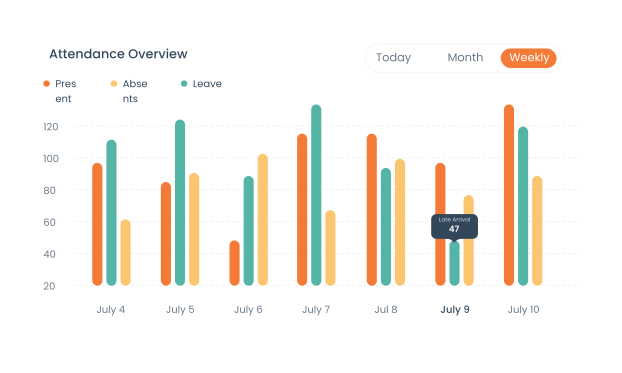
Presence and absence across the week, with hours running against the overtime threshold.
Monthly
Total working days, remote days, approved leave and overtime in one payroll-ready export.
Exports are available as CSV or PDF for any date range, and the same file serves as the attendance record for a labour or wage audit.
Built for how each workforce actually runs
Corporate offices
Office and remote days come from self-reporting, so the hybrid policy has no data behind it.
Remote and on-site days tracked separately with location verified at every check-in. Feeds directly into hybrid workplace management.
Manufacturing and warehouses
Rotating and round-the-clock shifts on paper, with supervisors reconstructing logs when an audit lands.
Shift-wise attendance with a timestamped digital record and an exportable trail for any date range.
Healthcare
Clinical and administrative staff spread across departments and overlapping shift patterns.
Multi-shift, multi-site tracking from one dashboard, with audit-ready records available on demand.
IT and telecom
Distributed teams and flexi-hours with no single source for who worked, from where, for how long.
Location-verified mobile check-in across sites, with overtime totals rolled up per team.
Why teams move to Vizitor
No biometric hardware
Employees check in from the app on their own device. No fingerprint reader, no card reader, no shared surface, nothing to install at the door.
Location verified, not assumed
Every check-in is matched against the site boundary before it is recorded. A check-in from outside is blocked, without any hardware investment.
Hybrid teams finally visible
Remote and on-site days tracked separately with location confirmed, so policy decisions rest on real data. Also feeds space management.
One platform, eight products
Attendance runs alongside visitor management, meeting rooms, queues and more. One login, one vendor.
Workplaces using Vizitor
Countries
Products on one platform
Frequently asked questions
An attendance management system is software that records employee clock-ins, clock-outs, breaks, leave and overtime without manual data entry. It replaces paper registers, spreadsheets and biometric terminals with a digital record that feeds straight into payroll and HR processes. Vizitor is a touchless attendance system that runs on the phones employees already carry.
Regularization is how an employee corrects a missed or incorrect entry, most often a forgotten clock-out. The employee opens the date in the app, submits the correct entry with a reason, and it goes to their approver. Once approved, the corrected record replaces the original in the attendance log, so the month closes clean instead of needing a payroll adjustment later.
Yes. Remote and field employees check in from the app on their phone, and their location is matched against a boundary the admin has approved, which can be a client site, a satellite office or a home zone. Remote attendance appears on the same dashboard as on-site staff, with remote and office days counted separately.
Yes. An employee who was working off-site, travelling or unable to check in raises an attendance request in the app with the date and the reason. It goes to their assigned approver, and the employee can see whether it is pending, approved or sent back without following up manually.
Leave, attendance requests and regularizations all flow through the same approval path. Routing is configured by reporting line or department, so a request can pass through a reporting manager before it reaches HR where the policy calls for it. Every decision is timestamped against the approver who made it and stays in the record.
Export the period you need as CSV or PDF. The file carries verified hours, overtime, breaks and approved leave per employee, already reconciled, so your payroll team imports it without re-entering anything. Any payroll process that accepts a CSV import can take the file as it is.
Ready to close the month without a reconciliation?
Vizitor runs on hardware you already own, verifies every check-in against a location, and hands payroll a finished file. No procurement, no biometric data, no spreadsheet at the end of it.