How Self-Service Kiosks Speed Up Airport Check-In
This article explains what self-service airport kiosks are and compares them with traditional check-in counters on speed, accessibility, and cost. It walks through the check-in, boarding pass, and baggage tag steps, profiles leading kiosk providers and airport case studies, and looks at emerging trends like biometric verification and AI-powered passenger assistance.


Table of Content
Try Vizitor for Free!
Air travel is becoming more digital and automated every year. With global passenger numbers continuing to rise, airports are under pressure to process travelers faster while maintaining security and efficiency.
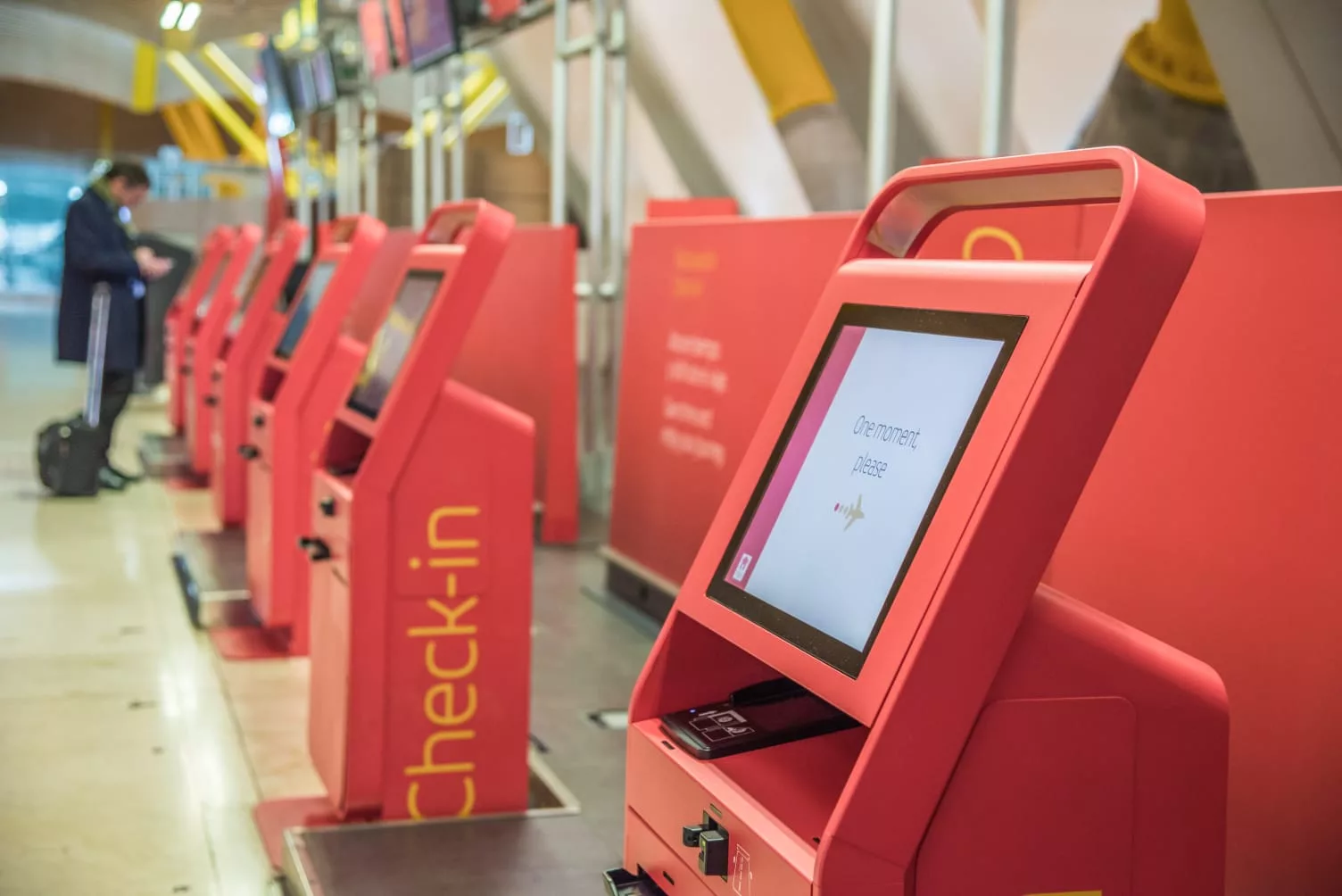
One of the most important technologies helping airports meet this challenge is the self-service airport kiosk. These automated machines allow passengers to check in, print boarding passes, tag baggage, and verify travel documents without waiting at traditional airline counters.
Traveler preference has shifted clearly toward self-service, which is why airports keep expanding kiosk deployments rather than adding more staffed counters.
As airports continue investing in automation, self-service kiosks are becoming a standard part of the passenger journey.
What Are Self-Service Airport Kiosks?
Self-service airport kiosks are automated machines that allow passengers to manage their check-ins without requiring assistance from airline staff. They’re designed for speed, simplicity, and convenience, and they can handle tasks like:
- Checking in for flights
- Printing boarding passes
- Generating luggage tags
Sarah, a frequent business traveler, often arrives at the airport stressed about time. By using a self-service kiosk, she can quickly check in, print her boarding pass, and proceed directly to security, saving her valuable minutes.
The Role of Self-Service Check-In Kiosks at Modern Airports
Self-service check-in kiosks are strategically placed near airline ticketing areas, often close to baggage drop-off counters, ensuring passengers can conveniently access them.
They are often designed to reduce the workload on frontline employees by handling routine tasks automatically.
Meeting Airport Goals
Airports and airlines aim to handle increasing passenger volumes while minimizing operational costs. Self-service kiosks have become central to achieving these objectives by:
- Reducing Manual Intervention: Enabling passengers to handle check-ins independently
- Decreasing Queue Times: Diverting traffic away from traditional counters
- Optimizing Resources: Allowing airport staff to focus on other critical tasks
At major hubs like Los Angeles International Airport, self-service kiosks have let airports manage higher passenger volumes without adding extra check-in staff.
Traditional Systems vs. Self-Service Airport Kiosks
Airports are hubs of activity where efficiency and convenience are paramount. With advancements in technology, self-service check-in kiosks have emerged as a modern alternative to traditional check-in systems.
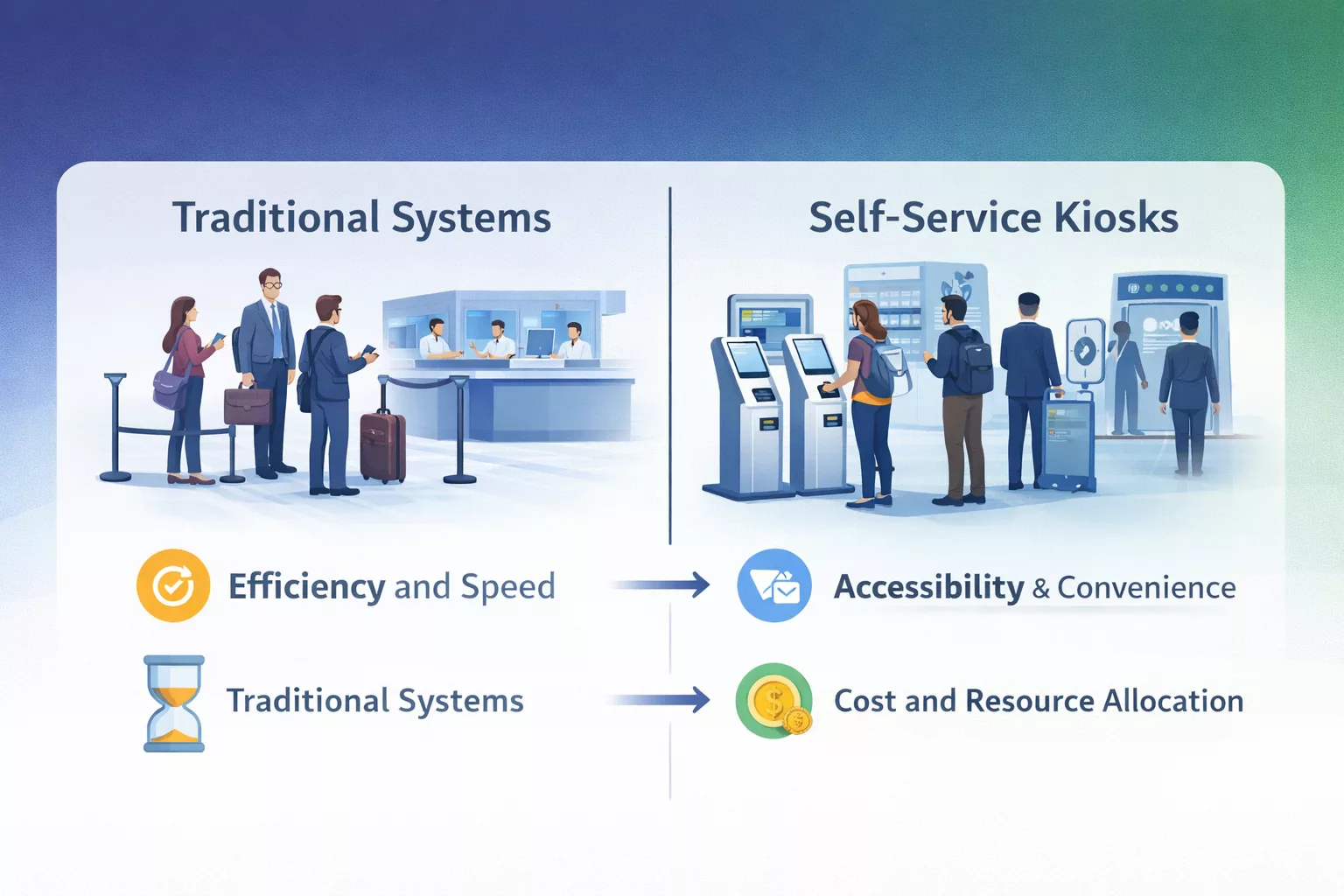
Here’s a detailed comparison of the two:
1. Efficiency and Speed
Traditional Systems:
- Relies on human interaction at counters.
- Passengers wait in long queues during peak hours.
- Check-in time ranges from 5 to 20 minutes per passenger.
Self-Service Kiosks:
- Eliminates the need for manual assistance.
- Processes check-ins in under 3 minutes.
- Reduces congestion by handling multiple passengers simultaneously.
2. Accessibility and Convenience
Traditional Systems:
- Requires assistance from airline staff.
- Limited availability, especially during off-hours.
- May involve language barriers for international travelers.
Self-Service Kiosks:
- Accessible 24/7 in multiple languages.
- User-friendly interface with step-by-step instructions.
- Travelers can update information, select seats, and print boarding passes independently.
- Touchless Check-ins
Case Study:
During peak holiday travel, London Heathrow reported wait times exceeding 20 minutes at traditional counters.
After introducing kiosks, the average wait time dropped to 8 minutes.
3. Cost and Resource Allocation
Traditional Systems:
- Requires a large team of staff, increasing operational costs for airlines and airports.
- Staff must be trained for check-in, ID verification, and customer service.
Self-Service Kiosks:
- Reduces staffing needs, saving airlines up to 15% on operational costs.
- Minimal supervision required; kiosks handle routine tasks automatically.
4. Technology
- Limited use of technology; processes are heavily manual.
- Staff handles security checks manually.
Self-Service Airport Kiosks:
- Utilizes advanced technologies like facial recognition, QR codes, and biometric scanning.
- No physical interaction needed
While traditional systems remain essential for personalized assistance,modern airports worldwide are increasingly adopting kiosks to manage passenger flow and reduce overheads, striking a balance between human interaction and automation.
At Changi Airport in Singapore, self-service kiosks equipped with facial recognition technology allow travelers to check in, clear immigration, and board flights, largely without interacting with airport staff.
Top Self-Service Check-In Kiosk Providers Used in Airports
Airports worldwide rely on leading check-in kiosk providers to deliver fast and secure self-service experiences, a good primer being what a ticketing kiosk actually is. Here are some of the top airport kiosk system providers transforming check-in processes globally:
| Brand / Provider | Used By | Key Feature |
|---|---|---|
| SITA | Major Global Airports | Contactless Check-in, Biometric Scanning |
| IER | European & North American Airports | Self Bag Drop, Multi-Airline Integration |
| Materna IPS | Lufthansa, Qatar Airways | Kiosks + Mobile Check-In, Bag Drop Solutions |
| dormakaba | Asia-Pacific Airports | Self-boarding Gates, Fast Track Check-ins |
These check-in kiosk systems help airports reduce queues and enhance passenger convenience. Understanding these systems can help you better navigate your next airport visit!
How To Use Self- service Kiosks at Airport
Nobody likes to stand for long in congested waiting lines and spend their valuable time in waiting rooms.
Self-service kiosks have revolutionized the airport experience by providing an efficient, quick, and personalized service to passengers.
These kiosks not only save time but also streamline the entire check-in and boarding process.
Self- service airport kiosks have streamlined the entire Queue Management process at airports.
Modern Queue Management Solutions like Vizitor offer various robust digital features such as self- service Kiosks, digital signage, real- time tracking etc. for optimizing the entire airport Queueing organisation.
Here’s how the self check-in airport kiosks work:
Step 1: Passenger Identification
The first step in using a kiosk is identifying the passenger and retrieving the flight booking from the airline’s system.
Travelers can verify their identity using several options, including:
- Passport scanning
- Booking reference or confirmation number
- Frequent flyer membership number
- Credit or debit card used for booking
- Mobile boarding pass QR code
Once the passenger provides one of these identifiers, the kiosk connects to the airline’s reservation database and retrieves the traveler’s booking information.
This process typically takes only a few seconds. In many modern airports, passport scanners automatically read traveler information and fill in required details, reducing the need for manual input.
For frequent travelers, loyalty program numbers can also automatically load stored preferences such as seat choices or meal selections.
Step 2: Flight Confirmation
After retrieving the booking details, the kiosk displays the passenger’s flight information on screen.
Travelers can review key details such as:
- Flight number and destination
- Departure time and boarding gate (if available)
- Baggage allowance
- Seat assignment
Passengers are then given the option to confirm their check-in and make adjustments if necessary.
At this stage, kiosks often allow travelers to:
- Confirm their flight check-in
- Select or change seats
- Upgrade seat class if available
- Add checked baggage
- Purchase extra baggage allowance
- Update contact information for travel notifications
This step ensures passengers verify all travel details before receiving their boarding pass.
For airlines, this also provides an opportunity to offer optional services such as priority boarding, extra legroom seats, or lounge access.
Step 3: Boarding Pass Printing
Once the passenger confirms the flight details, the kiosk generates a boarding pass.
The boarding pass typically includes:
- Passenger name
- Flight number
- Boarding group
- Seat number
- Departure gate
- Boarding time
- Barcode or QR code for scanning at security and boarding gates
Most kiosks print the boarding pass immediately, allowing travelers to proceed directly to security or baggage drop.
In addition to printed passes, many airlines now allow passengers to send their boarding pass directly to their smartphone. Travelers can receive a digital boarding pass via email, airline mobile apps, or QR code download, making the process even more convenient.
Digital boarding passes are especially useful for travelers without checked baggage, as they can move directly to security screening.
Step 4: Baggage Tag Printing
For passengers traveling with checked baggage, the next step is printing baggage tags.
The kiosk prints adhesive tags that include a barcode linked to the passenger’s flight and destination. Travelers attach these tags securely to their luggage.
After tagging their bags, passengers proceed to a self-service bag drop counter, where airport staff or automated systems accept the luggage and place it onto the baggage handling system.
Self-service bag drop counters scan the baggage tag and verify that the luggage belongs to the correct passenger and flight.
This automated process helps reduce congestion at traditional check-in counters and speeds up baggage processing for airlines.
In many modern airports, the entire check-in and baggage drop process can take less than five minutes.
Step 5: Identity Verification
At many major international airports, kiosks are also integrated with biometric verification systems.
These technologies confirm passenger identity by comparing travel documents with biometric data.
Common identity verification methods include:
- Facial recognition technology
- Passport scanning and verification
- Fingerprint authentication
Facial recognition systems can match a traveler’s face with the image stored in their passport or airline database in just a few seconds.
Biometric verification improves both security and efficiency by reducing the need for manual document checks.
In some airports, biometric systems are part of a broader “smooth travel” initiative, where passengers move through check-in, security, and boarding using a single digital identity.
As more airports adopt biometric technologies, identity verification is expected to become faster and more automated in the coming years.
Step 6: Multilingual Interface
One of the most important features of self-service kiosks is their ability to provide multiple language options.You can select the language you are comfortable in.
This is especially beneficial for international travelers who may not be fluent in the local language.
- Language Selection: Passengers can choose from a wide range of languages, making it easier for them to navigate the check-in process and other services.
- Ease of Use: This makes the airport experience smoother for everyone, regardless of where they come from.
Vizitor’s real-time interactive dashboard ensures that international travelers are guided to the kiosks that provide their preferred language.
7. What If Something Goes Wrong at the Airport Kiosk?
- Printer Error: Ask a nearby agent or proceed to a service counter.
- Booking Not Found: Double-check your booking reference and spelling; ask airline staff if needed.
- Boarding Pass Didn’t Print: Revisit the kiosk and select “Reprint Boarding Pass.”
- Luggage Tag Issue: Staff is always available near bag drop areas for help.
This improves the efficiency of the check-in process and ensures that passengers can easily understand all the steps involved in their travel.
Tips for Using Self-Service Airport Kiosks
- Have Your Documents Ready: Keep your booking reference or passport handy for quick check-in.
- Follow On-Screen Instructions: The kiosk will guide you step-by-step—just follow the prompts.
- Check Your Seat Selection: Make sure you choose your preferred seat before confirming.
- Print Your Boarding Pass: After check-in, don’t forget to print your boarding pass.
- Drop Your Bag Quickly: Use the self-service baggage drop to avoid waiting in long lines.
- Stay Updated: Look out for real-time flight updates on the kiosk screen.
- Use Accessible Features: Choose language and accessibility options for ease.
Real- World Case Studies
1. Hartsfield-Jackson Atlanta Airport (USA)
The introduction of kiosks helped reduce check-in wait times and shifted a large share of passengers away from staffed counters for routine check-ins.
2. Los Angeles International Airport (USA)
LAX installed kiosks for check-ins and boarding passes, cutting down queues at traditional counters.
3. Dubai International Airport (UAE)
Dubai International runs a large network of self-service kiosks for check-in and baggage tagging, reducing dependence on staffed counters even during high passenger volumes.
Future of Self check-in Airport Kiosks
Self-service kiosks at airports are just the beginning of a larger shift towards smooth, efficient, and stress-free travel experiences.
As technology advances, we can expect even smarter kiosks with biometric scans and real-time updates. This will not only enhance passenger convenience but also help airports manage traffic more efficiently.
Airports are increasingly looking to integrate self-service kiosks with other innovations like automated baggage handling systems, smart queue management solutions like Vizitor, and enhanced digital touchpoints to provide a holistic solution for travelers.
Vizitor’s queue management system, for example, helps streamline the flow of passengers, reducing wait times and improving overall satisfaction.
Here are some of the key trends shaping the next generation of airport kiosks.
Biometric Identity Verification
Biometric technology is becoming a core part of airport automation strategies. Instead of repeatedly showing passports or boarding passes at different checkpoints, passengers will increasingly rely on biometric identity verification.
Facial recognition systems can scan a traveler’s face and match it with the image stored in their passport or airline database within seconds. This allows passengers to move through multiple airport checkpoints, including check-in, security screening, and boarding gates, using a single digital identity.
Many airports are already testing biometric corridors where passengers simply walk through automated gates while cameras verify their identity in real time. These systems significantly reduce waiting times and improve security by minimizing human error.
In the coming years, biometric kiosks are expected to play a larger role in enabling what the aviation industry calls a “smooth passenger journey,” where travelers can move through airports with minimal manual document checks.
AI-Powered Passenger Assistance
Artificial intelligence is transforming the way passengers interact with airport kiosks. Instead of basic menu-driven systems, newer kiosks are becoming smarter and more intuitive through AI integration.
AI-powered kiosks can assist passengers by providing:
- multilingual assistance for international travelers
- real-time flight updates and gate changes
- personalized travel recommendations
- guidance for first-time travelers
For example, if a passenger’s flight is delayed or their gate changes, the kiosk can automatically notify them and suggest the fastest route to their new gate.
AI systems can also analyze passenger behavior and traffic patterns to help airports manage crowds more efficiently. By predicting peak travel times and passenger flow, airports can adjust kiosk availability and staffing levels to maintain smooth operations.
Touchless Interaction
Health concerns and changing traveler expectations have accelerated the demand for contactless technologies in airports. As a result, modern kiosks are increasingly designed to support touchless interactions.
Some of the emerging touchless features include:
- gesture-based navigation
- voice-activated commands
- mobile phone authentication
- QR code scanning for boarding passes
Passengers can simply scan a QR code from their smartphone to retrieve booking details instead of typing information manually. Voice-enabled kiosks can also guide travelers through the check-in process without requiring physical screen contact.
Touchless technology not only improves hygiene but also speeds up interactions by reducing the number of steps required during check-in.
Integrated Baggage Automation
Another major trend shaping airport kiosks is the integration of automated baggage handling systems.
Traditionally, passengers check in at a kiosk and then visit a separate counter to drop off their luggage. However, newer systems are combining these processes to create a faster, fully automated workflow.
In advanced airports, kiosks are now connected directly to self-service bag drop units. After printing baggage tags, passengers can place their luggage on a scanning belt that automatically weighs, verifies, and routes the bag to the appropriate flight.
Some airports are also integrating RFID technology into baggage tags. RFID allows airports and airlines to track bags in real time, reducing the risk of lost luggage and improving baggage handling efficiency.
This level of automation not only improves the passenger experience but also helps airports process large volumes of baggage more accurately and efficiently.
Mobile and Digital Travel Integration
Another important trend is the integration of kiosks with mobile devices and digital travel platforms.
Passengers increasingly use airline apps and digital boarding passes throughout their journey. Modern kiosks are being designed to sync smoothly with these digital tools.
For example, travelers can:
- scan a mobile boarding pass to check in instantly
- retrieve booking details from an airline app
- receive digital baggage receipts
- transfer boarding passes directly to mobile wallets
This integration allows passengers to move between mobile and kiosk systems without repeating the same steps multiple times.
Data-Driven Passenger Flow Management
Airports are also beginning to use kiosk data to improve overall passenger flow management. Each interaction with a kiosk generates valuable insights about traveler behavior, peak traffic times, and service demand.
By analyzing this data, airport operators can:
- optimize kiosk placement within terminals
- predict congestion at check-in areas
- adjust staffing levels during busy travel periods
- improve overall passenger processing efficiency
The Path Toward Fully Automated Airports
Looking ahead, airport kiosks will likely become part of a broader ecosystem of automated airport technologies. These may include biometric boarding gates, AI-powered security screening, and digital travel identities that work across airlines and international borders.
The long-term vision is to create a fully automated airport experience where passengers can move smoothly from check-in to boarding with minimal waiting times and fewer manual processes.
As global air travel continues to grow, advanced kiosk technologies will play a critical role in helping airports manage demand while delivering faster, smarter, and more convenient journeys for travelers.
Frequently Asked Questions
See Vizitor in action check-in a visitor in under 30 seconds
Trusted by 500+ businesses. QR check-in, badge printing, NDA signing. Plans from $36/mo.