
Space Management Software
Stop Paying for Office Space Nobody Is Using
Track real-time occupancy across every floor, manage every bookable resource from desks to parking bays, and produce the utilization reports that tell you exactly which space you can cut. One dashboard. Every location. Every resource. Every data point you need to make the next real estate decision with confidence.











average reduction in office costs for organizations using space management data to right-size their footprint
typical utilization rate in offices without space management. Half the space often sits empty
utilization improvement achieved after implementing space management software
workplaces managing their space with Vizitor globally
What Is Office Space Management Software?
Office space management software gives facilities managers and operations teams real-time visibility into how every area of an office is actually being used. It tracks occupancy by floor, zone, and resource type; manages bookings for desks, parking bays, vehicles, and equipment; produces utilization analytics over time; and surfaces the data that makes real estate decisions defensible.
Vizitor's space management software covers the full facility layer: real-time occupancy tracking, multi-resource booking, utilization analytics by floor and zone, and multi-location management from one dashboard.
* Free trial available · No setup fee · No dedicated hardware required
What Unmanaged Office Space Actually Costs
Real estate is your second-largest cost. And it's being wasted
At 40-50% typical utilization, most offices are paying for half their space to sit empty every day. Without occupancy data, that cost is invisible.
Lease decisions made without data lock you in for years
Renewing a lease without utilization evidence means committing to a footprint based on assumptions. Space management data turns that decision into a calculation, not a guess.
Resources claimed informally create waste and conflict
Projectors, vehicles, and parking bays reserved through messages and verbal agreements get double-booked, held past need, and lost to audit. A booking record for every resource fixes this.
Facilities managers cannot justify redesigns without usage data
A floor consolidation proposal without occupancy data is an opinion. With months of utilization reports behind it, it is a recommendation.
Core Features of Vizitor's Space Management Software
Six capabilities that give you real-time occupancy data, conflict-free resource booking, and the utilization analytics to make every space decision with evidence.
All Resources · Today
Parking Bay 04
Available · All dayProjector – Room A
Booked · 10AM–12PMVehicle – Sedan 01
Available from 2PMMumbai HQ
68% occupancy · 32 availableDelhi Office
45% occupancy · 18 availableBangalore Office
72% occupancy · 8 availableReal-Time Occupancy Tracking. Live Across Every Floor and Zone.
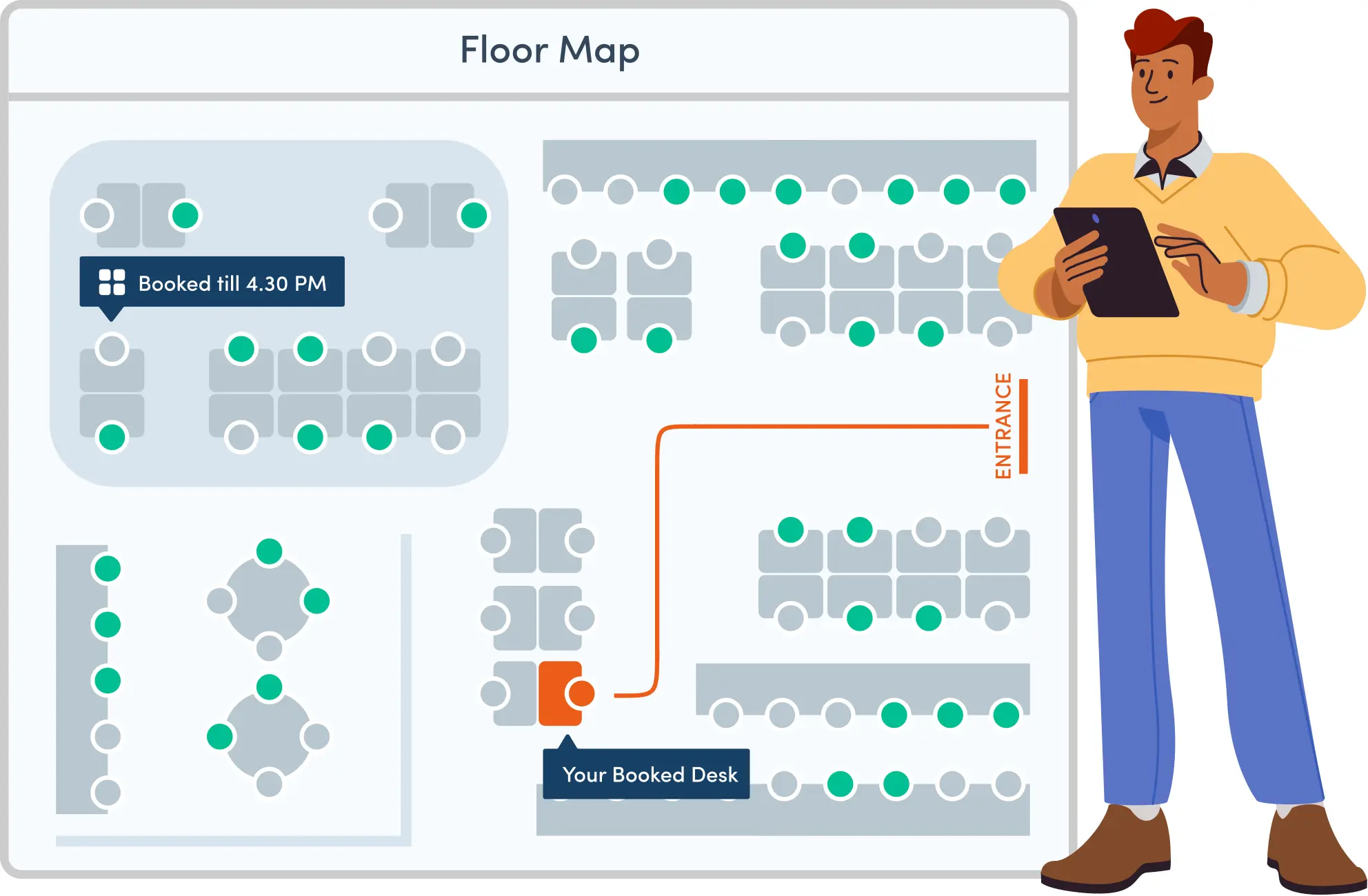
Live occupancy across every floor, zone, and resource category from the admin dashboard. Updates automatically as bookings are made, check-ins scanned, and bookings expire. Multi-location organizations see all sites aggregated in one view and can filter by location, floor, or zone at any level.
- Live occupancy visible across every floor, zone, and resource category
- Updates automatically as bookings are confirmed or canceled
- Multi-location view aggregated in one dashboard
- Filter by location, floor, or zone at any level
- No manual headcount, no refresh required
Multi-Resource Booking. Every Asset in Your Workplace on One Platform.
Vizitor manages every bookable resource in your workplace, not just desks. Hot-desking zones, parking bays, reserved spaces, company vehicles, and any custom resource category you define. Every resource uses the same flow: QR code or app, instant confirmation, admin visibility, utilization log.
- Book desks, parking bays, company vehicles, and equipment from one platform
- QR code or app booking with instant confirmation
- Admin visibility into every resource booking in real time
- Utilization log created automatically for every booking
- Unlimited custom resource categories configured by admin
Space Utilization Analytics. The Evidence Base for Every Real Estate Decision.
Every booking and check-in is captured automatically and turned into reports. Occupancy rate by floor, zone, and day of week. Peak occupancy hours. Consistently underused areas and resources. Booking vs. actual attendance. Month-over-month trends.
- Occupancy rate by floor, zone, and day of week
- Peak occupancy hours and usage patterns
- Consistently underused areas and resources identified
- Booking vs. actual attendance (no-show rate) tracked
- Month-over-month trends and exportable reports
Space Categories and Custom Resource Types. Unlimited Flexibility.
Create unlimited resource categories. Standard options include desks, parking, and equipment. Custom categories include loading bays, phone booths, collaboration pods, and specialist equipment. Each category has independent booking rules and reporting.
- Create unlimited custom resource categories
- Standard categories for desks, parking, and equipment
- Custom categories for any workspace resource your facility uses
- Each category has its own booking rules and reporting
- Scales from small offices to multi-location organizations
Multi-Location Management. One Dashboard. Every Site. Every Resource.
Each location has its own resource inventory, floor plan, and booking rules. The admin dashboard aggregates everything: live occupancy comparison, cross-site reports, portfolio-level analytics. A new location is live in minutes.
- Each location has independent resource inventory and booking rules
- Live occupancy comparison across all sites in one view
- Cross-site reports and portfolio-level analytics
- New locations added and live within minutes
- Per-location admin controls with central oversight
Booking Rules and Admin Controls. Runs Automatically. No Per-Booking Admin Required.
Configure per resource type, floor, or location: advance booking windows, duration limits, approval workflows for restricted resources, and maintenance blackouts. Rules run automatically with no admin intervention per booking.
- Advance booking windows configured per resource type or floor
- Duration limits prevent long-term desk hoarding
- Approval workflows for restricted resources run automatically
- Maintenance blackouts block booking without manual admin
- Rules apply across all bookings without any per-booking admin involvement
How Vizitor's Space Management Software Works
From setup to utilization reports. Four steps, no hardware, no IT team.
Add Your Locations and Resources (5 minutes)
Create each office location, upload floor plans, and add every bookable resource: desks, parking bays, equipment, vehicles. Assign each resource to a floor, zone, and category. Set booking rules per resource type.
Employees Book via App or Browser (30 seconds)
Employees select the resource type, view live availability, and confirm their booking from the Vizitor app or any web browser. Instant confirmation via SMS, email, or WhatsApp. The resource is blocked in real time. No double bookings, no conflicts.
Facilities Managers Monitor from One Dashboard
The admin dashboard shows live occupancy across every floor and location. Manage all resource categories, override bookings if needed, update availability for maintenance, and configure rules without touching individual bookings.
Generate Utilization Reports on Demand
Pull any utilization report from the analytics dashboard at any time. Select the date range, floor, zone, or resource category. Export as PDF or XLSX. Reports update automatically with no manual data preparation required.
THE COMPARISON
Manual Space Management vs. Vizitor
Of office space goes unused without space management software
Space utilization improvement with Vizitor
Workplaces report productivity improvements
Organizations trust Vizitor globally
Why Modern Workplaces Choose Vizitor's
Space Management Software
Six practical reasons facilities managers and operations teams choose Vizitor's workplace management software over standalone desk booking tools.
Every Resource Type in One Platform
Desks, offices, parking spots, equipment, and vehicles all managed from one Vizitor dashboard. No separate tool for each resource type, no separate vendor, no separate login for your facilities team.
QR Code Booking Without Dedicated Hardware
Employees book any workspace resource via QR code from the Vizitor app on their own device. No proprietary kiosk, no expensive room panels, and no hardware installation required before going live.
One Platform, Six Products
Space management, visitor management, meeting room booking, delivery management, attendance tracking, and queue management all run from one Vizitor dashboard. One login, one vendor, one support contract.
Real Data Replaces Guesswork
Every booking and space interaction is logged automatically. Your facilities team sees which areas are underused, when peak demand hits, and exactly how much space is being wasted with the data to back every decision.
Hybrid Work Finally Manageable
Employees see who is in the office and book a nearby desk before commuting. Admins predict daily attendance and manage fluctuating occupancy without manual headcounts. Hybrid coordination becomes structured and data-driven.
Live in Under 5 Minutes
No hardware installation, no IT project, no onboarding delays. Vizitor runs on any browser, smartphone, or tablet. Most organizations are booking real desks and tracking live occupancy within 5 minutes of signing up.
Who Uses Vizitor's Space Management Software
From facilities managers making lease decisions to IT teams managing shared assets, Vizitor serves every role that depends on workspace data.
Facilities Managers: Making Lease Decisions
Vizitor produces the utilization reports that show which floors are consistently underused and whether the current footprint matches actual demand, turning a lease negotiation from a headcount conversation into an evidence-based one.
How Vizitor Helps Facilities Managers
Space utilization analytics show exactly which desks and floors are underused, giving facilities managers the evidence they need to right-size office space and reduce unnecessary real estate costs.
Frequently Asked Questions About
Vizitor's Space Management Software
Office space management software gives facilities managers real-time visibility into how every area of an office is actually being used. It tracks occupancy by floor, zone, and resource type; manages bookings for desks, parking, equipment, and other shared assets; and produces utilization reports that support real estate decisions, from lease renewals to floor redesigns to consolidation across locations.
Desk booking is employee-facing: it solves the daily question of where to sit. Space management is facility-facing: it answers whether the office is being used efficiently and what the data says to do about it. Desk booking produces reservations. Space management produces occupancy analytics, multi-resource tracking, and the utilization evidence needed for lease and layout decisions. Vizitor provides both in one platform.
Three core problems: wasted spend on underused space, lease and layout decisions made without utilization data, and shared resources managed through informal channels with no accountability. Space management software makes every cost visible, every resource bookable, and every occupancy pattern measurable over time.
Space utilization is the percentage of available office space that is actively occupied during working hours. Research shows the average hybrid office runs at 40-50% utilization. Without measuring it, organizations pay for that empty space indefinitely. With utilization data, facilities managers can right-size their footprint and cut office costs by up to 30%.
Every booking and check-in is captured automatically by the system. The analytics dashboard converts that data into reports showing occupancy rate by floor, zone, and day of week; peak occupancy hours; consistently underused areas; and month-over-month trends. Reports are exportable as PDF or XLSX at any time with no manual data preparation required.
Yes, this is the primary use case for utilization analytics. When reports consistently show floors or zones running below 40-50% occupancy, facilities managers have an evidence-based case for downsizing, subleasing, or repurposing that space. Organizations using data-driven space allocation report savings of up to 30% on office costs. The data converts a lease conversation from assumptions to verified usage evidence.
Live occupancy updates automatically as bookings are made via the app or browser, check-ins are confirmed on arrival, and bookings expire. The admin dashboard shows how many desks are in use right now, how full each floor is, and whether specific zones are over or underutilized across all locations simultaneously. No manual headcount, no refresh required.
Occupancy and booking data is stored and available for historical reporting. Admins can pull utilization reports for any past date range from the dashboard. Data retention periods are configurable per the organization's policy. For lease decisions and accreditation reviews, multi-month historical reports are available on demand.
Vizitor manages any bookable resource: desks and hot-desking zones, parking bays, company vehicles, and any custom resource category the admin defines. Each resource type has its own booking rules, availability calendar, and utilization tracking, all in one platform.
Employees select the resource type, view live availability, and confirm their booking via the Vizitor app or any web browser. Instant confirmation arrives via SMS, email, or WhatsApp. The resource is blocked in real time: no double bookings, no conflicts. On arrival, the employee confirms their presence and the dashboard updates automatically.
The moment a booking is confirmed, the resource is removed from the available pool in real time across all devices. A second person attempting to book the same resource at the same time is immediately shown it as unavailable. No manual coordination, no conflict resolution: the system handles it automatically at the point of reservation.
Yes. Parking bays are managed as a separate resource category with their own booking calendar, availability view, and utilization tracking. Employees book a parking bay the same way they book a desk, via the app or browser before arriving. Admins see live parking utilization alongside all other resource categories in one dashboard.
Setup takes under 30 minutes for the initial configuration: add locations, upload floor plans, define resource categories, and set booking rules. Employees book via the Vizitor app or browser. No IT team required. No hardware procurement. New locations are added in the same time.
Yes. With Vizitor, each location has its own resource inventory, floor plan, booking rules, and occupancy tracking, configured independently from the admin dashboard. All location data feeds into one unified view for cross-site comparison. Facilities managers see utilization rates across every location simultaneously and can identify where consolidation or expansion is justified.
No. Vizitor requires no proprietary hardware. Employees book resources via the Vizitor app or any web browser on their existing phone or computer. Any existing Android or iOS tablet can serve as an on-site display or admin device. No installation, no maintenance contract, no hardware budget required.
Stop Paying for Space You're Not Using
Vizitor's space management software gives you the occupancy data you need to make the next real estate decision with evidence, not assumptions. Live in 5 minutes. No hardware. No IT team. The data you've been missing starts accumulating from day one.