Nine Ways a Visitor Management System Strengthens School Safety
This article explains the key security concerns schools face and what a school visitor management system is, then details nine ways such a system improves security, from OTP verification and contactless check-in to flagging unauthorized entry attempts and streamlining dismissal. It also covers a step-by-step rollout plan, common implementation mistakes, and the honest limits of what a VMS can and can't do for campus security.


Table of Content
Try Vizitor for Free!
School Security: A Growing Concern for Parents and Administrators
Ensuring school security is no longer optional. It is a necessity. With rising threats such as unauthorized access, safety breaches, and health risks, schools must implement modern security solutions to safeguard students and staff.
A Visitor Management System (VMS) offers a structured way to track, verify, and manage visitors while preventing unauthorized access. From parent check-ins to monitoring staff and volunteers, a VMS is an essential tool for creating a safe learning environment.
In plain terms, a school visitor management system is software that checks who enters a campus, confirms they’re allowed in, and keeps a record of it. It matters because a school without one is relying on a guard’s memory and a paper sheet, and neither catches a problem until after it happens.
The question most administrators struggle with isn’t whether to upgrade security. It’s how to do it practically, without disrupting the school day, overwhelming staff, or creating friction for parents and authorized visitors.
This guide covers what a school visitor management system does, why it matters, and the specific features that make the biggest difference.
Key Security Concerns for Schools
These are the questions parents and administrators ask most often:
- Is the school equipped with a visitor management system that actually verifies who walks in?
- How are unauthorized visitors prevented from accessing the campus?
- Can the school track who is picking up children, and verify authorization in real time?
- How do we streamline the check-in process while improving security?
The answers depend on having a system built for school-specific workflows: different visitor types (parents, contractors, volunteers, officials), dismissal authorization, emergency response, and privacy protection for minors.
What Is a School Visitor Management System?
A school visitor management system is digital software that manages the check-in and check-out of every person entering school premises. It collects visitor data such as photos, reason for visit, visit duration, and contact details, storing everything securely in a cloud-based system.
Unlike a paper logbook, a digital VMS creates a searchable, auditable record of every entry. It flags unauthorized individuals automatically. It notifies staff when a visitor arrives, and it produces accurate headcounts during emergencies.
The system benefits every school by keeping organized, accurate records of everyone on campus at any given moment, without the errors and gaps that come with manual processes.
Why Schools Must Upgrade to a Digital Visitor Management System
Every school has its own security policies, but all schools share the same categories of challenge:
- Security breaches from unauthorized individuals entering the premises
- Malicious or flagged individuals attempting access
- Natural emergencies requiring accurate headcounts
- Spread of illness through unscreened visitors
- Unscheduled visitors who cause disruptions during school hours
- Dismissal errors where children are released to unauthorized individuals
All types of educational institutions, from boarding schools to elementary schools to high schools, are upgrading their security standards by implementing quality visitor management systems. The shift reflects a broader understanding that a security guard and a paper logbook are no longer sufficient for the complexity of school visitor traffic.
A front-desk guard can recognize a few dozen regular faces. That’s it. They can’t cross-check a stranger against a custody order or a watchlist in the ten seconds it takes to wave someone through the door. A paper log has the same problem in a different form: it records a name after the fact, but nobody checks that name against anything before the visitor is already inside.
For context on what a complete visitor management approach looks like across all settings, see our visitor management system overview. For the version built specifically around K-12 and campus workflows, Vizitor’s visitor management system for schools page covers the full feature set.
How a Visitor Management System Improves School Security
Schools cannot rely only on a manual logbook and a security guard to track who enters and exits the campus. The volume of visitors is too high, the stakes are too significant, and the margin for error is too small.
A quality visitor management system takes full control of the entry process, making it safer for students and staff while reducing the administrative burden on reception and security personnel.
This isn’t just a theoretical benefit. Sri Sairam College of Engineering ran three years on Vizitor’s visitor management system with zero operational security issues and 100% visitor screening at every entry point, according to Vizitor’s case study. The full rollout took a single day, which matters for any administrator worried that a security upgrade means weeks of disruption to a working front office.
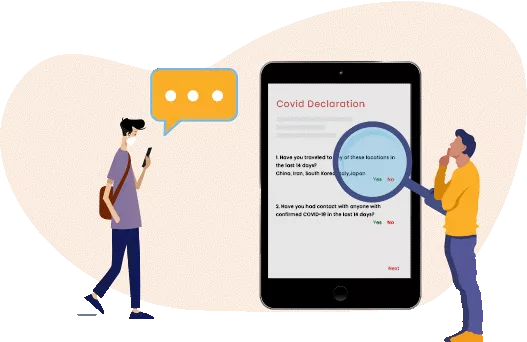
Here are the specific ways a school VMS improves security:
1. User-Friendly Check-In and Checkout Process
The check-in system collects specific data and allows different entry requirements for different visitor types: parents have one workflow, contractors have another, volunteers have a third.
The visitor fills in required details electronically. Name, reason for visit, host name, and any other fields the school requires. They may also take a photo during check-in for identification. The photo is automatically added to a customized visitor badge and printed upon approval. This makes it easy for staff to verify who belongs where and creates a clear record for later reference.
Checkout works the same way: the visitor scans out, the record closes, and the system knows they’ve left the building.
2. Visitor Authentication Through OTP Verification and Security Screening
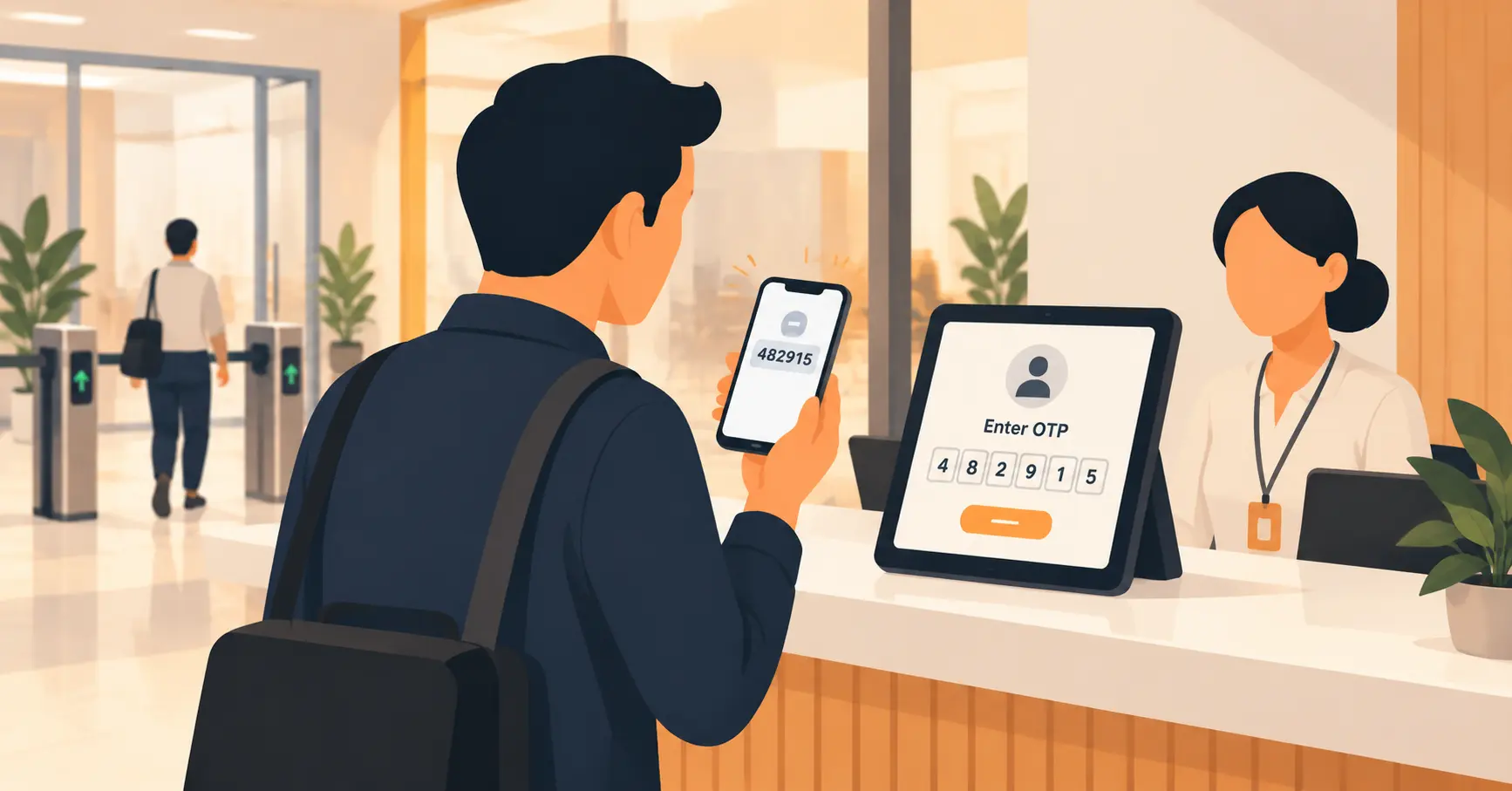
When a visitor enters the school, they fill in their details and the system verifies them. OTP-based mobile verification confirms that the phone number provided is real and belongs to the person checking in.
Once details are submitted, a request notification goes to the staff member or administrator, who can approve or deny access before the visitor proceeds further. This creates a clear approval gate that paper systems simply can’t replicate.
The cloud-based digital system ensures that every visitor has a proper check-in and security screening, rather than leaving it to the judgment of whoever happens to be at the desk.
3. Instant Notifications for Violations and Unauthorized Attempts
Visitor monitoring is the most critical safety measure for schools. When an individual on a watchlist or denied-entry list attempts to check in, the system immediately alerts administrators.
Authorities can then take action: refuse entry, contact law enforcement, or add the individual to a permanent blocklist. This automated screening happens without requiring the front desk staff to recognize the person or remember a list of names.

4. Contactless Check-In
Touchless check-in solutions, including face recognition, smartphone-based entry, and QR code scanning, reduce physical contact at entry points. This matters for general health reasons and for reducing the risk of illness spreading through a student population.
Touchless entry also speeds up the process significantly, reducing queues and congestion at busy entry times like morning arrival or afternoon dismissal.
5. Host Notification
When a visitor arrives, after reviewing their profile, the relevant staff member receives an instant notification. They can approve or deny access remotely, without needing to be at reception.
This creates an additional security layer: even if a visitor provides accurate information, access requires explicit approval from the person they’re visiting. It also means hosts are always aware that their visitor has arrived, reducing the scenario where a visitor sits unattended in the lobby waiting to be found.
6. Digital Records of Every Visitor
Paper logbooks make it difficult to verify information, run searches, or maintain accurate records in real time. They’re also vulnerable to theft, damage, or loss.
A digital VMS keeps accurate online records of all entries and exits. The visitor management module captures details in the visitor entry form and stores everything securely in the cloud, accessible to authorized staff and searchable by name, date, or visit type. This is essential for compliance, investigations, and any situation where you need to verify who was on campus at a specific time.
7. Flagging Unauthorized Entry Attempts
In a school, there is an endless stream of visitors. The visitor management system captures the details of every person and creates a safe, screened environment. It is vigilant, accurate, and prioritizes security protocols.
When someone doesn’t complete the check-in process, appears on a watchlist, or attempts to enter through an unmonitored point, the system generates an alert. Security staff can respond immediately rather than discovering a problem after the fact.

8. Smooth Dismissal Process
Dismissal is one of the highest-risk periods in a school day. Multiple children are leaving, multiple adults are picking them up, and the window for errors or unauthorized pickups is significant.
A visitor management system:
- Manages attendance and automatically populates tardy and early dismissal slips
- Automatically checks whether an adult has parental authorization to pick up a specific child
- Applies custom validation rules for early dismissal authorization and late arrival based on parent schedule changes
- Creates a clear record of who picked up each child and when
This reduces both the risk of unauthorized pickup and the administrative burden on dismissal staff.
9. Pre-Registration for Expected Visitors
The system allows administrators to pre-register expected visitors before they arrive. The admin enters visitor data and sends a notification via SMS or email. When the visitor arrives, they check in quickly using their pre-registration details, avoiding long queues and waiting times.
Pre-registration is particularly useful for parent-teacher meetings, school events, and scheduled volunteer visits where a large number of people will arrive in a short window.
See how Vizitor handles visitor management
Join 500+ workplaces using Vizitor to manage visitors securely. Free trial available.
Book a DemoRolling Out a School VMS: Step by Step
Buying the software is the easy part. Getting reception, teachers, and parents to actually use it the way it’s designed is where most rollouts stall. Here’s a workable sequence.
Step 1: Map every visitor type before you configure anything. Parents, contractors, substitute teachers, delivery drivers, and school-board visitors don’t need the same check-in flow. Write down each type and what approval it needs before you touch the software. Skip this step and every visitor type ends up funneled through one generic form that fits none of them well.
Step 2: Build the host and approval list first. Every staff member who might need to approve a visitor should be in the system with a working phone number or app login before launch day. A host list that’s out of date on day one trains staff to bypass the approval step entirely.
Step 3: Load the watchlist and dismissal-authorization data. Enter any denied-entry names, custody restrictions, and each student’s authorized pickup list before you go live, not after the first parent-teacher conference. A VMS with an empty watchlist is just a fancy visitor log.
Step 4: Train the front desk on the exceptions, not just the happy path. Ten minutes covers normal check-in. Spend the rest of the training on what to do when the system flags someone, when the internet drops, or when a visitor refuses to complete a screening step. Staff who only know the easy case revert to old habits under pressure.
Step 5: Pilot on a normal week, not a big event. Run the new system during an ordinary week before trusting it for a graduation ceremony or open house. A quiet week surfaces configuration mistakes without three hundred parents standing in a line waiting for you to fix them.
Step 6: Review the audit trail monthly, not just after an incident. Pull the visitor log once a month and check it against what actually happened that day. This catches drift, like a side door being used without check-in, before it becomes the reason an investigation finds a gap.
How Schools Can Customize Their Visitor Management System
Off-the-shelf visitor management systems can be configured for school-specific needs. Key customizations include:
Student Safety Alerts: If a visitor attempts to check out a student without authorization, the system alerts staff immediately before the child leaves the building.
Custom Badge Printing: Schools can issue personalized visitor badges with QR codes linked to specific access permissions. A parent authorized for the front office gets a different badge than a contractor working on the HVAC system.
Security Camera Integration: A VMS can sync with security cameras to allow real-time visitor tracking across campus. When a badge is scanned at a particular location, the system knows where that visitor is.
Automated Parent Pick-Up Approvals: Parents can pre-register pick-up times, reducing wait time and security concerns during dismissal. The system verifies authorization automatically rather than requiring staff to check a paper list.
Multi-Visitor Events: For PTM events, open houses, or graduation ceremonies where hundreds of visitors arrive in a short period, bulk pre-registration and QR code check-in prevent bottlenecks at entry points.
Common Mistakes Schools Make When Rolling Out Visitor Security
Treating it as a check-in tool only. A VMS that only handles arrivals and ignores dismissal leaves the riskiest twenty minutes of the school day running on the old paper system. Configure dismissal authorization from day one, not as a phase-two upgrade.
Skipping staff training on exceptions. Reception staff who never see a flagged-visitor scenario during training will freeze or improvise when it happens live. Walk through at least one denied-entry scenario before launch.
Letting the watchlist go stale. A blocklist that hasn’t been updated since setup is a blocklist that misses the person it was built to catch. Assign someone to review and update it on a fixed schedule, not “whenever we remember.”
Ignoring the physical side door. A school can have a flawless front-desk VMS and still have a side entrance propped open for deliveries. The system only secures the doors it’s actually watching.
Not testing the emergency headcount before an actual drill. The real-time headcount feature is only useful if staff know how to pull it up under pressure. Practice it during a scheduled fire drill, not for the first time during a real lockdown.
When a Visitor Management System Isn’t Enough
A visitor management system is a front-door control. It’s not a complete security program, and being honest about that matters more than overselling the software.
It doesn’t replace physical access control such as fencing, locked side doors, or turnstiles. A VMS that verifies visitors at reception does nothing for a door propped open around the back. It also doesn’t replace trained staff. An alert that nobody responds to is just a notification that got ignored. And it doesn’t cover data security by itself. If a school stores visitor and student data in the system, that data still needs proper access controls and retention policies around it, not just around the front door.
For very small schools with only a handful of visitors a week, the operational overhead of a new system may outweigh the benefit compared to a well-run manual process paired with strong physical security. Most schools with any real daily visitor traffic pass that threshold quickly, but it’s worth naming as the honest exception rather than pretending a VMS fits every campus equally.
For the broader picture of what security and compliance should look like beyond the front desk, see Vizitor’s security and compliance overview.
The Case for Upgrading Now
The cost of a school visitor management system is modest compared to the risk of a single serious incident. More importantly, the operational benefits are immediate: faster check-ins, less administrative burden for staff, better communication with parents, and a verifiable security record.
Schools that have upgraded to digital visitor management report faster entry processing, reduced anxiety among staff about security gaps, and greater confidence from parents that the school takes safety seriously.
For context on what the broader visitor management system selection process looks like, see our guide to choosing the best visitor management system for your business. And since replacing the sign-in book is also the single biggest paper-waste cut a school can make, see 15 ways schools can go green with digital visitor management.
Frequently Asked Questions
See Vizitor in action check-in a visitor in under 30 seconds
Trusted by 500+ businesses. QR check-in, badge printing, NDA signing. Plans from $36/mo.