Best Practices for Managing Visitors During Peak Hours


Table of Content
Try Vizitor for Free!
Managing visitors during peak hours is one of the most operationally demanding challenges in any workplace. When visitor volume spikes, every weakness in your front-of-house process becomes visible at once: the receptionist becomes overwhelmed, check-in slows to a crawl, the lobby fills up, and the first impression your organization makes on every person walking in degrades significantly.
If your organization is growing, you have almost certainly felt this. A busy front office signals progress, but it also creates real operational risk. Queues form. Delays stack. Security reporting becomes less accurate. Visitors leave with a less-than-ideal impression of an otherwise excellent organization.
The difference between organizations that handle peak hours smoothly and those that struggle comes down to systems. Paper-based sign-in methods simply cannot scale. Manual processes that work for ten visitors per hour collapse at thirty.
This post covers five concrete practices that transform peak-hour visitor management from reactive scrambling into a predictable, organized operation. Each practice is directly supported by tools that modern visitor management platforms like Vizitor provide.
Why Peak Hours Demand a Different Approach
Most organizations design their visitor management process for average volume. That works well most of the time and fails badly during peaks.
The consequences of an under-prepared peak-hour process are more serious than they appear:
- Security gaps: When check-in is rushed or manual, visitor logs become incomplete. People who should not be on-site may pass through unchecked during the chaos.
- Damaged first impressions: Executives, clients, and candidates form lasting opinions about your organization within the first few minutes of arrival. A chaotic lobby sets a tone that is hard to reverse.
- Staff burnout: Receptionists who spend two hours per day in controlled, manageable conditions spend the next four hours under significant stress. This affects retention and morale across the team.
- Inaccurate reporting: A paper logbook that gets skipped during a rush creates gaps in your visitor record that are impossible to reconstruct later.
An automated visitor management system like Vizitor addresses all of these risks simultaneously by taking the manual effort out of the check-in process and replacing it with digital workflows that scale without breaking down.
Practice 1: Encourage Pre-Registration Before Arrival
The single most effective thing you can do to reduce peak-hour congestion is move part of the check-in process before visitors arrive. Pre-registration allows visitors to complete their information on a smartphone or tablet in advance, eliminating the data entry that is the most time-consuming part of arrival check-in.
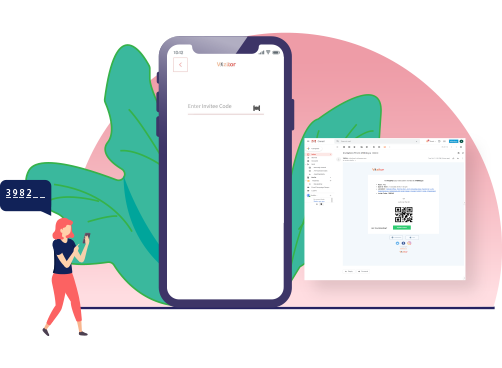
Vizitor offers visitors the ability to pre-register using their smartphone before they arrive, eliminating the need for paper documents and lengthy forms at the reception desk.
Why Pre-Registration Works at Scale
Faster check-in at the door: Visitors who have pre-registered complete their arrival check-in in under 30 seconds. They scan a QR code, confirm their details, and receive their badge. The receptionist is not required for this interaction.
Host notification in advance: When a visitor pre-registers, the host can be notified before the visitor arrives. The host prepares for the meeting, comes to reception on time, and the visitor is not left waiting.
Accurate data without the rush: Pre-registration captures visitor details correctly and completely, without the errors that occur when someone is filling out a form at a busy front desk while the receptionist is simultaneously handling three other arrivals.
Crowd flow insight: Pre-registration data gives you a preview of expected visitor volume before it materializes. If you know 40 visitors are registered for the next two hours, you can staff accordingly before the crowd arrives, not during it.
Peak hour identification: The pattern of pre-registrations across days and weeks reveals when your actual peak periods occur with much more precision than intuition. You gain the ability to allocate resources to ensure all visitors are properly managed and can send timing guidance to visitors to distribute their arrivals more evenly.
The practical impact: pre-registration reduces lobby congestion by separating the form completion step from the physical arrival step. Visitors arrive already in the system. Reception processes them in seconds.
Practice 2: Implement Digital Queue Management
Physical queues are inefficient by design. They concentrate people in a limited space, provide no information about wait times, and require manual coordination from staff. During peak hours, these problems multiply.

A structured Queue Management System replaces physical crowding with organized, digital flow. Visitors check in and receive a token. They can wait anywhere in the building rather than clustering at the reception desk. SMS updates keep them informed of their position without requiring staff to manage the waiting area.
What this changes during peak hours:
Incorporating an efficient queue management strategy handles unexpected visitor surges without chaos. When volume spikes, the system absorbs the additional load automatically. Every visitor is in the queue, every visitor has a position, and every visitor knows what to expect. The visible crowding that signals operational failure to an incoming visitor is replaced with an organized, calm environment.
Staff stress during peak hours decreases substantially when queue coordination is handled by the system rather than by people. A less stressed receptionist manages individual visitor interactions with more care and attention, which improves service quality for every visitor even during the busiest periods.
Queue management data also helps allocate staff appropriately. If the system shows that certain service types consistently generate longer queues at specific times, staffing can be adjusted proactively rather than reactively.
For a detailed breakdown of how queue management systems work and what features matter most, see our guide to choosing the perfect queue management system.
See how Vizitor handles queue management
Join 2,000+ workplaces using Vizitor to reduce wait times and manage visitor flow. Free trial, no credit card required.
Book a DemoPractice 3: Prepare for Unexpected Situations and Emergencies
Peak hours do not just create operational stress. They increase the likelihood of exceptions and emergencies. A frustrated visitor who has been waiting too long is more likely to escalate. A sudden spike in arrivals can create crowd dynamics that are harder to manage safely. And in genuine emergency situations, like fire evacuation or security incidents, having accurate real-time visitor data is critical.
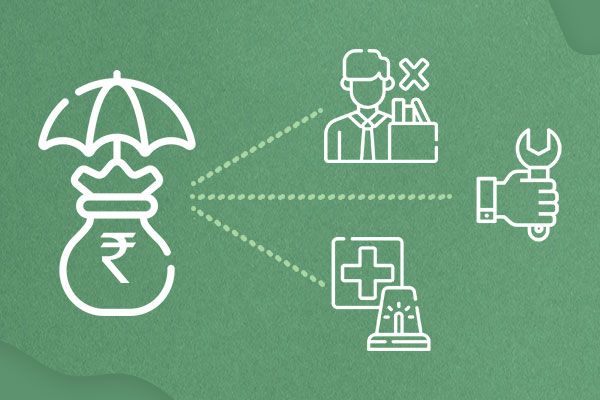
Handling frustrated visitors during peak periods:
The most effective way to prevent visitor frustration from escalating is to address uncertainty before it develops. When visitors know their position in the queue, their estimated wait time, and that the process is fair, frustration does not build in the same way. Vizitor’s queue system and SMS notifications handle this preemptively.
When frustration does occur despite good queue management, the approach is consistent: acknowledge the wait, provide an updated estimate, and demonstrate that the system is managing the situation fairly. Visitors who feel heard and informed de-escalate significantly faster than those who feel ignored.
Emergency preparedness with digital visitor logs:
Pre-plan for different emergency scenarios specific to your facility and peak-hour patterns. The key asset in any emergency involving visitors is knowing exactly who is in the building at that moment.
A paper logbook during peak hours frequently has gaps, illegible entries, or late sign-ins. A digital visitor management system maintains an accurate, real-time record of every visitor who has checked in and whether they have checked out. During an evacuation, this list is available instantly on any authorized device.
Train staff on emergency procedures with a specific focus on how to use the visitor management system during an incident. Ensure that evacuation plans account for the actual visitor volumes that occur during peak periods, not the average volume that informs most emergency planning.
Ensure all exits and routes are clearly marked and unobstructed, particularly during high-traffic periods when visitors unfamiliar with the building layout may need to navigate quickly.
Practice 4: Use Digital Technology for Faster, Contactless Processing
Technology is the most scalable solution to peak-hour volume. Manual processes have a hard ceiling on throughput: one receptionist can only process so many visitors per hour regardless of how efficiently they work. Digital processes scale without a proportional increase in staff.
Mobile check-in via QR code:
Visitors scan a QR code on arrival using their smartphone camera. The scan opens the Vizitor check-in flow where they complete their registration in under a minute. No app download required for QR code check-in. No physical interaction with a reception desk needed. This single change reduces the per-visitor time at the front desk by 60 to 80 percent.
Face recognition for repeat visitors:
For environments where speed and accuracy of identification are critical, face recognition technology at entry points provides rapid, contactless visitor verification. Returning visitors who have had their face registered on a previous visit can complete check-in in seconds without any manual interaction.
Contactless self-service kiosks:
Vizitor’s kiosk check-in allows visitors to complete the entire process without staff involvement. The kiosk displays the check-in flow, collects visitor information, prints a badge, and notifies the host. This is the fastest check-in method for visitors who arrive without pre-registration and works continuously regardless of whether a receptionist is available.
During peak hours, kiosks run in parallel with staff-assisted check-in, effectively multiplying your reception capacity without multiplying your staff count.
The combination of pre-registration, QR code check-in, and kiosk self-service means that a single receptionist can oversee a high-volume arrival period with confidence, handling the exceptions while the system processes the routine arrivals automatically.
Practice 5: Use Digital Visitor Badges for Access Control and Crowd Management
Visitor badges are a simple but effective tool for managing visitor behavior and maintaining security during high-traffic periods. They answer the question that security and staff need to answer throughout the day: is this person authorized to be here, and where can they go?

Security and authorization:
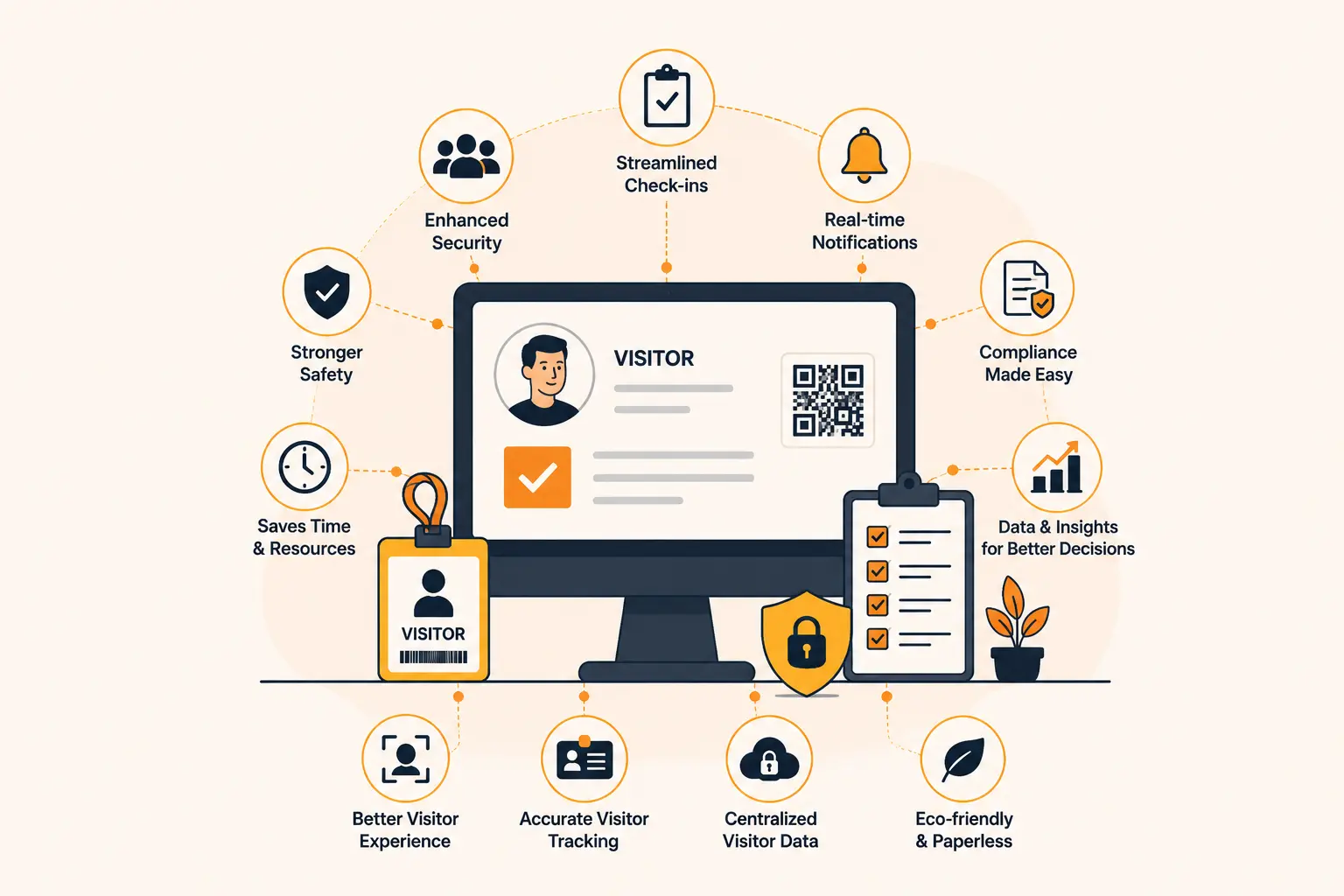
Vizitor’s customizable visitor badges include the visitor’s name, photo, host name, visit purpose, and access level. Staff can verify authorization instantly from a distance without stopping every visitor they encounter. During peak hours when staff cannot be positioned at every corridor, badges allow decentralized access control.
Access zone management:
Different badge types can indicate different access levels: general visitor, contractor, VIP, or restricted-area access. This prevents visitors from inadvertently or deliberately accessing areas they should not be in, which is a particular risk during peak hours when staff attention is distributed across many people simultaneously.
Enhanced visitor experience:
A professional badge with the visitor’s name and a company logo creates a welcoming, organized impression. It tells the visitor that they are expected, their arrival has been processed correctly, and they have a defined role in the facility. For first-time visitors or clients, this contributes positively to their overall impression of the organization.
Crowd flow management:
When staff can quickly identify who has checked in correctly by their badge, managing crowd flow becomes easier. Visitors without badges who have not completed check-in can be redirected to the appropriate process without ambiguity. During high-volume periods, this distinction matters for both operational flow and security.
Digital badges generated at check-in by the Vizitor system include a unique QR code that can be scanned to verify visitor details or revoke access at any point during the visit.
Building a Peak-Hour Visitor Management System That Scales
The five practices above work together as a system. Pre-registration reduces arrival processing time. Queue management distributes waiting visitors across the facility rather than concentrating them at reception. Digital check-in technology increases throughput without increasing staff. Emergency preparedness protects both visitors and the organization. Digital badges maintain security and access control efficiently.
The organizations that manage peak hours well are those that have implemented all five practices rather than treating them as independent improvements. Each practice addresses a different failure point in the peak-hour process, and together they create a visitor experience that holds up under pressure.
For additional context on how queue management fits into this overall picture, see our post on 5 reasons why Vizitor queue management software is the perfect queuing solution.
The starting point for most organizations is pre-registration and digital check-in, which deliver the largest immediate impact on processing speed. Queue management and digital badges follow naturally as visitor volume continues to grow.
Vizitor provides all of these capabilities in a single platform, starting at $20/month with no credit card required for the free trial. Setup takes under five minutes for a basic configuration, and the system begins delivering value from the first visitor who uses it.
FAQ
What is the most effective way to reduce lobby congestion during peak hours?
Pre-registration is the single highest-impact practice for reducing peak-hour congestion. It moves the data entry and host notification steps before arrival, so visitors complete check-in at the door in under 30 seconds. Combined with digital queue management, this eliminates the physical crowding that creates the worst peak-hour experiences.
How does a visitor management system help during emergencies?
A digital visitor management system maintains a real-time, accurate record of every visitor in the building. During an evacuation or security incident, this data is available instantly on any authorized device. Paper logbooks, which are often incomplete during busy periods, cannot provide this reliability.
Can visitor management technology handle unexpected surges in visitor volume?
Yes. Digital check-in kiosks, QR code check-in, and virtual queue management all scale with volume. They do not require additional staff to handle additional visitors. A system configured for 20 visitors per hour can handle 60 per hour with the same infrastructure, whereas a manual process requires proportional staffing increases.
How does pre-registration help manage peak hours specifically?
Pre-registration distributes the check-in workload over time rather than concentrating it at the moment of arrival. It also provides advance notice of expected visitor volume, which enables proactive staffing decisions before peaks materialize. And it reduces the per-visitor processing time at arrival significantly, increasing the throughput of your reception area.
What are the security benefits of digital visitor badges during high-traffic periods?
Digital badges with access level indicators allow decentralized access control: any staff member can quickly verify that a visitor is authorized and what areas they can access. During peak hours when staff cannot monitor every corridor, badges provide passive but effective access control throughout the facility.
How does Vizitor handle multi-type visitor flows during peak hours, such as a mix of scheduled meetings, walk-ins, and deliveries?
Vizitor supports multiple visitor categories within a single check-in flow. Visitors select their visit purpose at check-in, and the system routes them appropriately: a scheduled meeting visitor goes directly to their host notification flow, a walk-in visitor enters the general queue, and a delivery person goes through a separate workflow. Each category is handled correctly without requiring staff to manually sort visitors.
Try Vizitor Free
No credit card required. Setup in under 5 minutes. Manage visitors, queues, meeting rooms, and more.
Start Free TrialSee Vizitor in action check-in a visitor in under 30 seconds
Trusted by 500+ businesses. QR check-in, badge printing, NDA signing. Plans from $36/mo.