
Contactless Visitor Registration System
Contactless Visitor Registration System That Requires No Shared Surfaces
Shared reception tablets and paper sign-in sheets create hygiene and security risks. Vizitor's contactless visitor registration system lets every visitor check in via their own smartphone with zero shared surfaces and zero hardware required.
Last updated: 14 May 2026











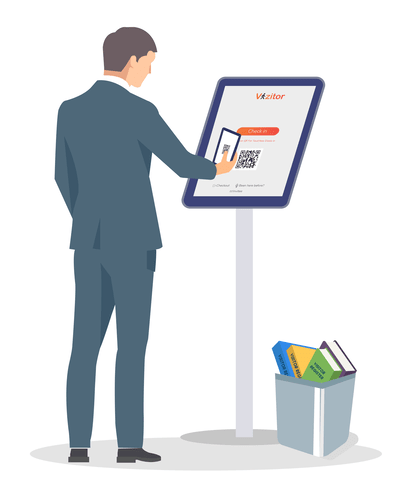
Shared Tablets and Paper Sign-In Sheets Create Real Risks
Every shared surface at your front desk is a hygiene risk and a data exposure waiting to happen. Manual visitor registration processes leave your organisation vulnerable to identity fraud, compliance failures, and lobby congestion that a contactless visitor registration system eliminates entirely.
Shared Tablets Are a Hygiene Risk
Hundreds of visitors touch the same screen every day
Hundreds of visitors touching the same screen daily creates hygiene concerns that cannot be addressed without replacing the entire check-in process.
Paper Sign-In Books Expose Visitor Data
Open logbooks display every previous visitor's details
Open logbooks display every previous visitor's name, company, and contact details to anyone who picks up the pen.
No Identity Verification at Check-In
Anyone can enter any name and walk in unchallenged
A name on paper or tablet proves nothing. Without OTP or photo capture, anyone can enter any name and walk in unchallenged.
Slow Check-In Creates Lobby Queues
Peak arrivals create bottlenecks at reception tablets
Manual form completion at reception tablets creates bottlenecks during peak arrival times when multiple visitors arrive simultaneously.
No Pre-Registration for Invited Guests
Expected visitors fill the same form as walk-ins
Invited visitors still fill the same form as walk-ins, wasting time for guests who were expected and should have been cleared in advance.
No Audit Trail for Compliance
Paper entries cannot meet data privacy compliance requirements
Paper entries and unverified tablet check-ins cannot provide the tamper-proof digital audit trail required for security compliance and data privacy regulations.
Shared surfaces required for visitor check-in with Vizitor
Faster check-in compared to shared tablet or paper-based systems
Workplaces using Vizitor's contactless check-in globally
The Complete Contactless Visitor Registration System for Any Workplace
Replace shared tablets and paper logbooks with a fully digital, smartphone-driven check-in process that requires zero hardware and goes live in under 30 minutes.
- Visitors scan a QR code with their own smartphone and check in on their own device
- No app download required for visitors check-in opens directly in the smartphone browser
- Pre-registration lets invited guests fill forms and sign NDAs before they arrive
- OTP-based mobile verification confirms every visitor's identity at check-in
- Digital visitor badge displayed on visitor's phone no printed badge, no shared printer
* Free trial · No hardware · No shared surfaces
How Vizitor's Contactless Visitor Registration Works in 5 Steps
From QR scan to digital badge the entire visitor check-in process happens on the visitor's own device with no shared hardware at any step.
QR Code Displayed at Reception or Gate
A printed QR code or digital display at your entrance shows the Vizitor check-in QR. No tablet, no kiosk, no hardware installation required.
Visitor Scans With Their Own Phone
The visitor scans the QR code using their smartphone camera. The check-in form opens instantly in their browser. No app download, no account creation.
Visitor Completes Form on Their Own Device
Name, contact number, purpose of visit, and host are entered on the visitor's phone. OTP verification confirms their mobile number. Photo capture optional.
Host Notified Instantly via SMS and Email
The system sends an instant notification to the host with the visitor's name, photo, and arrival time. No receptionist handoff needed.
Digital Badge and Entry Record Created
A digital visitor badge appears on the visitor's phone screen. The visit record is stored in Vizitor's secure cloud dashboard with full timestamp and details.
Key Features of Vizitor's
Contactless Visitor Registration System
Five core capabilities that eliminate every shared surface, verify every visitor's identity, and give your front desk a complete digital audit trail from day one.
Zero shared surfaces · Any smartphone
Invited Guest · Pre-registered
Priya Sharma
ABC Corp · NDA signedMeeting: 11:00 AM
Host: Rohit SainiQR Code Check-In on the Visitor's Own Device. No Shared Surface.
Vizitor generates a unique check-in QR code for your location. Visitors scan it with their own smartphone and complete check-in in their own browser with no app required.
- Unique QR code generated per location and updated on demand
- Check-in form opens in visitor's mobile browser without any app download
- Works with any smartphone camera on Android or iOS
- Zero shared tablets, kiosks, or hardware installation required
- Display the QR on a printed sign or a TV screen at reception
OTP-Based Identity Verification. Every Visitor Confirmed.
Vizitor sends a one-time password to the visitor's mobile number during check-in. The OTP must be entered to complete registration, confirming the visitor's real identity before entry is recorded.
- OTP sent instantly to visitor's mobile number via SMS
- Check-in blocked if OTP is not verified successfully
- Prevents fake or unverified visitor entries in your log
- Verified mobile number stored with every visit record
Pre-Registration Lets Invited Guests Arrive Ready.
Hosts send an invitation link to expected visitors before their visit. Visitors complete all required fields, sign NDAs, and upload documents from their own device before they arrive.
- Hosts send pre-registration links to visitors via email or SMS
- Visitors fill forms and sign NDAs before they arrive at reception
- Pre-registered guests check in by scanning the QR in seconds
- Reduces lobby wait time to near zero for expected visitors
- Host notified the moment the pre-registered guest checks in
Digital Visitor Badge on the Visitor's Phone. No Printing Required.
After check-in is complete, Vizitor displays a digital visitor badge on the visitor's smartphone screen. No badge printer, no shared sticker roll, no physical badge needed at any point.
- Digital badge shown instantly after check-in on visitor's phone
- Badge includes visitor name, host name, and check-in time
- No badge printer, consumables, or shared hardware required
- Reduces check-in cost and eliminates badge disposal waste
Complete Digital Visitor Log. Searchable, Exportable, Audit-Ready.
Every check-in is stored automatically in Vizitor's secure cloud dashboard. Admins search, filter, and export visitor records for any date range at any time with full timestamp and identity data.
- Every visit logged automatically with timestamp and OTP-verified identity
- Search and filter by visitor name, host, date, or purpose
- Export visitor reports for compliance, audits, or security reviews
- Tamper-proof digital records replace insecure paper logbooks
- Real-time view of who is currently on the premises at any moment
Contactless Visitor Registration for Every Sector
Any workplace that receives visitors can eliminate shared surfaces and manual check-in with Vizitor's contactless system.
Corporate Offices and IT Parks
Replace shared reception tablets with contactless smartphone check-in across all floors and gate entries. Pre-register clients and partners for zero-wait lobby arrivals.
Hospitals and Healthcare Facilities
Eliminate shared surfaces in high-infection-risk environments. Visitors check in on their own device, reducing cross-contamination risk at patient areas and reception desks.
Manufacturing and Industrial Sites
Manage contractor and vendor access at factory gates without shared kiosks. OTP verification ensures every visitor's identity is confirmed before they enter restricted zones.
Educational Institutions
Register parents, guardians, and external visitors contactlessly at school and college gates. Maintain a complete digital record of every person who enters the campus.
Ready to Remove Every Shared Surface From Your Visitor Check-In Process?
Join 500+ workplaces already running contactless visitor registration with Vizitor. No hardware, no shared tablets, no paper logbooks. Start your free trial in under 30 minutes.
Frequently Asked Questions About
Vizitor's Contactless Visitor Registration System
A contactless visitor registration system replaces shared reception tablets and paper sign-in books with a smartphone-based check-in process that requires no shared surfaces. Visitors scan a QR code displayed at your entrance using their own smartphone, fill in their details and complete OTP verification in their own browser, and receive a digital visitor badge on their phone. No app download, no shared device, and no hardware installation is required at any step.
No. Visitors do not need to download any app. When a visitor scans the QR code at your entrance, the check-in form opens directly in their smartphone's browser. The visitor completes the form, receives an OTP, and checks in entirely within the browser. No account creation and no app installation is required at any point in the process.
A shared tablet kiosk requires every visitor to touch the same screen, which creates hygiene risks and requires cleaning between every visitor. It also requires hardware purchase, installation, and maintenance. Vizitor's contactless system uses only a printed QR code or a TV screen to display the check-in code. Every visitor uses their own smartphone, nothing is shared, no hardware is purchased or maintained, and the system is operational in under 30 minutes from signup.
Yes. The only physical element required is a way to display the QR code, which can be a printed A4 sheet taped to a wall or a standing sign at reception. No kiosk, no tablet, no badge printer, and no network hardware are required. Visitors use their own smartphones and the entire system runs in Vizitor's secure cloud. Your admin team manages everything from the web dashboard on their own devices.
Yes. Pre-registered visitors have already completed their form, signed any required NDAs, and had their details verified before arriving. When they scan the QR code at your entrance, the system recognises their pre-registration and they check in in seconds. Walk-in visitors complete the full form at the time of arrival. Pre-registration is particularly valuable for client visits, meetings, and recurring contractor access where speed and professionalism matter.
Yes. OTP-based mobile verification is included in Vizitor's contactless visitor registration system. During check-in, the visitor enters their mobile number and receives a one-time password via SMS. The OTP must be entered to complete the check-in. This confirms that every visitor's identity is tied to a verified mobile number, preventing fake entries and ensuring your visitor management log is accurate and compliant.
Most organisations are live within 30 minutes of creating their Vizitor account. There is no hardware to install, no IT project to complete, and no onboarding delay. You create your account, configure your check-in form with your company's required fields, download or display your QR code, and your contactless visitor registration system is operational. Print the QR code on a sign and place it at reception and you are done.
Yes. Vizitor offers a free trial with no credit card required. You can set up your contactless check-in QR, test the full visitor flow including OTP verification and digital badge, and review the visitor log dashboard before committing to any plan. Book a demo if you would like a guided walkthrough of the full contactless visitor registration system with a product specialist.