Does Your Office Need a Digital Queue System?
Digital queue management systems help offices reduce wait times, improve visitor flow, and increase front desk efficiency. This blog explains the key signs that indicate when an office has outgrown manual queue handling and needs a modern digital solution.


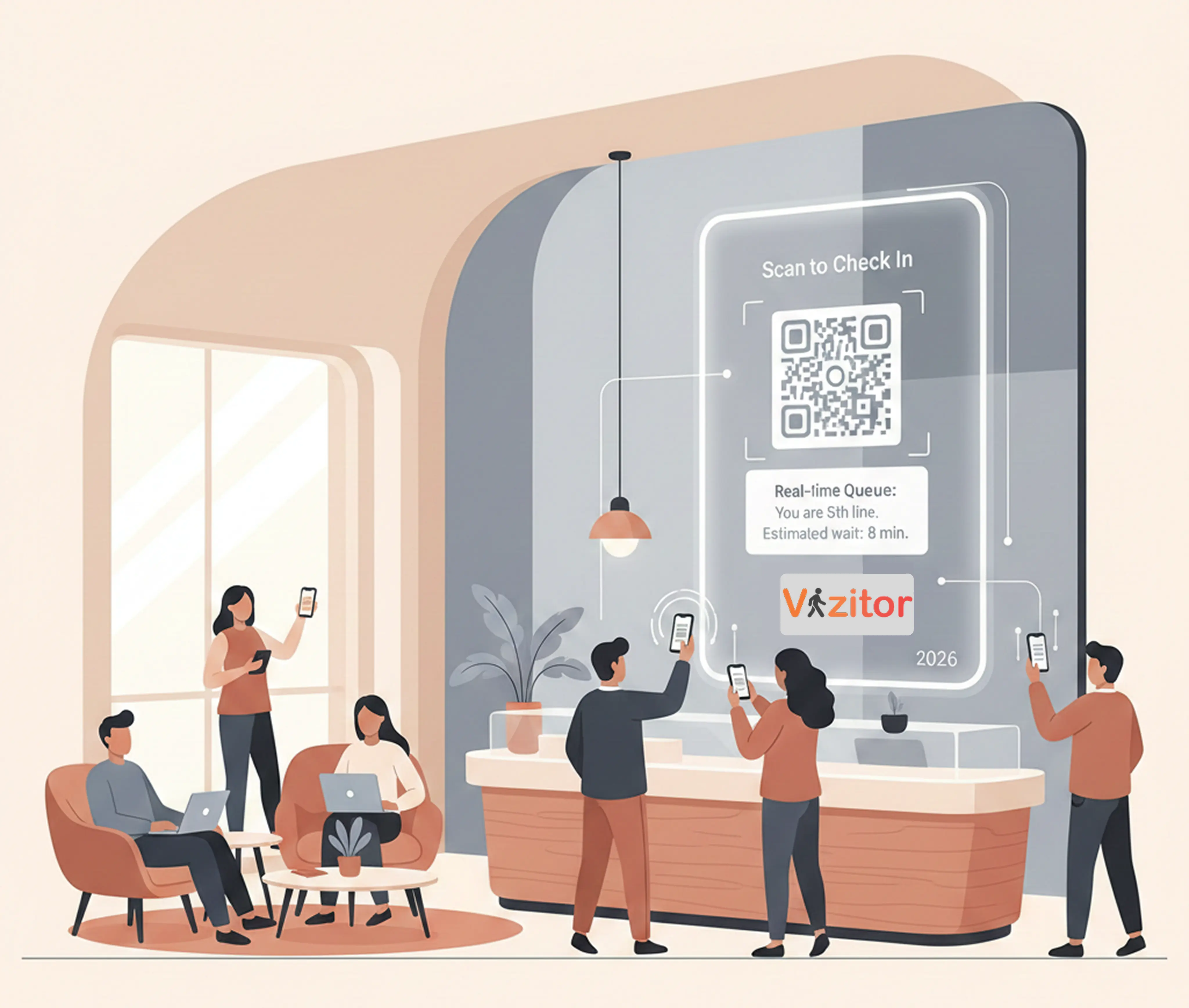
Table of Content
Try Vizitor for Free!
When Waiting Becomes the Problem
Most offices do not set out to create a frustrating visitor experience. The problem develops gradually: visitor volume increases, the front desk team adapts with workarounds, and eventually the entire entry process becomes a bottleneck that nobody has formally addressed.
The result is an experience that communicates something unintentional: that your organization does not manage its operations well, or does not value the time of the people walking through the door.
Waiting is no longer a neutral experience. Visitors interpret it. A slow, unclear, or chaotic queue signals inefficiency. A fast, transparent, well-managed flow signals professionalism. The difference between the two is often a Digital Queue Management System (DQMS).
This is not about old ticket dispensers or clunky kiosks. Modern DQMS platforms are intelligent, cloud-based, and designed to reshape how waiting feels rather than just how long it lasts.
This post covers the five clearest signs that your office has outgrown manual queue management, what a modern DQMS actually looks like, and how Vizitor addresses each pain point specifically.
Why Manual Queue Management Fails as Offices Scale
Manual queue management works at low volume. A single receptionist can handle a few visitors per hour with a simple sign-in sheet and a quick call to notify hosts. The process is slow but manageable.
The problems emerge as volume increases:
- A receptionist handling 20 visitors per hour cannot also answer phones, manage deliveries, and provide a quality greeting
- Paper logs become unmanageable and are not searchable or reportable
- Visitors who arrive without appointments create unpredictable load spikes
- No data exists on how long people are waiting or why some days are more chaotic than others
- Priority visitors like clients and executives wait alongside delivery personnel with no differentiation
At some point, the manual system’s limitations stop being a minor inconvenience and start directly affecting how visitors perceive your organization. That is when the five signs below become visible.
The same shift happens with older ticket-dispenser setups in busier public-facing spaces. If yours still hands out paper numbers, see what’s replacing take-a-number machines for a direct comparison.
5 Signs Your Office Needs a Digital Queue Management System
Sign 1: Complaints About Wait Times Are Increasing
Complaints are lagging indicators. By the time visitors are actively complaining about wait times, the problem has already been affecting experience for longer than you know. Most visitors who are frustrated do not complain; they simply leave with a negative impression and do not return.
According to Qminder, 73 percent of customers would abandon a purchase if forced to queue for more than five minutes. If your reception regularly feels crowded or tense, you are not just dealing with temporary impatience. You are losing trust incrementally with every visitor who leaves with a negative first impression.
A digital queue management system replaces visible physical lines with structured, transparent flow. Visitors know their position from the moment they check in. The uncertainty that creates frustration is eliminated before it has a chance to develop.
The practical impact: complaint volume drops not because you managed complaints better but because the experience that generated complaints no longer exists.
Sign 2: Visitors Are Leaving Without Being Served
The most expensive visitor management failures are the ones you cannot see. A visitor who complains gives you information you can act on. A visitor who leaves without saying anything takes their frustration, their business, and any future referrals with them.
Significant numbers of visitors will walk away silently when faced with long physical queues. There is no feedback, no escalation, and no opportunity to recover the relationship. You may not even know it happened.
Virtual queuing removes the threshold decision entirely. When visitors can join a digital queue and wait comfortably in another area, the decision to leave is no longer driven by a visible physical line. They are committed to the queue and receiving updates, which creates a very different psychological situation than standing in a corridor wondering if it is worth the wait.
What changes:
- Visitors join the queue digitally from anywhere in the building or even before they arrive
- They receive real-time position updates via SMS or app
- They return to the service area only when their turn is approaching
- Abandonment rates drop because the friction of visible waiting is removed
Sign 3: Your Staff Is Managing Crowds Instead of Serving People
Front desk teams have a clearly defined job: create a positive first impression and connect visitors with their hosts or service destination efficiently. When queue management is manual, a significant portion of the front desk team’s day goes to a different job entirely: crowd control.
The questions that dominate a manual front desk:
- “How long will it take?”
- “Who is next?”
- “Why did that person go before me?”
- “Can I speak to someone right now?”
Every minute spent answering these questions is a minute not spent on actual service delivery. Over a full day, this represents hours of staff time diverted to queue administration rather than visitor service.
A digital queue management system automates order, fairness, and communication. The system enforces queue position, displays status on boards, sends SMS updates, and answers the most common questions automatically. Staff are freed to do what they do best, one of several strategies to empower employees for workplace security rather than crowd control.
The secondary benefit: Staff who are not managing crowd frustration all day experience lower stress and higher job satisfaction. This reduces burnout and turnover at a position that is both high-impact and often high-churn.
Sign 4: Queue Decisions Are Based on Instinct Rather Than Data
If you asked your front desk manager right now what time the peak visitor hour is, could they give you a precise answer? Could they tell you the average wait time for a walk-in visitor, or the percentage of visitors who leave before being seen?
If the answer is no, your queue management is operating without data. That means every staffing decision, every layout choice, and every process adjustment is a guess.
Modern DQMS platforms provide granular, real-time data on:
- Visitor arrival patterns by hour and day of week
- Average wait times by service category
- Queue abandonment rates
- Counter throughput and service duration
- Peak periods and their predictability
This data transforms queue management from reactive to strategic. Instead of responding to a long line by calling in extra staff, you can predict the peak and staff proactively based on historical patterns. Instead of guessing which counter is slowest, you see it in the dashboard.
The organizations that eliminate queue problems permanently are the ones that use data to prevent them, not just respond to them.
For a detailed look at what this kind of data-driven approach looks like across different environments, see our guide on cutting down customer wait times with innovative queue strategies.
See how Vizitor handles queue management
Join 500+ workplaces using Vizitor to reduce wait times and manage visitor flow. Free trial available.
Book a DemoSign 5: Visitors Expect a More Modern Experience
The baseline expectation for professional environments has shifted. Visitors in 2026 arrive expecting contactless check-in, digital communication, predictable wait times, and fair, visible service order. When these expectations are not met, the experience feels dated regardless of how good the service itself is.
This is not just a perception issue. It affects how visitors evaluate your organization’s competence and modernity. A client who visits your office and encounters a paper sign-in sheet with a long physical queue draws conclusions about how you run your business.
What modern visitors expect:
- Contactless check-in via QR code or kiosk
- Mobile updates so they can wait comfortably rather than standing in line
- Predictable, visible wait times from the moment they arrive
- Fair service order that is transparent and trustworthy
A digital queue management system aligns your front desk with current visitor expectations. It signals that your organization invests in the details of the visitor experience, not just the substance of the service.
What Modern Queue Management Looks Like in 2026
Today’s DQMS platforms go well beyond queue position tracking. Key capabilities include:
AI-powered wait time prediction: The system predicts wait times based on current queue depth, average service times, and historical patterns. Estimates become more accurate over time as the system learns.
Virtual queues as the default: Physical lines become the exception rather than the rule. Visitors are in the system digitally and can wait anywhere.
Cloud-based scalability: Multi-location organizations can manage queues across all sites from a single dashboard. Configuration changes propagate across locations simultaneously.
Personalized visitor updates: Notifications can include the visitor’s name, their specific service information, and directions to the correct service point.
Integration with visitor management: Queue management and visitor management work together in a single system. Check-in, badge printing, host notification, and queue assignment all happen in one flow.
Two Considerations for DQMS Adoption
Data Privacy
As queue systems collect more visitor data, privacy requirements become more important. Any platform collecting visitor information needs to handle it with appropriate security: encryption at rest and in transit, role-based access control, audit trails, and compliance with applicable regulations.
Vizitor is built with these requirements in mind. Visitor data collected through the queue system is stored securely and accessible only to authorized staff.
Inclusive Design
The best technology fails if it is hard to use. A DQMS that confuses first-time visitors or requires staff to frequently intervene to help people through the process defeats its own purpose.
Vizitor is designed for use without training by visitors who have never encountered the system before. The check-in flow is intentional and simple, with clear instructions at each step. It works for all age groups, technical comfort levels, and first-time versus repeat visitors.
How Vizitor Resolves Each of These Signs
Vizitor’s digital queue management system addresses all five signs directly:
For complaint reduction: Transparent queue status on digital boards and SMS updates eliminate the uncertainty that drives complaints. Visitors know their position from check-in.
For abandoned visits: Virtual queuing lets visitors wait anywhere in the building rather than in a physical line. Commitment to the queue is digital; leaving requires an active decision rather than simply giving up on a visible line.
For staff time recovery: The dashboard handles all queue administration automatically. Staff call the next visitor with one click. Coordination overhead is eliminated.
For data-driven management: Real-time and historical analytics on wait times, abandonment, and throughput give managers the information they need to make proactive decisions.
For meeting modern expectations: Contactless check-in via QR code, mobile updates, and digital display boards deliver the experience professional visitors expect.
Vizitor also integrates queue management with broader visitor management features including digital badges, host notifications, visitor logs, and access control. This makes it a complete front-of-house solution rather than a point tool for a single problem.
For a structured guide to selecting the right system for your environment, see our guide to choosing the perfect queue management system. Ready to shortlist vendors? Browse our comparison of the top queue management tools and solutions for a side-by-side look at pricing and features.
Frequently Asked Questions
See Vizitor in action check-in a visitor in under 30 seconds
Trusted by 500+ businesses. QR check-in, badge printing, NDA signing. Plans from $36/mo.