Comparing the 7 Best Business Management Systems in 2025
This article reviews seven business management systems, including Vizitor, Thryv, Bonsai, Chanty, and Keap, comparing their core features and pricing. It is structured as a buyer's guide, defining what a business management system does before walking through each tool's strengths and typical use case.



Table of Content
Try Vizitor for Free!
A Business Management System (BMS) helps automate business processes, improve team collaboration, and enhance productivity. In this guide, we compare 7 best business management software that can help small businesses and enterprises achieve efficiency and growth.
A business management system is a set of guidelines that an entrepreneur or businessman uses to run their enterprise. A business management system (BMS), in a nutshell, is an application or a system of tools that assist businesses in supporting, enhancing, and automating their processes of all business endeavors.
Are you struggling to manage your daily operations, collaborate with teams, or automate workflows? A Business Management System (BMS) can help you streamline tasks, reduce manual errors, and boost productivity.
Whether you’re a startup, small business, or large enterprise, choosing the right BMS can save you time, improve decision-making, and increase profitability. In this guide, we’ll explore 7 top Business Management Systems, comparing their features, pricing, and customer reviews to help you make an informed choice.
What This Guide Covers:
- What is a Business Management System (BMS)?
- Benefits of using a BMS for businesses of all sizes
- Detailed comparison of the top seven Business Management Systems
- How to choose the right BMS based on your business needs
- Expert insights and real customer reviews
What is a Business Management System (BMS)?
A Business Management System (BMS) is a software solution designed to help businesses manage their operations, communication, and automation from a centralized platform. These systems assist in optimizing workflow efficiency, improving collaboration, reducing manual work, and increasing profitability.
Businesses of all sizes use BMS tools to enhance their productivity, automate processes, and gain real-time insights into their operations.
Key Benefits of a BMS
- Automates repetitive tasks and improves operational efficiency
- Enhances collaboration between teams
- Centralizes business data for better decision-making
- Reduces operational costs and errors
- Improves customer management and engagement
Exploring the Best Business Management Systems in 2025
1. Vizitor – Simplifying Visitor Management
Best For: Businesses needing a secure visitor management system
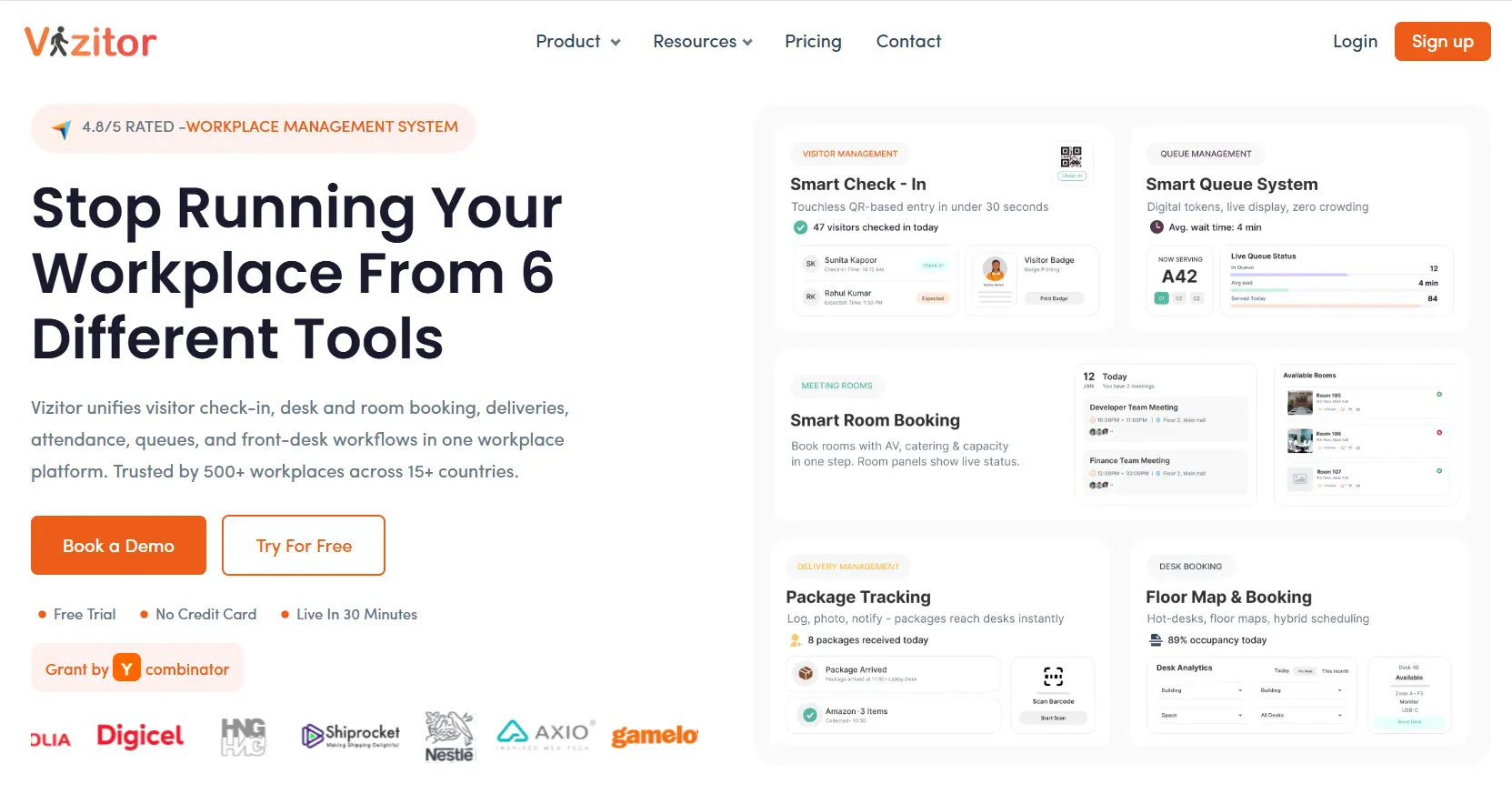
Vizitor is a visitor management software designed to streamline check-ins, enhance security, and automate visitor data management. It is widely used in corporate offices, coworking spaces, and hospitality businesses. See the full list of Vizitor features for what the platform covers beyond check-in.
Key Features:
- QR-based digital check-ins
- Badge printing for security
- Real-time host notifications
- Customizable visitor management solutions
Pricing:
- Starter: $336 annually (300 check-ins/month)
- Premium: $672 annually (1,000 check-ins/month)
- Enterprise: Custom pricing (Unlimited check-ins)
Customer Review:
“100% satisfied after using Vizitor. It has streamlined visitor management for our office without any hassle." – Tony Losacco
#2. Thryv

Thryv is the one-stop solution for small businesses assisting their daily operations, like cloud marketing, and payment processing. Moreover, it offers reliable and effective customer service that is aware of the requirements and goals of small business owners.
Features of Thryv
. Single dashboard for a quick view of calendar, messages, payments, and customers.
. Automated marketing, and reminders.
. End-to-end encryption and customizable account access.
Pricing of Thryv
Thryv offers three pricing models plus, premium, and unlimited. The customer’s final pricing depends upon the number of users and business size
Customer Review
Brad says - Thryv is like taking the best features of complex software from a dozen or more other software services and combining them… into a sleek, intuitive app and cloud-based software.
#3. Bonsai
Bonsai is an effective business management software for freelancers and businesses to handle leads, track accounts, produce and manage invoices, manage timesheets for projects, and much more. Bonsai offers a broad range of features, it is effective in CRM as well.
Features of Bonsai
. Quick professional proposal creation
. Access to templates for compelling contracts.
. Single solution for invoice, finance, and customer management
Pricing of Bonsai
Starter: $24 monthly, access for 5 project collaborators
Professional: $39 monthly, access for 15 project collaborators
Business: $79 monthly, unlimited project collaborators.
Customer Review
Kevin Tudball says - I did a lot of research before switching to Bonsai from another invoicing service. The ability to send and sign contracts was a major improvement for me. No one else offers such a smooth process from proposal to contract to invoice. It has saved me a lot of time and lets me focus on creative work.
#4.Chanty

Chanty is a solution for team collaboration that boosts productivity through simplified communication options. With Chanty users won’t experience needless annoyances from the user interface and can collaborate on tasks by sharing screens and documents.
Features of Chanty
. Create and manage tasks to stay productive
. Single dashboard for quicker glace of tasks, chats, and team
. Pin messages for attention on the most crucial due dates, concepts, and assignments.
Pricing of Chanty
. Free Plan: Free and only 3 team member is allowed without any additional benefits
. Business Plan: $3 per team member with tons of additional benefits
Customer Review
G2 Review - I think the ease of using Chanty is one of the major things I like about it. There are so many similar communications solutions out there, so working easily without the need for advanced technical expertise makes Chanty a favourite software choice for our work groups. The smoothness and sharp high-definition quality of the video are much better than some of the other similar apps I’ve used at other companies in the past. It’s also better than the standard voice-calling apps that I have on my phone.
#5.Keap

Keap provides a solitary, integrated platform for payment processing, marketing automation, sales automation, and CRM. With Keap, businesses can enhance sales and revenue, through quick capulation and management of leads. Moreover, it provides professional coaching, in-depth training, exceptional support, and a committed network of entrepreneurs for assured results.
Features of Keap
. Mailing tool with automated CRM
. Creation of repeated sales processes, customizable campaigns and analytics
. Great community support.
Pricing of Keap
. Pro: $129 monthly, accessible for 1500 contacts and 2 User
. Max: $199 monthly, accessible for 2000 contacts and 3 User
. Max Classic: Accessible for unlimited contacts and users, pricing depends on the proposal
Customer Review
Tonya Y. says - Keap is wonderful because it consolidated so many different applications for me. Now I have them all in one place with only one learning curve. It actually also came out cheaper for me than all my other software combined.
#6.Odoo
Odoo is a collection of tools for managing businesses, such as CRM, e-commerce, billing, accounting, manufacturing, warehouse, project management, and inventory management. This one-stop business solution of integrated apps keeps the business simple and easy to manage.
Features of Odoo
. A single program that covers all business processes
. Real-time communications to improve teamwork
. Automate calls, meetings, and quotations based on your sales scripts.
Pricing of Odoo
. One App: Free, only Odoo online
. Standard: $7.25 monthly, all apps of Odoo online
. Custom: $10.90, all apps of Odoo online including others like Odoo Studio, Multi-Company, External API
Customer Review
Devang S says - Odoo is the best open-source ERP solution. Odoo provides many modules like Sales, Purchase, e-Commerce, Invoicing, MRP, Inventory, Point of Sale, Project Management, Timesheets, HR, etc.
#7. Hubspot
HubSpot offers a variety of management tools for businesses, including the free CRM and the Marketing Hub, Service Hub, Sales Hub, and CMS Hub. This tool even offers inbound marketing to increase traffic and sales.
Features of Hubspot
. Prospect and lead management made simple with email monitoring and engagement reminders.
. Rich learning resources, such as videos, webinars, and a comprehensive knowledge hub
. Customers can quickly contact your sales team through live chat.
Pricing of Hubspot
. Starter: $45, no HubSpot branding on emails and chats
. Professional: $800, personalization and automation on different channels
. Enterprise: $3200, team & brand management and comprehensive services.
Customer Review
Leah Lawrence says - I love how simple, yet very efficient HubSpot CRM is. The ability to customize properties has been a huge benefit to both my sales team and our reporting.
How to Choose the Right BMS for Your Business
The right business management system should:
- Integrate smooth with existing tools.
- Be user-friendly and flexible to evolving business needs.
- Offer scalability as your business grows.
- Provide value for money with comprehensive features.
Conclusion
The right Business Management System for your business should be highly compatible, flexible, easy to use, and integrated with existing business tools. The right business tools can help streamline processes and enable more efficient management of time and resources. Vizitor is a great business management system with a suite of powerful business management tools at a wallet-friendly price. Please contact us for any queries you might have. We would love to extend this conversation forward!!
Final Thoughts
Choosing the right Business Management System can significantly improve efficiency, streamline workflows, and boost growth. Evaluate your business needs and select a tool that aligns with your goals.
For businesses seeking a comprehensive and cost-effective visitor management system, Vizitor is an excellent choice. See our pricing plans or contact us today for a free trial.
Investing in a Business Management System is no longer optional—it’s essential for staying competitive. Whether you choose Vizitor for visitor management or Odoo for its all-in-one ERP capabilities, these tools can help businesses operate smarter, save costs, and create a more efficient work environment.
Need help finding the perfect BMS for your business? Let’s discuss how we can help!

Try Vizitor Free
No credit card required. Setup in under 5 minutes. Manage visitors, queues, meeting rooms, and more.
Start Free TrialFrequently Asked Questions
See Vizitor in action check-in a visitor in under 30 seconds
Trusted by 500+ businesses. QR check-in, badge printing, NDA signing. Plans from $36/mo.