
Queue Management System
Turn Waiting Lines Into
Live, Trackable Queues.
Vizitor QMS replaces paper tokens and crowded lobbies with QR check-in, smart routing, and real-time wait updates, so every counter, hospital ward, and front desk knows exactly who's next.











Workplaces running Vizitor
Countries served
Paper tokens or clipboards
To go live on your first counter
What Is a Queue Management System?
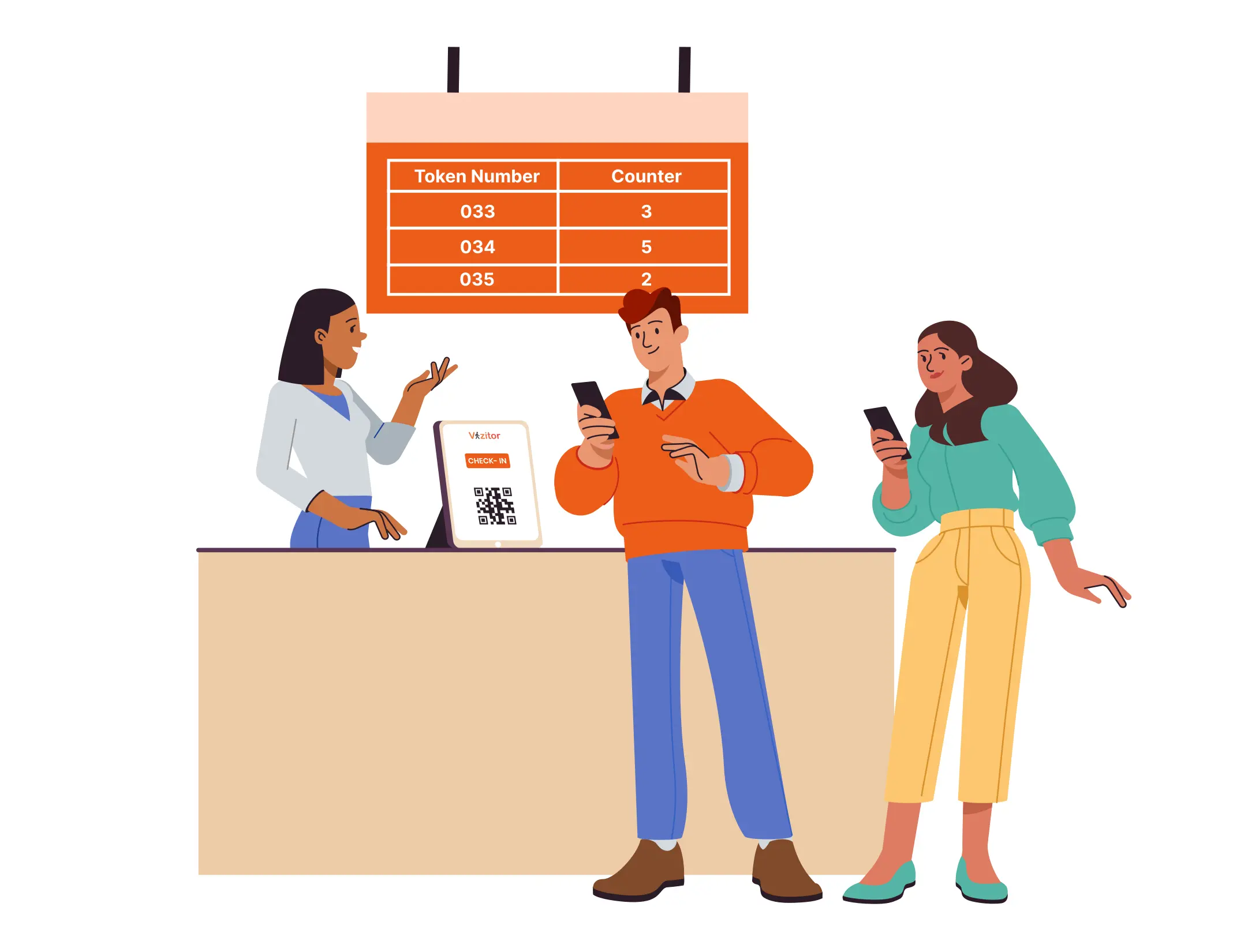
A queue management system (QMS) replaces the first-come-first-served physical line with a digital one. Visitors join virtually, by QR code, kiosk, or online booking, and the system places them in the right queue, shows their live position and wait time, and calls them forward automatically when it's their turn.
Instead of guessing who's next or shouting across a waiting room, staff work from a live console: they see every waiting token, call the next one, transfer or hold as needed, and the whole interaction is logged for reporting.
Read our complete guide to queue management systems →Your Front Desk Still Runs On Guesswork
Paper tokens, shouted names, and "who's next?" don't scale past a handful of visitors a day.
Crowded Waiting Rooms
Visitors physically stand in line with no idea how long it'll take, because there's nowhere for them to see it.
Paper Tokens & Manual Calling
Printed slips get lost, staff call numbers manually, and there's no record of who was actually served.
No Fair Prioritization
Emergencies, appointments, and senior citizens all compete with walk-ins for the same line, with no rules to sort it out.
Zero Visibility for Managers
No data on wait times, no-shows, or staff performance, so bottlenecks only get noticed after complaints.
One Queue Engine, Configured For Your Counters
Every feature below runs in Vizitor's live product, not a mockup. Configure it once per service, and it adapts to how your front desk actually works.
QR & Kiosk Check-In
Visitors scan a QR code or use a kiosk to join a queue in seconds, no app download, no paper slip.
Appointments + Walk-Ins, Merged
Pre-booked slots and walk-in tokens share one fair queue instead of two competing lines.
Priority Tiers & Fairness Rules
Set serve ratios for emergency cases, appointments, senior citizens, and standard walk-ins, the system enforces the order automatically.
Live Staff Console
Call, accept, complete, skip, hold, transfer, or recall a token from one screen, built for the person at the counter, not IT.
Real-Time Display Board
A public "Now Serving" screen for waiting rooms and lobbies, updating instantly as staff work the queue.
SMS, WhatsApp & Push Alerts
Visitors get notified as their turn approaches, so they can wait wherever they want instead of standing in line.
Multi-Counter & Multi-Location
Run several counters per service and manage every branch from a single admin view, with location-specific hours and rules.
Analytics & Reports
Wait times, service times, no-shows, and staff/counter performance, exportable, and broken down by service.
Fully Configurable Branding
Your logo, colors, ticket format, and message wording, the queue experience looks and sounds like your business, not ours.
From Check-In To Served, In Four Steps
The same flow works whether it's a hospital OPD, a bank branch, or a corporate front desk.
Join the Queue
Scan a QR code, use a kiosk, or book an appointment online. A digital token is issued instantly.
Get Routed & Prioritized
The engine places the token in the right service queue and applies your priority and fairness rules.
Wait Anywhere
Visitors see live position and ETA, and get an SMS/WhatsApp alert as their turn nears, no need to hover near the counter.
Get Served & Tracked
Staff call, serve, and close out the token from the console. Every step is logged for reporting and audits.
Try The Interactive Product Demo
Walk through the actual Vizitor QMS interface, switch between the Admin dashboard, Staff Console, Customer check-in, and the public Display board, with live sample data.
Built For Any Service Counter
If people wait for their turn, Vizitor QMS can organize it.
Part Of One Workplace Platform
Queue Management is one of eight connected modules inside Vizitor, so a visitor's queue token can share data with check-in, front desk, and reporting from day one.
Connects To The Tools You Already Use
Frequently Asked Questions About
Vizitor's Queue Management System
It's built for service-counter environments, think coworking front desks, helpdesks, university registrars, hospital outpatient counters, or government offices. Visitors take a digital token from a kiosk or via QR code, see their position and estimated wait time, and get notified when it's their turn. No crowded waiting rooms, no paper tokens, no awkward "who's next?" conversations.
No proprietary hardware. You need an account, a tablet (iPad or Android) for kiosk check-in, and Wi-Fi. A display screen for the "Now Serving" board and a label printer for tickets are optional. Everything else, the staff console, admin dashboard, and reports, runs in a browser.
Yes. You configure priority tiers (for example: Emergency, Appointment, Senior Citizen, Standard) with serve ratios and consecutive-call caps, so higher-priority visitors are seen sooner without completely starving the regular queue.
A missed call moves the token into a recall pool with a configurable timeout before it's marked a no-show. Staff can recall, transfer to another counter or service, or reissue a token, no lost place in line by default.
Yes. Each branch or location has its own services, counters, staff, and operating hours, all visible and manageable from a single admin dashboard.
Yes. Vizitor offers a free trial, and core setup is typically live within 30 minutes. You can also book a free 15-minute guided demo if you'd rather see it walked through first.
Vizitor connects natively with Slack, Microsoft Teams, Google Workspace, Outlook, and Azure AD/SSO, plus SMS and WhatsApp gateways for visitor notifications. Most integration setups take under 30 minutes.
Comparing your options? Read top solutions for queue management compared in one place.
Stop Managing Lines With A Clipboard.
Set up your first queue in under 30 minutes, no hardware purchase, no IT project.
Prefer to talk first? Call +91 73025 82799 or request a callback.