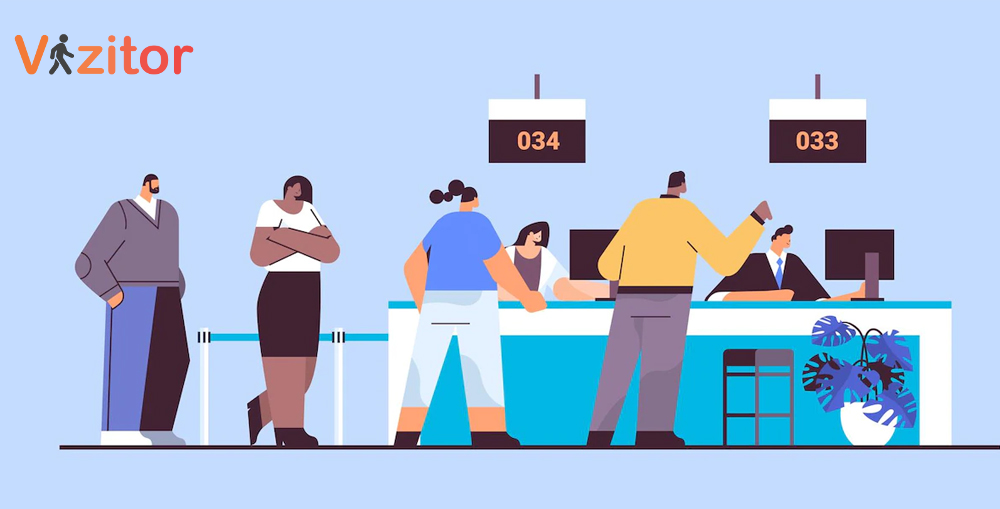
8 Ways Queue Management Turns Your Retail Store Into a Customer Magnet


Table of Content
Try Vizitor for Free!
Customers make the decision to leave a retail store within seconds of joining a queue.
Research consistently shows that perceived wait time, not actual wait time, is the primary driver of customer dissatisfaction in retail. Shoppers who don’t know how long they’ll wait, can’t see any progress, and feel like their time is being wasted will abandon the queue, leave the store, and often not return.
The good news is that this is an entirely solvable problem. Queue management, handled well, converts a friction point into a trust signal. Customers who experience organized, transparent, fast-moving queues report higher satisfaction than customers who never had to wait at all, because the managed experience itself communicates that the business respects their time.
This guide covers 8 specific ways queue management turns your retail store into a customer magnet. These aren’t generic tips about being friendly or keeping your shelves tidy. They are operational changes tied directly to how customers flow through your store and experience your checkout process.
Why Queue Management Defines the Customer Experience
A customer can love your product selection, appreciate your store layout, and enjoy the browsing experience. Then they hit a long queue at checkout and that positive experience collapses.
The queue is the last memory they carry out the door.
In retail, the checkout moment is the highest-stakes interaction in the entire visit. It’s where you convert a browser into a buyer. It’s also where you convert a first-time visitor into a repeat customer, or lose them permanently.
Poor queue management has documented business consequences:
- Up to 75% of customers have abandoned a purchase because of a long queue
- Customers overestimate wait times by 36% on average when there is no visible queue management system
- Negative wait experiences are shared with an average of 9-15 people, either verbally or through reviews
- Staff are frequently misallocated because supervisors don’t have real-time visibility into queue conditions
These aren’t edge cases. They are the default outcome when queue management is left to improvisation.
The queue management system at the core of a well-run retail operation addresses all of these. Here’s how, broken into eight practical strategies.
1. Eliminate Checkout Bottlenecks with Queue Analytics
The first step to fixing a bottleneck is knowing exactly where it is and why it forms.
Most retail managers have a general sense of their busy periods, usually based on observation or gut feel. But that’s not enough to make operational decisions. You need data: which checkout lanes back up first, what time of day the queue length peaks, how long the average transaction takes, and how that varies by product type or payment method.
Queue management systems capture this automatically. Every entry, service interaction, and exit is logged with a timestamp. Over time, that data reveals patterns that are impossible to see from the floor.
With this data, you can:
- Add checkout capacity before the bottleneck forms, not after
- Identify which cashier stations or self-checkout kiosks are slowest and investigate why
- Adjust opening hours or staffing shifts based on actual demand patterns rather than historical assumptions
- Spot seasonal patterns that require temporary capacity increases
This is the foundational layer. Everything else in queue management builds on accurate data about how your customer flow actually behaves.
2. Deploy Virtual Queues to Eliminate Physical Lines
A physical queue is a passive, uncomfortable experience. Customers stand in a line, watch it barely move, and stew.
A virtual queue is fundamentally different. Customers join the queue digitally, receive a position number and estimated wait time, and are free to browse the store, sit down, or step outside until they’re called. Their place in line is held without them having to physically occupy it.
For retail, virtual queues have a specific advantage beyond comfort: customers who aren’t standing in a static line are still in the store. They’re browsing. They’re picking up additional items. They’re not watching their watch and calculating whether to abandon the purchase.
Virtual queue systems typically work through:
- A tablet or kiosk at the store entrance or service desk where customers check in
- An SMS or app notification system that updates customers on their position
- A display board showing current queue status and estimated wait times
- Staff-facing dashboard showing queue depth and service times in real time
The net effect is that the queue becomes invisible as a negative experience while remaining efficient as an operational process.
3. Show Real-Time Wait Times to Reduce Wait Anxiety
Wait anxiety is the biggest driver of negative queue experiences, and it’s almost entirely caused by uncertainty rather than actual duration.
Customers who know they’ll wait 8 minutes are significantly less frustrated than customers who have been waiting for an unknown period and can’t tell if it’ll be 2 more minutes or 20.
Real-time wait time displays solve this by giving customers a concrete, accurate number. Modern queue management systems calculate this dynamically based on current queue depth and average service time per customer, updating continuously.
Where to place wait time displays:
- At the store entrance, before customers commit to joining the queue
- At the queue entry point, so customers can see current conditions before joining
- Visible from the main shopping floor, so customers can time their approach to checkout
The transparency itself builds trust. Customers who can see their wait time decreasing feel like they’re making progress. Staff who can see real-time queue depth can take action before conditions deteriorate.
4. Use Customer Flow Analytics to Optimize Store Layout
Queue management generates data not just about checkout wait times, but about how customers move through your entire store.
Traffic flow analytics, captured through your visitor management and queue system, show you:
- Which areas of the store attract the most dwell time
- Where customers go after picking up a high-demand item
- Which pathways are congested and when
- How customer flow changes by day of week or time of day
This data is directly actionable for store layout decisions. If analytics show that customers consistently cluster around one section, creating a traffic jam that slows movement toward checkout, you can reorganize that section. If a specific product category has high dwell time but low conversion, you can experiment with placement or presentation.
The standard advice for retail layout (place high-demand items at the back, use end caps for impulse purchases) is based on general principles. Flow analytics gives you specific data about your specific store and your specific customers.
See how Vizitor handles retail queue management
Join 2,000+ workplaces using Vizitor to reduce wait times and improve customer flow. Free trial, no credit card required.
Book a Demo5. Allocate Staff Based on Queue Data, Not Guesswork
One of the most common inefficiencies in retail is having too many staff in low-demand areas while a checkout queue builds unattended.
This happens because staff allocation decisions are usually made at the start of the shift based on a general schedule, then adjusted reactively when a manager notices a problem. By the time the adjustment happens, customers have already waited too long.
Queue management systems give supervisors a real-time view of queue depth across all service points. When queue length at checkout crosses a threshold, the system can automatically alert the supervisor or even directly notify an available staff member to open a new lane.
The operational impact of this is significant:
- Faster response to peak demand without the customer experiencing the delay
- Staff who feel more purposefully deployed rather than arbitrarily assigned
- Supervisor time freed from queue-watching and redirected to service quality
Some retailers also use queue data to identify their busiest staff members, not just by transaction volume but by average service time and customer wait experience. This informs training decisions and scheduling.
6. Implement Digital Check-In for Service-Based Retail
Not all retail is pure self-service checkout. Electronics retailers, pharmacies, specialty food counters, service desks, and many others require a staff member to assist with selection, consultation, or service delivery.
In these environments, the queue isn’t a checkout line. It’s a wait for a specific type of service. And it’s where digital check-in makes the biggest difference.
Digital check-in for service-based retail works like this:
- Customer arrives and checks in via a tablet kiosk or their phone, selecting the type of service they need
- They receive a queue position and estimated wait time
- They’re free to browse the store while they wait
- When a staff member is available, the customer is called (via SMS, display screen, or both)
- The staff member already knows what service is needed before the interaction begins
This pre-categorization is the hidden productivity gain. When a pharmacist knows before the customer approaches the counter whether they’re there for a prescription pickup, a consultation, or a product question, they can prepare accordingly. Interaction time drops. Throughput increases.
For retailers like electronics stores where consultation sales are common, this also allows staff to pull up the customer’s previous visit history or pre-loaded preferences before the conversation starts, enabling a more personalized interaction from the first moment.
7. Connect Queue Data to Loyalty and Personalization
Queue management systems capture data on when customers visit, how frequently, and how long their transactions take. This data, when connected to a loyalty program or CRM, unlocks personalization opportunities that were previously impossible without complex infrastructure.
Practical applications:
- Loyal customers can be identified at check-in and routed to a priority queue or dedicated service lane
- Visit frequency data informs outreach timing for promotions
- Average transaction time by customer segment helps staff prepare for the interaction
- First-time visitors can be identified and given a slightly different welcome experience
None of this requires heavy investment in personalization technology. The queue management system already captures the data. Connecting it to your existing customer database is the additional step.
The business case is clear: customers who feel recognized and valued visit more frequently and spend more per visit. The queue interaction, normally the most transactional moment in the store, becomes a recognition moment when you use the data available to you.
8. Reduce Queue Abandonment with Proactive Communication
Queue abandonment, customers who join a line and then leave before being served, is directly measurable and almost entirely preventable with good communication.
The primary triggers for abandonment are:
- No visible queue progress (customers can’t tell if they’re moving)
- Unexpected wait time increase (the estimated wait goes up instead of down)
- No engagement while waiting (customers feel ignored)
Digital queue management addresses all three.
Queue progress is visible through display boards and mobile updates. Wait time increases are communicated proactively before customers decide to leave. Engagement while waiting can include digital offers, product information, or simply acknowledgment that the customer is in the system and will be served.
Some retailers take this further with mid-wait offers. If queue analytics detect that wait times are spiking, a triggered SMS can offer waiting customers a discount coupon or a complimentary service as compensation. This turns a service failure into a goodwill gesture, and data shows that customers who receive proactive compensation for a wait are often more satisfied than customers who didn’t wait at all.
For a deeper look at how these strategies combine in practice, see how queue management enhances retail customer journeys and strategies for cutting customer wait times.
Putting It Together: The Queue-Optimized Retail Store
A store that has implemented all eight of these strategies operates differently from a standard retail environment.
Customers enter and immediately have visibility into service conditions. If there’s a wait, they join a virtual queue on their phone and continue shopping. Display boards show real-time estimated wait times. Staff allocation updates automatically as queue depth changes. Service interactions are faster because staff are prepared before the customer arrives. Loyal customers are recognized and given appropriate priority.
The customer experience is smoother at every step. But the operational benefits are equally significant:
- Higher throughput per hour because service interactions are more efficient
- Lower abandonment rate because customers have visibility and engagement during waits
- Better staff utilization because deployment decisions are data-driven
- Improved loyalty metrics because recognition and personalization increase return visit rates
The queue stops being a problem to manage reactively and becomes a source of operational intelligence that improves every aspect of store performance.
FAQ
What is retail queue management and why does it matter?
Queue management in retail covers the systems and processes that organize customer flow through a store, particularly at checkout and service points. It matters because the queue experience is the final and most memorable interaction of a customer’s visit. Poor queue management drives abandonment and reduces return visits, regardless of how good the rest of the experience was.
How does a virtual queue system work in a retail store?
Customers check in at a kiosk or on their phone, receive a position number and estimated wait time, and are free to move around the store while they wait. They receive an SMS or app notification when it’s their turn. They never have to physically stand in a line.
How much does queue management software cost for retail?
Vizitor starts at $20 per month. For most retail operations, the reduction in queue abandonment and improvement in throughput delivers a return that far exceeds the subscription cost within the first month of operation.
Can queue management data improve staff scheduling?
Yes. Queue analytics identify peak demand periods with precision, by day of week, hour, and even product category. This data allows schedules to be built around actual demand patterns rather than historical estimates, reducing both overstaffing during quiet periods and understaffing during peaks.
What’s the difference between queue management and visitor management in retail?
Visitor management covers the full lifecycle of a customer or visitor interaction, from entry through exit, including pre-registration, check-in, host notification, and record-keeping. Queue management is specifically focused on the wait-and-serve process. In a retail context, the two often overlap, particularly in service-based retail environments like pharmacies, electronics stores, or specialty counters.
Does digital check-in work for high-volume retail like supermarkets?
Yes. High-volume retail benefits most from digital queue management because the volume makes manual allocation decisions impractical. Real-time queue data allows managers to open additional checkout lanes before queues form, rather than after customers are already frustrated.
Try Vizitor Free
No credit card required. Setup in under 5 minutes. Manage visitors, queues, meeting rooms, and more.
Start Free Trial