Workplace Dashboards: How Enterprises Turn Visitor, Attendance, and Space Data Into One View
Workplace management dashboards give enterprises real-time insights into visitors, attendance, meeting rooms, and space usage. By centralizing data from multiple systems, leaders make faster, smarter, and cost-efficient decisions. Tools like Vizitor turn complex workplace operations into a single, actionable dashboard for better security, productivity, and planning.


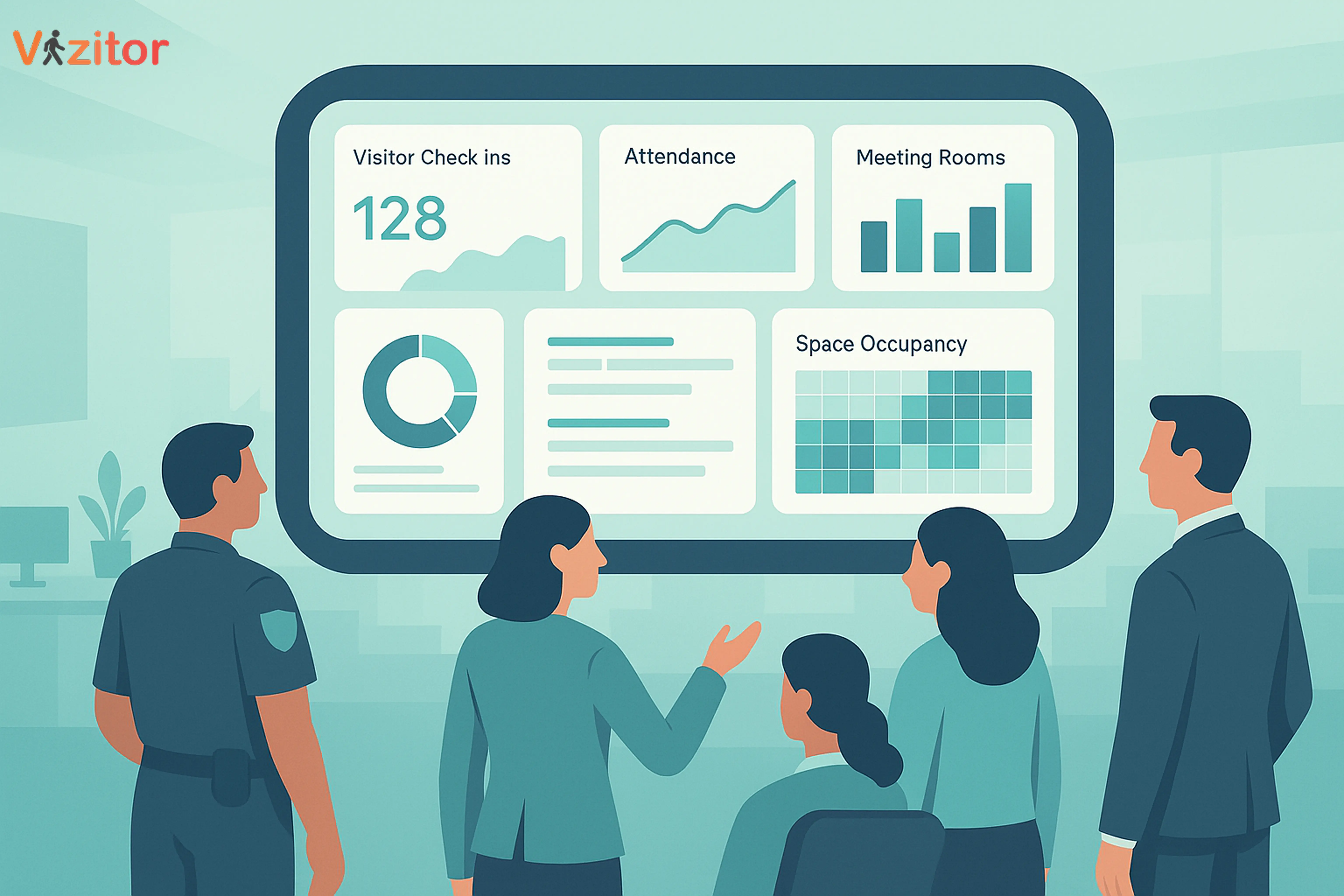
Table of Content
Try Vizitor for Free!
At 8:40 on a Monday, a facilities director at a mid-size enterprise opens six tabs before her first meeting: the visitor log to see who checked in overnight, the attendance system to spot who didn’t badge in, the room-booking tool to settle a double-booked conference room, a parcel spreadsheet someone still updates by hand, and a badge report nobody has looked at in a week. None of these systems talk to each other. By the time she has pieced together what actually happened in the building since Friday, the morning is half gone.
That is still how a lot of enterprises run. The data exists, scattered across five or six disconnected tools, and someone has to reassemble it by hand before anyone can act on it. A workplace management dashboard fixes that by pulling visitor, attendance, meeting-room, space, queue, and mailroom data into one live view, so the question isn’t “where do I find this number” anymore, it’s “what does this number mean.”
This matters more than it used to. A 2018 McKinsey Global Survey of more than 1,200 executives found that only 20% of respondents said their organization excelled at decision-making, and just 37% said their decisions were both high quality and fast (McKinsey). More recently, a 2023 Gartner survey of 566 data and analytics leaders found that only 44% believed their own team was effectively delivering value to the organization (Gartner). Having more data was never the bottleneck. Having one place to see it, trust it, and act on it, is.
In this guide, we break down what a workplace management dashboard actually shows, how enterprises use that data across security, HR, space planning, and facilities, and where a unified platform like Vizitor fits into that picture.
What Exactly Is a Workplace Management Dashboard?
A workplace management dashboard is the single screen that replaces paper sign-in sheets, manual attendance registers, and guesswork about which meeting rooms or desks are actually being used. Instead of logging into five separate tools, facilities, HR, security, and leadership teams view the same underlying data, filtered to what matters for their role.
A complete workplace dashboard typically pulls together six categories of data:
1. Visitor Analytics (Visitor Management System)
- Total visitor count and who is currently inside the premises
- Visitor frequency by department
- Contractor and vendor activity
- Peak entry timelines
- Badge approvals and security alerts
2. Attendance Insights (Attendance Management Software)
- Employee check-in and check-out times
- Work-from-office versus remote trends
- Shift-wise distribution
- Late arrivals and early departures
- Compliance indicators for payroll and HR
3. Meeting Room Utilization (Meeting Room Management System)
- Total bookings and no-show rates
- Utilized versus idle room hours
- Equipment usage
- Most-booked rooms and high-demand time slots
4. Space and Capacity Insights (Space Management Software)
- Which areas are underutilized
- Hot-desk occupancy and real-time footfall
- Floor-wise density
- Occupancy-guideline compliance
5. Queue Analytics (Queue Management System)
- Current queue length and average wait time
- Service counter performance
- Peak-hour patterns
6. Delivery and Courier Tracking (Mailroom Management Software)
- Package arrival logs and pending collections
- Recipient notifications
- Delivery volume trends and audit-ready records
Put together, these six streams answer a question most enterprises can currently only answer by asking five different people: what is actually happening in this building right now, and is it working the way we planned it to?
For a deeper look at how these modules fit into a full workplace platform, see our comprehensive guide to workplace management systems. If you manage a facilities team specifically, 10 metrics every facility manager’s dashboard needs goes deeper into the individual numbers worth tracking inside each module above.
Why Dashboards Matter: Real Occupancy Data Is Harder to Guess Than It Used To Be
Hybrid work didn’t just change where people sit, it changed how unpredictable daily occupancy is. JLL’s 2026 Global Occupancy Planning Benchmark Report found that the share of employees attending the office three to four days a week jumped from 36% to 55% in a single year, a 19-point swing, with 70% of employees now in-office three to five days a week (JLL). That kind of year-over-year shift makes any planning based on last year’s patterns, or last quarter’s spreadsheet, unreliable by the time you act on it.
Unused space compounds the cost of that unpredictability. CBRE’s 2026 Global Workplace & Occupancy Insights report found that global office utilization reached 53% in 2026, up sharply from 38% in 2024 (CBRE), while JLL’s benchmark put global utilization at 56% in 2026, still below the pre-pandemic average of roughly 61% (JLL). A 2023 Workplace Utilization Index from workplace-sensor firm XY Sense, built on data from nearly 25,000 desks and workpoints across nine regions, found that 36% of desks were never occupied at all, and of the ones that were used, only 14% saw five or more hours of occupancy in a day (XY Sense). Enterprises are still paying full rent, cleaning, and maintenance on space that, by these numbers, sits empty more often than not. None of that is visible from a lease document. It’s only visible in utilization data, tracked over time, on a dashboard someone actually checks.
Put together, a dashboard changes decision-making in three concrete ways:
- Faster. Real-time data means a security or capacity decision doesn’t wait for someone to compile a manual report.
- Evidence-based. Trends in the data surface bottlenecks and hidden costs that a walkthrough of the office won’t catch, like a floor that looks busy at 11 a.m. and empty by 2 p.m.
- Predictive. Enough historical data lets facilities and HR teams forecast desk demand, staffing needs, and space requirements instead of reacting to them after the fact.
How Enterprises Use Workplace Dashboards to Make Data-Driven Decisions
Here is what that looks like across the operational areas a typical enterprise dashboard covers.
1. Security and Compliance, via Visitor Analytics
Enterprises deal with employees, vendors, consultants, interviewees, and guests every day, and without a shared record of who’s actually on-site, compliance becomes a guessing game. A visitor management system dashboard lets security and admin teams identify repeated or unusual visitor patterns, see exactly who is inside during an emergency, maintain digital logs for audits, and verify ID, purpose, host, and check-in and check-out times automatically. The result is fewer unauthorized entries, less manual paperwork, and a system that’s ready for an audit on any given day rather than scrambled together for one.
2. Workforce Efficiency, via Attendance Insights
Manual attendance tracking is slow and error-prone, and reconciling it against payroll at month-end is exactly the kind of task that quietly eats HR hours without ever showing up as a line item anywhere. An attendance management software dashboard tracks daily attendance trends, absenteeism patterns, department-wise time compliance, overtime, and late arrivals automatically, which means HR can calculate payroll accurately and spot drift in punctuality before it becomes a pattern. Pairing this data with concrete tips for building a punctual culture turns the dashboard from a monitoring tool into something that actually changes behavior.
3. Meeting Room Chaos, via Real-Time Scheduling Data
Room-booking conflicts are close to universal in offices with more teams than conference rooms. A meeting room management system dashboard shows occupancy, booking heatmaps, no-show rates, and how booked duration compares to actual use, so facilities teams can reduce no-shows and make sure the right room is actually available when someone needs it, instead of double-booked or blocked off by a meeting that ended an hour ago.
4. Space Optimization and Cost Reduction
Given the utilization numbers above, unused space is one of the more expensive line items most enterprises aren’t actively managing. A workplace dashboard shows floor-wise occupancy, desk usage patterns, footfall distribution, and which zones are consistently underused. With that visibility, enterprises can right-size floors, redesign underused areas, move to hot-desking where it makes sense, and make those calls with occupancy data behind them rather than a hunch about which floor “feels” empty.
5. Shorter Wait Times, via Queue Management Insights
A queue management system dashboard tracks live queue length, peak wait times, counter performance, and where visitors tend to drop off before being served. That data lets admin teams staff the right counters at the right hours instead of staffing evenly across a day that isn’t actually even.
6. Package and Delivery Accountability
Delivery dashboards centralize incoming package logs, pending pickups, recipient notifications, and courier performance using mailroom management software. The practical effect is fewer lost parcels, faster distribution to the right person, and a clear record if anyone asks where a package went.
7. Planning Around What Employees Actually Use
Dashboards also show which spaces employees prefer, when they come in most, and which services or workstations run short first. That feeds directly into planning for cafeteria staffing, shuttle schedules, guest flow, and meeting room allocation, so facilities decisions track what’s actually happening in the building instead of a policy written a year ago.
8. Strategic Calls for Leadership
CXOs use the same data to answer harder questions: whether current office space still matches headcount, whether visitor volume is trending up or down, which departments are using their footprint efficiently, and whether a hybrid policy is actually working the way it was designed to. For leadership, the dashboard becomes the one place these questions get answered with numbers instead of opinions in a meeting.
The Vizitor Advantage: One Dashboard for the Entire Workplace
Most enterprises run separate tools for visitors, attendance, meetings, and space, which means separate logins, separate reports, and no single view of how the building is actually functioning on a given day.
Vizitor brings visitor management, attendance management, meeting room management, space and workplace management, contractor and staff logs, compliance and access control, and emergency reporting into one dashboard. That means security, HR, facilities, and leadership are reading the same data instead of reconciling five exports before a meeting, which improves security response time, operational efficiency, cost management, and how fast decisions actually get made.
Dashboards Are Becoming the Backbone of How Smart Workplaces Operate
A workplace management dashboard isn’t a reporting nicety anymore, it’s closer to a basic requirement for running a building with any real visibility into security, compliance, and cost. The gap in the McKinsey and Gartner numbers above isn’t a lack of data inside most enterprises, it’s a lack of one place to see it clearly enough to act on.
If your workplace is still stitching together spreadsheets, paper logs, and five separate tools every morning, moving to a unified dashboard changes how quickly, and how confidently, your teams can make that call.
Ready to See Vizitor’s Dashboard in Action?
Experience the difference a connected workplace management system can make.
Book a Free Demo Try Vizitor for Your Office
Frequently Asked Questions
See Vizitor in action check-in a visitor in under 30 seconds
Trusted by 500+ businesses. QR check-in, badge printing, NDA signing. Plans from $36/mo.