
Visitor Management System
Visitor Management System That Makes Every Arrival Effortless
Your Receptionist Deserves a Smarter Co-Worker.
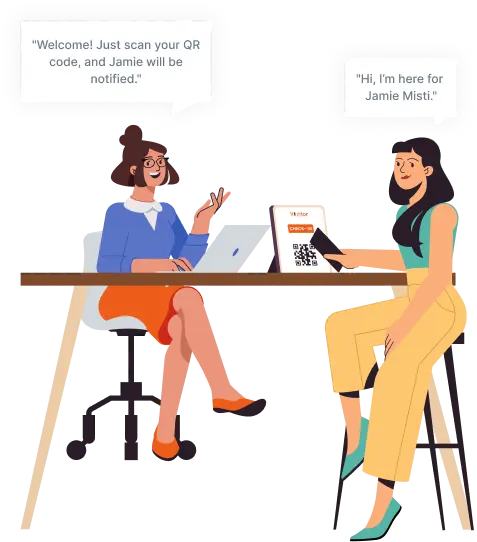
Check in visitors in 30 seconds. Replace paper logbooks with smart, contactless digital system. QR codes, badge printing, NDA signing, and instant host alerts, all in one cloud-based visitor management platform.











Average check-in time vs. 5-8 min on paper Vizitor platform data, 2026
More NDA compliance vs. paper-based processes Secure Workplaces
Workplaces in 15+ countries using Vizitor daily Inc. USA, UK, UAE, Singapore, India
What Is a Visitor Management System?
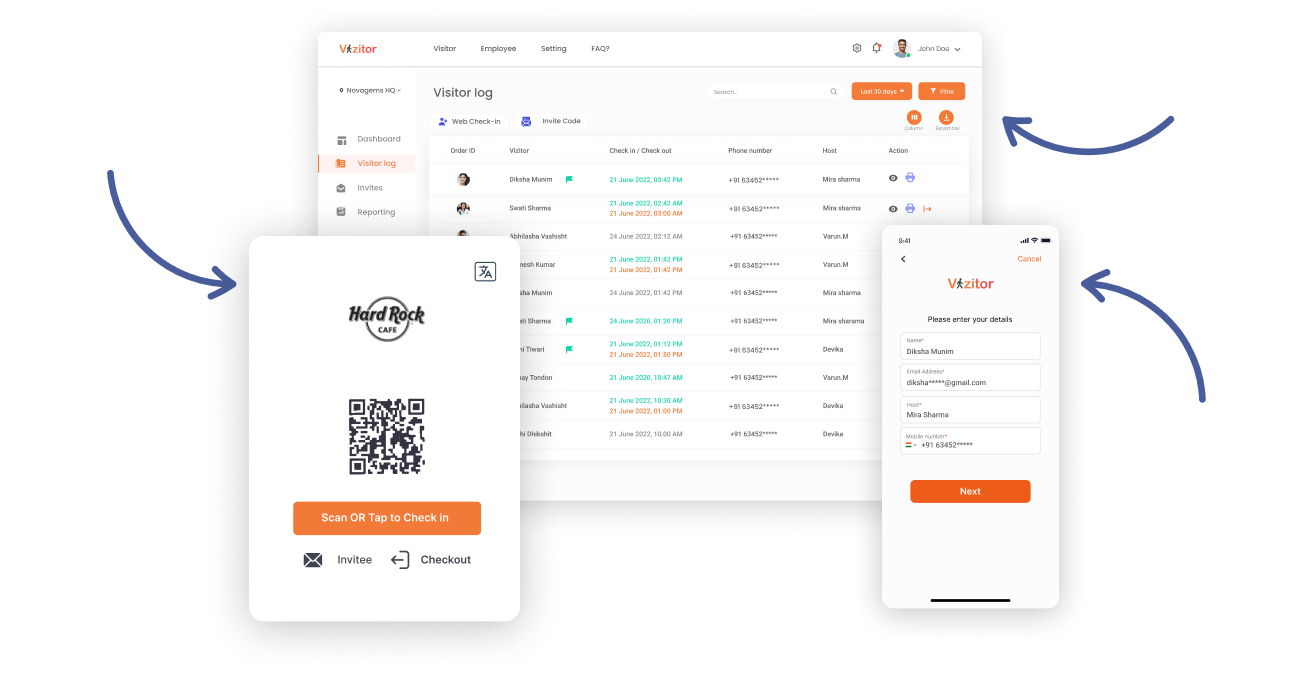
A visitor management system (VMS) is software that digitally records, tracks, and manages everyone who enters a workplace. It replaces paper sign-in sheets with automated check-ins, QR code scanning, badge printing, real-time host notifications, and encrypted visitor logs, giving organizations complete, auditable visibility over who is on their premises at any given moment.
Why Manual Visitor Management
Is Failing Your Workplace
Paper logbooks aren't just outdated. They're a daily security gap, a compliance liability,
Zero identity verification
Anyone can walk in and write any name. No photo, no ID check, no watchlist screening. A GDPR or ISO audit treats your paper logbook as an immediate red flag.
Front desk burned by manual work
Write visitor details. Call the host. Wait. Print a badge manually. Handle walk-ins simultaneously. It's organized chaos that wastes 3-8 minutes per visitor and burns your team out daily.
No live visibility during emergencies
In a fire drill or security incident, can you pull a live list of every visitor on site in seconds? With a clipboard, the answer is almost always no, a safety and regulatory failure waiting to happen.
NDAs and consent get missed
Legal agreements at check-in should happen at every visit. With manual processes, they depend entirely on whether someone remembers to ask, and that's a legal liability, not a process.
Visitors wait. Hosts don't know they're there.
Reception calls the host. The host doesn't answer. The visitor stands at the desk, awkward and frustrated. That impression sticks and reflects directly on your organization.
Can't scale across multiple locations
Each office runs its own clipboard, its own inconsistent policy, its own paper trail. No central view, no cross-site analytics, no way to enforce compliance from one place. It cannot scale.
One Visitor Management System That Solves Every One of Those Problems
Vizitor replaces the clipboard, the phone call, the manual badge, and the spreadsheet with one connected platform that handles every visitor workflow automatically.
Every visitor verified before they step inside
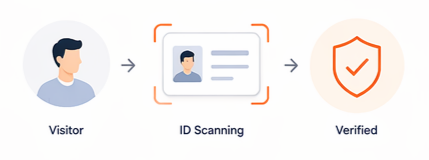
Photo capture, government ID scanning, and NDA signing happen at check-in, automatically. Every entry is logged, timestamped, and stored in an encrypted audit trail.
Your front desk runs on its own
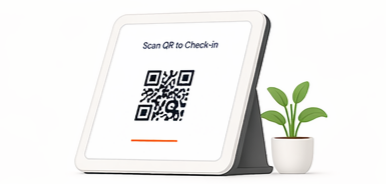
QR code check-in, instant badge printing, and automatic host notifications without anyone at the desk needing to do a thing. Routine arrivals handle themselves.
Know exactly who's on site, right now
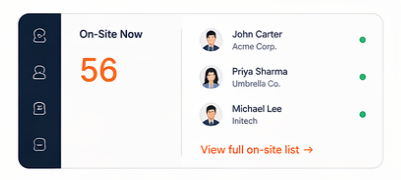
A live dashboard shows every visitor currently checked in, who they're meeting, and when they arrived. In an emergency, pull the full on-site list from any device in seconds.
NDAs and consent captured every single time
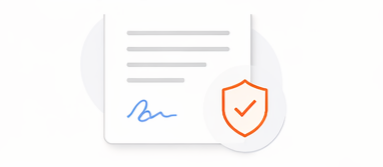
Legal agreements are built into the check-in flow not left to chance. Visitors sign digitally before entering, and every document is stored against their visit record.
Hosts know the moment their visitor arrives
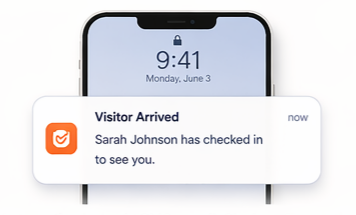
Automatic alerts via instant notification via SMS, email, Slack, or Teams, the second a visitor scans in. No calls from reception. No guests left standing at the desk, wondering what's happening.
Every office, one system, one view
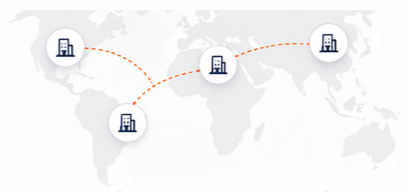
Manage visitor flows across all your locations from a single admin panel. Each site has its own policies and branding. You see everything from one place.
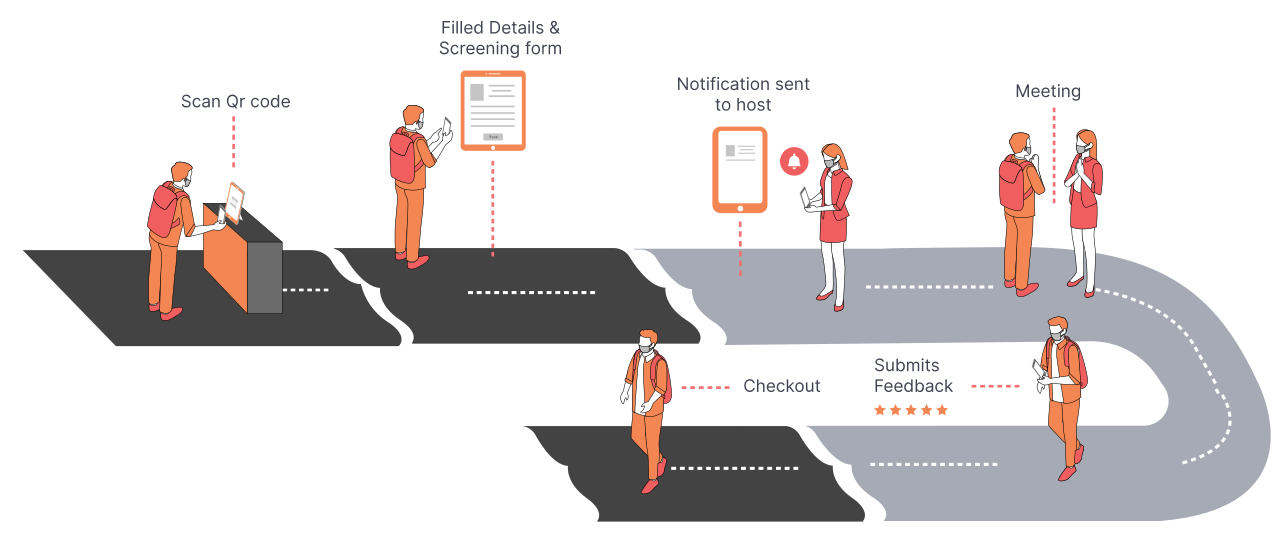
How Vizitor's Visitor Management System Works
Five steps. Under 30 seconds. Everything logged, nothing missed.
Pre-registration
Host sends invite. Visitor fills in details, signs NDA, and gets a unique QR code before arriving.
QR code check-in
Visitor scans QR at the kiosk. System verifies and captures photo in under 30 seconds.
Badge printed
Visitor badge prints instantly name, photo, host, date, and access permissions included.
Host notified
Instant SMS, email, or Slack alert to the host. No phone calls. No missed guests.
Record stored
Check-out logged. Full visit record stored securely and exportable for audits at any time.
Visitor Check-In Software Features
That Handle Every Step
Not just a digital logbook. Vizitor is a complete visitor management system that operates your front desk from start to finish, without requiring manual effort from your team.
Welcome!
Done in under 30 seconds
John Smith
Acme Corp
📅 Thursday · 10:00 AM
Scan at reception for instant check-in
VISITOR
John Smith
Acme Corp
Thu · 10:42 AM
Screening Complete
47
Visitors today
3 Locations Active
Delhi HQ
12 visitors · ActiveMumbai Office
7 visitors · ActiveBangalore
0 visitors · ClosedWhatsApp · Just now
John Smith has arrived at reception
Slack · Just now
Your visitor John Smith has arrived
SMS · Just now
Visitor: John Smith, Acme Corp
John Smith
Acme CorpNeha Rao
TechSolRohit Saini
GlobalTechSunita Mehta
Brand Co.Connected
Self-Service Sign-In on Any iPad or Android Tablet
Visitors tap, enter their details, and are checked in within 30 seconds, no paper needed, no manual entry by reception staff. Works on any standard iPad or Android tablet you already own.
- QR code touchless check-in on visitors' own phones
- Photo capture and government ID uploading at sign-in
- Automatic badge printing the moment check-in completes
- Works on iPad & Android, no hardware lock-in
- Customizable check-in flow per visitor type
Invited Guests Check In Under 10 Seconds
Hosts send a QR invite before the visit. Visitors arrive with their details pre-filled, NDA pre-signed, and a QR code to scan at the kiosk. Reception becomes a formality, not a bottleneck.
- QR invite sent via email before arrival
- Visitor fills details and signs NDA in advance
- Scans QR at kiosk and is checked in instantly
- Syncs with Google Calendar and Outlook automatically
- Host notified when expected guest is on their way
Branded Visitor Badges, Printed on Every Check-In
The moment a visitor completes sign-in, a badge is printed by a connected printer, automatically. No manual printing, no template filling, no waiting at the desk.
- Visitor name, company, host name, date, and check-in time on every badge
- Photo taken at check-in printed directly onto the badge
- Your logo and brand colours on every badge, configured once in admin
- Auto-expires after the visit ends so yesterday's badges can't be reused
- Reprint any badge instantly from the dashboard with one click
Every Visitor Screened Against Your Watchlist, Automatically
Configure a list of banned or flagged individuals. At every sign-in, Vizitor checks the visitor's details against it in the background. If there's a match, security is alerted before access is granted.
- Internal watchlist configurable from admin dashboard
- Screening runs silently at every check-in, no manual checking
- Security team receives an immediate alert on any flag
- Visitor is not informed of a flag, alert goes to your team only
- Available on Enterprise plans
Complete Visitor Data, Exportable in One Click
Every check-in and check-out is timestamped and stored. View peak arrival times, visitor trends, and compliance status from the dashboard. Export instantly for audits, security reviews, or facility planning.
- Live visitor log across all locations
- Peak hour and footfall trend reports
- Export as CSV or XLSX, filtered by date or visitor type
- Audit-ready records, no manual preparation needed
- Accessible from any browser on any device
All Your Offices. One Admin Panel. Zero Blind Spots.
Manage visitor flows across every location from a single dashboard. Each site has its own kiosk settings, check-in flow, badge design, and compliance rules but you see everything from one place.
- All locations visible in one admin dashboard
- Per-site kiosk settings, branding, and check-in flows
- Site-specific compliance rules and watchlists
- Cross-location visitor reports and analytics
- Start with one site, add locations without re-implementation
Hosts Know the Moment Their Visitor Arrives
No phone calls from reception. No visitors standing in the lobby wondering where to go. The host is notified the second their visitor completes check-in, on every channel they already use.
- SMS, Slack, Microsoft Teams, WhatsApp, or email
- Notification includes visitor name, photo, and company
- Hosts can approve or reject visits from their phone
- Works across all channels simultaneously if needed
- No app download required for basic SMS alerts
Live Visitor Data, Accessible Anywhere
Live visitor counts, real-time occupancy, security alerts, and compliance reports, all in one place. Accessible from any browser on any device, any time of day or night.
- Live visitor log with real-time check-in and check-out updates
- Security alerts and compliance status dashboard
- One-click export for audits, PDF or XLSX
- Emergency evacuation list: every on-site visitor in seconds
- Works on any browser or device, no app required for admin
Connects with the Tools Your Team Already Uses
Vizitor slots into your existing stack without requiring any changes to how your team works. Host notifications go through Slack or Teams. Calendars sync automatically. Directories stay in sync.
- Slack and Microsoft Teams for instant host alerts
- Google Calendar and Outlook for pre-registration sync
- Azure Active Directory for employee directory sync
- WhatsApp notifications for host and visitor alerts
- Access control system integrations (enterprise)
Plans That Fit Every Workplace Size
Start with a free trial and see Vizitor running in your lobby today. No hidden fees, no credit card required. Pick the plan that fits your workplace today and upgrade as you grow.
Save upto 60% with Vizitor
Monthly
Annual

Recommended
Enterprise
Connect
 Unlimited visitors
Category based form,
Third party integration
Black listing
Evacuation alerts
Who Uses a Visitor Management System?
Visitor management touches every team responsible for safety, operations, and first impressions. Vizitor gives each one what they actually need.
Compliance captured at every check-in, automatically
NDAs, consent, and visit records handled automatically and stored in a GDPR-ready audit trail. No extra admin burden on HR, the system does the work at the front door, every single time.
A real audit trail, not a paper notebook
Every visitor identity verified, every entry timestamped, every NDA captured. The full visitor log is searchable and exportable the moment a security review or emergency demands it. No manual reconstruction.
Run your front desk without the chaos
Automate check-ins, badge printing, host notifications, and multi-location management, all from one dashboard. Less coordination, fewer interruptions, more control over your front-of-house.
Invite guests without the back-and-forth
Send a pre-registration link, get notified the moment your visitor arrives, and skip the "I'll come down to reception" call entirely. Managing guests takes 30 seconds, not 10 minutes.






Enterprise-Grade Security, Built Into Every Check-In
Security isn't a feature you add on. It's the foundation every part of Vizitor is built on, from the moment a visitor taps in to the moment their data is deleted on request.
View Full Security Details →GDPR Compliant
Consent capture, encrypted storage, and data deletion on request, built into every check-in flow
AES-256 Encryption
All visitor data encrypted at rest and in transit; including photos, IDs, and signed NDAs
Complete Audit Trail
Every visit timestamped, searchable, and exportable. Meets fire safety, ISO, and regulatory requirements
ISO 27001 Ready
Information security management processes aligned with ISO 27001 requirements for enterprise compliance
Watchlist Screening
Watchlist screening runs silently in background, visitor does not know they have been flagged
NDA & Document Signing
Legal agreements presented at check-in, signed digitally, and stored against the visitor record with full timestamp
Types of Visitor Management Systems
Understanding the different approaches helps you choose the right one for your workplace setup and compliance requirements.
Cloud-Based Visitor Management System
Hosted on remote servers, accessed from any device with a browser or app. No server installation. Updates automatically. Scales with your team. This is what Vizitor offers.
- Works from any device or location
- Multi-location management included
- 5-minute setup, no IT team required
On-Premise Visitor Management Software
Installed directly on company servers. Requires hardware, IT maintenance, and substantial upfront investment. Offers data sovereignty but limited flexibility.
- High upfront infrastructure cost
- Requires ongoing IT maintenance
- Full data control on-site
Paper-Based Visitor Management
Manual sign-in sheets, paper logbooks, and clipboard registers. Zero setup cost, but creates security gaps, compliance liabilities, and poor visitor experiences.
- No identity verification or audit trail
- GDPR non-compliant by design
- Cannot scale across locations
Digital visitor management vs. traditional paper logbooks
The difference isn't just convenience, it's security, compliance, and the first impression you make on every guest.
Why Choose Vizitor's Visitor Management System
Every workplace has visitors. Most manage them badly with paper registers, missed alerts, and zero visibility. Here's exactly how Vizitor fixes that.
Check-in that takes 30 seconds, not 3 minutes
Visitors scan a QR code or tap their details on a kiosk. NDA signed, photo captured, badge printed all within seconds.
No visitor ever waits in the lobby unannounced
The moment a visitor checks in, their host is notified via Slack, Teams, SMS, or email with name and photo attached. No PA calls. No guesswork.
Your building stays secure, without extra work
Vizitor screens every visitor against your watchlist automatically. Unsigned NDAs, flagged names, and unverified IDs surface before anyone gets through the door.
Fully customisable visitor badges
Design your badge your way. Add your logo, choose your fields, set different layouts per visitor type. Vizitor prints it the second check-in is complete.
One visitor management system for every location
Manage all your offices from a single login. Each site keeps its own branding, NDA, and check-in flow. You get complete visibility across all of them.
Live in under 30 minutes. Works on any tablet.
No IT team. No specialist hardware. No training days. Mount any iPad or Android tablet at reception, log in, and your visitor management system is running the same day.
Connects with the tools your team already uses
Slack, Microsoft Teams, Google Workspace, Outlook, and access control systems. Vizitor plugs into your existing stack it doesn't ask you to change how your team works.
Built for compliance from day one
Regulators, auditors, and insurance teams want proof. Vizitor gives you a complete, timestamped digital record of every visitor without any manual effort from your team.
Workplaces That Run Better
Real workplaces. Real results. See what happens when your office stops running on spreadsheets and paper logs.
Enhancing Patient Experience: Retina Centre Optimizes Appointment Management with Vizitor
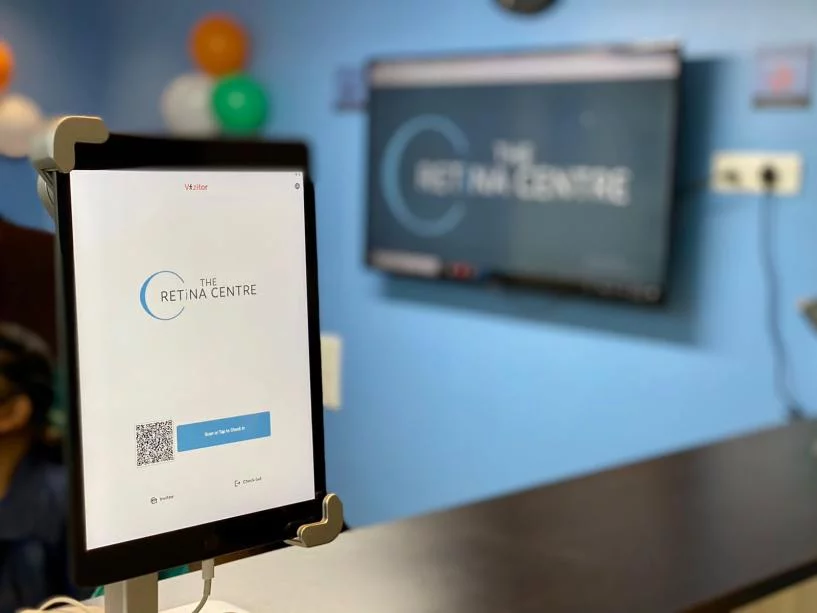
"Vizitor has revolutionized our appointment management process, enabling us to provide a seamless and efficient experience for our patients."
Read Case StudyHard Rock Cafe Nigeria Streamlines Guest Entry & VIP Management with Vizitor

"From VIP guest lists to event crowd management, Vizitor brought order and elegance to every entry point."
Read Case StudySnapdeal Scales Secure Visitor Registration System Across Its Corporate Offices
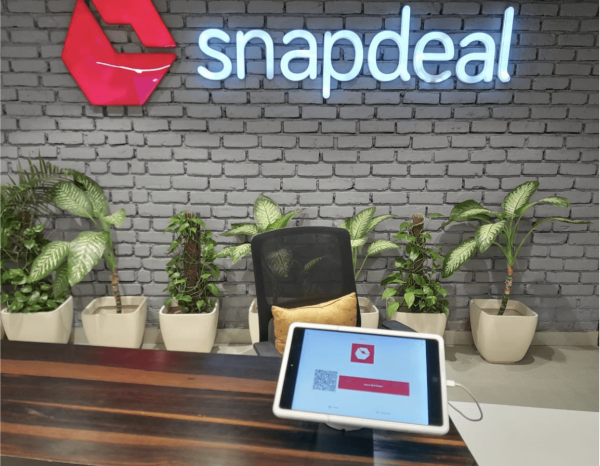
"Vizitor brought structure, speed, and security to our high-volume daily visitor check-ins across all offices."
Read Case StudyFrom Manual Logs to Smart Security Sri Sairam College Transforms Campus Entry
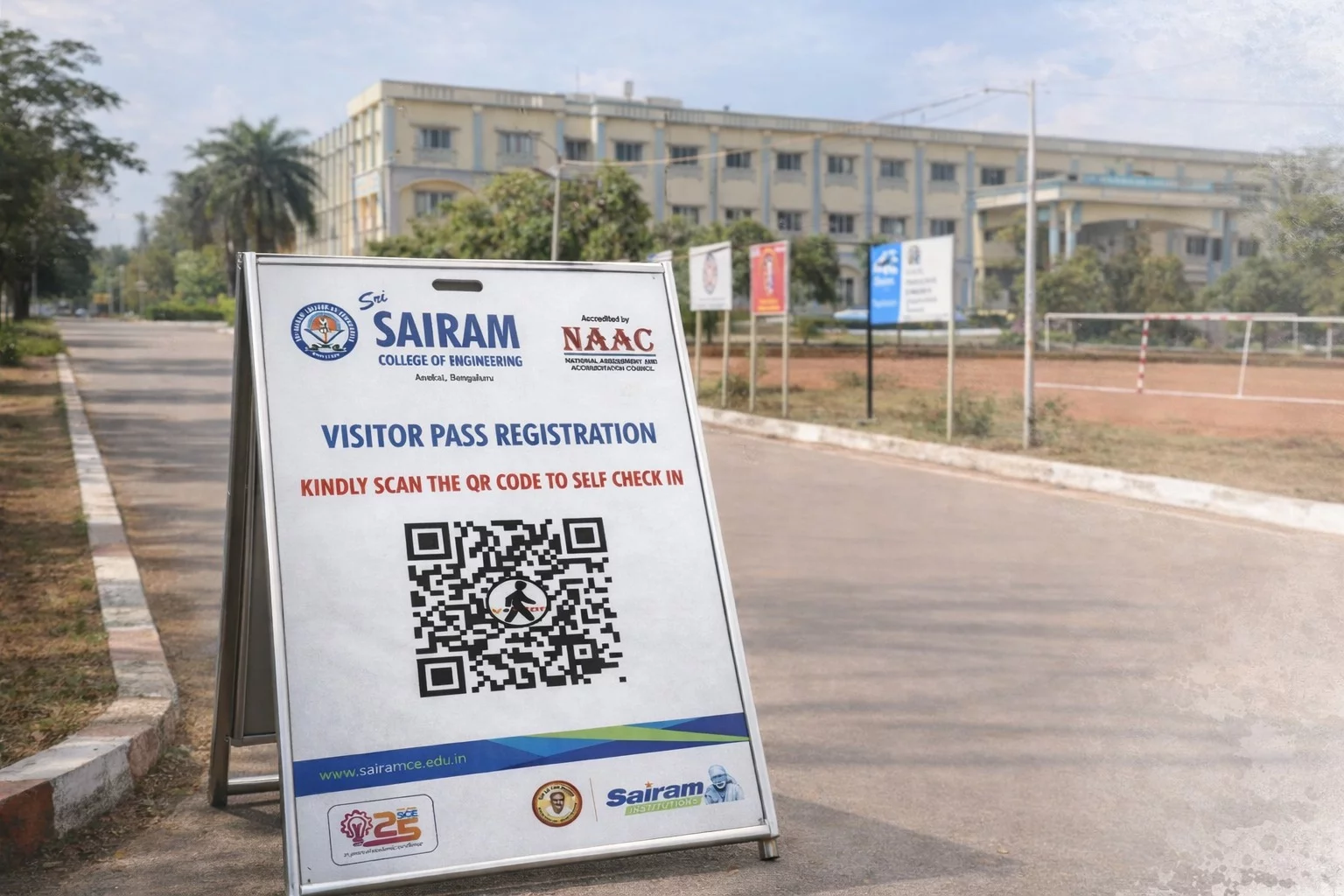
"No issues faced till now, great work by the Vizitor team!"
Read Case StudyBarco Electronic Systems Replaces Paper Registers With Enterprise-Grade Visitor Management
Barco Electronic Systems
Global Technology Company, Noida
"Vizitor has transformed the way we manage visitors at our campus. The platform is seamless, reliable, and has significantly elevated our front-desk experience."
Read Case StudyIKEA Services India
MNC Corporate Office
Shiprocket
Fast-Growing E-Commerce Company
Workplaces That Replaced Their Clipboard
From single offices to multi-site enterprises, see what teams say after going live with Vizitor.
"We went from a paper register to a fully digital check-in in under an hour. Our visitors now arrive, scan, and are in the building before I've even looked up from my desk. The host notification via Slack is a game-changer."
"The watchlist screening and digital NDA capture solved two compliance headaches at once. Our ISO audit went smoothly for the first time because we actually had a complete, timestamped record of every visitor for the entire year."
"We manage three offices from one dashboard. Each site has its own branding and check-in flow, but I can see everything from one login. Setup took 45 minutes. The pricing vs Envoy alone was enough reason to switch."
Replace Your Paper Logbook Today
Join 500+ businesses that replaced their clipboard with Vizitor. Set up in under 30 minutes. No credit card required. No IT team needed.
Frequently Asked Questions
A visitor management system is software that digitally records, tracks, and manages everyone who enters a workplace, replacing paper sign-in sheets with automated check-ins, QR code scanning, badge printing, real-time host notifications, and encrypted visitor logs. Visitors arrive, tap in on a kiosk tablet, enter their details, sign any required documents, have their photo taken, and receive a badge, all in under 30 seconds. The system simultaneously alerts their host and logs every visit in a secure, searchable dashboard.
Yes, Research consistently shows that people prefer self-service check-in over waiting for a receptionist to become available. Visitors appreciate the speed, the privacy of not signing a paper log visible to everyone, and the professional first impression it creates. Most visitors complete Vizitor's check-in in under 30 seconds without any guidance.
It actually depends upon the teams. Vizitor handles the repetitive, administrative side of arrivals, logging, notifying, badging, signing, so your front desk staff can focus on hospitality, handling complex queries, and higher-value tasks. Think of it as extending your reception coverage rather than replacing it. Many teams use Vizitor to manage arrivals when their receptionist is briefly away from the desk.
Organisations across every sector: tech companies, manufacturing plants, schools, hospitals, government offices, coworking spaces, law firms, and retail headquarters. If your premises receive external visitors of any kind, a VMS adds value. Vizitor serves companies from 5-person startups to multi-site enterprises with thousands of monthly check-ins
Core check-in is live in under 30 minutes from signup. You can download the Vizitor app onto any Android tablet or iPad, configure your check-in flow, and you're ready. Full deployment, including badge printing, integrations, and multi-location setup typically takes a few hours to two days, depending on complexity.
No special hardware is required to get started with . Most teams simply use an iPad, Android tablet, or existing reception device for visitor check-ins. Depending on your workplace setup, you can also integrate optional hardware like badge printers, QR scanners, or access control systems for a more advanced experience.
No, Vizitor is built to be deployed by operations, admin, or facilities teams without any technical support. The app setup is step-by-step guided. If you hit anything, live support is included with every paid plan.
Yes, Vizitor lets you fully customize the visitor check-in flow with your own fields and questions based on your workplace needs. You can collect details like ID information, purpose of visit, compliance acknowledgements, declarations, or any location-specific requirements during check-in.
Vizitor's visitor management system includes self check-in via QR code or kiosk, visitor pre-registration with calendar sync, badge printing, digital NDA and document signing, real-time host notifications via SMS, email, Teams, or WhatsApp, watchlist screening, photo and ID capture, multi-location management, live occupancy dashboard, delivery management, and one-click audit report export to PDF or CSV. All features run from a single cloud-based admin dashboard.
The moment a visitor completes check-in, their host receives an instant notification via email, SMS, push notification (via the Vizitor PASS app), or WhatsApp. The host knows their visitor has arrived before reception even looks up from the desk.
Yes, Hosts can send visitors a pre-registration link or appointment link when they schedule a meeting. The visitor fills in their details, signs any required documents, and receives a QR code invite in advance. When they arrive, check-in takes seconds, their details are already in the system.
Visitors can check out via the kiosk, via the Vizitor PASS mobile app. The admin dashboard also lets your team manually check out any visitor. Every departure is timestamped and stored in the visit record.
Yes, on Enterprise plans. Every visitor is automatically screened against your internal blacklist in the background during check-in. If a match is found, your security team receives an instant alert, the visitor is not informed. No manual checking required.
Yes, Digital NDA and legal document signing is available. The document is presented as part of the check-in flow, requires a digital signature, and is stored against the visitor's record with a full timestamp. No paper, no chasing, no filing.
Switching to a digital visitor management system is simpler than most teams expect. Here's what comes up and why none of it is a blocker.
Staff adoption happens naturally- Because the kiosk guides every visitor through check-in step by step, reception staff don't need training. If a visitor can use it on day one without help, your team can manage it the same way. Most Vizitor customers are fully comfortable within the first hour of going live.
Hardware is whatever you already have- Any standard iPad or Android tablet works as your check-in kiosk. No proprietary equipment, no specialist installation, no IT involvement. Plug in a badge printer if you need physical badges, that's the full hardware requirement.
Compliance is built in, not bolted on- GDPR consent, data retention rules, NDA signing, and visitor record deletion are all handled automatically inside the check-in flow. Your legal obligations are covered from the moment your first visitor checks in.
Multiple locations become one consistent experience- Every site runs the same check-in flow, the same compliance rules, and the same branding, all managed from a single admin dashboard. What used to be a patchwork of paper logs across different offices becomes one unified, auditable system overnight.
The reality is that implementation is a 30-minute process, not a project. Most teams go from signup to live reception on the same day.
During an emergency evacuation, Vizitor's visitor management system generates a real-time list of every visitor currently checked in on-site, accessible from any device in seconds. Security and facilities teams can see exactly who is in the building, mark individuals as safe, and send alerts without relying on paper clipboards or manual headcounts. This meets fire safety regulatory requirements and eliminates the risk of missing visitors during an evacuation.
Yes. integrates with tools like Microsft teams, WhatsApp, etc. and send instant host notifications, visitor alerts, and check-in updates in real time. This helps teams respond faster and stay informed without relying on manual coordination.
Yes, Vizitor offers a free trial. No credit card required to start. You can be live in your lobby within 30 minutes of signing up.
Yes, Many customers start with a single location on the Starter plan and expand to multi-location management as they grow. There are no re-implementation costs, you simply upgrade your plan and add the new location from the same admin dashboard.
Vizitor is a strong fit for small and medium businesses and significantly more affordable than the tools most companies offer.
The pricing gap is real- Envoy, the most widely used VMS, starts at $109 per month per location. SwipedOn runs $55 per month. Greetly starts at $99 per month. Vizitor's Starter plan is $36 per month billed annually. Same core features: QR check-in, host notifications, visitor logs, pre-registration, at a fraction of the cost.
No proprietary hardware required- Many offices already have an iPad at reception or a spare Android tablet. Vizitor runs on either. No kiosk purchase, no installation visit, no IT ticket required to go live. Some of the brands are providing VMS for iPad only.
Setup is the same day you sign up- Most teams are fully live within 30 minutes. No onboarding call required, no implementation project, no waiting on a vendor to configure anything.
Scales as your business grows- Start with one location and one tablet. Add locations, devices, badge printing, NDA signing, and integrations as your team and visitor volume expand, without switching platforms or renegotiating a contract.
Free trial available. No credit card required. No lock-in. Live in 30 minutes.