Published on: Wed, Mar 25, 2026
Read in 7 minutes
Did you know that over 60% of office space in hybrid workplaces sits underutilized on any given day, while teams still struggle to find desks, meeting rooms, or parking?
Here’s the problem. Most offices are either overcrowded or underused, often both at the same time. Manual tracking, spreadsheets, or outdated systems create confusion, wasted costs, and poor employee experience.
Now let’s make it worse. When you don’t know how your workspace is actually being used, you end up overspending on real estate, frustrating employees, and losing operational control. This is exactly where businesses start falling behind.
Here’s the fix. The right office space management software gives you real-time visibility, smarter allocation, and a seamless workplace experience.
In this guide, you’ll discover the top tools redefining how modern offices operate in 2026 and how to choose one that actually works for your business.
Office space management software is a digital system that helps organizations plan, track, and optimize how workplace space is used in real time.
It goes beyond simple scheduling. A modern office space management system connects data, people, and physical space to ensure every square foot is being used efficiently.
It typically includes:
But here’s what most businesses miss. This software is not just about organization. It’s about control over one of your biggest operational costs.
Office space management didn’t start with software. It started with spreadsheets, manual seating charts, and fixed desk allocations.
That worked when offices were predictable.
Then hybrid work changed everything.
By 2026, nearly 75% of employers are expected to operate in hybrid models, making static office planning almost impossible.
What this really means is your office usage changes every single day. Some days desks are empty. Other days, there aren’t enough.
This is where office space management software evolved.
From basic scheduling tools, it has transformed into intelligent systems that offer:
Across the US and UK, companies adopting smart office space management systems are seeing measurable impact.
For example:
What stands out is this: companies that rely on data outperform those that rely on assumptions.
The shift to hybrid work has changed everything.
Companies across the US and UK are actively searching for:
Here’s what’s driving that demand:
Without the right system, managing space becomes guesswork.
Choosing the right tool is no longer about convenience. It’s about survival in a hybrid workplace.
The market is crowded with office space management companies offering similar promises, but very few actually deliver on usability, scalability, and real impact.
Some tools focus on desk booking. Others specialize in analytics. A few combine everything into one unified office space management system.
The list below cuts through that noise.
These platforms are selected based on real-world usability, feature depth, scalability, and their ability to solve actual workplace challenges, not just add another layer of software.
Vizitor stands out as more than just a visitor management platform. It acts as a complete office space management software designed for modern workplaces that demand control, visibility, and efficiency.
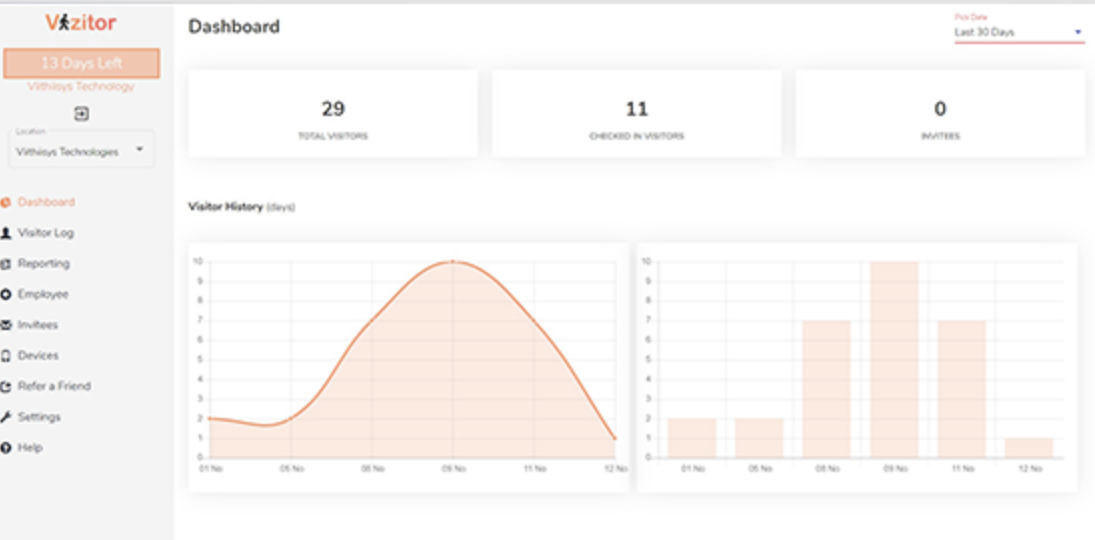
Key features:
Why it converts:
If your goal is not just managing space but also improving security and front-desk experience, Vizitor closes that gap. It works especially well for offices that want a unified office space management system without juggling multiple tools.
Best for: enterprises, corporate offices, co-working spaces
A powerful platform focused on workplace planning and analytics.
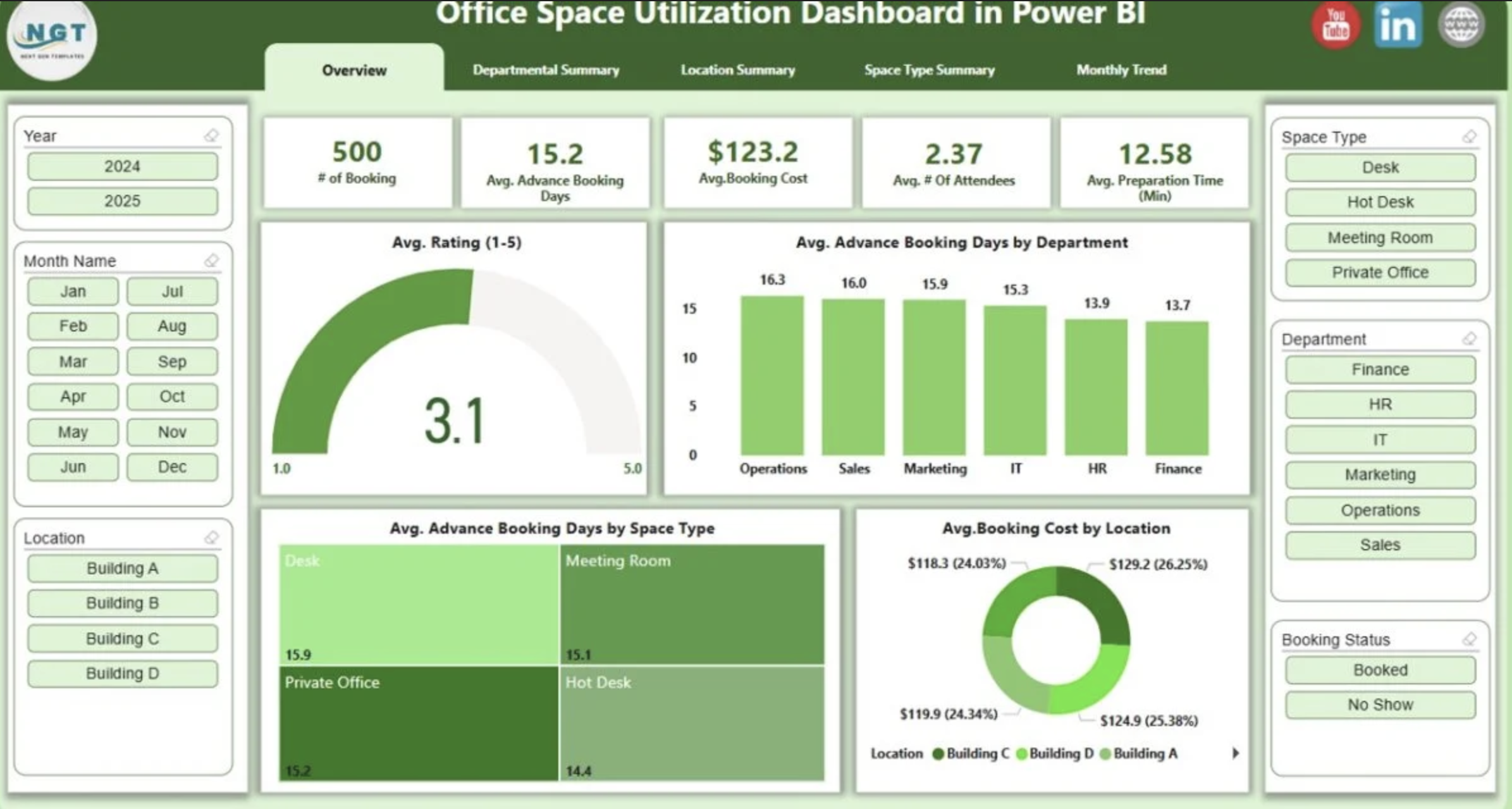
Key features:
Best for: large enterprises managing multiple office locations
Condeco is widely used for desk booking and meeting room scheduling in hybrid environments.
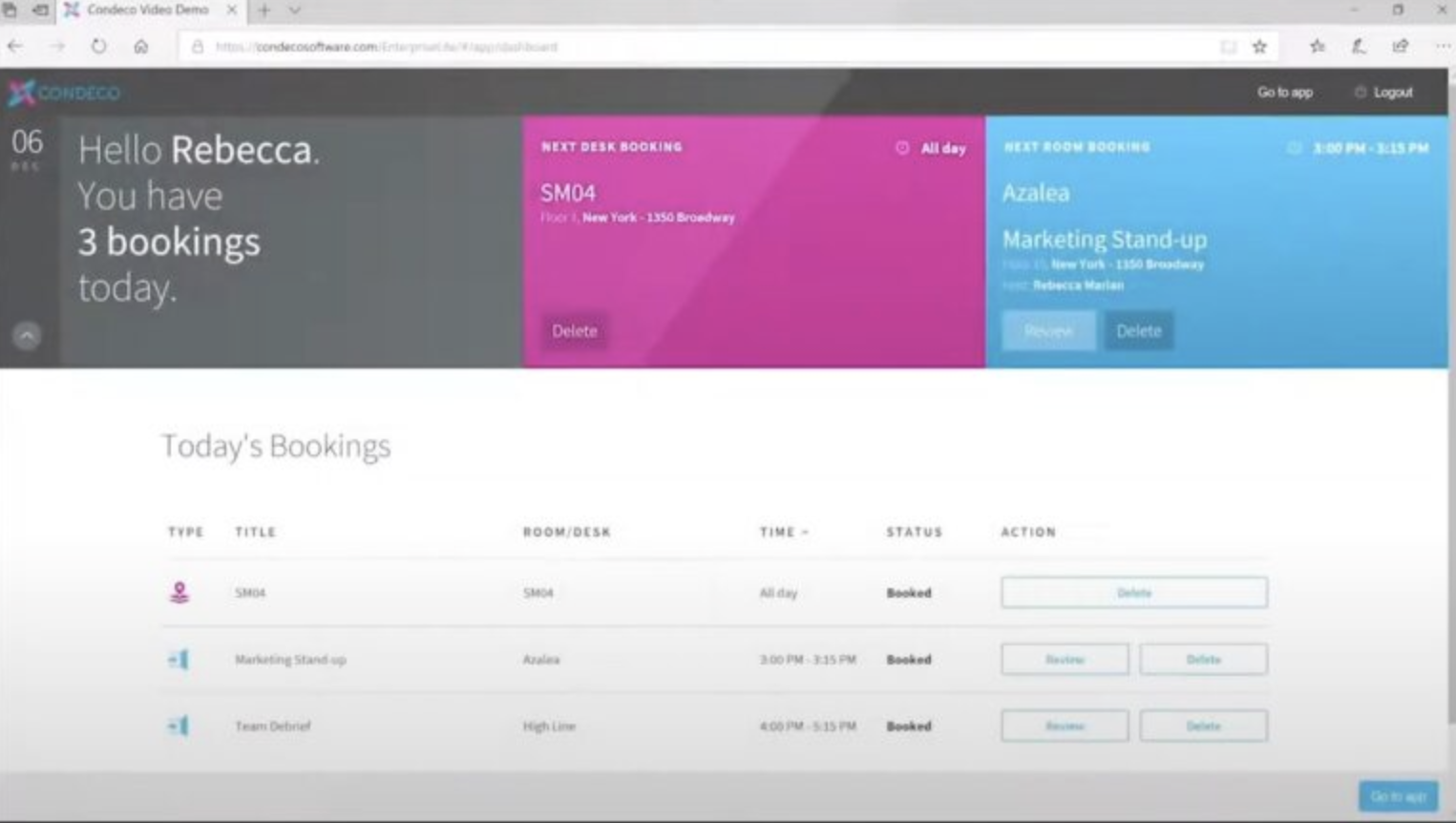
Key features:
Best for: hybrid teams needing flexible desk management
Robin focuses on improving workplace experience through intuitive scheduling tools.
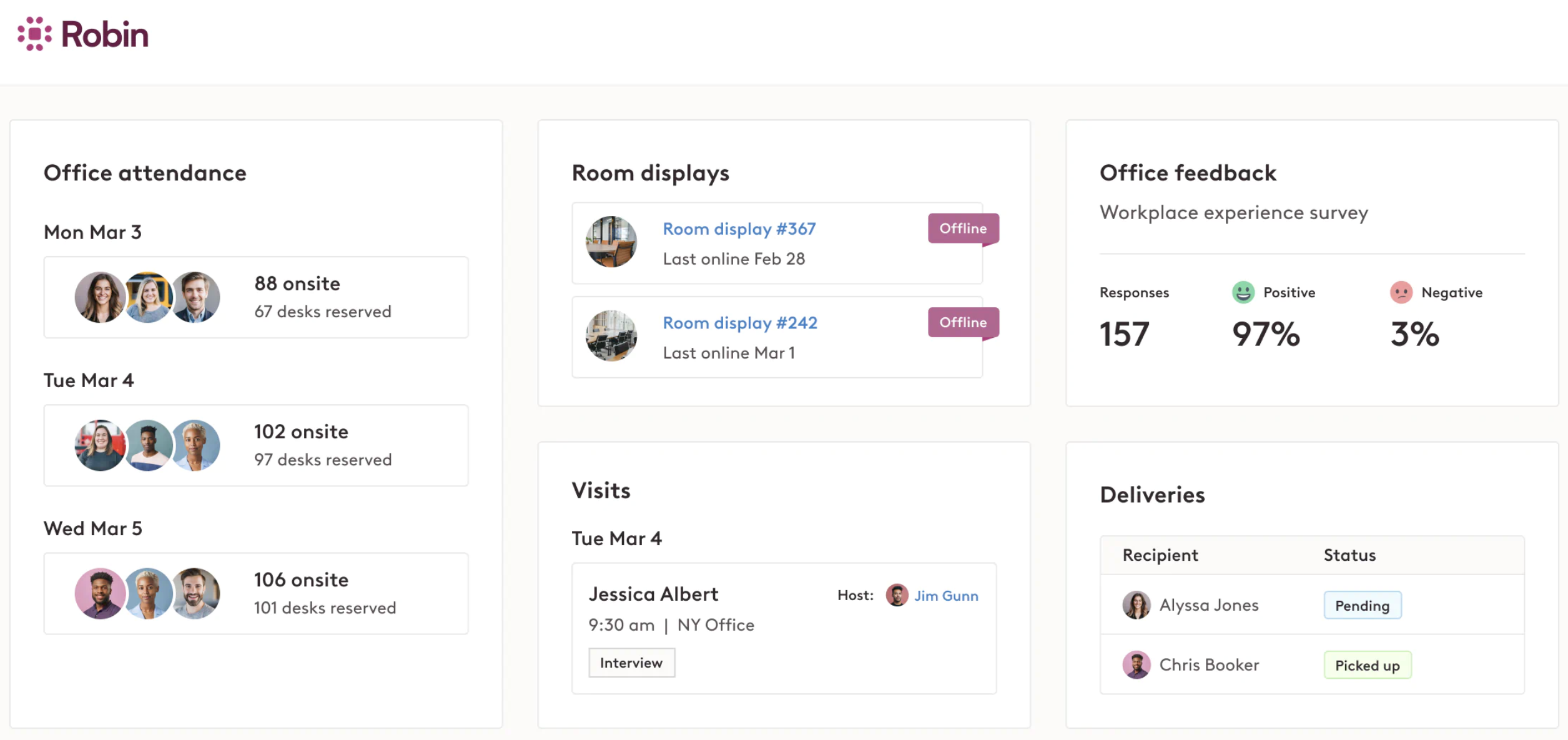
Key features:
Best for: mid-sized companies prioritizing employee experience
Envoy combines visitor management with workplace analytics, making it a strong contender in smart office solutions.
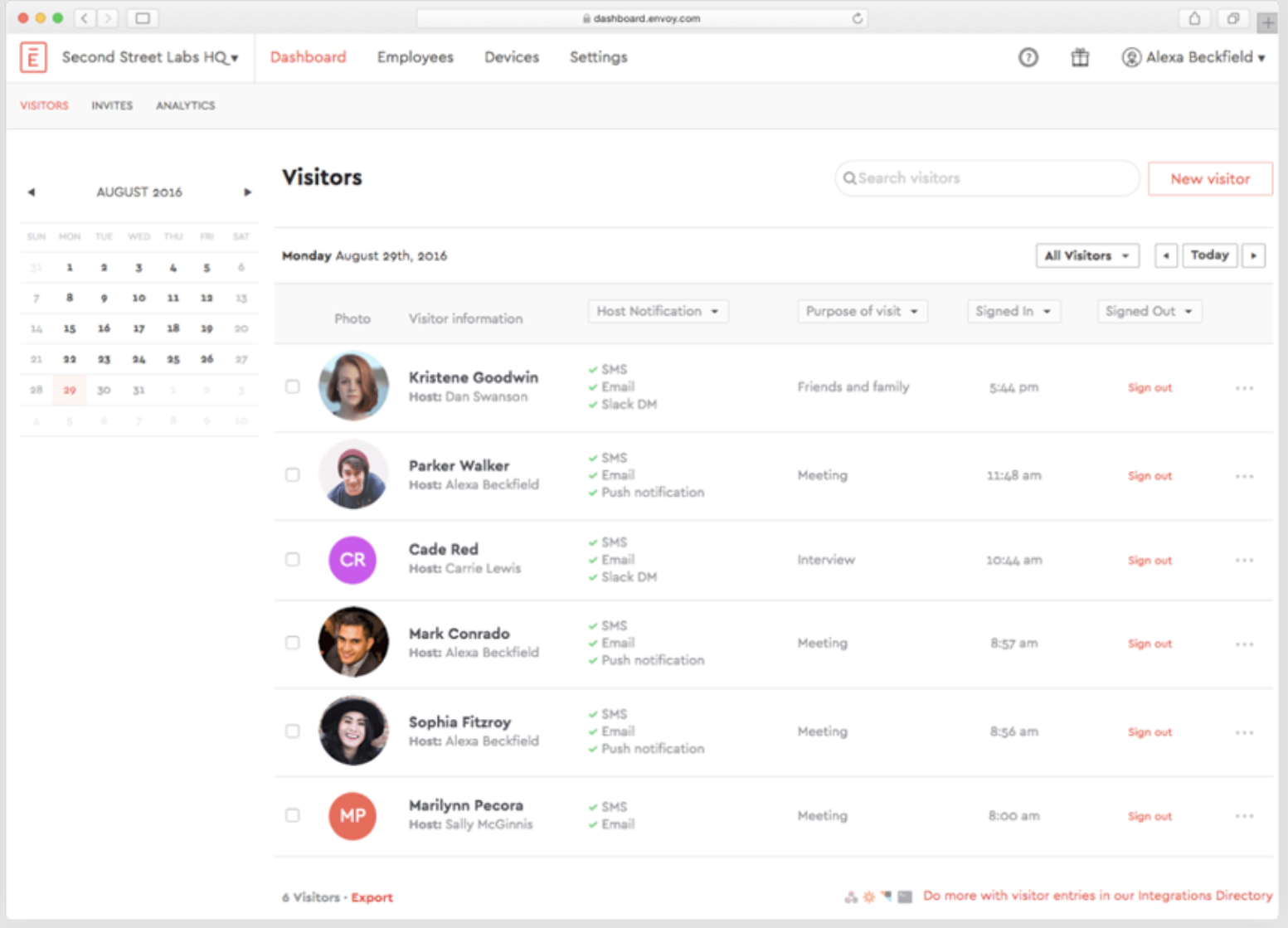
Key features:
Best for: offices looking for a visitor-first space management approach.
Choosing the wrong tool will cost you more than money. It creates confusion, low adoption, and operational inefficiencies.
Here’s how to make a decision that actually works.
Most companies make this mistake.
They look at features before identifying what’s broken.
Ask:
Hybrid workplaces create unpredictable attendance patterns, making manual planning ineffective.
Without data, you’re guessing.
The best office space management software gives you:
This helps you identify underutilized areas and optimize layouts based on actual behavior, not assumptions
Even the best system fails if your team doesn’t use it.
Look for:
Employees should be able to book a desk or room in seconds.
Your software should not operate in isolation.
It should connect with:
What works for one office should work across ten.
If you’re planning to grow, your office space management system must support:
This is where many tools fall short.
If your office deals with visitors, clients, or sensitive operations, your system must include:
Here’s the reality.
Space is one of your biggest expenses, yet most companies don’t fully understand how it’s being used.
The right office space management software helps you:
The modern office is no longer a fixed space. It’s a dynamic environment that changes every day.
Trying to manage it with outdated methods is like trying to run a digital business on paper.
The companies that are getting this right are not necessarily the ones with the biggest offices. They’re the ones with the smartest systems.
Office space management software is no longer a “nice to have.” It’s infrastructure.
If your workplace still relies on manual processes, disconnected tools, or assumptions, you’re already operating at a disadvantage.
The shift is already happening.
Smarter offices are leaner, more flexible, and data-driven. They adapt faster, cost less, and deliver better employee experiences.
The real question is not whether you need an office space management system.
It’s how long you can afford to operate without one.