Smart Workplace Technology: The Complete 2026 Guide
Smart workplace technology has moved from a nice-to-have to the operational backbone of every serious office. This guide covers the 10 core systems, how they work together, what ROI to expect, and where to start.


Table of Content
Try Vizitor for Free!
The office is no longer a fixed place where everyone shows up at 9 and leaves at 5. Hybrid work, flexible scheduling, and distributed teams have fundamentally changed what “office” actually means, and the buildings that haven’t adapted are paying for it in wasted space, security gaps, and frustrated employees.
The smart buildings market is projected to reach $108 billion by 2030. That number isn’t driven by futuristic architecture. It’s driven by companies that realized their physical workspace needs the same operational intelligence as their software stack.
This guide covers everything a facility manager, IT director, or operations lead needs to understand about smart workplace technology in 2026: what it is, which systems matter, how they connect, and how to build a stack that actually delivers ROI.
What Makes a Workplace “Smart”?
A smart workplace is one where physical space, people, and technology are connected in real time. Data flows between systems. Decisions that used to require a phone call or a spreadsheet happen automatically. The building responds to how people actually use it, not how someone assumed they would use it five years ago.
Three things define a smart workplace:
Real-time visibility. You know who is in the building, which rooms are occupied, where your people are sitting, and what’s happening at the front desk, right now, not in a report from last week.
Connected systems. Your visitor management system knows your access control rules. Your desk booking software feeds your space utilization reports. Your attendance data connects to your HR system. Nothing lives in a silo.
Workflow automation. Repetitive manual tasks, signing in visitors, booking rooms, tracking deliveries, logging attendance, happen automatically or with minimal friction.
The contrast with a traditional office is stark. A traditional office runs on paper logs, physical keys, manual processes, and gut instinct. A smart office runs on data, integrations, and automation. The difference shows up in cost, security, and how your employees experience coming to work.
The 10 Core Smart Workplace Technologies
Every smart workplace stack is built from some combination of these ten systems. Not every office needs all ten on day one, but understanding what each does and how it connects to the others is essential before you spend a dollar.
1. Visitor Management Systems
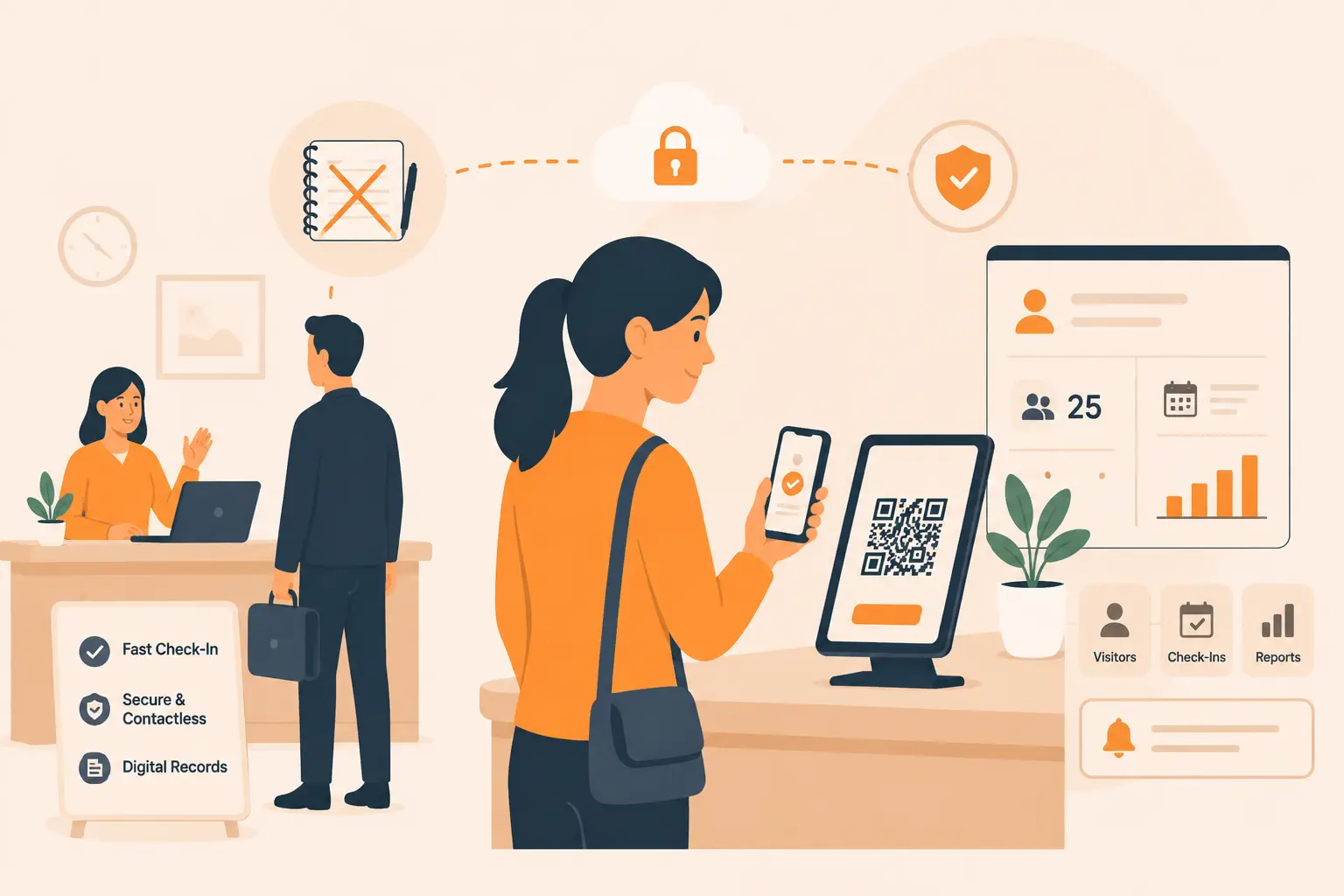
A visitor management system (VMS) is the front door of your smart workplace stack. It replaces paper sign-in logs with a digital process that captures visitor identity, notifies hosts, enforces compliance requirements, and creates an auditable record.
What it does: Visitors self-check in on a tablet or kiosk, sign NDAs digitally, get their photo taken, and receive a printed badge. The host gets an instant notification. Security gets a real-time view of who is on site.
Business impact: A VMS eliminates the security theater of paper logs that nobody reads, speeds up check-in from several minutes to under 60 seconds, and creates the compliance documentation that auditors and regulators expect.
Vizitor’s role: Vizitor’s visitor management system handles the full check-in workflow, from pre-registration and invite emails to badge printing and host notifications. It integrates with access control systems so a cleared visitor can move through the building without a manual escort.
For organizations that also manage coworking spaces or multi-tenant buildings, the system scales across multiple locations from a single dashboard. See how visitor management works for coworking spaces.
2. Smart Meeting Room Booking Systems
Unused meeting rooms and double-bookings are two of the most expensive friction points in any office. A room booking system solves both.
What it does: Employees reserve rooms through a web portal, mobile app, or Microsoft Teams/Google Calendar integration. Rooms with in-room displays show real-time availability. The system automatically releases rooms if nobody shows up within a set window.
Business impact: Studies consistently show that 30-40% of booked meeting rooms sit empty at any given time. A booking system with auto-release can reclaim that space without building more square footage.
Vizitor’s role: Vizitor’s meeting room booking system connects room reservations to the broader workplace platform, so capacity limits, visitor meetings, and room availability all stay synchronized.
3. Hot Desking and Desk Booking Software
In a hybrid office, not everyone comes in every day. Assigning a permanent desk to every employee wastes space. Hot desking solves that problem, but only when paired with proper software.
What it does: Employees book a desk in advance or on arrival. The system shows which desks are available on a floor map, tracks who is sitting where, and feeds real-time data into occupancy reports.
Business impact: Companies running effective hot desking programs consistently reduce their office footprint by 20-35% without reducing headcount or employee satisfaction. Vizitor’s desk booking system gives employees the flexibility to choose where they sit while giving operations teams the data to optimize space allocation.
4. Attendance Management Technology
Manual timesheets and paper attendance registers are both inaccurate and labor-intensive. Modern attendance systems use digital check-in, biometrics, or mobile GPS to create an accurate, real-time record.
What it does: Captures clock-in and clock-out events, tracks late arrivals and early departures, generates reports for payroll and HR, and integrates with HRMS platforms.
Business impact: Automated attendance management reduces payroll errors, eliminates buddy punching, and frees HR teams from manual data entry. It also creates the audit trail that labor compliance requires.
Vizitor’s role: Vizitor’s attendance management system ties attendance data directly to the broader workplace platform, so the same system that manages visitors also tracks who among your own team is on site.
5. Access Control and Security Systems
Physical security is the enforcement layer of a smart workplace. Access control systems determine who can go where, and they create a record every time a door opens.
What it does: Uses keycards, mobile credentials, PIN codes, or biometrics to control access to specific areas. Integrates with visitor management to grant temporary access to cleared visitors. Logs every access event for security audits.
Business impact: Access control eliminates unauthorized entry, reduces reliance on physical keys that can be lost or copied, and creates the forensic record that security incidents require. When integrated with a VMS, the system can automatically revoke visitor access the moment they check out.
Learn more about Vizitor’s workplace security management capabilities.
6. Digital Signage
Digital signage in the context of a smart workplace does more than display a company logo. It communicates real-time information: room availability, visitor arrivals, emergency alerts, and wayfinding.
What it does: Displays dynamic content on screens throughout the building. Can show meeting room schedules, floor maps, visitor notifications, and company announcements. Integrates with room booking and visitor management systems to pull live data.
Business impact: Reduces the friction of finding available rooms, guides visitors without requiring a receptionist escort, and provides a broadcast channel for urgent communications.
7. IoT Sensors for Occupancy Tracking
IoT occupancy sensors are the passive data layer that makes everything else smarter. They measure how spaces are actually being used, without requiring anyone to book or check in.
What it does: Sensors in meeting rooms, open-plan areas, and common spaces report real-time occupancy counts. That data feeds into workplace analytics platforms to show utilization rates, peak usage times, and underused areas.
Business impact: Most offices use only 60-70% of their space efficiently. IoT sensors reveal exactly which spaces are underperforming and when, giving facility managers the data they need to redesign layouts, right-size leases, or reallocate resources.
8. Video Conferencing Infrastructure
For hybrid teams, video conferencing is not a feature. It is infrastructure. The quality of remote meeting experience directly affects collaboration, productivity, and whether remote employees feel like first-class participants.
What it does: Provides hardware and software for high-quality video and audio in meeting rooms. Integrates with calendar and room booking systems so starting a meeting is a one-click action. Includes room cameras, microphones, displays, and a management platform.
Business impact: Poor video conferencing is a talent retention issue. Employees who feel cut off from in-person meetings disengage. Investing in room-quality AV hardware pays back in meeting effectiveness and hybrid team cohesion.
9. Delivery and Mailroom Management
In offices with significant package volume, an unmanaged mailroom is both a security risk and a productivity drain. Digital delivery management brings the same visibility to packages that a VMS brings to people.
What it does: Logs incoming deliveries, notifies recipients by email or SMS, tracks pickup status, and creates an auditable delivery record. Some systems support chain-of-custody logging for sensitive deliveries.
Business impact: Reduces lost packages, eliminates the time staff spend tracking down recipients, and creates a defensible record for high-value or sensitive items.
Vizitor’s role: Vizitor’s delivery management system handles inbound package tracking as part of the same platform managing visitors and attendance, eliminating the need for a separate mailroom tool.
10. Workplace Analytics Platforms
All of the above systems generate data. A workplace analytics platform turns that data into decisions.
What it does: Aggregates data from occupancy sensors, desk booking, room booking, visitor logs, and access control into dashboards and reports. Tracks space utilization rates, peak occupancy trends, visitor volumes, and more.
Business impact: Facility managers armed with real utilization data can make evidence-based decisions about lease renewals, space reconfigurations, and staffing. Companies that operate on gut instinct about space routinely overpay for square footage they don’t need.
Vizitor’s workplace management platform consolidates reporting across visitor management, desk booking, attendance, and deliveries into a single view.
How Smart Workplace Technologies Work Together
The real value of a smart workplace isn’t in any individual tool. It’s in the connections between them. When systems share data, the whole stack becomes greater than the sum of its parts.
Here’s how the integration ecosystem works in practice:
| Trigger | System 1 | System 2 | Outcome |
|---|---|---|---|
| Visitor checks in | Visitor Management | Access Control | Temporary badge automatically activated |
| Visitor checks out | Visitor Management | Access Control | Badge automatically deactivated |
| Meeting room booked | Room Booking | Digital Signage | Room display updates with meeting info |
| Employee checks in | Attendance System | HR/Payroll Platform | Clock-in recorded, no manual entry |
| Desk booked | Desk Booking | Occupancy Analytics | Real-time floor map updated |
| Package arrives | Delivery Management | Email/SMS System | Recipient notified instantly |
| Sensor detects empty room | IoT Sensors | Room Booking | Auto-release triggered after timeout |
Why siloed tools fail: When each system operates independently, data doesn’t flow. A visitor who checks out in the VMS still has an active access credential because the access control system doesn’t know about the checkout. A meeting room that sits empty for 30 minutes stays “booked” in the calendar because there’s no sensor to detect occupancy. Facilities data lives in five different platforms with five different logins, so nobody actually looks at it.
Integration isn’t optional. It’s the mechanism by which smart workplace technology delivers its value. See how modern offices are approaching space management and planning.
Building a Smart Workplace: Where to Start
Building a smart workplace stack doesn’t require replacing everything at once. It requires a clear-eyed assessment of where friction is costing you the most, and a prioritized implementation plan.
Assess Current Friction Points
Before buying any technology, document where your current processes break down. Common friction points include:
- Visitors waiting at reception while someone tracks down their host
- Meeting rooms double-booked or sitting empty while other rooms are full
- Attendance tracked on paper or spreadsheets, requiring manual payroll reconciliation
- No real-time data on how many people are in the building at any given time
- Lost packages sitting in a mailroom for days
- Security incidents with no reliable log of who was on site
Rank these by frequency and cost. The highest-frequency, highest-cost friction points tell you where to invest first.
Priority Order for Technology Adoption
For most offices, this is the recommended sequence:
- Visitor management first. It addresses security, compliance, and first impressions simultaneously. It’s the most visible improvement and has a short implementation timeline.
- Attendance management. Especially if payroll integration is a current pain point.
- Room booking. Especially in hybrid offices with constant meeting room conflicts.
- Desk booking. Required for any office running a hot desking model.
- Delivery management. High value in offices with significant package volume.
- Analytics. Once the data-generating systems are in place, the analytics layer becomes valuable.
- IoT sensors. Layer on top of booking systems for passive occupancy validation.
Integration Requirements to Check First
Before signing any vendor contract, confirm:
- Does this system offer API access or native integrations with your existing HRMS, calendar platform, and access control hardware?
- Can data export to your analytics or reporting tools?
- Is there a single sign-on option that works with your identity provider?
- If you use Microsoft 365 or Google Workspace, does the tool integrate natively?
Choosing a system that can’t connect to your existing stack creates a new silo. That defeats the entire purpose. Read the complete guide to workplace automation tools for a deeper look at integration architecture.
Budget Framework
Smart workplace technology spans a wide range of cost structures. Here’s a realistic framework:
| Category | Deployment Model | Typical Cost Range |
|---|---|---|
| Visitor Management | SaaS, per location | $50-$300/month per location |
| Room Booking | SaaS, per room | $15-$50/month per room |
| Desk Booking | SaaS, per desk | $5-$20/month per desk |
| Attendance Management | SaaS, per employee | $3-$10/month per employee |
| IoT Sensors | Hardware + SaaS | $100-$300/sensor + software |
| Access Control | Hardware + SaaS | Varies widely by hardware |
| Analytics Platform | SaaS | $500-$3,000/month depending on scope |
Most SMBs building their first smart workplace stack can get the core four systems (visitor management, attendance, room booking, desk booking) deployed for under $1,500/month for a 100-person office. Enterprise deployments with IoT sensors and custom analytics scale higher.
Smart Workplace for Different Office Types
Not every office needs the same stack. Here’s how to think about it by office type:
Small office (under 50 people, single location): Focus on visitor management and attendance management. Room booking if you have dedicated conference rooms. Skip the IoT layer until you have enough data to act on it. Total stack: 2-3 tools, straightforward SaaS deployment.
Mid-size enterprise (50-500 people, 1-5 locations): Full core stack: visitor management, attendance, room booking, and desk booking. Delivery management if package volume warrants it. Begin building analytics capability. Integration with HRMS and calendar platforms is essential at this size.
Large campus (500+ people, multiple buildings): All ten systems apply. IoT occupancy sensors become valuable at scale because manual data collection breaks down. Centralized analytics dashboard is non-negotiable. Security integrations need to span access control across buildings. A workplace management platform that consolidates reporting across locations saves significant administrative overhead.
Hybrid-first company (50%+ of employees working remotely on any given day): Desk booking is the most critical system because unmanaged hot desking creates daily friction. Attendance management needs to handle flexible schedules and partial-day on-site presence. Visitor management still matters for client meetings and team days. The analytics layer is especially valuable for planning how many days per week require in-office capacity.
ROI of Smart Workplace Technology
Smart workplace investments pay back in four categories: time savings, cost reduction, space efficiency, and compliance value.
| Technology | Primary ROI Metric | Typical Savings |
|---|---|---|
| Visitor Management | Reception staff time, compliance risk reduction | 2-4 hours/day of receptionist time; eliminates manual compliance logging |
| Attendance Management | Payroll accuracy, HR admin time | 5-15 hours/month in HR manual reconciliation |
| Room Booking with auto-release | Space reclaimed from ghost bookings | 30-40% of booked rooms recovered |
| Desk Booking | Real estate cost reduction | 20-35% office footprint reduction for hybrid teams |
| IoT Occupancy Sensors | Data-driven lease decisions | 10-25% reduction in leased space over 2-3 year horizon |
| Delivery Management | Staff time on package tracking | 1-3 hours/day in mid-size offices |
| Workplace Analytics | Capital planning accuracy | Avoids both over-leasing and under-provisioning |
The compliance angle is underpriced: Organizations in regulated industries (finance, healthcare, legal, pharma) have a material compliance requirement to know who was on site and when. Paper logs don’t satisfy auditors. A digital VMS with timestamped records does. The cost of a compliance failure or a failed audit far exceeds the annual cost of the software.
The space cost angle is equally underpriced: Commercial real estate is the second-largest operating cost for most businesses after people. Office space footprints are shrinking by 25-30% as hybrid work matures, but only in organizations that have the data to justify those decisions. Without occupancy analytics, you’re renewing leases on faith.
2026 Smart Workplace Trends
The smart workplace space is moving fast. Here’s what’s shaping deployments in 2026:
AI-powered space optimization. Platforms are adding AI layers that predict space demand based on historical patterns and calendar data. Instead of reacting to occupancy data, the system proactively suggests desk and room allocations for peak days.
Predictive visitor management. VMS platforms are moving toward AI-assisted pre-screening, where repeat visitor records auto-populate, host availability is checked before invites go out, and visitor risk scoring flags anomalies before they reach the front desk.
Touchless and biometric check-in. Facial recognition, fingerprint, and QR-code check-in are replacing touchscreen kiosks in security-sensitive environments. The pandemic normalized touchless workflows. Security-conscious organizations are now adopting them for access control reasons, not hygiene.
Platform consolidation. The market is consolidating around integrated workplace platforms that handle multiple functions rather than point solutions for each problem. 78% of companies are investing in hybrid work technology, but IT directors are under pressure to reduce vendor count, not increase it. Tools that can do visitor management and attendance and desk booking on one platform win contracts over single-function tools.
Real-time occupancy as a planning input. Real-time occupancy data is moving out of the analytics dashboard and into active planning workflows. Facilities teams are using live sensor data to make same-day decisions about HVAC, cleaning schedules, and security staffing, not just quarterly space reviews.
Employee experience as a first-class metric. Employee experience is the top priority for 67% of facility managers in 2026. That means the quality of the check-in process, the ease of finding a desk, and the reliability of the room booking system are being measured the same way product teams measure NPS. Clunky, slow, or unreliable workplace tools are now a retention issue.
How Vizitor Fits Into Your Smart Workplace Stack
Vizitor is built as a workplace operations platform, not a single-function tool. That’s a meaningful distinction when you’re building a connected stack.
The Vizitor workplace management platform brings together:
- Visitor management: Digital check-in, badge printing, host notifications, compliance logging, pre-registration, and multi-location management
- Desk booking: Floor map-based hot desk reservations for hybrid teams
- Meeting room booking: Room reservation with calendar integrations and real-time availability
- Attendance management: Employee clock-in, flexible schedule tracking, and payroll reporting
- Delivery management: Package intake logging, recipient notifications, and chain-of-custody tracking
- Queue management: For high-traffic reception environments with multiple visitor streams
Rather than connecting five separate SaaS tools through fragile integrations, Vizitor provides a single data layer. Visitor records, desk bookings, attendance logs, and delivery records all live in one platform. Reporting is unified. Administration is centralized.
For organizations that do need to connect Vizitor to external systems, native integrations cover the major access control platforms, HRMS tools, and calendar systems.
The result is a smart workplace stack that doesn’t require a dedicated integration engineer to maintain. See the full feature set and pricing or book a demo to see how it maps to your specific environment.
For a deeper look at visitor management specifically, the complete guide to visitor management systems covers implementation, compliance requirements, and how to evaluate vendors.
Frequently Asked Questions
What is smart workplace technology? Smart workplace technology refers to digital systems that connect physical office infrastructure, people, and operational processes in real time. This includes visitor management, room booking, desk booking, attendance tracking, access control, IoT sensors, and analytics platforms. The defining characteristic is integration: data flows between systems automatically rather than requiring manual entry or reporting.
Where should a company start when building a smart workplace? Start with visitor management and attendance management. These two systems address the highest-frequency, highest-risk friction points in most offices (security, compliance, payroll accuracy) and have the shortest implementation timeline. From there, add room booking and desk booking if hybrid work is a factor, then build toward analytics once the data-generating systems are in place.
How much does smart workplace technology cost? Costs vary significantly by company size and scope. A 100-person office can get the core stack (visitor management, attendance, room booking, desk booking) deployed for $500-$1,500/month on a SaaS model. Large enterprise deployments with IoT sensors, custom integrations, and multi-building analytics scale higher. Most vendors offer per-location or per-user pricing, so costs grow linearly with the organization.
What’s the ROI of smart workplace technology? ROI comes from four sources: time savings (reception staff, HR admin time), space efficiency (identifying and eliminating unused space), compliance risk reduction (auditable records for regulated industries), and employee experience (faster check-in, easier room and desk booking). The space efficiency ROI is often the largest: data-driven real estate decisions can reduce office footprints by 20-35% over a two to three year horizon, which translates directly to lease cost savings.
Can smart workplace systems integrate with existing HR and IT infrastructure? Yes, provided you choose vendors that support open APIs and native integrations. Before selecting any tool, confirm it integrates with your HRMS, calendar platform (Microsoft 365 or Google Workspace), and access control hardware. Single sign-on support is also important for enterprise deployments. Platforms like Vizitor that consolidate multiple functions reduce the number of integration points you need to manage.
Build the Workplace Your Team Actually Wants to Come Back To
Smart workplace technology isn’t about spending money on technology for its own sake. It’s about removing the friction that makes the office feel like a worse option than working from home.
When visitors check in in under a minute, when desks are easy to find and book, when meeting rooms don’t double-book, when your team can see who’s on site and where, the office becomes a place that works. That’s what smart workplace technology delivers.
See Vizitor in action and explore the full platform to understand how it fits into your environment.
Try Vizitor Free
No credit card required. Setup in under 5 minutes. Manage visitors, queues, meeting rooms, and more.
Start Free TrialSee Vizitor in action check-in a visitor in under 30 seconds
Trusted by 500+ businesses. QR check-in, badge printing, NDA signing. Plans from $36/mo.