Free and Open-Source Meeting Room Booking Systems: The 2026 Edition


Table of Content
Try Vizitor for Free!
# Free and Open-Source Meeting Room Booking Systems: The 2026 Edition
You’ve got a small office. Meeting rooms get double-booked. People argue over who had the room first. A sticky note on the glass door is your current “system.”
Sound familiar? The good news: you don’t have to spend a lot to fix this. Free and open-source meeting room booking systems exist — and some of them work well for the right team size and setup.
The bad news: “free” comes with real trade-offs. Self-hosting costs time. Missing features cost you later. And scaling to multiple sites or hybrid work policies? That’s where most free tools hit a wall.
This guide breaks down what’s actually available in 2026, what each tool can and can’t do, and how to know when it’s time to move to something more complete.
## What Is a Meeting Room Booking System?
A meeting room booking system is software that lets employees check room availability and reserve a space — usually linked to a shared calendar so there are no conflicts.
At its simplest, it’s a shared calendar with room names. At its most complete, it’s part of a broader workplace management platform that connects rooms, desks, visitors, and attendance data in one place — so operations teams have a full picture of how their spaces are actually being used.
The difference matters when you’re dealing with no-shows, underused rooms, or multi-site coordination.
## Why Teams Go Looking for a Free Option
Most small teams don’t start with a budget for room scheduling software. They hit a specific pain point first — a double-booking, a no-show that wasted a client meeting, or a new hybrid policy that needs enforcement — and then go looking for a fix.
Free tools make sense when your team is small (under 50 people), you have one location, IT has capacity to manage a self-hosted install, and you don’t need audit logs or reporting.
If any of those conditions don’t hold, you’ll likely outgrow a free solution faster than you expect.
## The Honest Reality of Open-Source Room Booking Software
Open-source doesn’t mean free to run. It means the code is publicly available and you can modify it. But you still need a server, maintenance, and someone who can handle updates and troubleshoot when something breaks.
The teams that get the most value from open-source tools tend to have an in-house developer or a technical ops person who can manage the setup. For everyone else, the “free” label disappears once you factor in IT time.
That said, several open-source projects are worth knowing about.
## Open-Source Meeting Room Booking Tools Worth Knowing in 2026
### 1. MRBS (Meeting Room Booking System)
MRBS is one of the oldest open-source room scheduling tools available. It’s a PHP-based web application that’s been around for well over a decade. You install it on your own server, configure it for your rooms, and teams can book slots through a browser.
What it does well: basic scheduling, recurring bookings, and a clean calendar view. It’s lightweight and doesn’t require much hardware to run.
What it doesn’t do: calendar integrations with Google or Microsoft 365, mobile-friendly interfaces, notifications, analytics, or anything beyond simple room booking. There’s no visitor management, no desk booking, and no attendance tracking. If you need those, MRBS won’t grow with you.
Best for:** very small teams with a technical admin and no need for integrations.
### 2. Resource Booking (WordPress-Based Plugins)
If your organisation already runs WordPress, several free plugins handle basic resource and room bookings — including Bookly (free tier), Simply Schedule Appointments, and similar tools.
These work well for booking shared resources generally. Room booking is one use case. The setup is relatively straightforward if you already manage a WordPress site.
The limits are significant: these tools aren’t purpose-built for workplace operations. They don’t integrate with Microsoft Teams or Google Calendar natively on the free tier, don’t handle room equipment or capacity limits well, and have no occupancy reporting.
Best for:** organisations already on WordPress that need a lightweight booking layer.
### 3. Booked Scheduler
Booked Scheduler is a self-hosted PHP application specifically designed for resource and room scheduling. It supports multiple resources, user groups, approval workflows, and has a reasonably clean interface.
It’s more feature-complete than MRBS. You can set up approval requirements before a booking confirms, which is useful for controlled environments. It also supports custom attributes per room — capacity, equipment, location.
What it lacks: calendar sync, mobile apps, reporting dashboards, and integrations with access control or visitor systems. Support is community-based, which means when something breaks, you’re relying on forums.
Best for:** small to mid-size teams with IT support who need basic approval workflows.
### 4. Calendso / Cal.com (Open-Source)
Cal.com (formerly Calendso) is an open-source scheduling platform primarily built for appointment scheduling — think Calendly, but self-hostable. You can use it for internal room booking, but it’s designed more for external-facing scheduling flows.
It integrates with Google Calendar and Microsoft 365, which is a real advantage over most open-source tools. The hosted free tier has usage limits; self-hosting removes those limits but adds maintenance work.
The trade-off: it’s appointment scheduling infrastructure, not workplace operations. You won’t get occupancy analytics, room utilisation reporting, multi-location management, or integration with visitor or attendance systems.
Best for:** small teams who want calendar-connected scheduling and have developer capacity to self-host.
## Where Free Tools Break Down: A Straight Comparison
| Feature | MRBS | Booked Scheduler | Cal.com (self-hosted) | Full workplace platform | |—|—|—|—|—| | Basic room booking | Yes | Yes | Yes | Yes | | Google / M365 calendar sync | No | No | Yes | Yes | | Mobile-friendly interface | Limited | Limited | Yes | Yes | | No-show tracking | No | No | No | Yes | | Room utilisation analytics | No | No | No | Yes | | Desk booking | No | No | No | Yes | | Visitor management integration | No | No | No | Yes | | Multi-site management | No | Limited | No | Yes | | Attendance data integration | No | No | No | Yes | | Ongoing vendor support | Community | Community | Community + paid | Yes |
The pattern is clear. Free tools handle the basic problem — reserving a time slot in a room. Everything beyond that requires either significant custom development or moving to a platform built for workplace management.
## The Hidden Cost of Meeting Room No-Shows
One problem free tools almost never solve is no-shows. A room gets booked, the meeting gets cancelled last minute, but the room shows as unavailable. Other teams can’t use it. The space goes to waste.
Research on meeting room conflicts consistently shows that no-show rates in offices without automated release policies run between 20% and 40% of bookings. That means a significant portion of your meeting room capacity is silently locked away every week.
The fix — automated release when a room isn’t checked in to within a certain window — requires software that’s aware of check-in status. None of the free open-source tools listed above do this. It’s a feature you only find in purpose-built workplace platforms.
If your office has five meeting rooms and a 30% no-show rate, you’re effectively operating with three and a half rooms. That’s worth thinking about before concluding that “free” is the cheaper option.
## When to Move Beyond Free
There are clear signals that a free room booking tool has stopped being enough.
Your team is growing past 50 people and room conflicts are happening weekly. You’ve moved to a hybrid work model and people need to coordinate desks and rooms together. You’re managing more than one office location. You’ve had a complaint from a client or executive about a double-booking or a chaotic reception experience. Your IT team is spending time maintaining the tool rather than working on other priorities.
Any one of these signals means the real cost of “free” is starting to outweigh the savings.
At that point, the right question isn’t “what’s the cheapest room booking tool?” It’s “what platform helps us manage meeting rooms, desks, visitors, and attendance without stitching five separate tools together?”
## What a Purpose-Built Platform Adds
A platform like Vizitor handles meeting room booking as part of a broader workplace operations layer — not as a standalone feature.
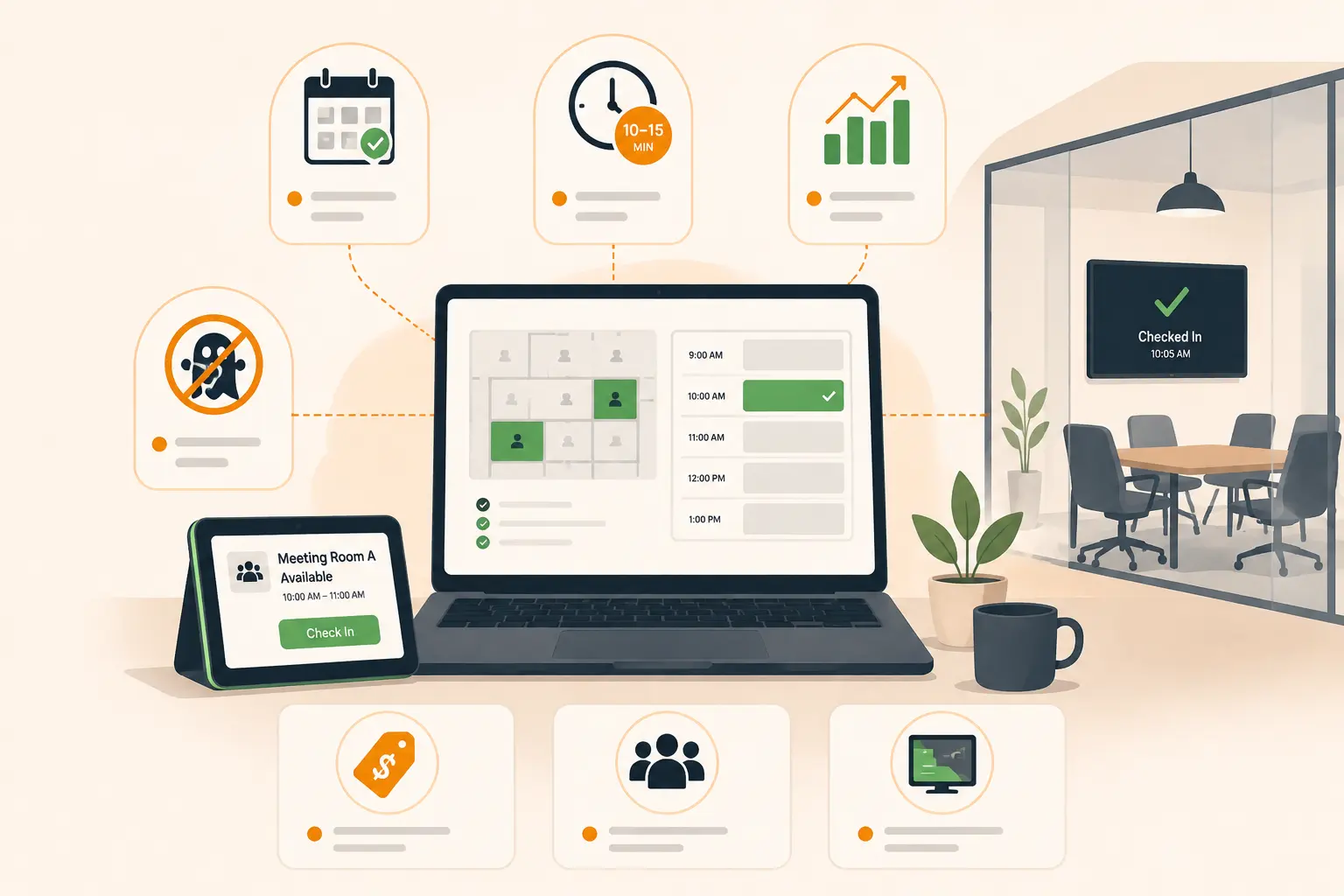
That means room booking connects directly to real-time availability, calendar integrations with Google and Microsoft 365, and booking confirmations so teams always know their reservation is locked in. It also connects to desk booking for hybrid teams who need to coordinate where they’ll sit alongside where they’ll meet.
On the operations side, you get room utilisation data — which rooms are used most, when peak demand hits, and where space is being wasted. That’s the kind of insight that helps facilities teams make better decisions about space, staffing, and layout.
And because it’s part of the same platform as visitor management, attendance, and deliveries, the front desk isn’t juggling five different systems. Everything that happens at and around your workplace is tracked in one place with one audit trail.
## FAQs
Q: Are free meeting room booking systems really free?**
A: The software itself costs nothing, but self-hosted tools require a server, maintenance, and IT time to manage. For open-source tools, “free” refers to the licence, not the total cost of running the system. Smaller teams with technical staff can run these at low cost; larger teams often find the operational overhead erodes the savings.
Q: What’s the difference between open-source and free meeting room booking software?**
A: Open-source means the source code is publicly available and modifiable. Free means there’s no licence fee. Some open-source tools are free to use; some have paid tiers. Some free tools (like freemium SaaS products) are not open-source. The key difference is whether you can self-host and customise the software.
Q: Can free tools integrate with Google Calendar or Microsoft 365?**
A: Most open-source room booking tools don’t include native calendar sync on their free tiers. Cal.com is an exception — it integrates with both Google and Microsoft 365. For most other open-source tools, calendar integration requires custom development.
Q: What happens when a meeting room is booked but the meeting gets cancelled?**
A: With most free tools, nothing happens automatically. The room stays blocked until someone manually removes the booking. Purpose-built platforms can automate room release if a booking isn’t checked in to within a defined window, which significantly reduces no-show waste.
Q: When should I switch from a free tool to a paid platform?**
A: Clear signals include: growing past 50 staff, managing more than one location, adopting hybrid work policies, needing room utilisation reports, or experiencing regular double-bookings and complaints. At that point, the operational cost of a free tool typically exceeds the cost of a proper workplace platform.
Q: Do I need a separate system for desk booking and room booking?**
A: Not if you choose a platform built to handle both. Managing desk and room booking in separate tools creates coordination problems for hybrid teams — people book a desk in one system and a room in another, with no link between them. An integrated workplace management platform handles both in one place.
## Conclusion
Free and open-source meeting room booking systems are a legitimate starting point for small teams with simple needs and technical capacity to self-host. MRBS, Booked Scheduler, and Cal.com each serve specific use cases well within those constraints.
But the moment your workplace gets more complex — hybrid teams, multiple locations, visitor flows, compliance requirements — free tools create more friction than they remove. The real cost shows up in no-shows, IT maintenance, disconnected data, and the manual workarounds your team builds around the gaps.
The right system isn’t the cheapest one upfront. It’s the one that keeps your workplace running without constant firefighting. If you’re ready to see what that looks like in practice, request a demo and we’ll walk through your specific setup.
See Vizitor in action check-in a visitor in under 30 seconds
Trusted by 500+ businesses. QR check-in, badge printing, NDA signing. Plans from $36/mo.