Meeting Room Booking Software: What It Does & Who Needs It


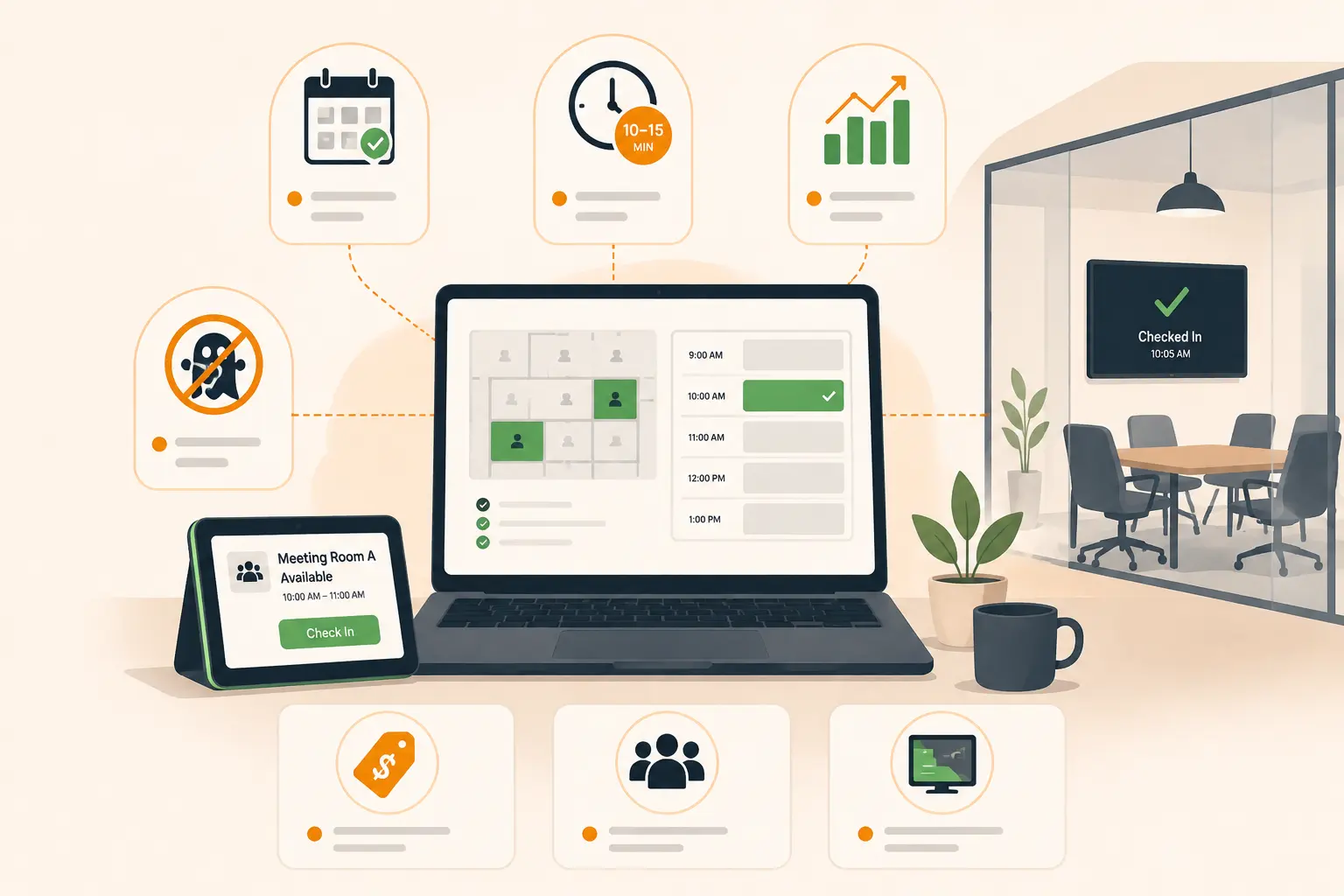
Table of Content
Try Vizitor for Free!
If you’ve ever walked into the office, found every meeting room “booked” on the calendar, and then noticed three of them sitting completely empty, you already understand the problem this software is trying to solve.
Meeting room booking software exists because shared office space is genuinely hard to manage. People block rooms they never use. Meetings get cancelled but the room stays reserved. Two teams show up for the same room at the same time and spend ten awkward minutes figuring out who leaves. Multiply that across fifty or five hundred people, and you’ve got a real operational headache, one that costs you money, time, and more than a little goodwill.
This guide explains exactly what meeting room booking software is, what it does, and most importantly whether your office actually needs it.
What Is Meeting Room Booking Software?
Meeting room booking software is a digital tool that lets employees find, reserve, and manage shared meeting spaces: conference rooms, huddle rooms, video call booths, and any other bookable space from a single interface.
Instead of checking a shared calendar, asking your colleague if room 3 is free, or walking floor to floor to find somewhere to sit, employees open an app or a browser, see which rooms are available in real time, and book one in under a minute. The booking syncs with their calendar, the host gets a confirmation, and the room is blocked for everyone else. Simple in theory. Genuinely life-changing in a busy hybrid office.
The same software also handles the side of things employees don’t see: auto-releasing rooms when nobody shows up, tracking which rooms are actually used (versus just booked), generating utilisation reports, and giving facilities teams the data they need to make smart decisions about office space.
It’s also called a meeting room management system, conference room booking software, room scheduling system, or room reservation software. Same category, different labels.
What Does Meeting Room Booking Software Actually Do?
Here’s where most articles give you a feature list and move on. We’re going to do it differently because the features only matter if you understand the problem they’re solving.
Real-time availability
Every room, every floor, right now. Employees see what’s free at a glance from their phone, their laptop, or the display panel outside the room. No more “I think room 4 is free?” conversations.
Instant booking from tools you already use
The best systems let employees book directly from Outlook, Google Calendar, Microsoft Teams, Slack or an employee app. This is the single biggest driver of adoption.
Auto-release for no-shows
Studies suggest organisations see around a 44% improvement in meeting room utilisation after introducing booking systems. A significant chunk of that improvement comes from auto-release alone. Rooms that were previously blocked for an hour by a meeting that never happened are now freed up automatically and available to everyone else.
Usage analytics and utilisation reports
Which rooms are used most? Which sit empty 80% of the time? What’s the average meeting length? When are peak booking hours? Good meeting room software answers all of these and that data is what lets facilities teams decide whether to reconfigure a room, remove a booking, or make the case to leadership that you need more space.
Booking rules and access controls
You set the rules. Who can book which rooms. How far in advance. Maximum booking duration. Whether certain rooms need approval. Whether catering can be requested at the same time. The software enforces it automatically, every time, without a human having to police it.
Calendar and tool integrations
A non-negotiable for most offices in 2026. A room is booked in a few clicks. Once an employee finds the right room, they can pick a time, book it, and add attendees if needed. The booking automatically syncs with calendars like Outlook or Google Calendar, so everyone stays aligned.
The Ghost Booking Problem (And Why It’s Worse Than You Think)
Before we go further, it’s worth spending a moment on ghost bookings because this is the reason most offices end up buying meeting room software in the first place.
Ghost bookings, rooms reserved but never occupied waste 30 to 40 percent of capacity in a typical hybrid office. Think about what that means practically. If you have ten meeting rooms and 30 to 40 percent of them are sitting empty on any given hour because someone forgot to cancel, or blocked the room “just in case”, or their meeting moved online, you’re effectively paying rent on three to four rooms that nobody is using.
A ghost meeting is a conference room that appears booked in the calendar system but is never occupied. This happens when meetings are cancelled without releasing the room or when bookings are made speculatively.
Meeting room booking software solves this structurally, not through policy or reminders, but through check-in enforcement and auto-release. If nobody confirms the booking, the room goes back into the pool. No manager needed. No awkward emails. Just the room becoming available again, automatically.
Who Actually Needs Meeting Room Booking Software?
This is the question most articles dodge. Here’s a direct answer.
You probably need it if:
- Your office has three or more meeting rooms and at least fifty employees sharing them. At that scale, the informal “just check the calendar” system starts breaking down, double bookings happen, rooms go unused while teams struggle to find space, and nobody has visibility into what’s actually going on.
- You’re running a hybrid team. When people come into the office on different days and in different numbers, room demand fluctuates wildly. Meeting room booking software gives you the visibility and the flexibility to handle that without chaos.
- You’re paying for more office space than you use. If you genuinely don’t know which rooms are your busiest and which ones could be reconfigured or reduced, you’re making real estate decisions blind. The utilisation data from room booking software is what tells you the truth.
- Your employees waste time finding rooms. If “ten minutes of every meeting is finding a room” is a phrase anyone in your office has said, that’s time and frustration you can fix.
You probably don’t need it yet if:
You have fewer than twenty people sharing one or two meeting rooms. A shared Google Calendar genuinely works at that scale. Don’t buy software to solve a problem you don’t have.
Your team is fully remote and only comes in occasionally. The coordination overhead of booking software doesn’t make sense for a team that uses the office three times a year.
5 Features That Separate Good Software From Great Software
There are dozens of meeting room booking tools on the market. These are the five things that genuinely separate the ones worth buying from the ones that look good in a demo and frustrate everyone three months later.
1. Booking from tools your team already uses If your team lives in Outlook or Google Calendar or Teams, the booking experience needs to happen there. A separate app with a separate login will have 40% adoption on a good day.
2. Auto-release that actually works Not just a feature on the pricing page. Ask vendors: how is check-in triggered? Via app? QR code? Bluetooth? How many minutes before auto-release kicks in? Can you configure this per room? The answers tell you whether this feature will work in your specific office setup.
3. Analytics that show reality, not bookings Bookings and actual occupancy are two different things. Make sure the system you choose reports on confirmed utilisation, rooms where someone actually checked in not just how many bookings were made. The latter is useless for real estate decisions.
4. A single platform for more than just rooms The offices getting the most value from meeting room software in 2026 are the ones that manage desk booking, visitor management, and room booking from a single platform. A unified platform is better for most organisations because it connects room booking with desk booking, visitor management, and space analytics. This eliminates data silos and provides a smooth employee experience.
5. Hardware flexibility Some platforms lock you into specific hardware, a single device type, or kiosks you have to buy from them directly. That’s fine until you need to scale, replace a broken unit, or set up a new location quickly. Before you sign anything, ask whether the software runs on standard Android or iOS tablets you already own, or whether you’re tied to a specific vendor’s hardware ecosystem. The answer has a direct impact on your setup cost and how much flexibility you have down the road. Vizitor works across Android and iPad, no proprietary hardware required.
How to Set Up Meeting Room Booking Software: The Basics
If you’ve decided to move forward, here’s the simple version of what implementation looks like for most offices.
Step 1: Audit your rooms
List every bookable space. Name them clearly. Note capacity, equipment (screen, webcam, whiteboard), and any access restrictions.
Step 2: Set your booking rules
Maximum advance booking window. Maximum duration. Which rooms require approval. Whether recurring meetings can lock rooms indefinitely. Get this agreed with your office management and HR teams before launch, changing it afterwards causes confusion.
Step 3: Connect to your calendar system
Outlook, Google Workspace, or Microsoft 365. This step is what determines whether the system actually gets used. Your IT team will be involved here.
Step 4: Decide on hardware
Do you want display panels outside each room? Tablet kiosks? QR codes only? Each option has cost and maintenance implications. .
Step 5: Train your team (it’s quicker than you think)
For most employees, training takes under ten minutes. Show them how to book from their calendar or app, how to check in, and what happens if they don’t show up. Put a one-page guide on each meeting room door for the first two weeks.
Step 6: Monitor utilisation in month one
Pull your first utilisation report four weeks after launch. Which rooms are overbooked? Which are underused? This data tells you whether you’ve configured booking rules correctly and whether your room setup makes sense.
Meeting Room Booking Software vs a Shared Calendar: What’s the Difference?
This is the question people ask before they buy, and it deserves a straight answer.
A shared calendar: Google Calendar rooms, Outlook room booking works fine for small teams with simple needs. It shows availability, it blocks rooms, it notifies attendees.
What it doesn’t do: enforce check-in, auto-release no-shows, give you utilisation analytics, support display panels outside rooms, set booking rules by team or seniority, or connect room data to desk booking and visitor management data.
The moment you have a hybrid team of any meaningful size and more than five meeting rooms, a shared calendar stops being enough. The ghost booking problem gets real, and you have no data to understand or fix it.
The Bottom Line
Meeting room booking software solves a problem that sounds minor until you’re the one managing the office and watching rooms sit empty while three teams are hunting for somewhere to hold a call.
If you have a hybrid team, more than five meeting rooms, and any version of the ghost booking problem, you need it. If you’re a ten-person team with one meeting room and a shared Google Calendar, you don’t yet.
The best systems in 2026 do more than book rooms. They show you how your space is actually being used, connect to the tools your team already lives in, and give your facilities team the data to make smarter decisions. The ones worth buying are the ones your employees will actually use which means they need to be fast, simple, and built into the workflow they already have.
Vizitor’s meeting room management module handles booking, check-in, auto-release, and utilisation analytics from the same platform you use for desk booking and visitor management. One login. One dashboard. No juggling three tools to understand your office.
Book a free 20-minute demo and we’ll show you exactly how it works for your office size and setup.
Frequently Asked Questions
What is meeting room booking software?
Meeting room booking software is a digital tool that allows employees to find and reserve shared meeting spaces in real time. It prevents double-bookings, integrates with calendar tools like Outlook and Google Calendar, enforces check-in to eliminate ghost bookings, and provides usage analytics for facilities teams to optimise space.
What is a ghost booking in a meeting room system?
A ghost booking is a meeting room reserved in the calendar but never actually used either because the meeting was cancelled without releasing the room, or because someone booked it speculatively. Good meeting room booking software eliminates ghost bookings through check-in enforcement and auto-release, which frees the room automatically if nobody confirms attendance within a set window.
Does meeting room booking software work with Outlook and Google Calendar?
Yes, most modern meeting room booking platforms integrate with both Outlook/Microsoft 365 and Google Workspace. Employees can book rooms directly from their existing calendar without logging into a separate tool, which significantly improves adoption.
What is auto-release in meeting room booking software?
Auto-release is a feature that automatically frees a reserved room if no one checks in within a set window after the booking start time, typically 10 to 15 minutes. This prevents ghost bookings and recovers unused room capacity without anyone having to manually cancel the reservation.
How is meeting room booking software different from a meeting room management system?
They’re the same thing. Meeting room booking software, meeting room management system, room scheduling software, and conference room booking software are all terms used for the same category of product. The difference is usually just how different vendors market their tools.
What office size needs meeting room booking software?
Most offices benefit from a dedicated system once they have five or more shared meeting rooms and at least fifty people using them. Smaller offices can usually manage with a shared calendar. Hybrid teams of any size tend to need proper booking software earlier, because variable attendance makes room demand harder to predict.
Can meeting room booking software reduce office costs?
Yes, primarily by improving space utilisation. When ghost bookings are eliminated and usage data shows which rooms are genuinely needed, facilities teams can make informed decisions about reconfiguring or reducing leased space. Room utilisation rate should increase 20-30% after implementation
See Vizitor in action check-in a visitor in under 30 seconds
Trusted by 500+ businesses. QR check-in, badge printing, NDA signing. Plans from $36/mo.