Complete Guide: Visitor Management for Schools (2026)
Schools face a unique security challenge: they need to stay open and welcoming while keeping students safe. This guide covers the full picture of visitor management for K-12 schools, colleges, and universities, including compliance requirements, system features, and a practical implementation plan.


Table of Content
Try Vizitor for Free!
Schools are one of the last public institutions that operate on an open-access model. Parents walk in for pickups. Contractors arrive unannounced. Volunteers stream through before a fundraiser. And somewhere in that flow of daily traffic, the people responsible for student safety are expected to know, at any given moment, exactly who is on campus.
That expectation is nearly impossible to meet with a paper sign-in book.
According to the K-12 School Shooting Database, there were more than 300 school shooting incidents in the United States in 2023 alone. The FBI’s school safety reports consistently identify inadequate visitor screening as a contributing vulnerability across school security assessments. Meanwhile, a 2022 survey by the National Center for Education Statistics found that only 61% of public schools required all visitors to sign in before entering, and fewer still had a system capable of verifying who those visitors actually were.
A visitor management system for schools does not just replace a clipboard at the front desk. It gives administrators real-time visibility into every person on campus, automates compliance documentation, and puts an accountable record behind every entry and exit.
This guide covers everything: why schools have different security needs than corporate offices, what a proper school VMS must do, how to implement one on a constrained budget, and how Vizitor supports educational institutions specifically.
Why School Visitor Management Is Different from Corporate VMS
Most visitor management systems are designed for office environments. The assumptions baked into those products, like that visitors schedule meetings in advance, that a receptionist is always at the desk, and that there is one main entrance, do not hold in a school setting.
Schools have several characteristics that make visitor management more complex:
Open-access culture. Schools are community institutions. Parents expect to walk in for a quick question. Local officials drop by. A corporate VMS treats every visitor as a potential vendor or job candidate. A school VMS has to balance community openness with genuine security.
Multiple visitor categories with different risk profiles. A parent picking up a child is different from a HVAC contractor accessing the mechanical room, who is different from a court-appointed welfare officer, who is different from a substitute teacher. Each of these visitors needs different badge types, different access permissions, and different verification steps.
Child safety as a non-negotiable priority. Schools are legally and morally responsible for the children in their care. Many US states now require schools to run visitor names against sex offender registries before granting access. A paper sign-in book cannot do this.
Emergency accountability requirements. In a lockdown or evacuation, school administrators and law enforcement need an immediate, accurate list of every person on campus. A digital system produces this in seconds. A paper log produces chaos.
Budget constraints. Schools operate on public funds or tuition revenue with limited discretionary budgets. The right VMS for a school has to be cost-effective and easy to maintain without a dedicated IT team.
Staff bandwidth. Front desk staff at schools are often managing phones, supporting students, and handling administrative tasks simultaneously. A VMS that requires manual data entry for every visitor creates more work, not less.
Types of Visitors Schools Must Track
Understanding the full range of visitors is the first step in designing an effective system. Schools typically see these visitor categories:
Parents and guardians. The highest-volume visitor type. They arrive for pickups, parent-teacher meetings, volunteer shifts, and school events. Authorized pickup lists must be cross-referenced, particularly for custody situations.
Contractors and vendors. Maintenance crews, IT technicians, cafeteria suppliers, and construction workers. These visitors often access restricted areas and need time-bound badges with specific zone access.
Volunteers. Classroom helpers, library aides, event staff, and field trip chaperones. Many states require background check documentation for volunteers working with minors. The VMS should record and store this documentation.
Government and district officials. Inspectors, welfare officers, district administrators, and board members. These visitors require verified identity but often arrive with little advance notice.
Media. Journalists and photographers need special protocols. Access must be approved by administration before entry, and media personnel generally should not photograph students without explicit consent.
Substitute teachers and temporary staff. Substitutes are frequent visitors who are not on the permanent staff list. They need to check in, receive a badge that identifies them as staff, and be logged for the day.
Board members. School board members visiting for site visits or committee work should be logged separately from general visitors, with appropriate authority noted.
Core Features Every School VMS Must Have
Not every visitor management system is built with schools in mind. These are the features that matter specifically for educational environments.
Self-Service Kiosk Check-In
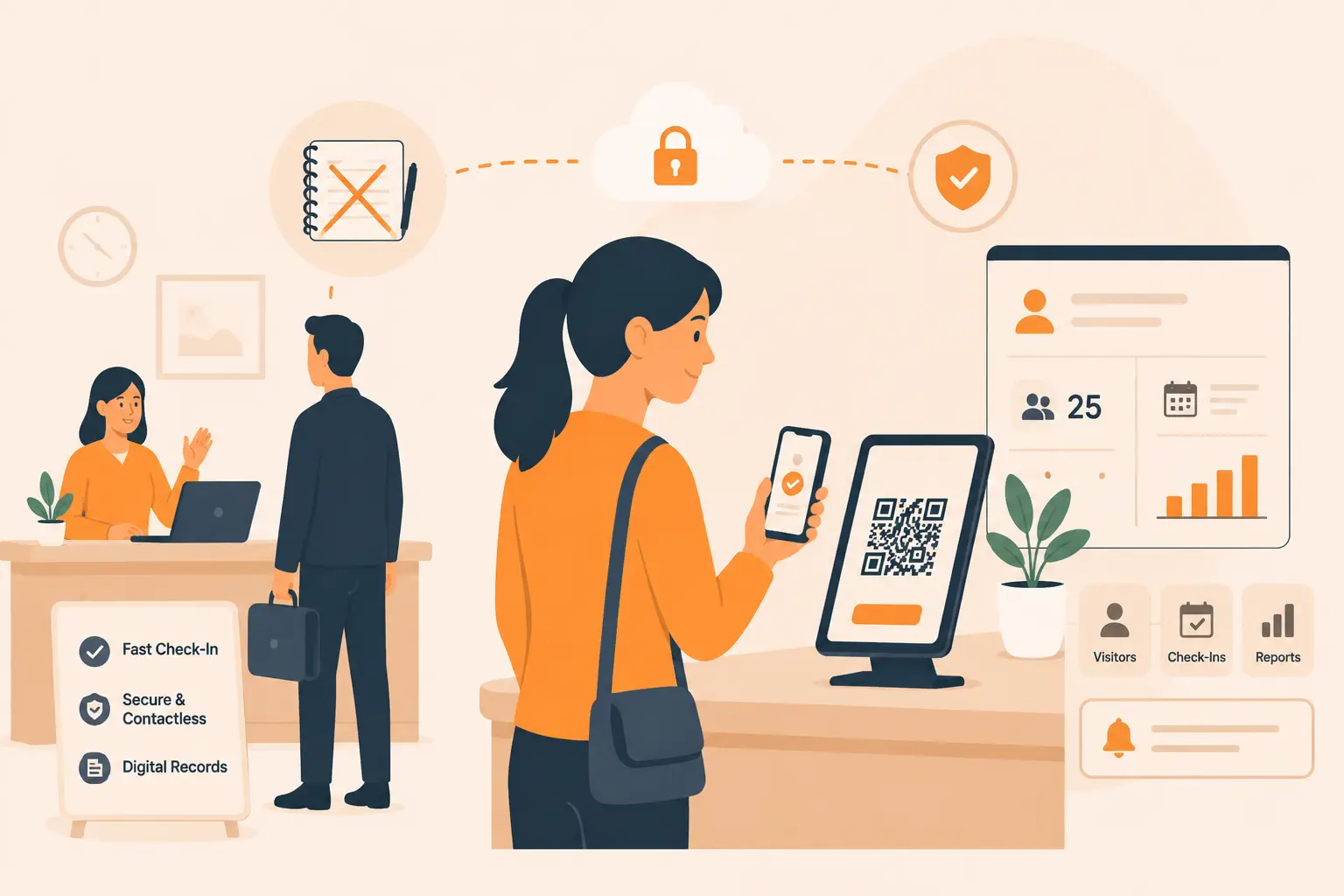
The front office at most schools cannot dedicate a staff member solely to visitor sign-in. A self-service kiosk lets visitors check themselves in while staff focus on other responsibilities. The kiosk walks the visitor through the process: entering their name, selecting their purpose, confirming their destination, and capturing a photo. The entire process takes under a minute.
Self-service also removes the social awkwardness of staff having to interrogate visitors, because the system collects the information automatically and flags anything that requires human review.
Visitor Badge Printing with Photo
A badge without a photo is not a security tool. It is a piece of paper.
School visitor badges must include the visitor’s name, the date and time, their stated purpose, and a photo taken at check-in. Different visitor types should receive visually distinct badges so any staff member on campus can immediately identify whether someone is a parent, a contractor, or a volunteer.
Color-coded badges or clearly labeled visitor types eliminate ambiguity. A substitute teacher should not be wearing the same badge as a maintenance contractor.
Badges should also have a visible expiration so that a badge from yesterday is obviously invalid to any staff member who sees it.
Instant Staff Notifications
When a visitor checks in, the relevant staff member should receive an immediate notification. A parent arriving for a meeting should trigger an alert to the teacher. A contractor checking in should notify the facilities manager. A visitor flagged during sex offender screening should trigger an immediate alert to the principal’s office.
Notifications via SMS, email, or app push keep the right people informed without requiring staff to monitor a dashboard continuously.
Emergency Evacuation Lists
In any emergency, from a fire to a lockdown, administrators need to know who is on campus within seconds.
A digital VMS generates a live evacuation list showing every checked-in visitor, their location, and their check-in time. This list can be pulled up on a mobile device and shared with law enforcement or fire department personnel immediately.
This is one of the most concrete safety benefits a VMS provides over paper logs. In an evacuation drill or real emergency, a paper sign-in book may be left behind at the front desk. A digital system is accessible from any authorized device.
Audit Trail and Compliance Reporting
Schools need documentation. Insurance audits, state inspections, and district reviews all require records of who was on campus and when.
A good school VMS maintains a searchable, tamper-proof log of every visitor across every day. Administrators can filter by date, visitor type, or individual name. Reports can be exported for compliance submissions.
This also matters for internal investigations. If an incident occurs on campus, administrators can immediately pull the visitor log for the relevant time period.
Multi-Entry Point Management
Most schools have more than one door. The main office entrance, the gymnasium entrance, the cafeteria loading dock, and the athletic fields all represent potential access points. During after-school programs or evening events, additional entrances are often staffed by different people.
A school VMS should support multiple simultaneous check-in points, all feeding into a single centralized log. Administrators should be able to see activity across all entry points in one view.
Compliance Requirements for School Visitor Management
School administrators are accountable to a set of legal and regulatory requirements that most corporate VMS products are not designed to support.
FERPA (Family Educational Rights and Privacy Act). FERPA protects the privacy of student education records. A visitor management system that collects and stores visitor data must handle that data in compliance with FERPA, particularly when visitor records intersect with student records, such as authorized pickup lists. Look for a VMS with data handling policies and storage practices that align with FERPA requirements.
Sex Offender Registry Screening. As of 2026, more than 20 US states have enacted legislation requiring or strongly recommending that schools screen visitors against sex offender registries. Some states make this mandatory for all visitors; others require it for volunteers who work with students. A manual check is impractical for high-traffic schools. A VMS with integrated sex offender registry screening automates this check at the point of sign-in and alerts staff to any matches before the visitor is granted access.
Volunteer Background Check Documentation. Many districts and states require background checks for volunteers who have unsupervised access to students. The VMS should be able to store a record of cleared background checks and flag volunteers whose clearance has expired.
Insurance and Liability Documentation. School insurance providers increasingly require documented visitor logs as part of liability coverage. A digital VMS with exportable records satisfies this requirement far more reliably than paper logs, which can be lost, damaged, or filled out inconsistently.
Emergency Evacuation Records. Fire codes and school safety regulations in most jurisdictions require schools to maintain a record of all persons on campus during a fire drill or emergency. A digital VMS produces this record automatically. Schools using paper logs often cannot demonstrate compliance during safety inspections.
State-Specific Regulations. Many states have passed school safety legislation in recent years that includes specific visitor management requirements. California, Texas, Florida, and New York each have active school safety laws with visitor screening provisions. Check your state’s Department of Education guidelines for specific requirements in your jurisdiction.
7 Benefits of a Visitor Management System for Schools
These are not theoretical benefits. They reflect what schools using digital visitor management report after implementation.
1. Differentiated badges for different visitor types. A parent picking up a child and a plumber fixing a pipe should not carry the same badge. Differentiated badges, by color, label, or icon, let any staff member on campus instantly assess whether a person belongs in the area they are walking through. This is one of the simplest and most effective security measures a school can implement.
2. Access control tied to visitor purpose. Not everyone who enters the building should be able to go anywhere in the building. A VMS with access control rules can restrict a maintenance contractor to the facilities wing and prevent them from entering classroom corridors. A parent meeting a teacher is directed to the main office, not given free access to the building. These rules are enforced automatically at check-in.
3. Cloud-based record maintenance. Paper sign-in books are destroyed, lost, or illegible. They cannot be searched. They cannot be exported. Cloud-based visitor logs are searchable, backed up automatically, and accessible from anywhere. When a district administrator requests records for an audit, the data is ready in minutes.
4. Minimal demand on front desk staff. Self-service kiosks mean the front desk does not have to manually register every visitor. Staff are notified when their visitor arrives, but they are not responsible for running the sign-in process. This frees up time for the work that actually requires a human.
5. Photo-based visitor badges with full context. A good badge includes the visitor’s name, photo, purpose of visit, date, and time. This creates immediate visual accountability. A visitor with an expired badge or no photo badge is immediately identifiable to any staff member, and that visibility alone deters unauthorized access.
6. Self-service availability reduces front desk congestion. During busy periods like school drop-off, morning volunteer arrivals, or event setup, the front desk can be overwhelmed if every visitor requires manual sign-in. Self-service kiosks distribute that load and keep the flow moving without creating bottlenecks.
7. Compliance and insurance documentation built in. Every check-in generates a timestamped, photo-verified record. This documentation satisfies insurance requirements, state inspection criteria, and district audit requests without any additional administrative effort.
Paper Sign-In Book vs Digital VMS: Schools Edition
The comparison is not just about convenience. In a school environment, the gap between paper and digital has direct safety implications.
| Scenario | Paper Sign-In Book | Digital VMS |
|---|---|---|
| Parent picks up child (custody dispute flagged) | No alert possible | System flags restricted pickup, alerts administrator |
| Sex offender attempts to enter as volunteer | No screening possible | Name checked against registry at sign-in, staff alerted |
| Fire evacuation drill | Log left at front desk | Live list on administrator’s phone in seconds |
| District requests visitor records for audit | Hours of manual searching | Export in minutes |
| Contractor accesses restricted area | No restriction enforced | Badge and access rules prevent unauthorized zones |
| High-volume morning arrival (50+ visitors) | Front desk overwhelmed | Self-service kiosk handles flow without staff |
| After-hours event (gym entrance) | Separate paper log, never reconciled | Single centralized log across all entry points |
| Media arrives without notice | Staff must manually manage | Flagged for admin approval before access granted |
| Visitor badge expires next day | No expiration visible | Badge shows date/time, visibly invalid after period |
| Monthly compliance report needed | Manual compilation | Automated export in required format |
The paper sign-in book is not just less efficient. It creates gaps in accountability that cannot be closed without a digital system.
How to Implement a VMS at Your School (Step by Step)
Implementation does not have to be a major IT project. Most schools can move from decision to operational system within two to four weeks. Here is how to do it without disruption.
Assess Your Visitor Volume and Entry Points
Start with data, not assumptions. Track how many visitors your school receives in a typical week. Walk every entry point and identify which ones are currently staffed, which are card-access only, and which are effectively unsecured.
Most schools have one or two primary entry points that handle 80% of visitor traffic. These are where kiosks make the biggest impact. Secondary entry points used for contractors or events can be handled with mobile check-in or an additional tablet station.
Document your peak traffic times. For most schools, this is the first hour of the school day and the last 90 minutes. Your system setup should account for these volumes.
Define Visitor Types and Workflows
Before configuring any system, map out your visitor categories and what each one requires.
A parent picking up a student needs to provide their name, the student’s name, and their relationship. The system should cross-reference an authorized pickup list and alert the teacher or office if there is a flag.
A contractor needs to state their company, purpose, and destination. They should receive a time-limited badge for their authorized zone only.
A volunteer needs to confirm their background clearance status. The system should record this and flag volunteers whose clearance has lapsed.
Write these workflows on paper first. This clarity makes system configuration much faster and ensures the setup actually reflects how your school operates.
Set Up Badge Design and Access Rules
Work with your VMS provider to design badges for each visitor type. At minimum, badges should include: visitor name, photo, purpose, date and time, and visitor category label.
Use distinct colors or labels for parent, contractor, volunteer, substitute, and board member categories. This visual differentiation is one of the simplest security measures you can implement.
Set access rules by visitor type. Contractors should not have the same campus access as parents. Volunteers working in classrooms have different permissions than event setup crews. Your VMS should support rule-based access linked to the visitor type selected at check-in.
Train Administrative Staff
The front office team needs to understand the system before launch. Training should cover:
- How to monitor the visitor dashboard
- How to respond to alerts (sex offender flag, unauthorized visitor, expired badge)
- How to generate evacuation lists from the system
- How to pull reports for compliance requests
- What to do when the system flags a visitor for review
Training typically takes two to three hours. Most school staff adapt quickly because a well-designed VMS makes their job easier, not harder.
Schedule a soft launch with staff-only practice runs before the first day of live operation. This catches configuration errors before they affect real visitors.
Communicate to Parents and Community
Parent resistance to new check-in requirements is real. Parents who have been walking straight to classrooms for years will push back if the change is not explained clearly.
Send a communication to parents before launch. Explain that the new system is designed to protect their children, that check-in takes under a minute, and that it helps the school maintain accurate records in emergencies. Frame it around student safety, not administrative convenience.
Include the communication in your school newsletter, email list, and parent app. Post signage at entry points explaining the new process before the system goes live.
Address the most common parent concern directly: authorized pickups will be faster and more reliable with the digital system than with a paper log.
How Vizitor Supports Schools
Vizitor’s visitor management system for schools is built with the specific workflows, compliance needs, and budget realities of educational institutions in mind.
The platform supports self-service check-in via kiosk or tablet at any entry point. It prints photo visitor badges with customizable templates for different visitor types. Administrators receive instant notifications when a visitor checks in or when the system flags a concern.
Vizitor maintains a full audit trail of every visit, searchable and exportable for compliance purposes. The evacuation list feature gives administrators a live roster of everyone on campus, accessible from any device.
For schools with multiple buildings or campuses, Vizitor’s multi-location support provides centralized visibility across all sites under a single administrative account.
Pricing is structured to work within school budgets. Vizitor offers educational institution pricing, and the platform does not require dedicated IT infrastructure to operate. Setup and configuration can be completed by administrative staff without technical expertise.
Explore the full visitor management system to understand the complete feature set, or see how Vizitor approaches workplace security management and compliance documentation for regulated environments.
If you are ready to see the system in action, book a demo and we will walk through a configuration specific to your school’s entry points, visitor volume, and compliance requirements.
Frequently Asked Questions
Does a visitor management system work for schools with limited front desk staff?
Yes, and it is specifically designed for this situation. Self-service kiosks handle the check-in process without requiring staff to be present for every visitor. The front desk receives notifications for visitors who need attention, such as flagged names or first-time visitors who need directions, but routine check-ins run automatically. Schools with a single front desk staff member report that a VMS significantly reduces their administrative load during peak arrival periods.
How does the sex offender screening feature work?
At check-in, the visitor enters their name and the system runs it against a sex offender registry database. This check happens in seconds during the normal sign-in flow. If there is a match, the visitor is not notified. Instead, the front office receives an immediate alert with the match details and instructions to contact the principal before granting access. The visitor is informed that check-in is pending administrative review.
Can we restrict where contractors go on campus after they check in?
Yes. Vizitor supports access rules tied to visitor type. When a contractor checks in and selects their purpose and destination, the system assigns a badge that reflects their permitted zone. Staff anywhere on campus can see from the badge that a contractor is authorized for the facilities wing but not for the classroom building. Physical door access integration is available for schools with electronic lock systems.
What happens to visitor data under FERPA?
Visitor data collected at check-in, including name, photo, and purpose, is stored securely and is not shared with third parties. When visitor records intersect with student records, such as authorized pickup lists, data handling follows FERPA principles. Vizitor stores data with encryption and provides administrators with full control over retention periods and data deletion. Review Vizitor’s data handling documentation or speak with the team during a demo for specifics relevant to your district’s requirements.
How long does it take to get the system running at a school?
Most schools complete configuration and go live within one to two weeks of signing up. The setup involves defining visitor types, configuring badge templates, setting up notifications, and training staff. Vizitor provides onboarding support throughout the process. Schools that have done prior workflow mapping, as described in the implementation section above, typically move faster. The physical installation of a kiosk or tablet stand at the front desk takes an afternoon.
The Next Step
School visitor management is not a luxury item for well-funded districts. It is a basic safety infrastructure that every school handling regular visitor traffic should have in place.
The alternative is continuing to rely on paper logs that cannot screen for sex offenders, cannot produce an evacuation list in under a minute, and cannot tell you three weeks later who was on campus on a given afternoon.
Read the complete guide to visitor management systems if you want to understand the broader category before evaluating school-specific options. The workplace security guide covers access control principles that apply in educational environments. And the front desk security guide addresses the staffing and workflow questions that come up most often during school implementations.
When you are ready to move from research to action, book a demo with Vizitor or review pricing to understand what implementation costs for a school your size.
Student safety starts at the front door.
Try Vizitor Free
No credit card required. Setup in under 5 minutes. Manage visitors, queues, meeting rooms, and more.
Start Free TrialSee Vizitor in action check-in a visitor in under 30 seconds
Trusted by 500+ businesses. QR check-in, badge printing, NDA signing. Plans from $36/mo.