Workplace Security Guide: Visitor Management Best Practices
A complete guide to securing your workplace through better visitor management. Covers the 7 VMS security features you need, 10 front desk vulnerabilities to fix, visitor protocols, employee training, and compliance requirements for GDPR, SOC2, and ISO 27001.


Table of Content
Try Vizitor for Free!
Physical security is the most overlooked layer of enterprise security. Your IT team patches software vulnerabilities weekly. Your legal team reviews contracts quarterly. But the front desk, where strangers walk in and out every day, often runs on a paper logbook and an overwhelmed receptionist.
According to IBM Security, the average data breach costs $4.44 million. What most organizations miss: 44% of security incidents involve some form of physical access breach. A stranger who walks into your office unescorted can access server rooms, overhear executive conversations, photograph whiteboards, or walk out with hardware. None of that requires a single line of malicious code.
This guide consolidates everything you need to build a complete workplace security visitor management system: the features your visitor management software must have, the gaps you need to close at your front desk, the protocols your team should follow, and the compliance requirements that make all of it non-negotiable.
Why Your Front Desk Is a Security Vulnerability
Most organizations treat the front desk as a hospitality function. Someone greets visitors, hands them a badge, and calls the host. Friendly. Efficient. Completely insecure.
Here is what’s actually happening at a typical office entrance:
46% of employees have seen strangers wandering unescorted in their office. That statistic, from a workplace security survey, represents a routine failure. The stranger may have tailgated through a secure door, been waved in after a slow check-in, or simply walked past a distracted receptionist.
45% of front desk staff receive no security training. They know how to greet guests. They do not know how to handle a visitor who refuses to show ID, an aggressive delivery person, or a suspicious individual who claims to have a meeting with someone who doesn’t exist in your directory.
Visitors wait 4-6 minutes on average when hosts aren’t notified instantly. That wait time creates pressure. Receptionists rush. Procedures get skipped. Badges get issued before identity is verified. Tailgating opportunities multiply.
The front desk is a security control point that most organizations treat as a welcome mat. A visitor management system changes that by converting every visitor interaction into a documented, verified, auditable process.
7 Security Features Your VMS Must Have
Not all visitor management software is equal from a security standpoint. A system that only handles check-ins and badge printing is a scheduling tool, not a security tool. Here are the seven features that define a security-grade VMS.
1. Pre-Registration
Security begins before the visitor arrives. Pre-registration allows hosts to submit visitor information in advance: name, company, purpose of visit, expected arrival time, and any documents they need to review. When the visitor arrives, the system matches them against the pre-registered record.
This does two things. First, it verifies that the visitor was actually expected. Second, it allows you to run background checks or flag visitor names against watchlists before they ever reach your lobby.
Unannounced visitors should trigger a different protocol than pre-registered ones. A VMS enforces that distinction automatically.
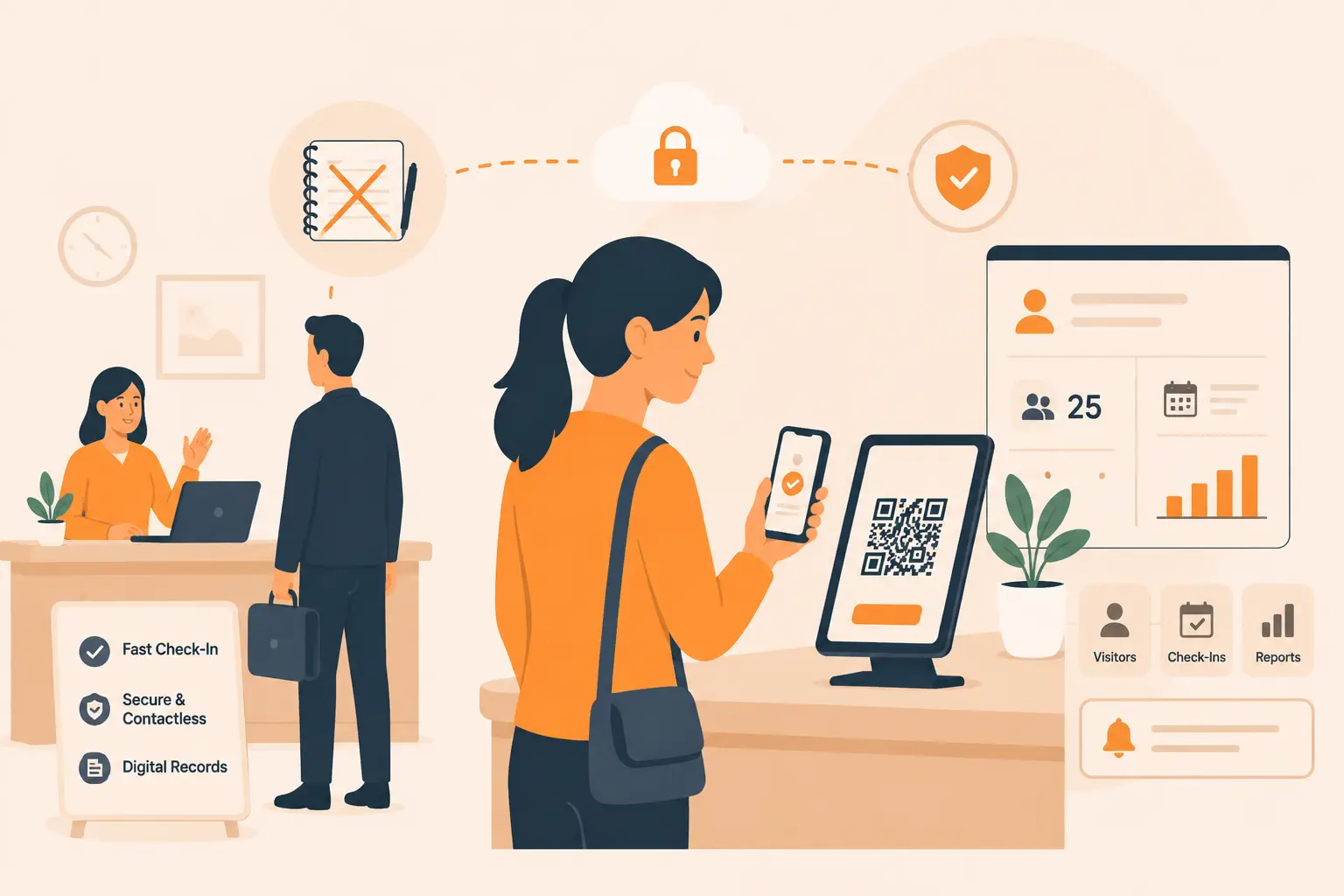
2. QR Code and Contactless Check-in
Paper logbooks and manual check-in forms create a security problem that most people miss: they are slow, and slow check-in creates tailgating windows. When a visitor is standing at a kiosk for three minutes manually typing their information, two more people can walk through the door behind them.
QR code check-in collapses the process to seconds. Pre-registered visitors scan a QR code sent to their phone, confirm their identity, and the system processes the check-in automatically. Speed removes the bottleneck. No bottleneck means no tailgating gap.
Contactless check-in also eliminates the shared-surface hygiene concerns that became prominent post-2020 and remain relevant in high-traffic environments.
3. Visitor Photo and ID Capture
A badge with a name is meaningless security. A badge with a photo captured at check-in is a verifiable identity record. Your employees can look at that badge and confirm the person wearing it matches the person who checked in.
ID capture, where the system photographs the visitor’s government-issued ID at check-in, adds a second layer. It creates a legal record of who was on premises. It deters bad actors who know their identity will be documented. And it protects you in post-incident investigations.
4. NDA and Document Signing
Enterprise visitors, especially contractors, vendors, and prospective clients, often need to acknowledge confidentiality agreements, safety protocols, or access policies before they enter secure areas. Doing this verbally is unenforceable. Handing them a paper form is inefficient and leaves no digital trail.
A security-grade VMS handles this at the kiosk. The visitor reviews and digitally signs required documents before check-in completes. The signed document is time-stamped, attached to the visitor record, and stored for compliance purposes.
This is not optional for organizations under GDPR, SOC2, or ISO 27001. It is a requirement.
5. Instant Host Notifications
The 4-6 minute average wait time when hosts aren’t notified instantly is a security gap, not just an inconvenience. A visitor standing in your lobby for five minutes with a temporary badge has time to observe, photograph, or engage with other employees. They may wander looking for their host.
Instant notifications via SMS, email, or Slack send the host an alert the moment their visitor checks in. Many VMS platforms include one-click approval workflows so the host can confirm the visitor before they receive a full-access badge. The escort gap closes.
6. Real-Time Visitor Logs and Audit Trails
You cannot investigate an incident without documentation. Paper logbooks are easily falsified, damaged, or simply illegible. A digital VMS maintains a real-time log of every visitor: who they are, who approved their visit, when they arrived, when they left, and what areas they were authorized to access.
Audit trails matter in four scenarios: security incidents, compliance audits, internal investigations, and litigation. In all four, a timestamped digital record is the only form of documentation that holds up.
Your VMS should allow you to export visitor logs, filter by date range or visitor type, and generate compliance-ready reports on demand.
7. Badge Printing and Access Level Control
Not every visitor should have the same access. A delivery driver needs access to your mailroom. A consultant needs access to a conference room. A contractor doing server work needs access to your data center. An all-access badge for all three is a security failure.
Badge printing with access level differentiation allows you to assign each visitor a badge that reflects exactly where they are authorized to go. Color coding, zone labels, and QR or RFID-based access integration with your physical access control system ensures that authorization is enforced, not just documented.
10 Common Security Gaps at Office Entrances (and How to Fix Each)
Most security audits focus on perimeter access and digital systems. The entrance, where the real exposure happens every day, gets minimal attention. These are the ten gaps that consistently appear when organizations audit their front desk operations.
Gap 1: Uncontrolled Visitor Access
Problem: Visitors walk in, give a name, and are waved through with no identity verification.
Fix: Implement mandatory ID capture at check-in. Every visitor, including repeat visitors, should present identification that the system photographs and logs.
Gap 2: Slow Manual Check-in
Problem: Paper forms, manual data entry, and handwritten logbooks create queues. Queues create tailgating opportunities.
Fix: Deploy a kiosk-based or QR code check-in system. Pre-registration reduces check-in time to under 60 seconds for expected visitors.
Gap 3: Poor Reception Visibility
Problem: Blind spots in the reception area mean staff cannot see all entrance points. Visitors can enter unobserved.
Fix: Combine physical layout improvements with camera monitoring integrated into your VMS. The system should flag unchecked visitors in monitored zones.
Gap 4: Untrained Front Desk Staff
Problem: 45% of front desk staff receive no security training. They cannot handle escalations, suspicious behavior, or policy violations.
Fix: Develop a 2-hour security orientation for all front desk staff. Cover identity verification procedures, how to handle refusals, escalation protocols, and emergency response. Refresh annually.
Gap 5: No Delivery and Package Management
Problem: Delivery personnel are often waved through with no check-in. Packages are accepted without documentation. This creates both a physical security risk and a chain-of-custody gap.
Fix: Extend your VMS check-in process to delivery personnel. Log every delivery with sender, recipient, and timestamp. Maintain a package management register.
Gap 6: Poor Host Communication
Problem: Hosts aren’t notified when visitors arrive. Visitors wait. Receptionists grow impatient and allow visitors to proceed unescorted.
Fix: Instant host notification via the VMS. Require host confirmation before issuing full-access badges. Set a maximum wait time policy (e.g., 10 minutes) with an escalation procedure.
Gap 7: Exposed Sensitive Information in Reception
Problem: Employee directories, organizational charts, internal memos, or whiteboards with strategic information are visible from the reception area.
Fix: Conduct a visual audit of your reception area from a visitor’s perspective. Remove or relocate any materials that expose internal information. Use privacy screens on computers facing the reception area.
Gap 8: Lack of Restricted Internal Access Control
Problem: Visitors receive a badge that grants general access, then move freely through the building without escort.
Fix: Implement zone-based access control. Tie visitor badges to specific authorized areas. Require escorts for access beyond pre-approved zones. Your VMS badge system should integrate with physical access control hardware.
Gap 9: No Emergency Evacuation Plan for Visitors
Problem: In an emergency, staff know the evacuation procedure. Visitors don’t. Worse, there is often no real-time list of who is in the building, making headcounts impossible.
Fix: Your VMS maintains a live occupancy log. Integrate this with your emergency management procedure. Designate a front desk staff member as the visitor evacuation coordinator. Brief visitors on exit procedures at check-in.
Gap 10: Insufficient Surveillance and Monitoring
Problem: Cameras exist but footage isn’t reviewed systematically. There is no integration between visitor logs and surveillance data.
Fix: Integrate your VMS check-in timestamps with your surveillance system. Flag any access to restricted areas outside of authorized visitor windows. Review footage on a scheduled basis, not just after incidents.
How to Build a Visitor Security Protocol
A visitor management system is only as effective as the protocol it supports. Here is how to structure your process across four phases.
Pre-Visit Verification
Every expected visitor should be pre-registered by their host. The pre-registration form should capture: full name, company, purpose of visit, expected duration, and any special access requirements. For visitors accessing sensitive areas, require host approval 24 hours in advance.
Send the visitor a confirmation email that includes: check-in instructions, parking information, what ID they need to bring, and any documents they need to review before arrival. Pre-briefed visitors move through check-in faster and create fewer bottlenecks.
For recurring visitors such as regular contractors or service vendors, create approved visitor profiles with pre-agreed access levels. Reactivate profiles rather than creating new records on each visit.
On-Site Check-in Procedures
When the visitor arrives, the check-in sequence should follow a fixed order:
- Present ID (captured photographically by the system)
- Verify against pre-registration record
- Review and sign any required documents (NDA, safety acknowledgment, data handling policy)
- Photo capture for badge
- Badge issuance with access level and expiration
- Host notification triggered automatically
For unregistered visitors, the sequence adds a step: the receptionist contacts the claimed host to confirm the visit before proceeding. If the host cannot be reached, the visitor waits. No exceptions.
Internal Access Controls
The badge is a permission document. Make sure it functions as one. Color-coded badges should signal zone access at a glance. Red badge: mailroom and reception only. Green badge: conference rooms on floors 2-3. Blue badge: full-building access with escort.
Employees in restricted areas should feel authorized to challenge visitors who do not have the correct badge for their zone. This is a cultural issue as much as a procedural one, covered in the training section below.
All visitor movements should be logged. If your access control hardware supports it, integrate door-open events with visitor badge IDs so the system records when a visitor accessed which zone and at what time.
Post-Visit Data Management
Check-out is as important as check-in. When a visitor leaves, their record should be closed: time of departure logged, badge deactivated, access credentials revoked. A visitor whose badge remains active after they have left is a security liability.
Retain visitor records for the period required by your compliance framework. GDPR requires a lawful basis for retention and mandates deletion when that basis expires. SOC2 and ISO 27001 require documented retention policies. Define your retention period, automate deletion when that period expires, and document the policy.
Never retain visitor data beyond its compliance-required window without explicit consent.
Training Your Team for Physical Security
Security technology fails when the people operating it are not trained. These are the five behavioral practices your team needs to develop.
Clear visitor badge requirements. Every employee should know that visitors must display a badge at all times. This is not optional. Visitors who are not wearing a badge should be politely stopped and directed to reception. Brief all new employees on this in their first week.
Escorting protocols. Visitors in access-controlled zones must be escorted by the employee who authorized their visit. The escort is responsible for the visitor’s movements. If the escort needs to leave, they either take the visitor back to reception or formally transfer escort responsibility to another employee.
Challenge culture. 46% of employees have seen strangers wandering unescorted in their office. Most of them said nothing. Build a culture where challenging an unknown person is expected and respected, not confrontational. Train employees on how to approach a stranger professionally: “Hi, I don’t think we’ve met. Can I help you find who you’re looking for?” That single question, asked confidently, deters most bad actors.
Emergency evacuation roles. In an emergency, visitors are disoriented and do not know your building. Assign front desk staff as visitor evacuation coordinators. Ensure your VMS occupancy report can be pulled instantly so you know who is in the building. Practice this in evacuation drills.
Reporting suspicious activity. Employees should have a simple, non-bureaucratic way to report concerns. A dedicated Slack channel, a direct line to facilities security, or a form in your intranet. The barrier to reporting should be near zero. Follow up on all reports, even minor ones, to reinforce that reporting is valued.
Mid-Audit Action: See How Vizitor Closes These Gaps
Before continuing, if you are in the middle of an office security audit, use Vizitor’s workplace compliance audit tool to benchmark your current setup against these standards. It takes under 10 minutes and generates a gap report you can present to leadership.
Compliance and Legal Requirements
Visitor management is not just a security best practice. For most organizations, it is a compliance requirement. Here is what the three major frameworks require.
GDPR (General Data Protection Regulation)
GDPR applies to any organization that processes personal data of EU residents. Visitor data, including names, photos, ID copies, and contact information, is personal data under GDPR.
Requirements that directly affect visitor management:
- You must have a lawful basis for collecting visitor data (legitimate interest is typically sufficient for security purposes)
- Visitors must be informed about what data is collected, why, and for how long at the point of collection
- Data must not be retained beyond the stated retention period
- Visitors have the right to request deletion of their data
- If you transfer visitor data outside the EU, additional safeguards apply
Your VMS check-in flow should include a GDPR disclosure that visitors acknowledge before completing check-in.
SOC 2 (Service Organization Controls 2)
SOC 2 is relevant for any SaaS or technology company handling customer data. The Security trust service criterion includes physical security requirements.
Your VMS audit trail directly supports SOC 2 compliance by providing documentation that access to your physical facilities is controlled, monitored, and logged. Auditors will look for: visitor logs with timestamps, evidence that access is restricted to authorized individuals, and documentation of your visitor management policy.
ISO 27001
ISO 27001’s Annex A includes physical and environmental security controls. Control A.7.2 specifies requirements for securing offices, rooms, and facilities. Control A.7.4 requires physical security monitoring.
A documented, system-enforced visitor management process directly addresses both controls. For ISO 27001 certification, you need: a written visitor management policy, evidence of implementation, and records demonstrating the policy is followed consistently.
Paper Logbook vs Digital VMS: Security Comparison
| Feature | Paper Logbook | Digital VMS |
|---|---|---|
| Identity verification | None | Photo ID capture |
| Visitor photo | None | Captured at check-in |
| Host notification | Manual (phone call) | Instant (SMS/email/Slack) |
| Document signing | Paper, no audit trail | Digital, timestamped |
| Access level control | None | Zone-based badge system |
| Emergency occupancy list | Handwritten, unreliable | Real-time digital log |
| Audit trail | Easily falsified | Tamper-evident digital record |
| GDPR compliance | Near impossible | Built-in data controls |
| Check-in time | 3-5 minutes | Under 60 seconds |
| Data retention management | Manual | Automated with policy rules |
The gap between paper and digital is not incremental. Every column in that table represents a security control that a paper logbook simply cannot provide.
Visitor Type Risk Profile: Access Levels by Category
| Visitor Type | Verification Required | Documents to Sign | Authorized Zones | Escort Required |
|---|---|---|---|---|
| Job Candidate | Photo ID + pre-registration | Confidentiality agreement | Reception, interview rooms | Yes |
| Client / Prospect | Photo ID | NDA if applicable | Conference rooms | Recommended |
| Contractor (recurring) | Photo ID + approved vendor profile | Safety acknowledgment | Specific work zones | Depends on zone |
| Contractor (first visit) | Photo ID + background check | Safety + confidentiality | Specific work zones | Yes |
| Delivery Personnel | ID + delivery documentation | None | Mailroom only | Yes |
| Auditor / Inspector | Photo ID + official credentials | None | As required by audit scope | Yes |
| Executive Guest | Photo ID + pre-registration | NDA if applicable | Full building with escort | Yes |
Build this risk framework into your VMS visitor type configuration so access levels are assigned automatically based on visitor category.
How Vizitor Secures Your Workplace
Vizitor is built specifically for organizations that treat visitor management as a security function, not a hospitality one. Here is what the platform delivers across each layer of the framework above.
Pre-registration and watchlist management. Hosts pre-register visitors through a simple form. The system checks incoming visitor names against internal blocklists before approving check-in. High-risk or flagged visitors trigger an alert before they arrive.
Kiosk and QR code check-in. Vizitor’s iPad kiosk and mobile QR code flow complete check-in in under 60 seconds. Pre-registered visitors scan their code, confirm identity, sign required documents, and receive a badge. The tailgating window closes.
Photo ID capture and visitor photo. Every check-in captures a visitor photo and optionally photographs the visitor’s ID. Both are attached to the visitor record and stored securely.
Digital document signing. NDA templates, safety acknowledgments, and custom documents are presented at check-in. Visitors sign digitally. Signatures are time-stamped and attached to visitor records for compliance.
Instant host notifications. Hosts receive an SMS, email, or Slack notification the moment their visitor checks in. One-click approval workflows let hosts confirm or flag visitors before full access is granted.
Real-time logs and compliance reports. Vizitor maintains a complete, exportable visitor log. Pull occupancy reports in real-time for emergency response. Generate compliance-ready audit reports for SOC 2, ISO 27001, and GDPR requirements on demand.
Badge printing with access zones. Print color-coded badges that reflect each visitor’s authorized zones. Integrate with physical access control hardware to enforce zone restrictions automatically.
The entire workplace management platform is designed to close every gap in this guide without adding friction for legitimate visitors.
Start a free trial or book a demo to see Vizitor in a live environment.
FAQ
What is workplace security visitor management?
Workplace security visitor management is the process of controlling, verifying, documenting, and monitoring every person who enters your facility who is not a regular employee. It includes pre-registration, identity verification, document signing, badge issuance, access control, and audit trail maintenance. A digital visitor management system automates and enforces this process.
How does a visitor management system improve office security?
A VMS replaces manual, error-prone front desk procedures with automated verification, instant host notifications, photo ID capture, digital document signing, and real-time visitor logs. This closes the most common physical security gaps: unverified entry, tailgating, unauthorized access to restricted zones, and inadequate audit documentation.
What visitor data do I need to collect for compliance?
For most compliance frameworks, you need to collect: full name, company, purpose of visit, host name, arrival time, departure time, and any documents signed. For GDPR, you must also disclose how you use this data and how long you retain it. For SOC 2 and ISO 27001, your visitor logs must be retained and available for auditor review.
How long should visitor records be retained?
Retention requirements vary by jurisdiction and compliance framework. As a baseline: GDPR recommends retaining visitor records for no longer than necessary for the stated purpose (typically 12-24 months for security purposes). SOC 2 auditors typically review the previous 12 months of records. ISO 27001 does not specify a minimum but requires a documented retention policy. Consult your legal team for jurisdiction-specific requirements.
Can a visitor management system integrate with physical access control hardware?
Yes. Enterprise VMS platforms including Vizitor support integration with leading physical access control systems. Visitor badges can be issued with RFID or QR codes that are authorized for specific zones and automatically expire at check-out. This ensures that badge access is enforced at the door, not just documented in a log.
Take the Next Step
Physical security is not a one-time project. It is a system, and like any system, it degrades without maintenance. Start with an audit of where you stand today.
Use the workplace compliance audit to identify your current gaps. Review the complete visitor management system guide for a deeper look at VMS capabilities. Compare options with the 2026 visitor management buying guide.
If you are ready to deploy, book a Vizitor demo or review pricing options to find the right plan for your facility size and compliance requirements.
Your front desk should be your first line of defense. Right now, for most organizations, it is the weakest link. That is fixable.
Related reading: Front Desk Security: Complete Guide | Complete Guide to Touchless Visitor Check-in | Visitor Management Buying Guide 2026
Try Vizitor Free
No credit card required. Setup in under 5 minutes. Manage visitors, queues, meeting rooms, and more.
Start Free TrialSee Vizitor in action check-in a visitor in under 30 seconds
Trusted by 500+ businesses. QR check-in, badge printing, NDA signing. Plans from $36/mo.