Complete Guide to Going Paperless at the Office (2026)


Table of Content
Try Vizitor for Free!
The average US office worker uses 10,000 sheets of paper per year. That works out to roughly 40 sheets per working day, most of it for documents that are read once, filed in a cabinet nobody opens, or thrown away within a week.
Paper accounts for up to 40% of total office waste. And behind every sheet is a cost stack that most ops teams underestimate: the paper itself, the ink, the printer, the maintenance contract, the physical storage, and the labor hours spent filing, retrieving, and re-filing.
If you manage an office of 50 people, you’re looking at roughly $4,000 a year in paper and printing costs alone, before you count the storage cabinet, the off-site document storage invoice, or the compliance exposure sitting in an unlocked visitor sign-in binder at your front desk.
This guide covers everything you need to build a genuinely paperless office in 2026: what it actually means, where to start, what tools to use, how to handle the hard parts, and how to measure whether it’s working. This is the complete reference, consolidating everything we’ve learned from helping hundreds of offices reduce their paper footprint.
What “Paperless” Actually Means (and What It Doesn’t)
“Paperless office” is often treated as an all-or-nothing concept. It’s not, and treating it that way is how most paperless initiatives fail.
Paper-minimal is the real goal. The objective is to eliminate paper from processes where it adds friction, cost, or compliance risk, while keeping it where it’s genuinely required or useful.
Some paper will remain in almost every office:
- Certain jurisdictions still legally require wet signatures on specific contract types
- Some clients or partners have paper-based processes you don’t control
- Physical safety notices, emergency procedures, and posted compliance documents often need to stay physical
- Whiteboards and sticky notes in a brainstorming session are legitimate
None of that prevents you from eliminating 80% to 95% of your current paper use. The goal is intentional paper reduction, not a philosophical commitment to zero.
What “going paperless” does mean in practice:
- Digital-first as the default for every new process and workflow
- No paper copy of something that exists digitally
- No printing for internal distribution (memos, reports, agendas)
- No physical forms for information that can be captured digitally
- No paper logs for compliance-sensitive data (visitor records, delivery logs, HR documentation)
When you frame it this way, the path forward becomes much clearer. You’re not trying to ban paper. You’re systematically replacing it with something better in every place it’s costing you time, money, or risk.
The Case for Going Paperless: By the Numbers
The environmental argument for going paperless is real, but it’s rarely what gets a budget approved. Here’s the business case.
Financial Impact
| Cost Category | Typical Cost (50-person office) | Digital Alternative | Annual Saving |
|---|---|---|---|
| Paper and toner | $4,000/year | Cloud storage | $4,000 |
| Physical storage (filing cabinets, off-site) | $60,000/year | $5/user/month SaaS | $57,000 |
| Document retrieval labor | $1,200/employee/year | Search in seconds | $60,000 |
| Printing maintenance contracts | $2,000-$8,000/year | Fewer printers needed | $3,000-$6,000 |
Industry research consistently shows $80 per employee per year in direct paper and printing savings when offices go digital. Add storage cost reduction and the total savings often exceed $1,200 per employee per year.
For a 50-person office, that’s $60,000+ annually. The cost of the software tools to get there is typically a fraction of that.
Efficiency Impact
Finding a physical document in a filing cabinet takes an average of 10-15 minutes per retrieval. Finding the same document in a searchable digital system takes under 10 seconds.
For staff who regularly reference files, that difference compounds fast. Multiply it across an office and you’re looking at hours per day of recovered productivity.
Compliance and Security Impact
GDPR and most modern data privacy frameworks actively favor digital over paper because digital data can be encrypted, access-controlled, and auto-purged on schedule. Paper cannot.
A physical visitor sign-in book at your reception desk exposes every visitor’s name, employer, and contact information to every subsequent visitor who glances at the page. Under GDPR, that’s a data breach waiting for a regulator to notice it.
Digital compliance records are searchable, auditable, and protected by access controls. Paper records are neither.
Environmental Impact
Every 10,000 sheets of paper represents roughly one tree. A 50-person office printing at average rates consumes the equivalent of five trees per year. Across industries, 45% of paper printed in offices ends up in the trash on the day it’s printed.
The environmental benefit is real. For companies with sustainability reporting obligations or ESG commitments, paper reduction is a metric that can be tracked, reported, and claimed.
The 10 Core Areas to Digitize First
Not all paper is equal. Some processes generate enormous paper volume; others are minimal but high-risk. Here are the ten areas worth targeting, roughly in order of impact.
1. Document Management
What it is: Every internal document currently stored as a physical file, printed report, or paper memo.
What to switch to: Google Drive, SharePoint, or Dropbox Business. All three give you version control, searchability, access controls, and real-time collaboration. For larger organizations with compliance requirements, SharePoint often fits best due to its Microsoft ecosystem integration and retention policy management.
Impact: This is typically the highest-volume win. Eliminating print-to-distribute for internal documents alone can cut paper use by 30-40%.
2. Cloud Storage and Collaboration
What it is: The habit of printing documents before meetings, sending attachments that get printed, or keeping “just in case” physical copies of contracts and reports.
What to switch to: Cloud-based collaboration means the document lives in one place. Everyone works from the same version. No printing, no version confusion, no physical copies. Tools like Google Workspace or Microsoft 365 make this straightforward.
Impact: Eliminates the single largest category of “convenience printing” in most offices.
3. E-Signatures
What it is: Any document that currently requires a handwritten signature: contracts, NDAs, offer letters, client agreements, approval forms.
What to switch to: DocuSign and Adobe Sign are the enterprise standards. Many platforms now have e-signature built in, including visitor management systems like Vizitor, which handles NDA signing digitally at check-in. E-signatures are legally binding in most jurisdictions under laws like ESIGN (US) and eIDAS (EU).
Impact: Eliminates one of the most stubborn categories of paper, the “important document” that gets printed specifically because it needs a signature.
4. Digital Visitor Registration
What it is: The paper sign-in book at your reception desk or front door.
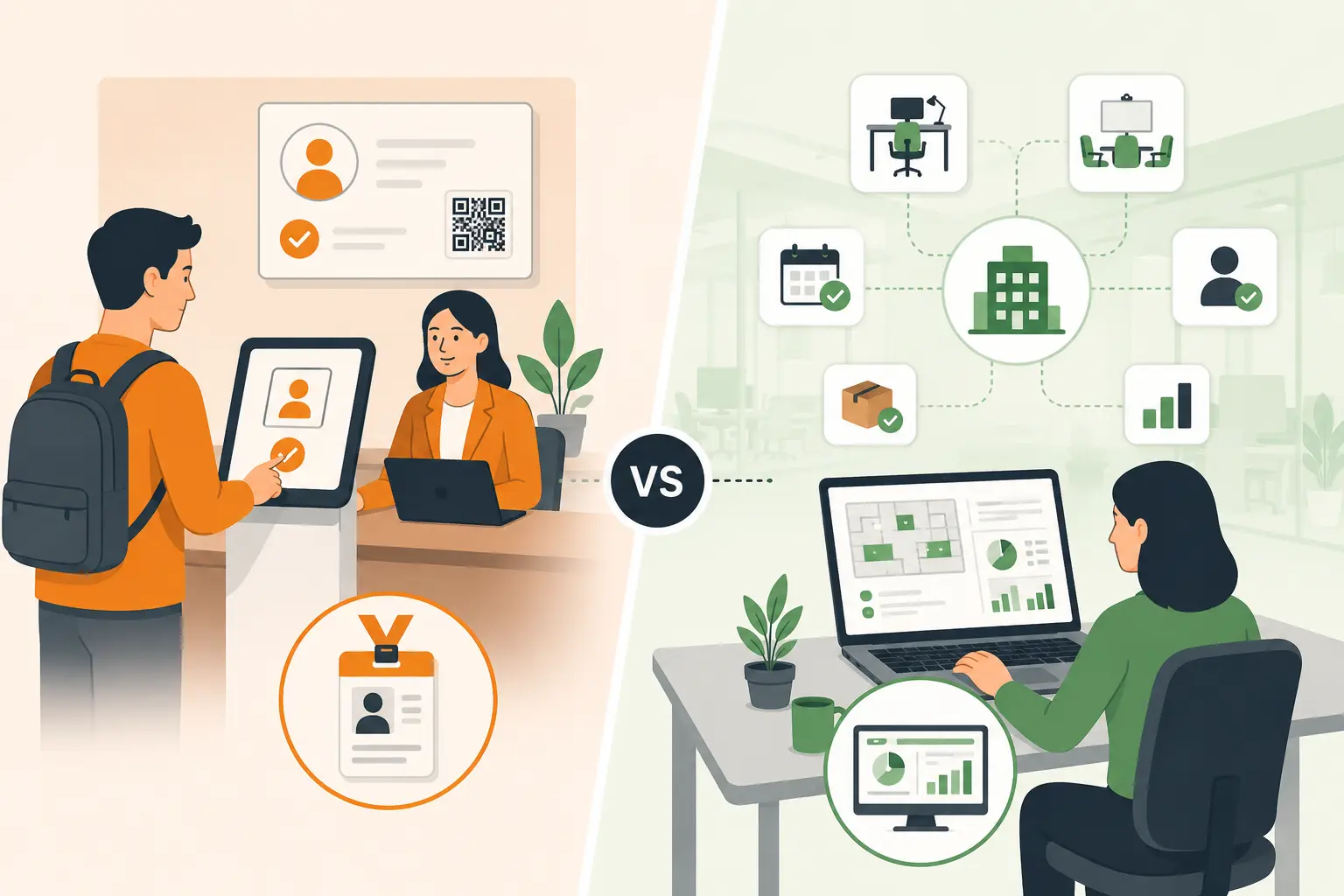
What to switch to: A visitor management system replaces the paper logbook with an iPad kiosk. Visitors check in digitally, their details are captured in a searchable database, hosts are notified automatically, and compliance logs are maintained without anyone touching a printer.
This is one of the most visible paperless wins in any office. Every visitor who walks in sees it, and it immediately signals that your organization is modern and security-conscious.
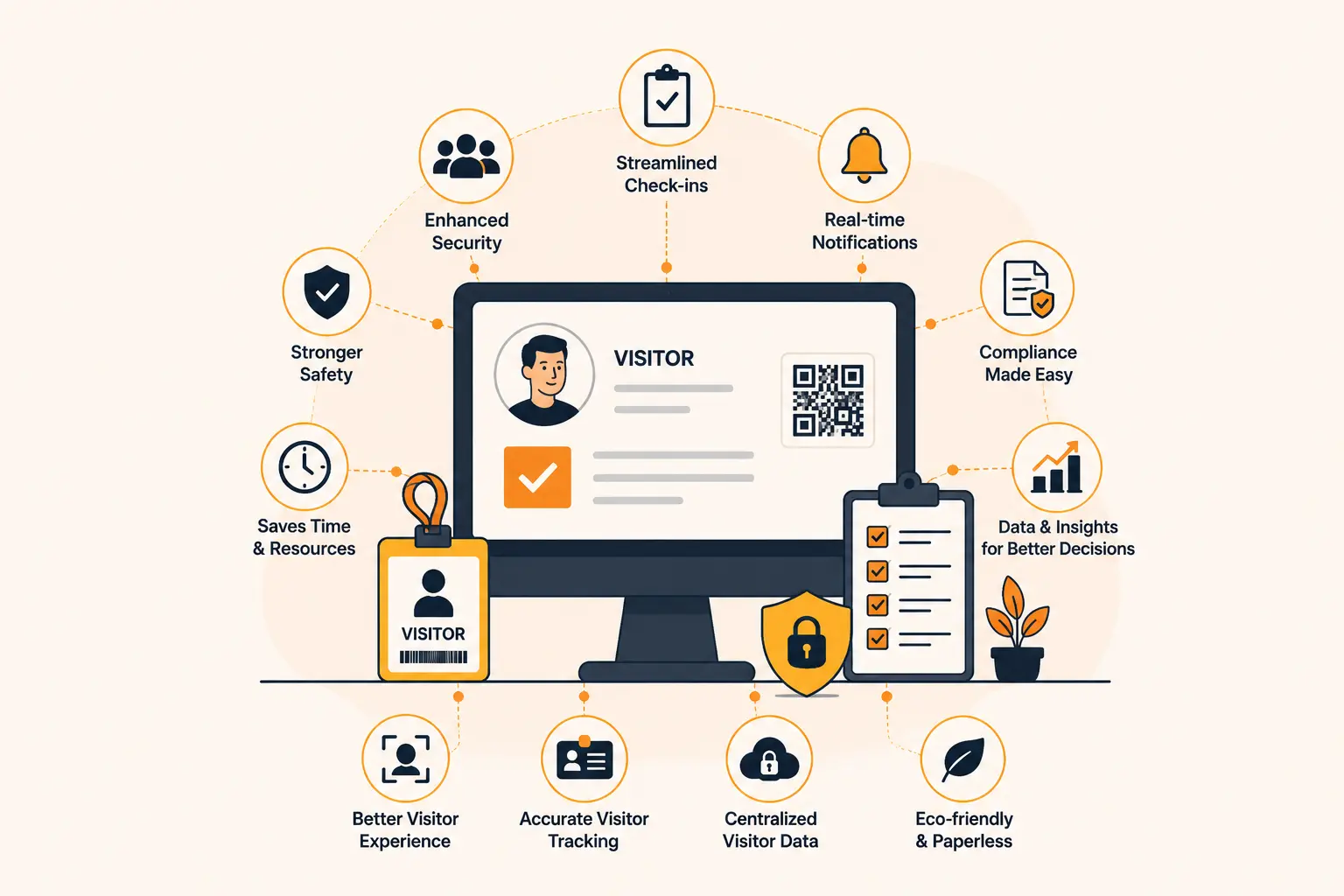
With Vizitor, you also get digital NDA signing at check-in, visitor photo capture, badge printing (or QR-based digital passes), and a full audit trail for compliance purposes.
Impact: Eliminates an entire category of compliance-sensitive paper that most offices haven’t thought to question.
5. Digital Forms and Workflows
What it is: Any paper form used internally: maintenance requests, purchase approvals, incident reports, visitor pre-registration forms, health declarations.
What to switch to: Google Forms, Typeform, JotForm, or purpose-built workflow tools like Monday.com or Notion. For more complex approval workflows, tools like Process Street or Kissflow handle routing and sign-off digitally.
Impact: Removes the “routing paper” category, forms that move between desks and require someone to physically track their status.
6. Online Invoicing and Billing
What it is: Paper invoices sent to clients, paper receipts received from vendors, physical expense reports.
What to switch to: Accounting software like QuickBooks, Xero, or FreshBooks handles invoice creation, sending, and payment entirely digitally. Most now include automated payment reminders and reconciliation.
Impact: Also addresses the accounts payable side, where a lot of paper accumulates in the form of vendor invoices that need to be filed for audit purposes.
7. HR Documentation Digitization
What it is: Paper offer letters, employment contracts, policy acknowledgments, performance review forms, onboarding paperwork.
What to switch to: HRIS platforms like BambooHR, Rippling, or Workday handle the full employee lifecycle digitally, from offer to offboarding. All documents are stored, signed, and searchable. New hire onboarding that previously generated a 30-page physical packet becomes a digital workflow completed before the first day.
Impact: Eliminates a high-compliance category where paper exposure is particularly risky. Employment records with sensitive personal data sitting in filing cabinets are a security liability.
8. Electronic Communication
What it is: Printed memos, physical newsletters, posted notices, printed meeting agendas.
What to switch to: Slack, Microsoft Teams, or email for internal communication. Digital bulletin boards or intranet pages for notices. Meeting agendas shared via calendar invite or document link before the meeting.
Impact: This is often culturally the easiest win because most offices have already moved here partially. Formalizing it as policy closes the remaining gap.
9. Digital Receipts and Expense Management
What it is: Paper receipts that employees collect and submit for reimbursement, physical petty cash logs, paper expense reports.
What to switch to: Expensify, Concur, or Ramp allow employees to photograph receipts at point of purchase and submit expenses from their phone. Receipt data is captured, categorized, and routed for approval automatically.
Impact: Removes one of the most tedious paper processes in any organization, with significant time savings for both employees and finance teams.
10. Virtual and Hybrid Meeting Infrastructure
What it is: Printed presentations, handouts for meetings, physical sign-in sheets for training sessions or events.
What to switch to: Shared screens, digital whiteboards (Miro, FigJam), and presentation tools (Google Slides, PowerPoint Online) eliminate the need to print for meetings. Attendance for internal meetings is captured by calendar tools; for larger events, digital registration and check-in tools handle it.
Impact: Eliminates the “meeting packet” category of printing, which in many organizations accounts for a significant share of total print volume.
Paperless Office Benefits: Full Breakdown
Environmental Benefits
- Waste reduction: Paper is 40% of office waste by volume. Reducing print volume has an immediate impact on landfill contribution.
- Carbon footprint: Paper production is energy-intensive. One tree is consumed for every 8,333 sheets of standard office paper.
- Supply chain simplification: Fewer consumables means fewer deliveries, fewer vendor relationships, and less packaging waste.
Financial Benefits
The financial case breaks into three categories:
Direct savings: Paper, ink, toner, printer maintenance contracts. These are immediate and easy to measure.
Storage savings: Physical document storage costs are often invisible because they’re embedded in rent (filing cabinets occupying office space) or off-site storage contracts. Digital storage costs a fraction of the equivalent physical space.
Labor savings: Time spent printing, filing, retrieving, and re-filing physical documents is pure overhead. Digitizing these processes returns that time to productive work.
Compliance Benefits
Modern data privacy frameworks (GDPR, CCPA, HIPAA where applicable) create obligations that paper-based processes cannot easily satisfy:
- Right to erasure: You can’t selectively delete information from a paper form or visitor log. You can from a database.
- Access controls: Paper documents can be read by anyone who picks them up. Digital records can be restricted to authorized users.
- Audit trails: Digital systems log who accessed what and when. Paper doesn’t.
- Retention policies: Digital systems can automatically purge records after a defined retention period. Physical records require manual destruction.
Security Benefits
Physical paper is a security vulnerability that’s easy to overlook:
- A paper visitor log exposes every previous visitor’s details to the next person who signs in
- Printed contracts left on a desk or in a recycling bin can be read by unauthorized individuals
- Physical document theft is harder to detect than digital access logs, which immediately flag anomalies
- Paper-based HR files are a target for internal threats with no access control to prevent it
Remote and Hybrid Work Enablement
A paper-dependent office cannot fully support remote work. If approvals require physical signatures, if information is stored in filing cabinets only accessible on-site, and if processes depend on printing and routing physical documents, remote employees are second-class participants.
Digital-first infrastructure enables genuine location independence. Documents are accessible from anywhere. Approvals happen asynchronously. No one needs to come into the office to sign a form or retrieve a file.
How Going Paperless Improves Compliance and Security
This section is worth treating separately because it’s where the business risk is highest, and where most organizations are most exposed without realizing it.
The GDPR Problem with Paper Visitor Logs
If your office maintains a paper sign-in book for visitors, you are almost certainly non-compliant with GDPR (and equivalent regulations in other jurisdictions).
Here’s why:
- Visibility: When a visitor signs in, they can read the names and companies of every previous visitor on that page. That’s personal data being exposed to unauthorized individuals.
- No access control: Anyone can pick up the logbook and read its contents.
- No data retention policy: Paper logs typically accumulate indefinitely. GDPR requires data to be purged when no longer needed.
- No data subject rights management: If a visitor asks you to delete their record (a right under GDPR), can you do it? From a paper log? Not easily.
A digital visitor management system like Vizitor addresses all four. Visitor data is encrypted, access-controlled, subject to configurable retention periods, and can be deleted on request.
The Broader Security Case
Encryption vs. physical access: Digital documents at rest can be encrypted. Paper documents sitting in a cabinet are accessible to anyone with a key or a lockpick.
Breach detection: When someone accesses digital records without authorization, modern systems log it and can alert you. When someone reads a paper file, you’ll never know.
Destruction: Securely destroying digital data is a policy setting. Securely destroying paper requires a shredder and a process that’s easy to skip.
Remote wipe: If a laptop with sensitive documents is stolen, you can remote-wipe the data. If a filing cabinet is moved from your office, the data goes with it.
For organizations handling sensitive client, employee, or visitor data, paper is not a neutral choice. It’s an active risk factor.
Common Challenges When Going Paperless (and How to Solve Them)
Staff Resistance
This is the number one reason paperless initiatives fail. People have paper-based habits that feel comfortable, and digital alternatives require learning new tools.
How to solve it: Don’t launch everything at once. Start with the two or three highest-impact areas (usually document management and internal communication), get those adopted, then expand. Run short training sessions before switching, not after. Make the digital path demonstrably easier than the paper path, and the resistance diminishes on its own.
Legal Requirements for Paper
Some contracts and documents genuinely require wet signatures in certain jurisdictions. Some regulated industries have specific rules about document formats.
How to solve it: Audit your compliance requirements before eliminating any paper process. Check with legal counsel on which documents actually require physical paper versus which ones people assume do out of habit. You’ll usually find the latter category is much larger than expected.
Legacy Processes Tied to Paper
Some workflows were designed around paper and have never been updated. Expense reports, purchase order processes, and some approval chains fall into this category.
How to solve it: Map the process before digitizing it. Sometimes the right move is not to digitize the current process, but to redesign it entirely. A paper expense report process converted directly to a digital form is still a bad process. The switch is an opportunity to fix the underlying workflow.
Client or Partner Expectations
Some clients still expect physical contracts, paper invoices, or wet signatures as a matter of preference or internal policy.
How to solve it: Accommodate exceptions without making them the default. Your internal processes can be digital even if some client-facing documents occasionally need to be printed. The goal is to eliminate paper as your default, not to refuse it entirely in every edge case.
“But What If the System Goes Down?”
The concern about digital system availability is legitimate, but it’s often used to justify keeping paper processes as permanent backups rather than true contingency plans.
How to solve it: Cloud redundancy is standard in any competent digital infrastructure. Google Drive, SharePoint, and similar platforms have SLAs of 99.9%+ uptime. For truly critical processes, define a specific contingency plan (e.g., a temporary paper log during a visitor management system outage) rather than keeping paper as the permanent default.
Step-by-Step Implementation Guide
Going paperless is a change management project as much as a technology project. Here’s a proven seven-step implementation framework.
Step 1: Paper Audit (Week 1-2)
Before you can reduce paper, you need to understand where it’s coming from.
- Identify the top 10 processes that generate paper in your office
- Estimate volume for each (sheets per month, not just categories)
- Note why paper is being used: is it required, habitual, or preferred?
- Identify any legal or compliance requirements that mandate paper for specific documents
This audit takes one to two weeks and doesn’t require special tools. A spreadsheet and conversations with department leads is sufficient.
Step 2: Identify Quick Wins (Week 2-3)
From your audit, pick two or three high-volume, low-complexity processes to digitize first.
Good quick win candidates:
- Internal memos and meeting agendas (switch to email or Slack)
- Paper visitor sign-in book (switch to a digital visitor management system)
- Meeting handouts (switch to shared digital links)
These wins build momentum and demonstrate viability before you tackle harder processes.
Step 3: Choose Your Tools (Week 3-4)
Based on your audit, select the tools you’ll need. You don’t need to buy everything at once. Start with what covers your quick wins.
Core toolkit for most offices:
- Document management: Google Workspace or Microsoft 365 (you probably already have this)
- Visitor management: Vizitor or equivalent
- E-signatures: DocuSign, Adobe Sign, or whatever is built into your visitor management or HR platform
- Expense management: Expensify or Ramp
Evaluate tools based on integrations with what you already use, not just standalone features.
Step 4: Set a Reduction Target (Week 4)
Set a specific, measurable paper reduction target for the first six months. “Zero paper” is not a useful target. “50% reduction in monthly print volume” is.
Baseline your current monthly print volume from your printer’s usage logs (most networked printers track this). Set a percentage reduction target. Identify which specific processes need to be converted to hit that target.
Step 5: Train Your Team (Week 5-6)
Run targeted training sessions before you switch, not after. Cover:
- How to use each new tool for the specific tasks they’re replacing
- Why the switch is happening (cost, compliance, efficiency)
- What the exception process is for genuine paper requirements
- Who to contact if they hit a problem
Keep training sessions short (30-45 minutes maximum) and role-specific. Accounts payable doesn’t need to know how visitor management works.
Step 6: Remove the Paper Alternative (Week 6-8)
This is the step most organizations skip, and it’s why their paperless initiatives stall.
If you install a digital visitor check-in system but leave the paper sign-in book on the desk, visitors will use the paper book. If you implement digital expense reporting but still accept paper forms, employees will keep submitting paper forms.
For each process you’ve digitized, remove the paper alternative. Put the printer in a less accessible location. Take the paper sign-in book off the desk. Archive the paper forms. Make the digital path the only default path.
You’re not preventing anyone from using paper if genuinely necessary. You’re removing it as the path of least resistance.
Step 7: Measure and Report (Ongoing)
Track paper reduction monthly against your baseline. Report it to leadership and to your team.
Metrics to track:
- Monthly print volume (sheets printed)
- Physical storage volume (no new filing cabinets, reduction in off-site storage)
- Cost savings (direct paper/toner costs)
- Process-specific metrics (visitor check-in time, expense report processing time)
Reporting creates accountability and demonstrates ROI, which matters when you’re asking for budget to expand the initiative.
How Vizitor Replaces Your Most Visible Paper Processes
The front desk is where paper-based processes are most visible to the outside world. Every client, candidate, delivery driver, and visitor who walks through your door encounters your sign-in process. It signals a lot about how your organization operates.
Here’s exactly how Vizitor addresses the paper processes most offices haven’t digitized yet.
Visitor Log: Paper Sign-In Book to iPad Kiosk
The paper sign-in book is the most common and most overlooked compliance problem in most offices.
Vizitor replaces it with an iPad-based check-in kiosk. Visitors self-check-in, their details are captured digitally, their host is notified by SMS or email, and their record is stored in a searchable, access-controlled database.
The result: faster check-in, better visitor experience, and a compliance-grade log that satisfies GDPR requirements, including data retention policies and the ability to respond to data subject requests.
Learn more about Vizitor’s visitor management system and touchless visitor check-in.
NDA Signing: Paper Forms to Digital at Check-In
If your office requires NDAs from visitors (common in manufacturing, R&D, legal, and financial services), Vizitor handles this digitally at check-in. Visitors read and sign the NDA on the iPad as part of the check-in flow. Signed agreements are stored digitally and linked to the visitor record.
No printing NDAs. No collecting signed forms. No storing physical NDA archives.
Delivery Management: Paper Package Log to Digital with Photo
Physical delivery logs sitting in mailrooms are another paper process that’s easy to miss. Vizitor’s delivery management system captures package arrivals digitally, with photo documentation, and notifies recipients automatically.
The result: no paper package log, fewer lost packages, and a digital audit trail of every delivery.
Compliance Logs: Paper Binder to Searchable Digital Record
For organizations with compliance requirements around visitor access (government facilities, regulated industries, data centers), the paper visitor binder is a liability. It can’t be audited efficiently, can’t be searched, and can’t enforce data retention policies.
Vizitor’s workplace compliance audit tools give you a searchable digital record of every visitor, complete with timestamps, host information, signed agreements, and auto-purge on configurable retention schedules.
For a full picture of what a digital visitor management system enables, see our complete guide to visitor management systems.
Frequently Asked Questions
Is a fully paperless office actually achievable?
For most offices, no, and that’s fine. The realistic goal is paper-minimal: eliminating paper from processes where it creates friction, cost, or compliance risk, while retaining it where it’s genuinely required. Most organizations can reach 80% to 95% paper reduction; the last 5% often involves legal or jurisdictional requirements that are outside your control.
How long does it take to go paperless?
A meaningful paper reduction (50%+) is achievable in 8 to 12 weeks for a focused implementation. Full digitization of all core processes typically takes 6 to 12 months, depending on organizational size and complexity. The biggest time variable is change management, not technology.
What are the biggest cost savings from going paperless?
The most significant savings are usually in physical storage costs (filing cabinets, off-site storage) and document retrieval labor. Direct paper and printing savings are real but often smaller than the indirect costs. Industry estimates put total savings at $1,200 per employee per year across all categories.
Does going paperless require legal sign-off?
It depends on your industry and jurisdiction. Most standard business documents (internal memos, meeting records, expense reports, visitor logs) have no paper requirement. Some contract types, regulated filings, and employment documents may require wet signatures in certain jurisdictions. Audit your specific requirements with legal counsel before eliminating paper from any compliance-sensitive process.
How do you handle clients who still want paper?
Build an exception process rather than a paper default. Your internal systems stay digital. When a client genuinely requires a paper document, you accommodate it as an exception. The goal is digital as the default path, not digital as the only path.
Is a digital visitor log actually compliant with GDPR?
Yes, and a paper visitor log generally isn’t. GDPR requires that personal data be protected from unauthorized access, stored only as long as necessary, and subject to data subject rights including erasure. A digital visitor management system can satisfy all of these requirements. A paper sign-in book visible to every subsequent visitor cannot.
Ready to Start With Your Most Visible Paper Process?
The front desk is the fastest and most impactful place to start. It’s visible, the switch is straightforward, and the compliance benefit is immediate.
Vizitor replaces your paper sign-in book with a digital check-in system that handles visitor registration, NDA signing, host notifications, delivery management, and compliance logging, all without a sheet of paper.
Book a demo to see how it works in practice, or view pricing to find the plan that fits your office size.
For more on building a modern digital workplace, see our guides on touchless check-in and workplace automation tools.
Try Vizitor Free
No credit card required. Setup in under 5 minutes. Manage visitors, queues, meeting rooms, and more.
Start Free TrialSee Vizitor in action check-in a visitor in under 30 seconds
Trusted by 500+ businesses. QR check-in, badge printing, NDA signing. Plans from $36/mo.