Is Your Front Desk Leaving These 10 Security Gaps Open?
Front desk security gaps usually occur due to manual processes, lack of visibility, and human error. The most common risks include unauthorized entry, tailgating, missing visitor logs, unverified IDs, and poor emergency preparedness. These issues can be fixed with digital visitor management systems, access control integration, clear SOPs, and real-time monitoring.


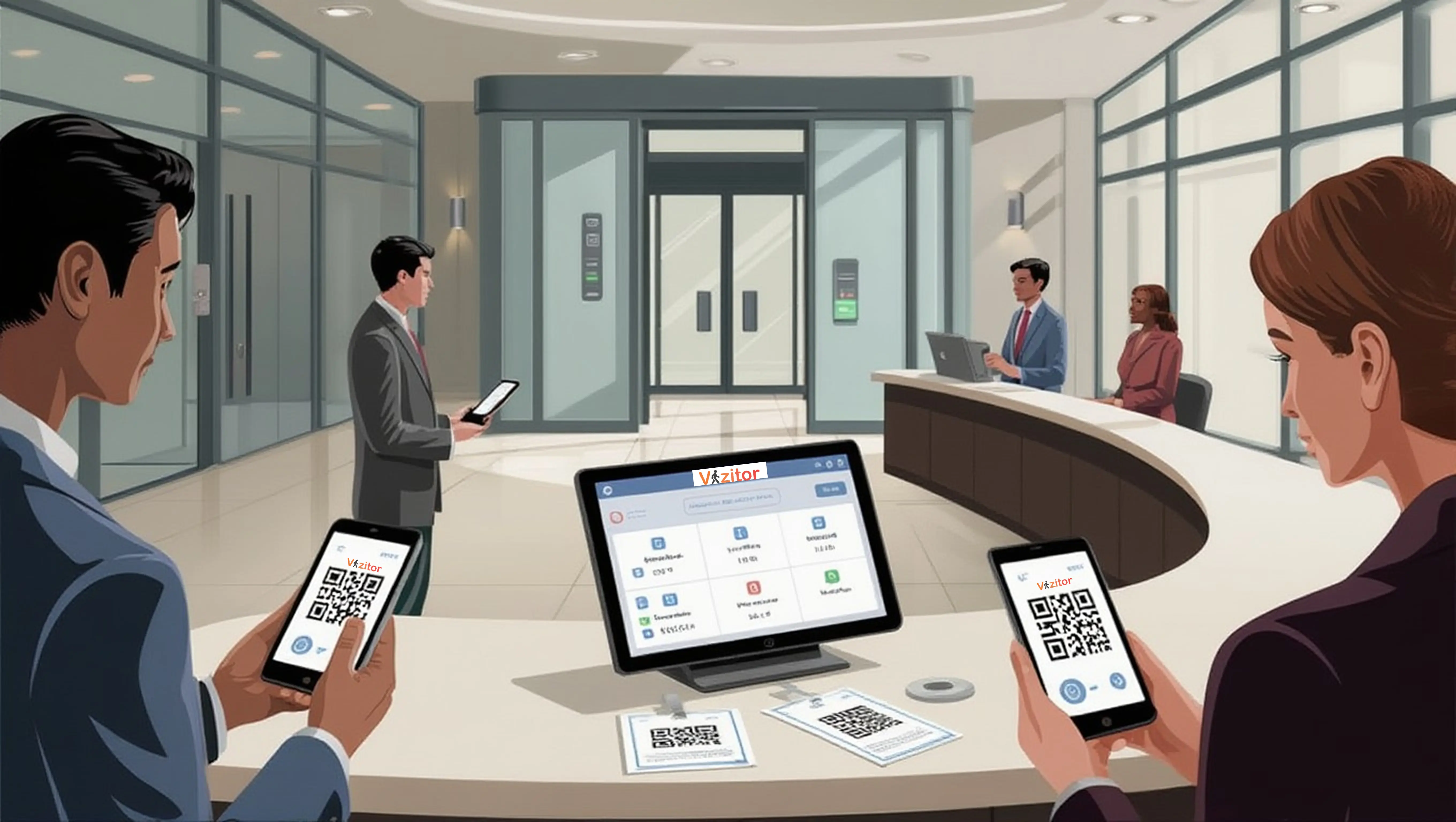
Table of Content
Try Vizitor for Free!
Your front desk is more than a greeting point. It is your organization’s first line of defense and a critical control point for workplace security. It sets the tone for professionalism, trust, and safety.
Yet, in many organizations, this highly visible area hides serious vulnerabilities.
In hybrid and dynamic work environments, reception teams are often overstretched, juggling visitor check-ins, package deliveries, vendor coordination, and internal requests. This operational overload creates security blind spots that unauthorized individuals, opportunists, and even accidental breaches can exploit.
Consider these numbers: many office employees report having seen unaccompanied strangers roaming their workplace with no one stopping to check who they are. The global average cost of a data breach reached a record $4.99 million in 2026, according to IBM’s Cost of a Data Breach Report. And unauthorized physical access, from tailgating to unattended devices, remains a recognized and often underestimated contributor to breaches. Your front desk sits at the intersection of all three risks.
This post covers 10 critical front desk security gaps, from manual visitor check-ins to poor emergency preparedness, and explains how modern visitor management systems, staff training, and clear protocols close each one.
Why Front Desk Security Failures Are Expensive
Before diving into the gaps, it’s worth understanding the full cost of an unsecured front desk. The obvious risk is a security incident: an unauthorized person accessing a restricted area, stealing equipment, or viewing confidential information. But the less visible costs add up faster.
Compliance violations from inadequate visitor logging can trigger regulatory fines. Data breaches caused by physical access failures cost millions in remediation and reputational damage. And the operational drag of manual processes, missed notifications, and paper logs slows down every visitor interaction, every day.
An unsecured front desk isn’t a minor oversight. It’s a direct contributor to enterprise risk at multiple levels.
10 Critical Front Desk Security Gaps (and How to Fix Them)
1. Uncontrolled Visitor Access
The Problem Without a structured process, unauthorized individuals can walk in unnoticed. Manual sign-in processes are inconsistent: some visitors get asked for ID, others don’t. Some sign the log, others skip it. There’s no reliable record of who is in your building at any given moment.
The Fix
- Implement a digital Visitor Management System that requires every visitor to check in before entering
- Enable pre-registration and identity verification for expected visitors
- Issue time-bound visitor badges with clear expiration
- Store visitor data securely with previous entries hidden from current visitors to protect privacy
- Set up watchlist screening so flagged individuals trigger an alert before access is granted
The shift from paper to digital isn’t just about convenience. It’s about creating a defensible record. If you need to demonstrate to an auditor or law enforcement who was in your building on a specific date, a paper logbook won’t cut it.
2. Slow, Manual Check-in Processes
The Problem Paper logbooks take 2-3 minutes per visitor, create queues, and leave room for error. During busy periods, reception staff skip verification steps to keep the line moving. This creates exactly the kind of inconsistency that security teams lose sleep over.
Manual processes also mean every entry depends on human judgment and human legibility. A handwritten name that can’t be read in an audit is a compliance gap that looks like negligence.
The Fix
- Replace manual logs with a digital VMS that requires complete, verified information
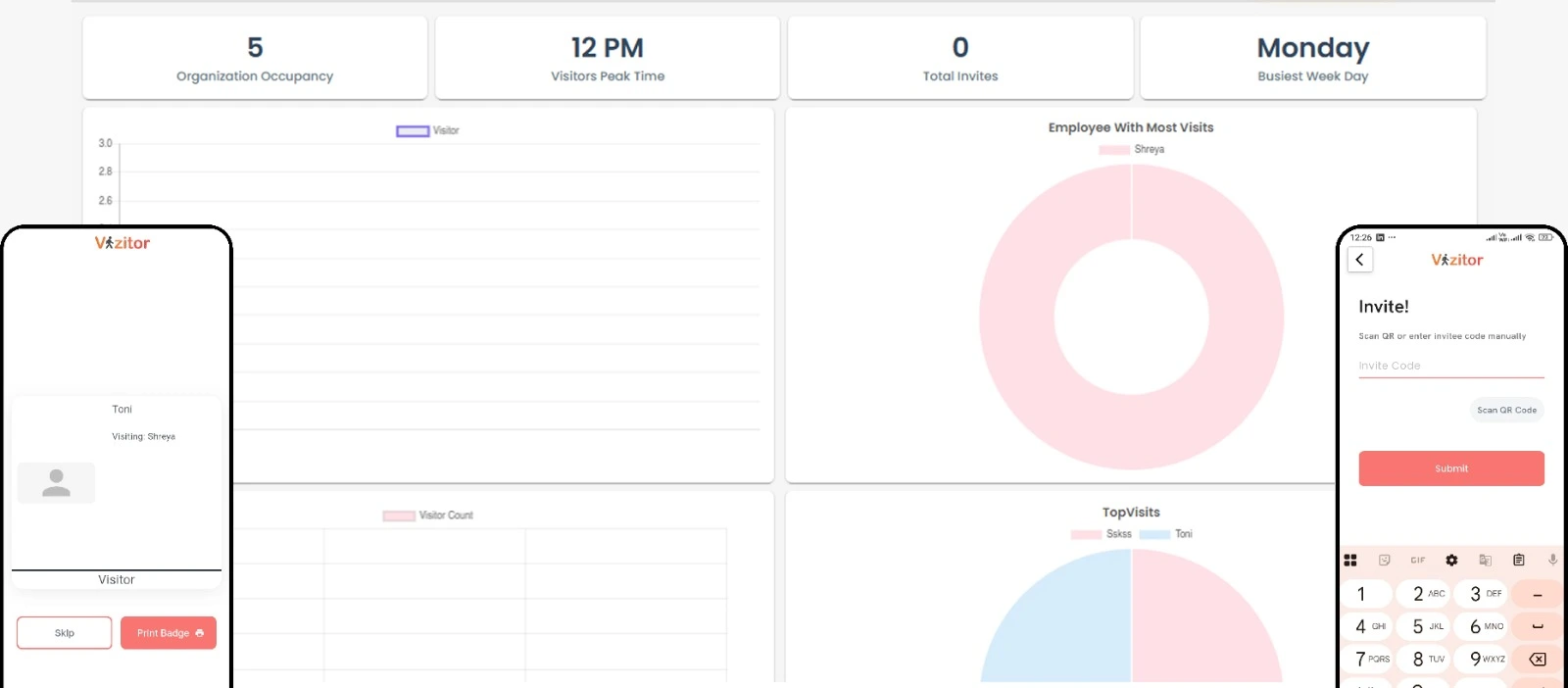
- Reduce check-in time to under 30 seconds with QR code or tablet-based entry
- Automate badge printing so visitors receive credentials immediately without staff intervention
- Capture data digitally so it’s searchable, exportable, and audit-ready from day one
3. Poor Visibility in the Reception Area
The Problem Obstructed layouts, oversized furniture, and dim lighting create blind spots in your reception area. When your front desk staff can’t see the entrance clearly, they can’t respond to tailgating, unauthorized entry, or suspicious behavior.
This is a physical security problem that technology alone can’t fully solve. It requires attention to layout and environment.
The Fix
- Maintain clear sightlines to entrances and exits from the front desk position
- Use wide-angle mirrors or additional camera angles to eliminate physical blind spots
- Ensure uniform, adequate lighting throughout reception, especially near entry and exit points
- Position the reception desk so staff can see the door without being obstructed by furniture, plants, or display stands
4. Untrained Front Desk Staff
The Problem Nearly 70% of organizations say their employees lack fundamental cybersecurity awareness, up from 56% just a year earlier, according to Fortinet’s 2024 Security Awareness and Training Report, leaving receptionists unsure how to respond to threats. This isn’t a criticism of reception staff. It’s a systems failure: organizations expect their front desk to be the first line of defense without giving them the tools or training to play that role.
Untrained staff default to being friendly. That’s their job and their instinct. Without training, they may let through a confident-looking unauthorized visitor rather than cause an awkward confrontation.
The Fix
- Conduct regular security training that covers visitor verification, escalation procedures, and de-escalation techniques
- Teach staff to require verification for every visitor without exception, making it a system requirement rather than a personal judgment
- Train on emergency response: what to do if a visitor becomes aggressive, if a security alert fires, or if evacuation is required
- Reinforce proper data handling: screen-locking, not leaving badges unattended, keeping visitor logs private
- Build on a structured program, see our post on 7 strategies to empower employees for workplace security
Organizations that prioritize security training see fewer security incidents, faster threat detection, and lower breach-related costs, since well-trained staff catch risks that policies and technology alone can miss.
5. Inadequate Delivery and Package Management
The Problem Unattended deliveries sitting in your reception area present multiple risks: theft of the package itself, physical inspection of delivery labels that reveal confidential information, or in extreme cases, introduction of malicious items.
In busy offices, deliveries often pile up without being logged or secured. Recipients aren’t notified promptly, so packages sit longer than necessary.
The Fix
- Establish and enforce a written delivery intake protocol
- Log every package digitally at receipt, including sender, recipient, and contents description
- Secure packages in a locked area until authorized pickup
- Notify recipients immediately via automated alerts so packages are collected promptly
- Require ID verification for deliveries containing high-value items or sensitive materials
6. Poor Communication with Hosts
The Problem Visitors often wait 4-6 minutes at reception because hosts are not informed promptly. Reception has to make phone calls, send messages, or physically walk to find the host. During that time, the visitor is unattended in your lobby with access to whatever they can see from that position.
This is both a security risk and an experience failure. It signals disorganization to your visitor and creates an uncontrolled window.
The Fix
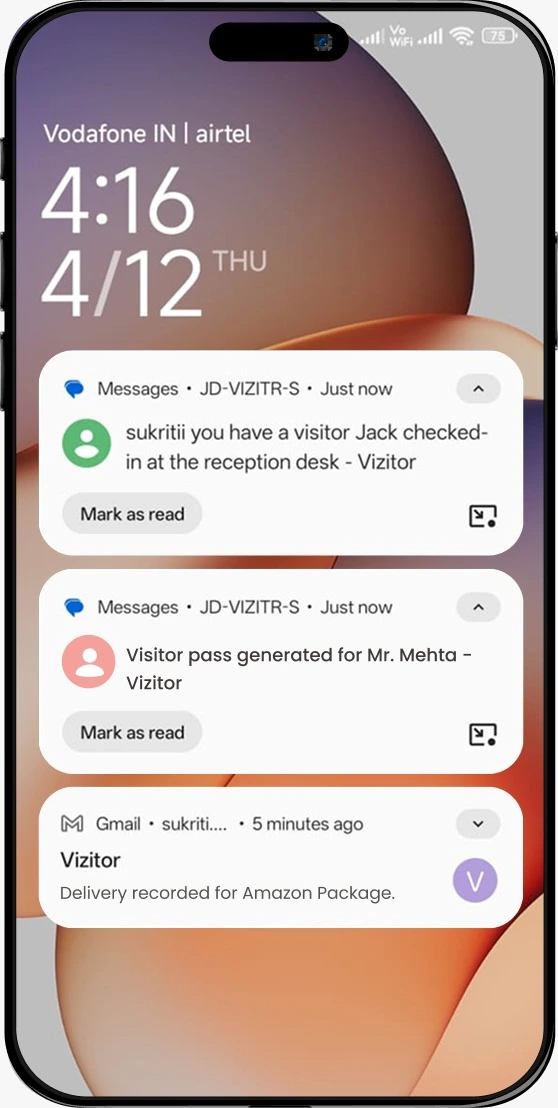
- Automate host notifications via email, SMS, Slack, or WhatsApp the moment a visitor checks in
- Require host acknowledgment before the visitor is granted access to interior areas
- Eliminate manual calls from reception by building notification into the check-in flow
- Set escalation rules: if the host doesn’t acknowledge within a set time, a backup contact is notified automatically
- Use instant workplace notifications across SMS, email, Slack, Teams, or WhatsApp so no arrival goes unacknowledged
7. Exposed Sensitive Information at the Desk
The Problem Unattended documents, visible badge stacks, and unlocked screens at the reception desk increase theft and data breach risks. Visitor data breaches have become increasingly common in recent years, and reception is often where the exposure starts. A visitor waiting in your lobby can read documents on an unattended desk, note employee names from a printed schedule, or see a previous visitor’s details on an unlocked screen.
The Fix
- Enforce a strict clean desk policy: nothing sensitive visible when the desk is unattended
- Lock screens automatically after 60 seconds of inactivity
- Store blank badge stock securely so it can’t be taken and printed by unauthorized individuals
- Never leave a printed visitor list, employee directory, or internal schedule visible from the reception counter
8. Lack of Restricted Internal Access
The Problem A visitor who has checked in at reception can often wander freely once past the front desk. Without additional access controls, they can reach server rooms, executive offices, HR files, or any other restricted area simply by walking confidently.
Checking in at reception is not the same as being authorized to access all areas. These are separate controls that many organizations fail to separate.
The Fix
- Implement access-controlled doors, elevators, and hallways beyond reception
- Encode visitor badges with zone-specific access permissions so physical doors only open for the areas the visitor is authorized to enter
- Restrict visitor movement to pre-approved zones based on their visit purpose
- Use digital visitor management to sync badge permissions with access control systems automatically
For organizations building a comprehensive approach, our visitor management system guide covers how these layers connect.
See how Vizitor handles visitor management
Join 500+ workplaces using Vizitor to manage visitors securely. Free trial.
Book a Demo9. No Emergency Action Plan
The Problem Without a clear emergency plan, incidents lead to confusion and dangerous delays. Reception staff may not know whether to shelter in place or evacuate, which exit to use, or how to account for all visitors on-site. A paper logbook makes this problem critical: if you can’t quickly determine who is still in the building, your evacuation is incomplete.
The Fix
- Create and rehearse a formal emergency action plan that covers evacuation, lockdown, and medical response scenarios
- Train front desk staff on their specific role in each scenario
- Use a digital VMS to generate real-time occupant lists on demand. During an evacuation, you open the app and see exactly who checked in and hasn’t checked out
- Conduct at least one unannounced drill per year to test whether the plan works in practice
- Pair the VMS with an emergency evacuation management process so live rosters cover visitors, contractors, and employees together
- On the employee side, confirm your clock-in and clock-out system is built to support a real-time safety headcount, not just a payroll export, so staff and visitor rosters can be checked against each other during the same drill
10. Insufficient Surveillance and Monitoring
The Problem Human error contributes to as much as 88% of data breaches, according to a joint study by Stanford University and security firm Tessian, and gaps in surveillance make the consequences worse. When something goes wrong, a lack of camera coverage means no footage to review. Without monitoring, security incidents aren’t detected until after the damage is done.
The Fix
- Install visible CCTV coverage across all reception entry and exit points
- Ensure cameras have sufficient resolution to capture faces and badge details
- Review footage regularly, not just reactively after incidents
- Coordinate with your building’s security team or local law enforcement on protocols for serious incidents
- Consider on-site security personnel during high-traffic periods or events
The Technology Layer: What a Digital VMS Actually Delivers
A modern visitor management system addresses multiple gaps simultaneously. Here’s the measurable impact:
Visitor experience: A significant reduction in check-in time, often down to under 30 seconds with QR code or tablet-based entry. Custom workflows for different visitor types. Frictionless first impressions that reflect well on your organization.
Security and compliance: Real-time visibility into everyone on-site. Automated evacuation reports. Watchlist screening. GDPR-compliant data handling with automated retention and deletion policies.
Operational efficiency: Eliminates manual data entry and paper logs. Frees reception staff for higher-value tasks. Reduces human error and bottlenecks across the check-in process.
For a complete picture of the security features your VMS should include, see our post on 7 workplace security features your visitor management system must have.
The Human Layer: Training and Collaboration
Technology solves a lot, but it doesn’t solve everything. The human and organizational layer is just as important.
Invest in staff training. Well-trained staff multiply the effectiveness of any security system. They know when to escalate, how to handle an aggressive visitor, and what to do when the system throws an alert. Organizations that invest here see fewer incidents, faster detection, and lower breach-related costs.
Foster cross-department collaboration. Front desk security must align Facilities, IT, HR, and Security teams. Each department sees a different piece of the risk picture. Regular security drills and clear reporting lines are essential for turning that knowledge into coordinated response.
Review and iterate. Security protocols that were written two years ago may not reflect your current workplace. Review your front desk protocols annually and update them when your workplace changes: new locations, new visitor types, new compliance requirements.
Frequently Asked Questions
See Vizitor in action check-in a visitor in under 30 seconds
Trusted by 500+ businesses. QR check-in, badge printing, NDA signing. Plans from $36/mo.