Workplace Security Checklist: 15 Points Every Facility Must Cover



Table of Content
Try Vizitor for Free!
Key Takeaway: A comprehensive workplace security checklist is the most practical tool for identifying vulnerabilities before they become incidents. Facilities that conduct regular security audits using structured checklists experience 47% fewer security breaches than those that rely on ad hoc assessments, according to ASIS International.
Every security breach shares a common origin: a gap that nobody checked for. A missing camera in a loading dock. A fire exit propped open. A visitor who walked past reception unchallenged. These are not complex attack vectors. They are simple oversights, and a workplace security checklist is how you find them before an intruder does.
This guide provides a battle-tested 15-point workplace security checklist that covers physical access, visitor management, surveillance, guard operations, cybersecurity convergence, and emergency preparedness. Whether you manage a single office or a multi-site enterprise, this checklist gives you a structured, repeatable framework for auditing and strengthening your security posture.
What Is a Workplace Security Checklist?
A workplace security checklist is a structured assessment tool that systematically evaluates every layer of an organization’s physical and operational security. It transforms security auditing from a subjective walkthrough into a measurable, repeatable process with clear pass/fail criteria.
An effective checklist:
- Covers all security domains (access control, surveillance, personnel, emergency response, compliance)
- Assigns responsibility for each item to a specific role or team
- Defines standards so assessors evaluate consistently
- Tracks remediation of identified gaps
- Creates documentation for regulatory compliance and insurance purposes
The International Foundation for Protection Officers (IFPO) recommends that organizations review their security checklists at least quarterly and conduct full audits at least annually, with additional assessments after any significant security incident or facility change.
Why You Need a Workplace Security Checklist
Security Gaps Are Everywhere
ASIS International’s 2024 Workplace Security Report found that:
- 67% of organizations had at least one critical physical security gap they were unaware of
- 42% of security breaches occurred in areas that had not been recently audited
- 81% of facilities managers acknowledged their security assessments were inconsistent across locations
Compliance Demands Documentation
Regulatory bodies and auditors require evidence that security assessments are conducted regularly and systematically:
- ISO 27001 requires documented risk assessments and security controls
- OSHA mandates workplace hazard assessments
- PSARA (India) requires documented security procedures and guard management
- Insurance underwriters often require security audit documentation for policy renewals
A structured checklist produces the documentation you need for workplace compliance audits.
Checklists Drive Consistency
Without a standardized checklist, security assessments vary wildly depending on who conducts them. A facility manager might focus on fire exits while overlooking visitor management. A security director might prioritize guards while neglecting IT closet access. Checklists ensure nothing is missed, regardless of who performs the audit.
The 15-Point Workplace Security Checklist
Point 1: Perimeter Security
Your security starts at the property boundary. Audit these elements:
Physical barriers:
- Perimeter fencing is intact with no gaps, breaches, or damage
- Gates and vehicle entry points have functional access controls
- Anti-vehicle barriers (bollards) protect building entrances
- Landscaping does not create concealment opportunities near entry points
Lighting:
- All perimeter areas are illuminated during darkness
- Parking lots have uniform lighting with no dark spots
- Entry points have enhanced lighting for camera visibility
- Emergency lighting activates automatically during power failures
Signage:
- “No trespassing” and restricted area signs are posted and visible
- Visitor parking is clearly marked and directed toward the main entrance
- Emergency exits are marked from both interior and exterior
- Security contact information is posted at all entry points
Assessment questions:
- Can someone approach the building undetected from any direction?
- Are there blind spots in perimeter lighting?
- Are all perimeter barriers in good repair?
Point 2: Building Entry Points
Every door, window, and opening is a potential vulnerability.
Primary entrances:
- Main entrance funnels all visitors through a controlled reception area
- Electronic access control is installed and functional on all employee entrances
- Revolving doors or turnstiles prevent tailgating at high-traffic entries
- Entry points are monitored by security cameras
Secondary entrances:
- All side and rear doors are secured with access control
- Emergency exits have alarms that trigger when opened from outside
- Loading docks have separate access control and surveillance
- Rooftop access points are locked and alarmed
Windows and other openings:
- Ground-floor windows have locks or security film
- Basement and service area access points are secured
- Ventilation openings are protected against intrusion
Key question: If a stranger approached every door and window in your building, which ones could they open?
Point 3: Access Control Systems
Access control is the foundation of workplace security. Verify:
Technology:
- Card readers / biometric scanners are installed at all controlled entry points
- System is online and communicating with the central management platform
- Anti-passback is enabled (prevents using one credential to let multiple people in)
- Access credentials are encrypted and cannot be easily cloned
- System logs all access events with timestamps
Policies:
- Access levels are defined for every role (principle of least privilege)
- Temporary access credentials have expiration dates
- Lost or stolen credentials are deactivated within 1 hour of reporting
- Access rights are reviewed quarterly and updated as roles change
- Terminated employee credentials are revoked on the same day as departure
Integration:
- Access control integrates with the visitor management system
- HR system automatically triggers access provisioning and de-provisioning
- Access events feed into the security monitoring dashboard
- Office access control systems cover all internal zones
Red flag: If it takes longer than 24 hours to deactivate a former employee’s access, you have a critical vulnerability.
Point 4: Visitor Management
Uncontrolled visitors are one of the most exploited security gaps. Assess:
Check-in process:
- All visitors are required to check in before accessing the facility
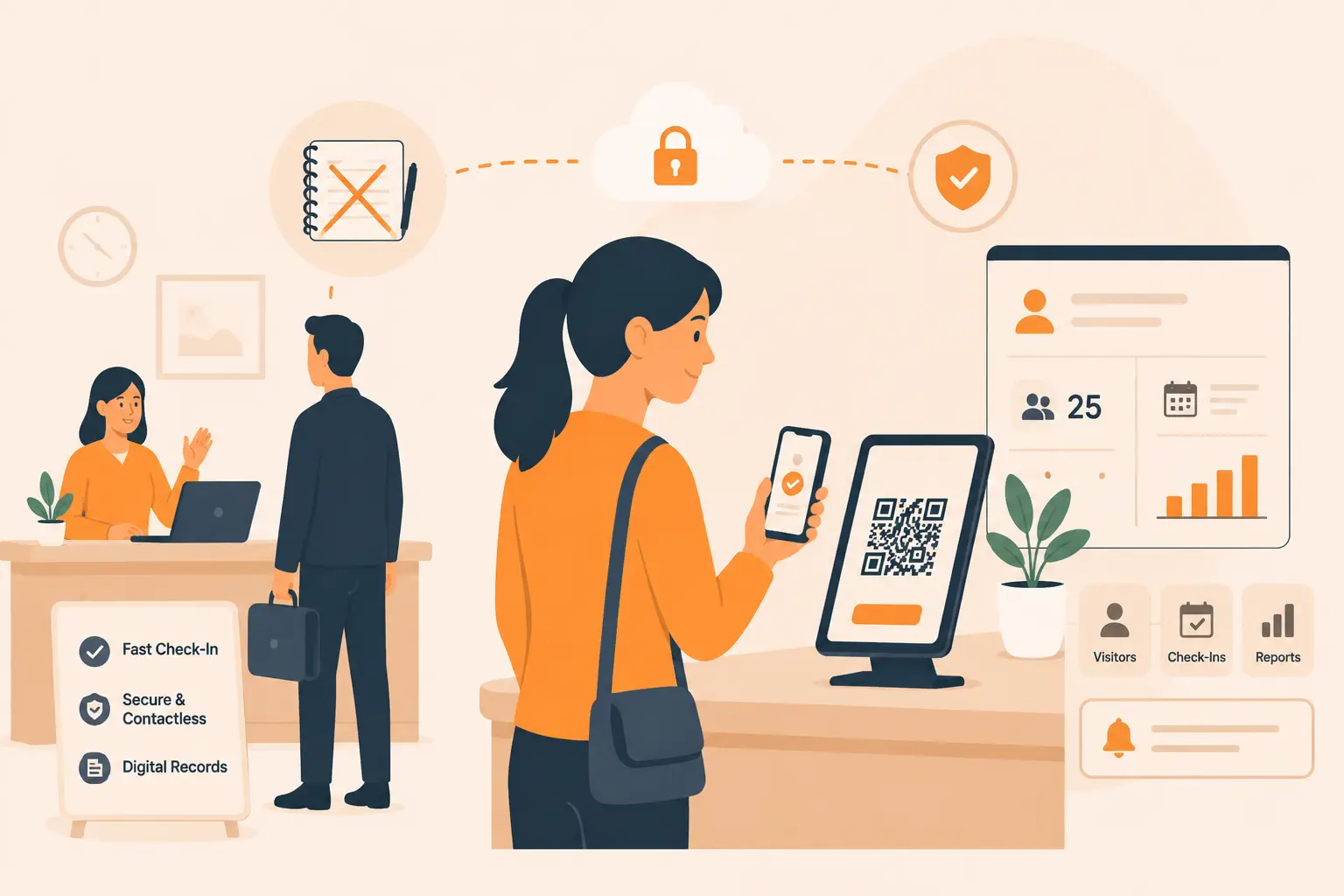
- Digital visitor management system is in place (not paper logbooks)
- Visitors provide photo identification at check-in
- Watchlist screening automatically checks visitors against banned/flagged lists
- Host notification is automatic upon visitor arrival
- Visitors receive printed badges with photo, name, host, and date
Visitor tracking:
- Real-time dashboard shows all visitors currently on-site
- System tracks visitor location (which zone/floor they are authorized for)
- Visitors are automatically flagged if they exceed their authorized visit duration
- Emergency roll-call can generate an instant visitor headcount
Visitor policies:
- All visitors must be escorted in restricted areas
- Visitor Wi-Fi is separated from corporate networks
- Non-disclosure agreements (NDAs) are required for visitors accessing sensitive areas
- Visitor data is retained per regulatory requirements and purged on schedule
Check-out:
- Visitors check out upon departure
- Badges are collected or automatically deactivated
- System records departure time for complete audit trail
Statistics: According to IFSEC Global, 45% fewer unauthorized access incidents occur at facilities using digital visitor management compared to paper logbooks.
Vizitor provides comprehensive visitor security features including pre-registration, ID verification, watchlist screening, badge printing, and real-time tracking within a single workplace management platform.
Point 5: Surveillance Systems
Cameras deter and document. Verify your surveillance covers what matters:
Coverage:
- All building entry and exit points are covered
- Reception and lobby areas have camera coverage
- Parking lots and garages are monitored
- Loading docks and service entrances are covered
- Stairwells and elevator lobbies have cameras
- High-value asset areas (server rooms, storage) are monitored
- Perimeter areas have night-vision capable cameras
System health:
- All cameras are operational and recording
- Image quality is sufficient for identification (minimum 1080p for critical areas)
- Night vision and low-light performance is adequate
- Recording storage meets retention requirements (typically 30-90 days)
- Backup power ensures recording continues during outages
Monitoring:
- Live monitoring is available during business hours (and 24/7 for high-risk facilities)
- AI analytics are configured to flag anomalies (where deployed)
- Alarm integration triggers camera focus on access control events
- Remote viewing capability is available for after-hours monitoring
Compliance:
- Camera placement complies with privacy regulations (no cameras in restrooms, changing areas)
- Signage notifies occupants that surveillance is in operation
- Video data handling complies with GDPR/DPDP Act requirements
Point 6: Security Guard Operations
Human security remains essential. Evaluate your guard management:
Staffing:
- Guard staffing levels match the facility’s risk assessment
- All shifts are covered with no gaps in coverage
- Backup guards are available for absences and emergencies
- Guards hold valid licenses per PSARA (India) or state regulations (U.S.)
Operations:
- Written post orders exist for every guard position
- Patrol routes are defined with specific checkpoints
- Patrols are verified via GPS, NFC, or QR code scanning
- Guard tour reports are reviewed daily by supervisors
- Security guard management software is deployed for scheduling and monitoring
Training:
- Guards complete initial training before deployment
- Refresher training is conducted at least quarterly
- Guards are trained on all technology systems they use
- Emergency response drills include security guard participation
- De-escalation and conflict resolution training is current
Communication:
- Guards have reliable two-way communication (radio/mobile)
- Check-in intervals are defined and enforced
- Emergency codes and procedures are posted at every guard station
- Shift handover procedures ensure continuity of information
Point 7: Interior Security Zones
Not all areas require the same security level. Verify zone management:
Zone classification:
- Facility is divided into security zones (public, general, restricted, high-security)
- Each zone has appropriate access control proportionate to its classification
- Zone boundaries are clearly marked
- Movement between zones is controlled and logged
Sensitive areas:
- Server rooms require multi-factor authentication
- Executive areas have enhanced access restrictions
- R&D and IP-sensitive areas have additional monitoring
- Financial records storage has restricted, audited access
- Pharmaceutical or hazardous material storage has dual-control access
Common areas:
- Break rooms and cafeterias do not provide uncontrolled access to restricted zones
- Conference rooms near restricted areas do not create tailgating opportunities
- Stairwells do not bypass floor-level access controls
Point 8: Key and Credential Management
Lost keys and unmanaged credentials are silent security failures:
- All physical keys are tracked in a key management system
- Master keys are restricted to authorized personnel only
- Key issuance and return are logged with signatures
- Lost key procedures include immediate lock replacement or rekeying
- Electronic credential inventory is current and accurate
- Unused or expired credentials are disabled
- Credential cloning risk has been assessed and mitigated
Point 9: IT and Cyber-Physical Security
Where digital and physical security meet:
- Server rooms and network closets are physically secured with access control
- USB ports on public-area workstations are disabled or monitored
- Wi-Fi networks are segmented (corporate, guest, IoT)
- Network equipment is in locked, monitored enclosures
- Security system networks (cameras, access control) are isolated from general IT
- IoT devices (smart locks, sensors) have updated firmware and strong credentials
- Backup power for security systems (UPS) is tested monthly
Point 10: Delivery and Package Management
Deliveries create regular entry points that can be exploited:
- All deliveries are received at a designated, controlled area
- Delivery personnel are verified before being granted access
- Packages are screened or inspected per organizational risk level
- Delivery logs capture carrier, recipient, time, and contents description
- Unattended packages trigger security response protocols
- Digital delivery management system tracks all incoming items
Tip: Vizitor’s delivery management module integrates with visitor management to provide end-to-end tracking of all people and packages entering your facility.
Point 11: Emergency Preparedness
When emergencies happen, preparation determines outcomes:
Plans and procedures:
- Written emergency response plans exist for: fire, natural disaster, active threat, medical emergency, hazardous material, bomb threat, and power failure
- Plans are reviewed and updated at least annually
- Emergency procedures are posted on every floor and in common areas
- Floor wardens and emergency team members are identified and trained
Equipment:
- Fire extinguishers are inspected and current (monthly visual, annual professional)
- First aid kits are stocked and accessible on every floor
- AEDs (automated external defibrillators) are installed and maintenance is current
- Emergency lighting functions during power outages
- Emergency communication systems (PA, mass notification) are tested monthly
Drills:
- Fire evacuation drills are conducted at least twice annually
- Active threat drills (lockdown/shelter-in-place) are conducted annually
- Medical emergency response drills are conducted annually
- Drill results are documented with lessons learned and corrective actions
Evacuation:
- Assembly points are designated and known to all occupants
- Headcount procedures account for all employees, visitors, and contractors
- Visitor management system provides emergency roll-call functionality
- Accessibility accommodations are included for persons with disabilities
Point 12: Parking and Vehicle Security
Parking areas are often the most vulnerable zones:
- Parking areas are well-lit with no dark corners
- Surveillance cameras cover all parking zones
- Vehicle entry is controlled (gates, barriers, credential-based access)
- Visitor parking is separate from employee parking where possible
- License plate recognition (LPR) is deployed at vehicle entry points (for high-security facilities)
- Emergency call stations are installed in parking structures
- Regular security patrols include parking areas
Point 13: After-Hours Security
Most break-ins occur outside business hours:
- After-hours access is restricted to authorized personnel only
- Access control logs identify everyone entering outside normal hours
- Surveillance continues 24/7 with recording
- Alarm systems are armed during non-business hours
- Security patrols cover after-hours periods
- After-hours visitors require special authorization and escort
- Cleaning and maintenance staff are vetted and their access is time-restricted
Point 14: Documentation and Compliance
If it is not documented, it did not happen:
- Security policies are written, approved, and accessible to relevant staff
- Incident reports are completed for every security event
- Access control logs are retained per regulatory requirements
- Visitor records are maintained per data protection regulations
- Guard tour reports are archived and available for audit
- Training records document all security training provided
- Compliance audit schedule is established and followed
- Risk assessments are documented and reviewed annually
Point 15: Security Culture and Awareness
Technology and guards are only part of the equation. Assess your security culture:
- All employees receive security awareness training during onboarding
- Annual security refresher training is mandatory for all staff
- Employees know how to report suspicious activity
- Reporting mechanisms are accessible and anonymous options exist
- Security reminders are communicated regularly (posters, emails, meetings)
- Leadership visibly supports and participates in security programs
- No retaliation for good-faith security reports
- Front desk and reception staff are trained on visitor security protocols
How to Use This Workplace Security Checklist
Step 1: Assign Ownership
Designate a security audit team with representatives from:
- Security operations
- Facilities management
- IT / cybersecurity
- HR
- Executive leadership (sponsor)
Step 2: Schedule the Assessment
- Full audit: Annually (or after significant facility changes)
- Focused reviews: Quarterly (rotate through the 15 points)
- Spot checks: Monthly (random selection of checklist items)
- Post-incident audits: After any security event
Step 3: Score Each Item
Use a consistent scoring framework:
| Score | Status | Action Required |
|---|---|---|
| 3 - Compliant | Meets or exceeds requirements | Monitor and maintain |
| 2 - Partially compliant | Some gaps identified | Remediation within 60 days |
| 1 - Non-compliant | Significant gaps | Remediation within 30 days |
| 0 - Critical | Immediate risk to safety | Immediate action required |
Step 4: Document Findings
For each gap identified, document:
- Description of the vulnerability
- Risk level (critical, high, medium, low)
- Recommended remediation
- Responsible party
- Target completion date
- Budget implications
Step 5: Prioritize Remediation
Use a risk-based approach:
- Critical risks (immediate threat to life or severe regulatory exposure) - address within 24-48 hours
- High risks (significant vulnerability likely to be exploited) - address within 30 days
- Medium risks (moderate vulnerability) - address within 60-90 days
- Low risks (minor improvement opportunities) - address within 6 months
Step 6: Track Progress
Maintain a remediation tracker with:
- Finding reference number
- Current status (open, in progress, completed, verified)
- Completion date
- Verification evidence (photos, test results, documentation)
Workplace Security Checklist: Quick Reference Summary
| # | Checklist Point | Key Focus Areas |
|---|---|---|
| 1 | Perimeter Security | Fencing, lighting, barriers, signage |
| 2 | Building Entry Points | Main, secondary, emergency, and service entrances |
| 3 | Access Control Systems | Technology, policies, integration |
| 4 | Visitor Management | Check-in, tracking, badges, check-out |
| 5 | Surveillance Systems | Coverage, system health, monitoring, compliance |
| 6 | Security Guard Operations | Staffing, operations, training, communication |
| 7 | Interior Security Zones | Zone classification, sensitive areas, common areas |
| 8 | Key and Credential Management | Physical keys, electronic credentials, inventory |
| 9 | IT and Cyber-Physical Security | Server rooms, network security, IoT devices |
| 10 | Delivery and Package Management | Receiving, verification, screening, tracking |
| 11 | Emergency Preparedness | Plans, equipment, drills, evacuation |
| 12 | Parking and Vehicle Security | Lighting, cameras, access, patrols |
| 13 | After-Hours Security | Access restrictions, alarms, patrols |
| 14 | Documentation and Compliance | Policies, reports, logs, audit trails |
| 15 | Security Culture and Awareness | Training, reporting, leadership support |
Technology That Supports Your Workplace Security Checklist
Manually managing a 15-point security audit across a large facility, or multiple facilities, quickly becomes overwhelming. Technology streamlines the process:
Visitor Management Systems
A visitor management system directly addresses Points 4 (Visitor Management), 11 (Emergency Preparedness - roll-call), and 14 (Documentation):
- Automated check-in replaces insecure paper logbooks
- Watchlist screening catches flagged visitors automatically
- Real-time dashboards show exactly who is on-site
- Emergency roll-call generates instant headcounts
- Audit trails satisfy compliance documentation requirements
Access Control Platforms
Office access control systems address Points 2, 3, 7, 8, and 13:
- Electronic credentials replace physical keys
- Zone-based access enforces interior security boundaries
- Automatic logging creates audit trails
- After-hours access restrictions are enforced automatically
- Integration with HR automates provisioning and de-provisioning
Security Guard Management Software
Guard management software addresses Point 6:
- GPS-verified patrols prove checkpoint coverage
- Digital incident reporting replaces paper forms
- Automated scheduling eliminates coverage gaps
- Performance dashboards highlight operational issues
Integrated Workplace Security Platforms
Vizitor’s workplace security management platform unifies visitor management, access control, and guard coordination, addressing multiple checklist points through a single system. This integration eliminates data silos, reduces administrative overhead, and provides the holistic visibility that effective security demands.
Request a demo to see how Vizitor can help you check every box, or review our pricing to find the right plan for your facility.
Common Mistakes When Using Security Checklists
Mistake 1: Treating the Checklist as a One-Time Event
Problem: Conducting an annual audit and forgetting about security for the remaining 364 days.
Solution: Implement quarterly focused reviews, monthly spot checks, and continuous monitoring through technology.
Mistake 2: Checking Boxes Without Action
Problem: Identifying gaps but never remediating them.
Solution: Assign every finding to a specific person with a deadline, and track completion in a remediation tracker.
Mistake 3: Ignoring the Human Element
Problem: Focusing exclusively on technology and physical controls while neglecting training and culture.
Solution: Always include Points 6 (guard operations) and 15 (security culture) in every assessment cycle.
Mistake 4: Using a Generic Checklist
Problem: Applying a one-size-fits-all checklist without customizing for your facility’s specific risks and regulatory requirements.
Solution: Start with this checklist as a baseline, then add industry-specific and facility-specific items based on your risk assessment.
Mistake 5: Siloed Assessments
Problem: Security, IT, and facilities teams each conduct separate assessments without coordination.
Solution: Form a cross-functional audit team and use integrated platforms that provide a unified security view.
Frequently Asked Questions
What is a workplace security checklist?
A workplace security checklist is a structured assessment tool that systematically evaluates every layer of an organization’s physical and operational security, including access control, visitor management, surveillance, guard operations, emergency preparedness, and compliance documentation. It transforms subjective security reviews into measurable, repeatable audits with clear pass/fail criteria and remediation tracking.
How often should a workplace security audit be conducted?
Organizations should conduct a comprehensive 15-point security audit annually, with quarterly focused reviews rotating through specific checklist areas, monthly spot checks on random items, and immediate assessments after any security incident or significant facility change. ASIS International recommends that high-risk facilities (healthcare, government, financial services) conduct full audits semi-annually.
Who is responsible for workplace security assessments?
Workplace security assessments should involve a cross-functional team including security operations (lead), facilities management, IT/cybersecurity, HR, and executive sponsorship. While security operations typically leads the audit, input from all departments ensures comprehensive coverage. For objectivity, consider engaging external security consultants for the annual comprehensive audit.
What are the most commonly missed items on security checklists?
The most frequently overlooked items include: after-hours access control (Point 13), key and credential management (Point 8), cyber-physical convergence (Point 9), delivery management (Point 10), and security culture assessment (Point 15). Organizations tend to focus heavily on visible controls like cameras and guards while neglecting less obvious but equally critical areas.
How do you prioritize findings from a security audit?
Use a risk-based prioritization framework: Critical risks (immediate threat to life or severe regulatory exposure) require action within 24-48 hours. High risks (significant, exploitable vulnerabilities) need remediation within 30 days. Medium risks within 60-90 days. Low risks within 6 months. Each finding should include a risk score based on likelihood of exploitation multiplied by potential impact.
Can small businesses use this checklist?
Yes. While the full 15-point checklist is designed for comprehensive facilities, small businesses should focus on the highest-impact points first: Point 2 (building entry), Point 3 (access control), Point 4 (visitor management), Point 5 (surveillance), Point 11 (emergency preparedness), and Point 15 (security culture). Even basic implementation of these six points significantly reduces risk.
What technology helps automate workplace security audits?
Key technologies include: visitor management systems for automated check-in and audit trails, access control platforms for electronic credential management and logging, security guard management software for patrol verification and incident reporting, and integrated workplace security platforms that consolidate all security data into unified dashboards and compliance reports.
Try Vizitor Free
No credit card required. Setup in under 5 minutes. Manage visitors, queues, meeting rooms, and more.
Start Free TrialSee Vizitor in action check-in a visitor in under 30 seconds
Trusted by 500+ businesses. QR check-in, badge printing, NDA signing. Plans from $36/mo.