Attendance Management Systems: Types, Features, and Buying Tips
This complete guide explains what an attendance management system is, how it works step by step, and the different types available, including biometric, cloud based, GPS based, and RFID systems. It also covers key features to look for, who actually needs one, common mistakes organizations make without software, and how to choose the right platform for 2026.


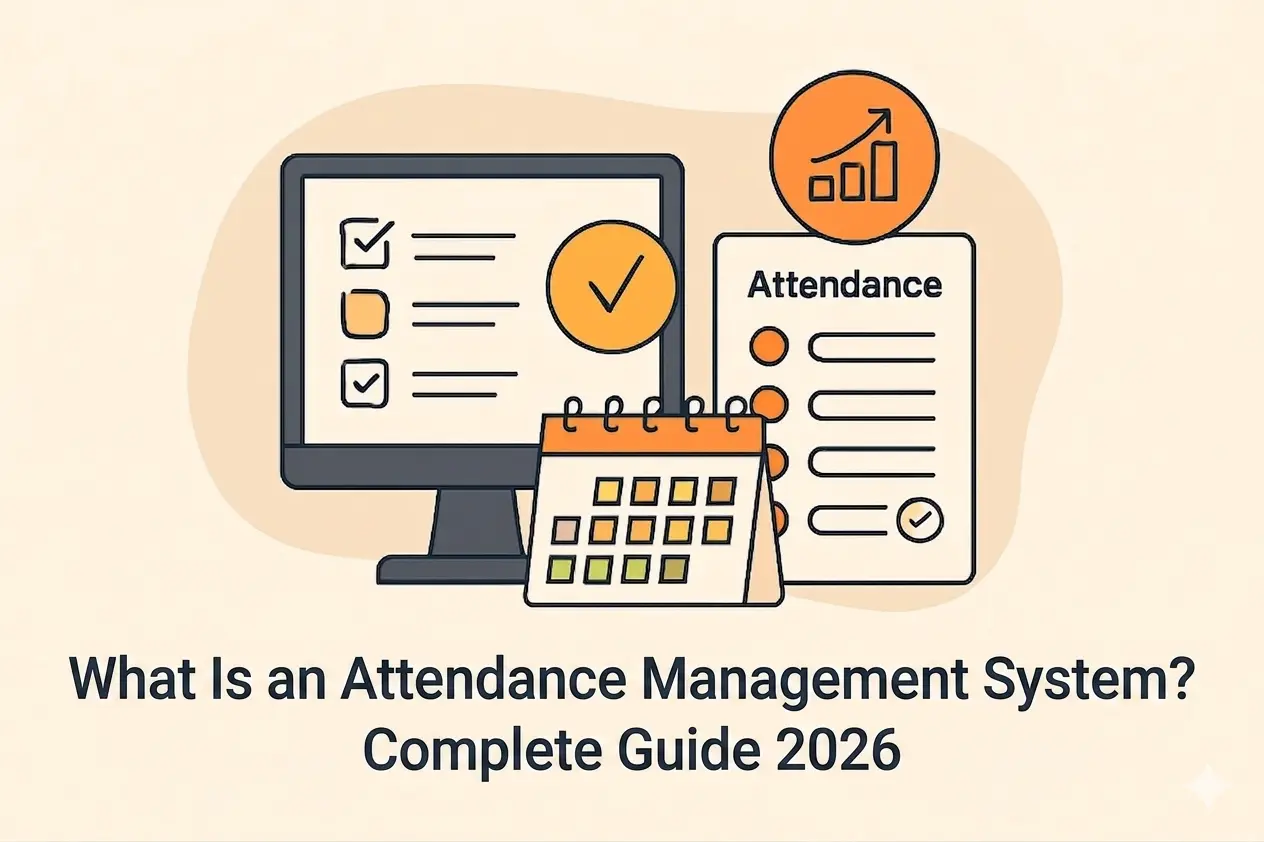
Table of Content
Try Vizitor for Free!
Picture this. It is Monday morning, barely past 10, and your HR inbox already has three complaints. One employee swears they clocked in at 8:55 but the paper register shows nothing. Another wants to know why last month’s overtime was not on their paycheck. And somewhere in the building, two people are arguing about whose turn it is to cover the afternoon shift because the roster spreadsheet has conflicting entries.
Sound familiar?
If your organisation still tracks attendance with paper registers, punch cards, or a shared spreadsheet that everyone edits and nobody trusts, you already know the pain. The payroll team spends hours chasing numbers. The compliance officer has no clean records for the next audit. And managers keep calling the front desk asking “who is actually in the building today?” when they should already have that answer at their fingertips.
This is exactly the problem that an attendance management system solves. But what is an attendance management system, really? How does it work, what types exist, and how do you figure out whether your workplace actually needs one?
This guide breaks it all down in plain, practical terms. No jargon, no fluff, just the information you need to make a smart decision.
What Is Attendance Management System?
An attendance management system is software that takes over the job of recording, tracking, and managing employee attendance. Instead of relying on handwritten registers or error-prone spreadsheets, it captures clock-in and clock-out data digitally, applies your company’s attendance rules automatically, and produces reports that are ready for payroll processing and compliance audits.
At its simplest, the system answers three questions your organisation needs answered every single day:
- Who is in the building right now?
- How many hours did each person actually work this week?
- If someone asks for proof, can we provide it?
Modern systems go well beyond basic time tracking. They handle leave requests, shift scheduling, overtime calculations, work-from-home tracking, and even emergency headcount lists. The good ones plug directly into your payroll software, your HR platform, and the workplace communication and collaboration tools your team already uses.
One thing people often mix up is the difference between an attendance management system and a time clock. A time clock is a single device. You punch in, you punch out, and the device records a timestamp. That is all it does. An attendance management system is the entire brain behind the operation. It pulls data from multiple sources (a mobile app, a kiosk, a web portal), applies your policies, flags problems, calculates totals, and turns all those raw timestamps into reports that actually mean something.
The time clock is one input. The attendance management system is the engine that processes everything.
How Does an Attendance Management System Actually Work?
There is nothing mysterious about how these systems operate. The workflow follows a clear cycle, and understanding each stage will help you figure out what your workplace truly needs.
Step 1: The Employee Checks In
Your team marks their arrival using whatever method suits their situation. Office staff might scan a QR code at the lobby kiosk. A field sales rep checks in through a mobile app that logs their GPS location. Someone working from home opens a web portal and marks themselves present. Cloud-based systems let you mix and match these methods, so one platform covers your entire workforce regardless of where they sit.
Step 2: The System Captures Data in Real Time
The moment someone checks in, the system logs their timestamp, their location, and their identity. All of this appears instantly on a centralised dashboard. HR managers, team leads, and operations staff can see at a glance who is present, who is late, who is on leave, and who still has not checked in. No phone calls. No guesswork.
Step 3: Attendance Policies Kick In Automatically
This is where the system earns its keep. Say your policy counts anything past 9:15 AM as late. The system flags it, every time, for every employee, without a manager having to notice or remember. If someone tries to request leave they have already used up, the system routes it through your approval workflow or blocks it based on the rules you have set. Overtime gets calculated using your local labour law settings, not somebody’s best guess on a calculator. If late arrivals are a recurring issue at your workplace, these tips for improving punctuality can help address the root causes alongside your attendance system.
Step 4: Leave and Shifts Get Managed in One Place
Employees submit leave requests right inside the system. Managers approve or decline from their phone. For larger organisations, multi-stage approvals work smoothly (team lead signs off first, then HR confirms). The same platform manages shift rosters, rotating schedules, and split shifts. Coverage gaps get spotted before they become staffing emergencies.
Step 5: Reports Go Straight to Payroll
When the pay cycle ends, the system generates reports showing total hours, overtime, absences, late arrivals, and leave balances for every employee. These reports export directly into your payroll software, already turned from clock-in and clock-out times into decimal payroll hours. No manual re-entry. No transcription errors. And for compliance purposes, every record carries a timestamp, sits in an immutable log, and can be pulled up for an audit at a moment’s notice.
Types of Attendance Management Systems
Not all systems work the same way. The right fit depends on the size of your workforce, how your operations run, and whether your people work from one location or are spread across multiple sites.
1. Biometric Systems
Fingerprint scanners, facial recognition cameras, iris readers. These verify identity using unique physical traits, which makes buddy punching almost impossible. You can lend someone your access card, but you cannot lend them your fingerprint. The trade-off is hardware. Every entry point needs a dedicated device, and those devices need regular maintenance. For workplaces where hygiene is a concern (hospitals, food processing plants, shared offices), touchless attendance options like facial recognition are rapidly replacing traditional fingerprint scanners.
2. Cloud-Based Systems
These run entirely on web and mobile platforms. Employees check in from a smartphone app, a browser, or a tablet kiosk at the office. There is no server to install, no hardware to buy beyond the devices your team already owns, and software updates happen automatically in the background. This is the model that works best for hybrid teams and multi-site businesses, because all data feeds into one dashboard no matter where the check-in happens.
The market is moving firmly in this direction. According to a leading industry research firm, the global workforce management market (which includes attendance management) is projected to reach USD 19.35 billion by 2030, growing at a compound annual growth rate of 11.7%. Cloud-based platforms are the biggest driver of that growth because they remove the infrastructure costs that used to make attendance systems expensive to deploy.
3. GPS-Based Systems
Built for employees who do not work from a fixed desk. Field sales reps, delivery drivers, construction crews, maintenance technicians. They check in from their phone, and the system records their GPS coordinates at that exact moment. Geofencing takes it a step further by drawing a virtual boundary around approved work locations. If an employee tries to check in from outside that boundary, the system either blocks the attempt or flags it for manager review.
4. Card-Based and RFID Systems
Proximity cards and RFID badges are still common on factory floors, in warehouses, and across large corporate campuses. Employees tap a card at a reader. It is fast and reliable, but it has blind spots. Buddy punching is easy because one employee can simply carry a colleague’s card. And the whole model falls apart the moment you introduce remote or hybrid work.
5. Hybrid and Multi-Method Systems
The most flexible platforms let you use multiple check-in methods inside a single system. Your office workers use QR codes at the lobby kiosk. Your field team uses GPS-verified mobile check-in. Your remote staff logs in through a web portal. All three groups show up on the same dashboard, under the same policies, producing the same standardised reports.
For organisations with any workforce diversity at all, this is the model that saves the most headaches down the road.
Key Features to Look for in an Attendance Management System
There are plenty of options on the market, and feature lists can blur together quickly. These are the capabilities that separate a genuinely useful system from a glorified punch clock.
Real-Time Attendance Dashboard
A live view of who is in, who is out, who is on leave, and who is late. This matters most to operations teams that need headcount right now, not a summary at the end of the day. During an emergency, a real-time dashboard doubles as your evacuation checklist.
Multiple Check-In Methods
QR codes, GPS-verified mobile check-in, facial recognition, RFID, web login. The more methods a system supports, the more workforce configurations it handles without needing extra tools bolted on.
Shift and Roster Management
Automated scheduling for rotating rosters, split shifts, night shifts, and round-the-clock operations. The system should handle shift swaps and flag coverage gaps without HR having to chase people down.
Leave Management with Approval Workflows
Employees request time off, managers approve or decline, all within the same platform. Multi-stage approvals matter for bigger organisations. The system should track leave balances, carry-forward rules, and accruals automatically so nobody has to maintain a separate spreadsheet.
Geofencing and Location Verification
If you have field teams or multiple offices, geofencing ensures check-ins only count from approved locations. No more “I clocked in from the parking lot of the coffee shop across the street” situations.
Payroll Integration
The ability to push verified attendance data directly into your payroll system. This eliminates the manual reconciliation step where most payroll errors originate. According to research from a major payroll industry association, manual time card preparation alone introduces errors ranging from 1% to 8% of gross payroll. Automating that handoff cuts those errors dramatically.
Overtime and Compliance Tracking
Automatic overtime calculation based on your jurisdiction’s labour laws and your company’s internal policies. The system should alert managers when employees approach overtime thresholds and produce audit-ready reports that satisfy regulatory requirements.
WFH and WFO Tracking
For hybrid workplaces, the system needs to distinguish between work-from-home and work-from-office days. This data feeds into space planning, occupancy management, and enforcement of policies that require a set number of in-office days per week, and what it needs to track depends on the hybrid work model your organization has chosen, whether that’s employee-choice, office-first, or a company-scheduled rotation.
Mobile App for Employees and Managers
Employees check in, request leave, and view their records from their phone. Managers approve requests, check team dashboards, and receive alerts about attendance exceptions on the go. If either side has to open a laptop just to do something basic, adoption will suffer.
Audit Trail and Data Security
Every attendance record should carry a timestamp, sit in an immutable log, and be stored with proper encryption. AES-256 encryption, GDPR-compliant data handling, and a clear data retention policy are not nice-to-haves. They are the baseline for any system handling sensitive workforce data. A strong audit trail protects your organisation during disputes, grievances, and regulatory inspections.
Benefits of Using an Attendance Management System
The practical payoff shows up across every department that touches workforce data.
For HR and Payroll Teams
Manual attendance data entry is one of the most error-prone workflows in any HR operation. According to a 2022 global payroll industry survey, the average cost of correcting a single payroll error is USD 291. Scale that across hundreds of employees and a full year of pay cycles, and the cost of inaccurate attendance data adds up fast. Automated systems eliminate most of those errors by feeding validated, timestamped data straight into payroll.
For Operations and Facilities Teams
Knowing exactly who is in the building at any moment is not a nice-to-have for operations. It is a necessity. Real-time attendance data supports emergency headcount verification, space utilisation planning, and staffing decisions during peak hours and shift changes. Our breakdown of clock-in records as a workplace safety tool covers what a system needs to do to make that headcount trustworthy during an actual evacuation, not just accurate on a payroll report. When attendance integrates with desk booking and meeting room scheduling, facilities teams get a full picture of how the workplace is actually being used rather than how it was planned on a whiteboard six months ago.
For Compliance and Legal Teams
Labour law compliance demands accurate, auditable records of working hours, overtime, and leave. Our workplace compliance guide covers the standards that matter most. Fail to maintain those records and you are looking at fines in many jurisdictions. An attendance management system produces these records automatically, which means audit preparation becomes “export a report” instead of “spend two weeks reconstructing data from five different spreadsheets.”
For Employees
Transparency goes both ways. When employees can see their own attendance records, leave balances, and overtime calculations in real time, disputes drop and trust goes up. Self-service features like mobile check-in, leave requests, and schedule visibility reduce daily friction and give people more control over their work-life balance. If you are interested in the employee perspective, Vizitor’s article on why your business needs an attendance management system walks through the practical benefits in more detail.
For Multi-Site and Multi-Country Organisations
Different sites bring different labour laws, different holidays, and different shift patterns. Manual processes simply cannot keep up with that level of variation. A centralised attendance management system applies location-specific rules automatically while giving headquarters one unified dashboard for reporting and compliance across every location.
Who Actually Needs an Attendance Management System?
The honest answer is any organisation where knowing who is working, when, and for how long matters for operations, payroll, or compliance. Which covers most organisations.
But if you want more specific signals, these are the situations where manual tracking starts breaking down:
You have passed 20 employees. Below that threshold, a spreadsheet might hold together. Above it, the time your HR person spends correcting errors, chasing down data, and building reports by hand starts eating into work that actually matters. If you run a smaller team and want a lightweight solution, our guide on attendance management for small businesses with no hardware is a good starting point.
You are running a hybrid or remote workforce. If people split their week between home and office, or work from different cities on different days, a paper register at reception tells you nothing useful about half your team. Vizitor’s guide on attendance management for remote teams covers the specific challenges and solutions for distributed workforces.
You manage shift-based operations. Manufacturing floors, hospitals, retail stores, logistics hubs. Shift operations need systems that handle rosters, flag coverage gaps, and calculate overtime correctly. Doing that manually at scale is a recipe for mistakes and arguments.
You operate across multiple sites or countries. Each location brings its own labour laws, holidays, and schedules. Without a centralised system, attendance data lives in silos and nobody at headquarters has a reliable cross-site view.
You are heading into a compliance audit. If regulators or auditors can ask for proof of working hours over the past six months, you need records that are clean, timestamped, and ready to go. Not a frantic scramble through filing cabinets.
Payroll disputes keep coming up. If employees regularly question their pay, or if your payroll team dreads every processing cycle because of reconciliation headaches, automated attendance tracking will fix the root cause rather than just the symptoms.
How to Choose the Right Attendance Management System
There is no shortage of options on the market. Here is a practical framework for narrowing the field without getting lost in feature comparison spreadsheets.
1. Map Your Workforce First
Before you look at any software, document what you are working with. How many people are office-based? How many are remote or in the field? Do you run shifts? How many locations do you manage? This inventory tells you which check-in methods and features are non-negotiable versus nice-to-have.
2. Separate Must-Haves from Extras
For most organisations, real-time tracking, leave management, payroll integration, and a mobile app are table stakes. Geofencing, facial recognition, and advanced analytics are important for certain setups but not universal. Know the difference before you start evaluating products.
3. Check Integration Capabilities
Your attendance system should connect with the tools your teams already use. If your company runs on workplace chat apps, calendar systems, collaboration platforms, or specific payroll and HR software, native integrations save setup time and prevent data silos from forming.
4. Think About Scale
If you are planning to open new offices, hire significantly, or expand to new countries in the next two years, pick a system that handles that growth without requiring a painful migration to a different platform later.
5. Look at Security and Compliance
AES-256 encryption, GDPR compliance, a clear data retention policy. These are not optional. Ask the vendor how they handle audit trails and whether attendance records are truly immutable once created.
6. Actually Test It
Most reputable platforms offer a free trial. Use it properly. Test the employee experience (checking in, requesting leave, opening the mobile app). Test the admin side (running reports, configuring policies, viewing the dashboard). A system that demos well but frustrates your team in daily practice will not get the adoption it needs to deliver results.
Common Mistakes When Managing Attendance Without Software
Organisations that stick with manual processes often underestimate what those processes actually cost until something goes wrong. These are the patterns that show up again and again.
Payroll Errors That Cascade
Paper registers and spreadsheets are error magnets. One missed entry, one transposed number, one forgotten overtime record, and the resulting payroll mistake can take days to untangle. Research from a workforce management institute found that 54% of American workers have experienced some form of paycheck problem at some point in their career. That is more than half your workforce potentially losing trust in the system that pays them.
Buddy Punching Bleeding Money Quietly
In manual and card-based setups, one employee clocking in for another is trivially easy. According to an independent research study, buddy punching costs U.S. employers approximately 2.2% of gross payroll every year. For a company spending USD 5 million on payroll annually, that translates to USD 110,000 lost to a problem that a basic biometric or GPS-based check-in system would eliminate.
Zero Audit Trail When It Matters Most
When a compliance auditor asks for six months of working-hour records, organisations running manual processes face a genuinely painful scramble. Paper registers are incomplete, spreadsheets may have been overwritten with newer data, and nobody can vouch for the accuracy of what remains. A digital attendance management system maintains a complete, timestamped, immutable record from the day it goes live.
Inconsistent Policy Enforcement
Without automated rules, attendance policy enforcement depends entirely on individual managers. One team lead is strict about late arrivals. Another lets them slide. That inconsistency breeds resentment among employees and creates real legal exposure if a dispute escalates to a formal complaint. For a deeper look at fixing that inconsistency, see what actually works to build workplace punctuality.
Manual Processes Cannot Handle Hybrid Work
Paper-based attendance tracking assumes everyone works from the same place. The moment your workforce splits between home and office, the register at reception covers maybe half your team. You have no visibility into who is working from home, when they started, or whether they are meeting the minimum in-office days your hybrid policy requires.
How Attendance Management Systems Support Multi-Site Operations
Running two or more locations introduces attendance challenges that single-site companies never face. Each site may have different labour laws, different public holidays, different shift patterns, and different reporting managers. Without a centralised system, attendance data ends up trapped in location-level silos, and nobody at headquarters can compare workforce metrics or enforce consistent policies.
A well-designed system handles this by letting you configure location-specific rules once. Set each site’s holidays, shift patterns, overtime rules, and leave policies, and the system enforces them without anyone having to intervene. Meanwhile, a unified dashboard gives leadership a single cross-site view for spotting patterns, comparing absenteeism rates, and keeping policy enforcement consistent everywhere.
This becomes even more critical when you are expanding into new countries. Labour regulations differ significantly across borders, and non-compliance penalties can be severe. A centralised platform with multi-country support lets you scale operations without rebuilding attendance processes from scratch in every new market.
Field teams add yet another layer. If you manage service technicians, delivery staff, or sales representatives who operate from client sites rather than a fixed office, GPS-verified mobile check-in gives you accurate attendance records without requiring those employees to travel to a central office just to prove they showed up.
How Vizitor Handles Attendance Management
Vizitor is a cloud-based workplace management system trusted by 500+ workplaces across 15+ countries. Its attendance module is built to replace manual processes without requiring biometric hardware or a complex IT setup.
In practice, it works like this. Employees check in using the Vizitor Pass mobile app with GPS-verified QR code scanning. The system records their exact location and timestamp, which makes proxy attendance essentially impossible while keeping the check-in experience fast and hardware-free. A real-time attendance dashboard shows HR and operations teams who is present, who is remote, and who is on leave at any point during the day.
Shift scheduling, leave management with multi-stage approvals, overtime tracking, and payroll-ready report exports are all built into one platform. Because Vizitor is a unified workplace management system, attendance data connects with desk booking, meeting room scheduling, visitor management, and delivery tracking. Facilities teams get a complete operational picture from one dashboard instead of stitching together data from five different tools that do not talk to each other.
For organisations that need audit-ready evidence and a fully digital trail, Vizitor provides AES-256 encryption, GDPR-compliant data handling, and a 100% digital audit trail for every attendance record.
Explore the full attendance management module or start a free trial.
Conclusion
An attendance management system is not just a digital replacement for your paper register. It is the operational backbone that ties together workforce tracking, payroll accuracy, compliance documentation, and workplace planning into one reliable process.
For any organisation still running on manual methods, the costs are real and measurable. Payroll errors that erode employee trust. Time theft that quietly drains your budget month after month. Compliance risk that only becomes visible when an auditor is already in the building. And the invisible hours your HR team spends on data entry instead of work that actually moves the organisation forward.
The good news is the technology has reached a point where getting started is genuinely straightforward. Cloud-based systems need no specialised hardware, no marathon IT project, and no disruption to daily operations. Most platforms offer a free trial so you can test the system with your own team before making any commitment.
If you want to dig deeper into why making this switch pays off, read our article on why advanced attendance management systems are a smart investment.
If accurate attendance records, automated compliance, and payroll precision matter to your organisation, the spreadsheet era is over.
Explore how Vizitor’s attendance management system works for modern, hybrid workplaces, or book a demo to see it in action.
Frequently Asked Questions
See Vizitor in action check-in a visitor in under 30 seconds
Trusted by 500+ businesses. QR check-in, badge printing, NDA signing. Plans from $36/mo.