Visitor Management vs Access Control: Two Different Jobs, Often Confused
A plain breakdown of visitor management versus access control: visitor management screens, logs, and hosts the external people who aren't on your payroll, while access control decides which doors your own credentialed staff can open. Covers what breaks when a site runs only one of the two, how tailgating defeats access control specifically, how the two systems integrate in practice, a decision framework by facility type, and the global compliance angle most comparisons skip.


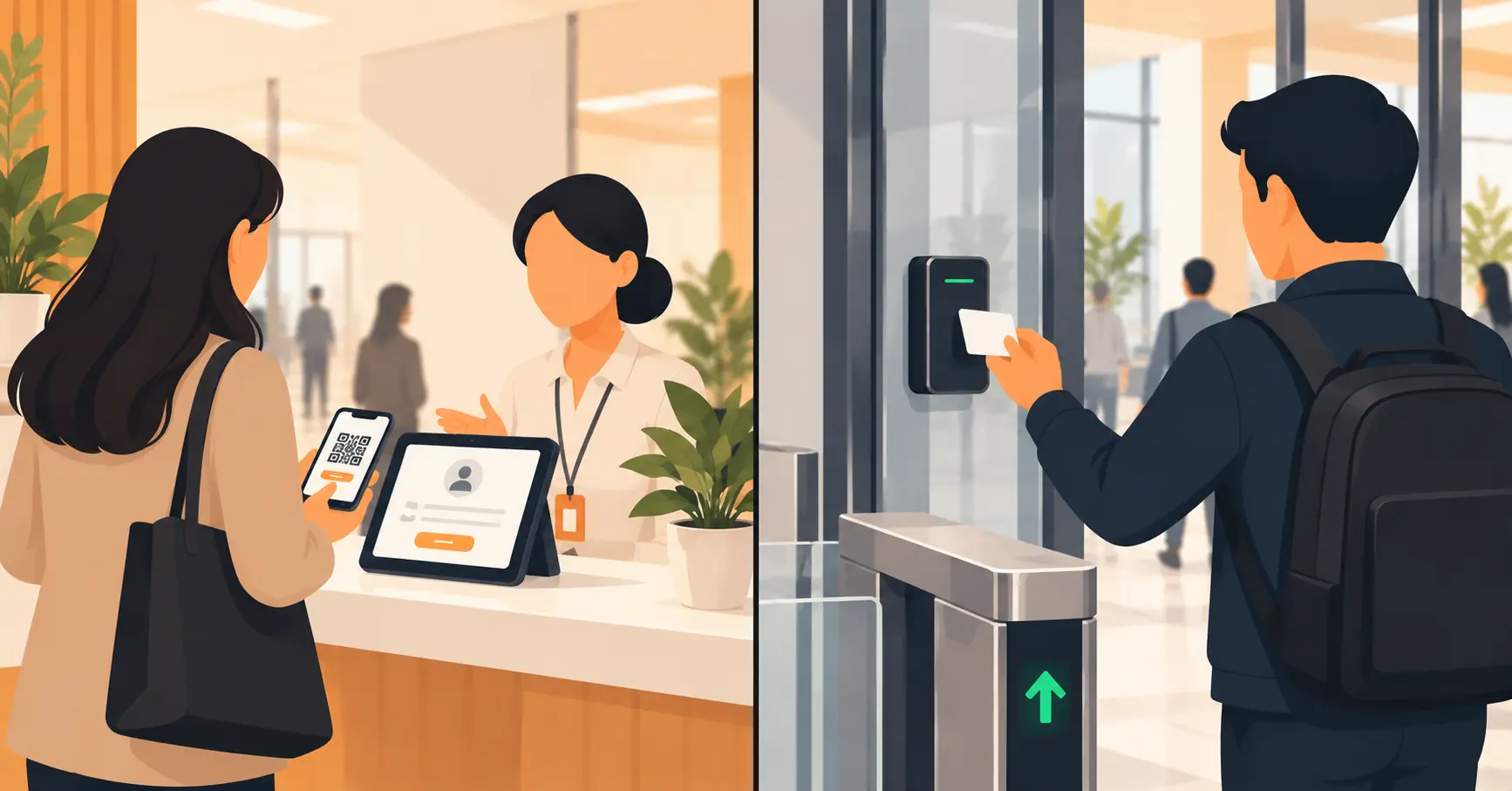
Table of Content
Try Vizitor for Free!
Visitor management and access control get used interchangeably in casual conversation, and they shouldn’t be. Access control decides which doors your own staff can open, using a card, a PIN, a phone, or a fingerprint. Visitor management handles everyone who doesn’t have one of those credentials. That’s guests, contractors, delivery drivers, and job candidates, anyone walking in who isn’t on the payroll. One manages people the building already trusts. The other manages people it hasn’t decided about yet.
The confusion is understandable. Both systems sit at the same front door. Both get sold under the umbrella of “workplace security.” But they fail in different ways when a site only has one of them, and that gap is where most real security incidents actually happen.
What Visitor Management Actually Does
A visitor management system registers, screens, and tracks people who aren’t employees. That typically means pre-registration before arrival, ID or watchlist screening at check-in, and a notification to whoever the visitor is there to see. It also means a printed or digital badge, and a timestamped log of when they arrived and left. It’s built around a conversation: who are you, why are you here, and who’s expecting you.
Visitor management doesn’t inherently control a physical lock. A kiosk can print a badge and log an entry just fine. But unless that system is wired into a door mechanism, nothing about the check-in itself stops a person from walking past the front desk into an area they shouldn’t be in.
What Access Control Actually Does
An access control system regulates entry using a credential a person already has: a proximity card, a key fob, a PIN code, a mobile credential, or a biometric scan. In government or enterprise procurement language, it’s sometimes called a PACS, short for Physical Access Control System. It answers a narrower question than visitor management does: does this specific credential open this specific door right now? For a deeper look at the different credential types and how they’re typically deployed, our access control systems guide covers the five main models in detail.
Access control is largely automated and doesn’t involve a conversation. It doesn’t screen for who a person is beyond the credential they’re holding, and it has no concept of a guest who doesn’t have one.
The Core Difference, in One Table
| Visitor Management | Access Control | |
|---|---|---|
| Manages | People without a standing credential | People with a standing credential |
| Typical users | Guests, contractors, vendors, candidates | Employees, long-term contractors |
| Core action | Register, screen, log, notify a host | Grant or deny entry at a door |
| Interaction style | Often human-assisted (front desk, kiosk) | Fully automated (badge reader, keypad) |
| What it stops alone | Unregistered or unscreened arrivals | Anyone without a valid credential |
| What it misses alone | Doesn’t lock physical doors on its own | Doesn’t know who a non-credentialed person is |
What Goes Wrong When You Only Have One
Access control with no visitor management. The building is locked down tight for staff, but there’s no formal process for a courier, an interviewee, or a client. People either get buzzed in by whoever’s nearest the door, or someone props it open. Either way, the access control system is quietly defeated. There’s also no log of who those people were. That becomes a real problem the first time something goes missing, or a safety incident needs a clear record of who was on-site.
Visitor management with no access control. Guests sign in properly, get a badge, and a host gets notified. But once past the front desk, the badge is a visual signal, not a physical restriction. Nothing stops someone from opening a door to a server room, a pharmacy stockroom, or a records office. Not unless that door has its own lock, or the two systems are actually integrated.
Tailgating: Where Both Systems Fail Alone
Tailgating, also called piggybacking, is when someone without a valid credential slips through a door right behind someone who does. Access control alone cannot stop this. The system checked one credential, the door opened, and it has no way of knowing a second, uncredentialed person walked through behind the first.
This is specifically where a staffed or screened entry point earns its place, even in a building with strong access control. A front desk that requires sign-in, or a system that flags unregistered entries at a monitored point, catches what a badge reader structurally cannot. Neither system solves tailgating alone. It takes a process layered on top of the door hardware, usually visitor management’s screening step.
How the Two Systems Work Together
The two are complementary, not competing, and most mature security setups run them together. In practice, a visitor’s check-in triggers a temporary, time-boxed credential in the access control system, often a QR code or a short-lived digital badge. It’s scoped to only the doors or zones that visitor is authorized for, and it expires automatically when the visit window closes. If you’re managing contractors specifically, this is also where limiting access to a defined zone or time window matters most. A contractor badge that works everywhere in the building is a real gap, not a convenience.
The practical benefit of integration is that nobody has to remember to manually revoke a visitor’s access when they leave. It expires on its own, on schedule, every time.
Do You Need Both? A Quick Decision Framework
Single-site office with no restricted areas. Visitor management covers most of the real risk. A simple front-desk lock for after-hours is usually enough on the access control side.
Coworking or multi-tenant building. Both, almost always. Different tenants need different access zones, and a shared front desk needs to screen and log everyone before routing them to the right floor or suite.
Manufacturing or industrial site. Both, with access control weighted heavily toward machine floors and hazardous areas, and visitor management covering contractors and vendors who rotate through regularly.
Healthcare, data centers, or government facilities. Both, and usually integrated, since these are the environments where an unescorted, unscreened person reaching a restricted area is the actual incident, not a hypothetical.
Global Considerations: Compliance Isn’t Just a US or EU Question
Most comparisons of these two categories default to GDPR and call it done. That misses two things that matter for a global buyer.
First, access control logs are personal data too, not just visitor sign-in data. Who badged into which door, and when, falls under most regional privacy laws the same way a visitor log does. India’s DPDP Act applies that same retention and consent logic to both systems.
Second, physical security equipment standards vary by region as well. Fire egress and door-release requirements differ enough between jurisdictions that an access control setup compliant in one country can be a code violation in another. If you’re deploying across multiple countries, check both the data law and the local fire code. Don’t assume whatever passed in your headquarters country applies everywhere else. For the data side specifically, our broader look at visitor data privacy covers how retention and consent requirements typically differ.
The Condensed Checklist
| Question | Visitor Management | Access Control |
|---|---|---|
| Who does it cover | Non-employees | Credentialed staff |
| Stops tailgating alone | No | No |
| Needs a privacy/retention policy | Yes | Yes |
| Automates door locks | Only if integrated | Yes, by design |
| Produces an audit log | Yes | Yes |
| Matters most at | Front entrance, guest areas | Restricted internal zones |
Where Vizitor Fits
Vizitor is a visitor management platform at its core: pre-registration, watchlist screening, ID capture, host notification, and audit-ready logs. On the access side, it supports badge-activated door access through integration with physical access control systems. It also lets you set authorized zones and time windows, so a contractor or vendor badge only works where and when it’s supposed to, not everywhere in the building. See our full security and compliance overview for the complete list of controls, and our contractor management module for zone-based access built around recurring vendors and contractors.
See Visitor Sign-In and Access Control Work as One System
Watch how Vizitor connects visitor check-in to door access, instead of running them as two systems that don't talk to each other.
Frequently Asked Questions
See Vizitor in action check-in a visitor in under 30 seconds
Trusted by 500+ businesses. QR check-in, badge printing, NDA signing. Plans from $36/mo.