Running a Visitor Management RFP? Here's What Not to Miss
A structured RFP checklist for teams running a formal visitor management system procurement, covering functional requirements, technical and integration requirements, hardware, security and compliance, implementation and support, pricing and total cost of ownership, vendor qualification, and a weighted scoring framework for comparing vendor responses. Built for procurement, IT, and security teams running a structured RFP, not just a quick vendor call.


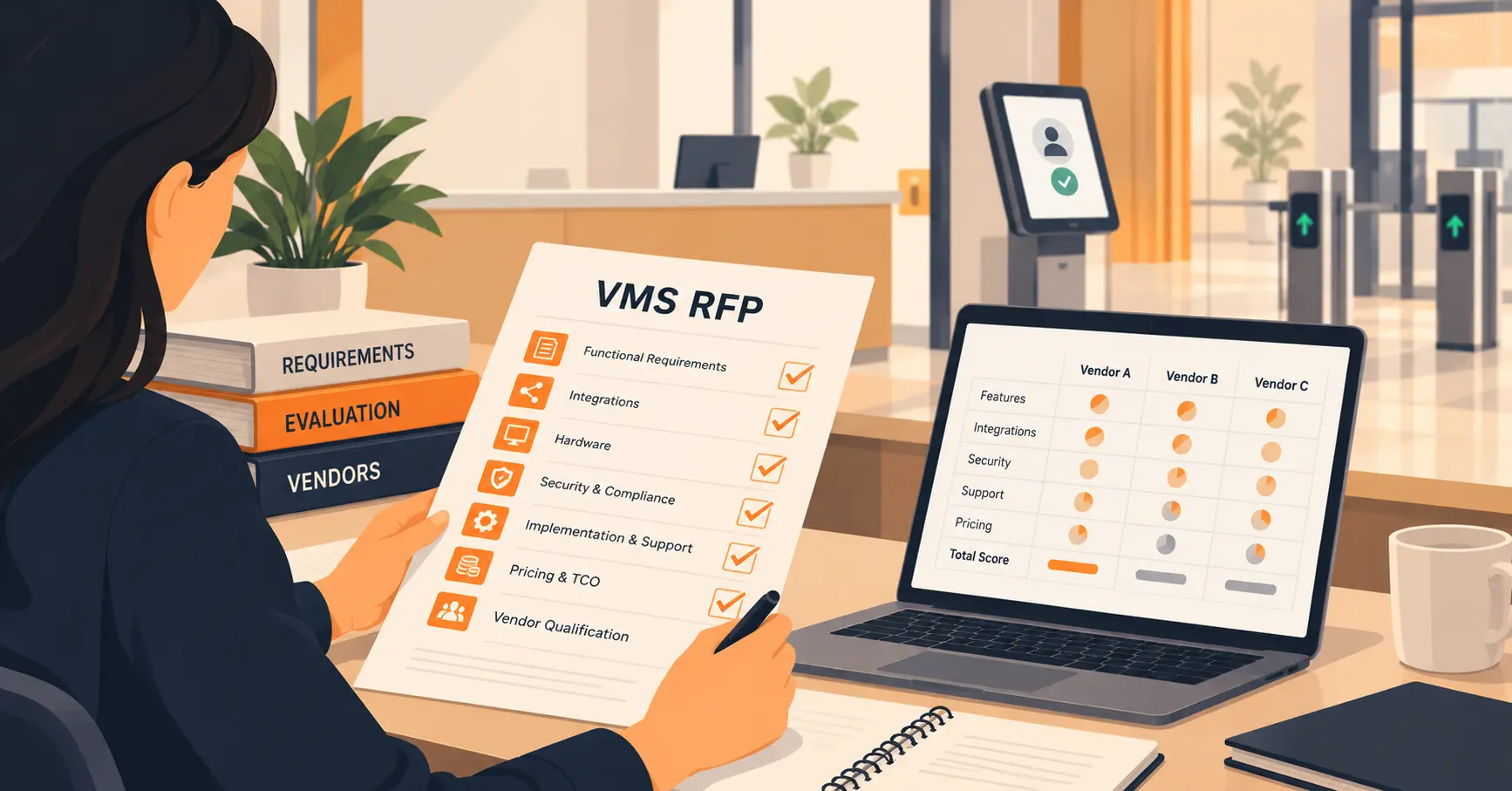
Table of Content
Try Vizitor for Free!
A visitor management RFP checklist is a structured set of requirement categories, covering functionality, security, integrations, pricing, implementation, and vendor qualification, that a procurement team uses to score competing visitor management vendors against the same fixed criteria. It’s built for an RFP, short for Request for Proposal: a formal written document sent to multiple vendors, asking each one to respond in writing against identical requirements, so procurement, IT, security, and facilities can score the responses side by side instead of comparing separate sales pitches.
Most visitor management purchases skip this process entirely and happen after a 30-minute demo and a follow-up call. If that’s your situation, our shorter buyer’s question list covers the same ground faster. A formal RFP gets used instead when policy requires it, or when the contract value is high enough to justify a longer, scored process.
An RFP built for generic software misses what actually matters for a visitor management system specifically: hardware requirements, badge printing, watchlist screening, and evacuation rosters don’t show up in a standard IT procurement template. This checklist is organized by the categories that should appear in a VMS-specific RFP, with the questions worth asking inside each one.
Functional Requirements
Pre-registration and invites. Can visitors be pre-registered individually or in groups, with branded invitations and QR codes sent in advance? Does it support recurring visit schedules for contractors or vendors who return regularly?
Check-in methods. Does the system support self-service kiosk check-in, reception-assisted check-in, and QR-based check-in from a visitor’s own phone? Watchlist screening should run automatically at check-in, not as a manual, optional step someone has to remember to run.
Host notification. Can hosts be notified by email, SMS, and the messaging tools your company already uses (Slack, Microsoft Teams), with an escalation path if the primary host doesn’t respond?
Badge printing. If badges are required, can they be templated per visitor type and printed automatically with a photo, host name, and authorized area?
Check-out and evacuation. Ask specifically how the system produces a live, exportable roster of everyone on-site during an emergency. This is a functional requirement, not a security add-on. A generic office-software RFP template will not think to ask about it.
Reporting. Can logs be filtered by date, visitor type, host, or location, and exported in more than one format for audits and compliance reviews?
Technical and Integration Requirements
Hosting model. Is it vendor-hosted SaaS, customer-hosted, or on-premises, and does that match what your IT policy requires?
Directory and SSO. Does it support Azure Active Directory, Okta, or SAML-based single sign-on for staff and admin accounts?
Productivity and communication tools. Ask for the exact list of native integrations, Microsoft 365, Google Workspace, Slack, Microsoft Teams, rather than accepting “we integrate with everything” as an answer.
Performance under load. What’s the actual check-in time per visitor? Ask what happens to that number during a shift change or a 50-person event, not just on an average day.
Hardware Requirements
Proprietary or your own devices. Does the vendor require their own kiosk hardware? Or does it run on standard iPads and Android tablets you already own?
Badge printers and ID scanners, if used. Specify minimum print speed if badge volume matters at your front desk, and whether ID scanning captures a full document image or just the essential fields.
Warranty and replacement. If the vendor supplies hardware, what’s the warranty term, and what’s the replacement process if a unit fails during business hours?
Security, Compliance, and Data Requirements
This is the category most RFPs underspecify. Vague language here produces vague vendor answers.
Certifications. Require the vendor to state, specifically, whether they hold ISO 27001 certification, and to provide evidence rather than a claim in a sales deck.
Encryption. Ask for the specific standard used for data at rest (AES-256 is the current baseline) and in transit (TLS 1.2 or higher).
Penetration testing. Ask when the vendor’s last third-party penetration test was conducted and whether a summary report can be shared under NDA.
Applicable data law. Name the specific law that matters for your locations: GDPR for EU/UK visitors, India’s DPDP Act for Indian facilities, HIPAA for healthcare. Ask the vendor to confirm compliance with that specific law, not a generic “we’re compliant” statement.
Data retention and export. Can retention periods be configured per data type, and can your organization export or delete visitor data on request? For a broader look at how these obligations interact with sign-in specifically, see our guide to visitor data privacy.
Access control. Does the system support role-based access so front-desk staff, security, and admins see only what their role requires? If you also manage contractors, confirm whether access can be limited to specific zones or time windows per contractor, not just per visitor type.
Implementation, Training, and Rollout
Project methodology. Is there a named project manager and a defined rollout plan, or does implementation happen ad hoc?
Training. What training formats are included, live sessions, recorded video, an admin knowledge base, and is receptionist-level training separate from admin-level training?
Phased rollout for multi-site deployments. If you’re deploying across more than one location, ask how the vendor sequences a pilot site before a full rollout, and what the typical timeline looks like between phases.
SLA and Support
Uptime commitment. What uptime percentage is guaranteed in writing, not just referenced in marketing copy?
Incident response times. Ask for response and resolution time commitments by severity level. A system-down issue and a cosmetic bug should not have the same response clock.
Support channels and hours. Confirm whether support is email-only, includes live chat or phone, and whether hours match your time zone, not just the vendor’s headquarters time zone.
Pricing and Total Cost of Ownership
Pricing model. Is pricing per location, per visitor, per kiosk, or a flat license? Get the model in writing before comparing headline numbers between vendors.
Full cost over the contract term. Ask for a total that includes implementation, hardware (if any), training, and support, not just the recurring license fee. A cheaper monthly number with several add-on fees can cost more over a three-year term than a slightly higher all-in price.
Price escalation. Is there a cap on annual price increases, or can the vendor raise pricing at renewal without limit?
Vendor Qualification
Company stability. How long has the vendor operated specifically in visitor management, not just software generally?
References. Request at least two or three reference customers in your industry or of similar size, and actually call them.
Breach history. Ask directly whether the vendor has experienced a data breach or regulatory action in the last several years, and how it was handled. A vendor unwilling to answer this plainly is telling you something.
Scoring and Weighting Vendor Responses
Score every requirement on a simple 0 to 5 scale rather than pass or fail, so a vendor that exceeds a requirement scores differently from one that barely clears it:
| Score | Meaning |
|---|---|
| 0 | No response, or requirement not met |
| 1 | Marginal, requires significant custom work |
| 2 | Partial, feature is on the roadmap only |
| 3 | Meets requirement out of the box |
| 4 | Exceeds requirement |
| 5 | Best-in-class, sets the standard for this comparison |
A reasonable starting weight across categories:
| Category | Suggested weight |
|---|---|
| Functional fit | 30% |
| Security and compliance | 15-20% |
| Technical and integrations | 15% |
| Total cost of ownership | 15% |
| Vendor qualification | 10% |
| Implementation approach | 10% |
Adjust these based on what actually carries risk for your organization. A hospital or government buyer should weight security and compliance higher than the table above suggests; a small multi-site retail chain might weight total cost of ownership higher instead.
Common Mistakes in a VMS RFP
Reusing a generic software RFP template. Hardware requirements, badge printing, and watchlist screening don’t appear in a standard IT procurement template, and skipping them means the winning vendor’s actual day-to-day fit never gets scored.
Accepting vague security answers. “We take security seriously” is not a scoreable response. If a vendor can’t name a specific certification or standard, score it as a gap, not a pass.
Pricing comparisons based on the headline number only. A per-location price and a per-visitor price aren’t directly comparable without converting both to your actual expected usage first.
No reference calls. A written RFP response is marketing copy until a reference customer confirms it holds up in production.
The Condensed Checklist
| Category | Ask for |
|---|---|
| Functional | Pre-registration, check-in methods, watchlist screening, badge printing, evacuation roster |
| Technical | Hosting model, SSO/directory support, native integrations, performance under load |
| Hardware | Proprietary or your own devices, badge printer speed, warranty terms |
| Security | Specific certifications, encryption standards, penetration test history, applicable data law |
| Implementation | Named project manager, training formats, phased rollout plan |
| SLA/Support | Uptime guarantee in writing, incident response times by severity, support hours |
| Pricing | Pricing model, full contract-term total, price escalation cap |
| Vendor | Years in the category, references, breach history |
Where Vizitor Answers These
Vizitor holds ISO 27001 certification, is GDPR compliant, and aligns its data handling with India’s DPDP Act, with regular third-party vulnerability assessment and penetration testing. Data is encrypted with AES-256 at rest and TLS 1.2+ in transit, backed by a 99.9% uptime SLA. On the functional side, check-in includes watchlist screening, ID scanning, OTP verification, and NDA capture at the kiosk, with role-based access controls and configurable authorized zones for contractors. It integrates natively with Slack, Microsoft Teams, Google Workspace, Microsoft Outlook, and Azure Active Directory, and runs on standard iPad and Android hardware rather than a proprietary kiosk.
Vizitor’s visitor management pricing is public and per location, starting from $36/month; contractor management and other modules are quoted per deployment, since requirements vary enough by site that a fixed number isn’t accurate. See our full security and compliance overview for the complete list of certifications and controls to include in a reference check.
Book a demo and ask Vizitor’s team to respond directly against your RFP.
Frequently Asked Questions
See Vizitor in action check-in a visitor in under 30 seconds
Trusted by 500+ businesses. QR check-in, badge printing, NDA signing. Plans from $36/mo.