Choosing Package Tracking Software for Large Offices
This guide covers what package tracking software does for enterprise mailrooms, the features that separate enterprise-grade platforms from manual logbooks, and how to evaluate vendors in 2026. It also explains where Vizitor's mailroom management software fits in, including security, multi-office support, and self-service pickup.


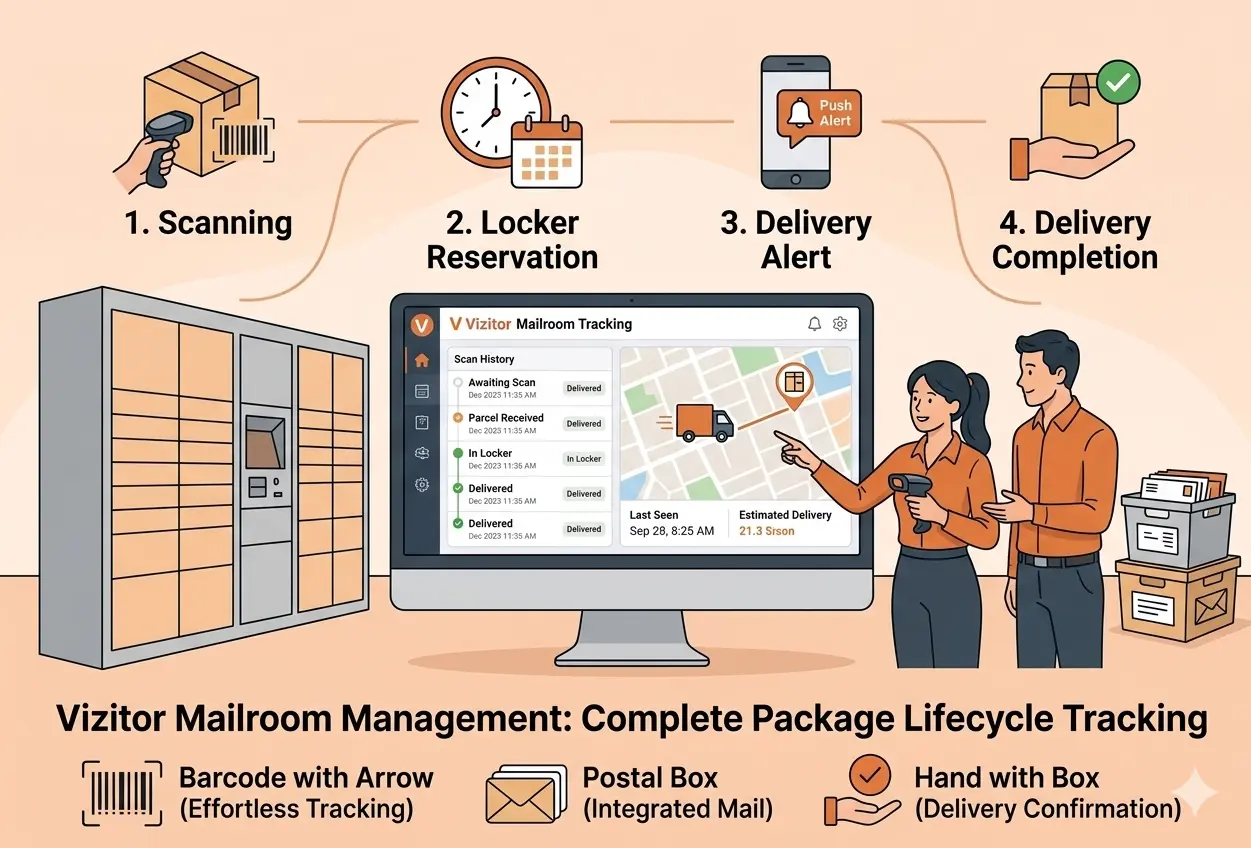
Table of Content
Try Vizitor for Free!
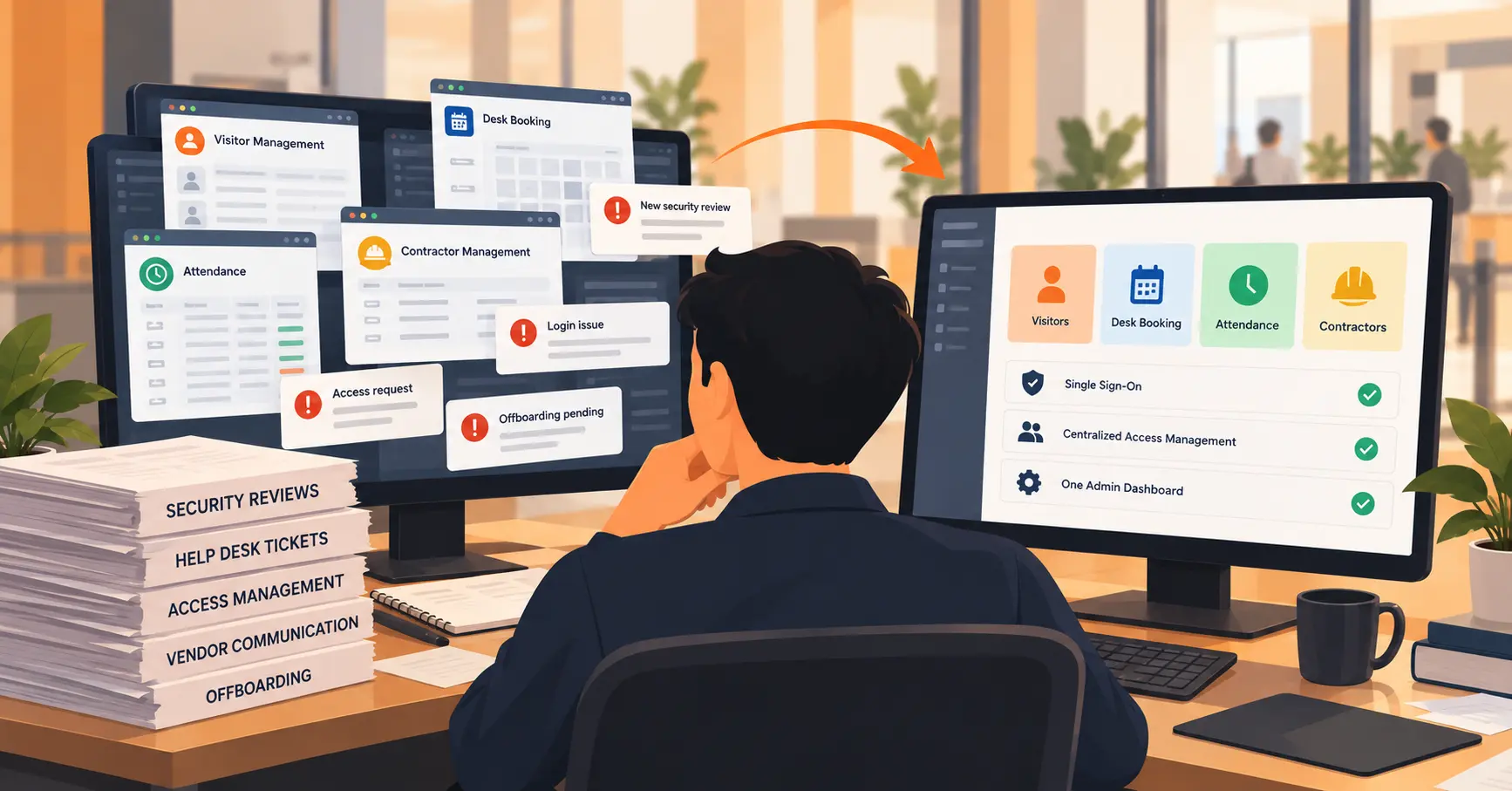
If your reception desk vanishes behind a wall of parcels by mid-morning, you already know why package tracking software has moved from “nice to have” to “non-negotiable” for enterprise workplaces in 2026. Between hybrid work schedules, a relentless rise in business and personal deliveries, and multi-floor campuses spread across cities, the humble mailroom has quietly become one of the busiest-and most error-prone-operations in the building.
The right package tracking software logs every delivery the moment it arrives, notifies the recipient automatically, captures proof at pickup, and keeps a clean, audit-ready record from end to end.
This guide breaks down what package tracking software does, the features that separate enterprise-grade platforms from glorified spreadsheets, how to evaluate vendors in 2026, and where Vizitor’s Mailroom Management Software fits in as the leading workplace solution.
Why Enterprise Workplaces Need Package Tracking Software in 2026
Global parcel volumes have climbed for years-a trend tracked by the Pitney Bowes Parcel Shipping Index-and a growing share of those parcels now arrives at the workplace rather than the doorstep. For large or multi-site enterprises, this creates four expensive problems that manual processes simply cannot solve.
The Hidden Cost of Manual Delivery Handling
Manual logbooks feel harmless until something goes wrong. A package “disappears” (it’s rarely stolen-usually just invisible in a messy log), a recipient is never told their delivery arrived, or a dispute erupts with no proof of who collected what. Each incident burns front-desk hours and erodes trust.
Vizitor estimates its users reclaim roughly 1,250 hours per year previously lost to manual package logging and chasing recipients-time that compounds with every delivery.
Hybrid Work Broke the Mailroom
When employees split their week between home and office, “just walk over and ask reception” stops working. Packages pile up for days, lobbies look cluttered to every visitor who walks in, and receptionists field the same “is my package here?” question on repeat. Hybrid work makes automated, location-independent notifications essential rather than optional.
Accountability and Disputes
Paper sign-out sheets are not proof. Without a timestamped record of who collected an item and when, every “I never received it” claim becomes an unwinnable argument. Enterprises need a defensible **chain of custody-**the same principle used in security and legal contexts-applied to everyday deliveries.
Security and Compliance Risk
High-security and regulated sites can’t treat inbound items casually. Unscreened packages and untracked handovers are a liability, and delivery records increasingly fall under data-protection rules such as the GDPR and India’s DPDP Act. That makes encryption, access controls, and exportable audit logs core requirements, not extras.
What Is Package Tracking Software?
Package tracking software (often called mailroom management software) automates how an organization receives, logs, tracks, and hands over inbound deliveries. Instead of a clipboard, it captures each package digitally, matches it to the right recipient, notifies that person instantly, records proof at collection, and stores every step in a searchable log.
The best platforms manage the entire lifecycle-from arrival to collection-with no manual chasing in between.
How Package Tracking Software Works: The 5-Step Lifecycle
Modern platforms follow a similar flow. Here’s how Vizitor’s Mailroom Management Software handles every package in five fully automated steps:
| Step | What Happens |
|---|---|
| 1. Package arrives | Staff log the delivery instantly from any smartphone, tablet, or browser. The recipient is matched automatically from your existing employee directory-no manual typing, no misdeliveries. |
| 2. Recipient notified instantly | The moment a package is logged, an automatic notification goes out via SMS, email, and WhatsApp. No front-desk calls, no manual chasing. |
| 3. Employee collects the package | The recipient marks pickup directly from the notification, or collects from an optional self-service iPad kiosk-no staff involvement needed at handover. |
| 4. Automatic reminders sent | Uncollected packages trigger scheduled reminders automatically (timing is configurable per location), so the lobby stays clear and nothing sits unclaimed. |
| 5. Delivery status updated | Status flips to “picked up” with a full timestamp, stored in the digital delivery log and audit-ready at any time. |
Must-Have Features to Evaluate in Enterprise Package Tracking Software
When you shortlist package tracking software for an enterprise workplace, weigh these capabilities-each maps to a verified Vizitor feature, so you can use them as a practical benchmark:
1. Automatic Recipient Matching
The software should identify the right employee from your directory the instant a package is logged. Manual name entry is where misdeliveries and typos creep in. Vizitor matches recipients automatically from your existing employee directory.
2. Multi-Channel Notifications
Look for instant alerts across the channels employees actually watch. Vizitor notifies recipients via SMS, email, and WhatsApp simultaneously, so on-site and remote staff hear about deliveries immediately.
3. Proof of Collection
Every handover should be captured-a tap or signature that records who collected the item and when. This single feature ends the majority of delivery disputes.
4. Digital Delivery Log and Audit Trail
Replace paper logbooks with a secure, searchable record. Every arrival, collection, and pending pickup is timestamped automatically and retrievable in seconds for audits or investigations.
5. Automatic Pickup Reminders
Uncollected items should chase themselves. Configurable reminder schedules keep lobbies clear without anyone manually tracking overdue packages.
6. Security and Compliance
For enterprise use, insist on encrypted records, role-based access, and SSO. Vizitor handles delivery data in line with GDPR and India’s DPDP Act, with access gated through SSO SAML 2.0 connected to your existing identity provider.
7. Hardware-Free, Multi-Location Operation
The best tools run on devices you already own-smartphone, tablet, or webcam through a browser-with no proprietary scanners. For enterprises, a single dashboard managing every site is essential.
8. Self-Service Pickup
An optional self-service kiosk lets employees collect independently, freeing reception entirely from the handover step.
Top Package Tracking Software for Enterprise Workplaces in 2026
Search “top package tracking software” and you’ll find everything from single-purpose smart-locker systems to full mailroom suites. The right shortlist depends on one strategic question: do you want another standalone tool, or one platform that runs your whole front desk?
What Separates the Best Tools
The leaders in 2026 share a pattern: automatic recipient matching, instant multi-channel alerts, proof of collection, a searchable audit log, strong compliance, and zero special hardware. Standalone mailroom or locker products can tick several of these boxes-but they add another vendor, another login, and another data silo for your facilities team to manage.
Vizitor-Best for Enterprises That Want Mailroom Plus the Whole Workplace
For most enterprises, the smarter choice is a workplace platform that handles deliveries alongside everything else at the front desk. That’s where Vizitor’s Mailroom Management Software stands out.
It delivers the full feature set above-automatic recipient matching, SMS/email/WhatsApp notifications, proof of collection, a timestamped digital delivery log, automatic reminders, and GDPR/DPDP-compliant security with SSO SAML 2.0-and it lives in the same platform as:
- Visitor Management – QR sign-in, badge printing, host alerts, watchlist screening
- Space Management – Reserve workspaces and meeting rooms
- Attendance Management – Track employee check-in/out seamlessly
The Enterprise Advantages Compound
| Benefit | Impact |
|---|---|
| One dashboard across every site | Packages, visitors, desks, and attendance from a single login-ideal for multi-location operations |
| No hardware to buy or install | Log packages from any smartphone, tablet, or webcam; go live in under 30 minutes |
| Compliance built in | Encrypted, exportable audit logs ready the moment a regulatory request lands |
| Trusted at scale | 500+ organizations rely on Vizitor, with a 4.8★ rating on Capterra from verified users |
Package Tracking Software by Industry
Different sectors stress different parts of the workflow:
| Industry | Primary Priority |
|---|---|
| Corporate offices | Clean lobby and reclaiming front-desk hours |
| Manufacturing & logistics | Accurate routing across large, multi-zone facilities |
| Coworking spaces | Clear recipient matching for dozens of member companies |
| Healthcare | Chain of custody and compliance for sensitive supplies |
A flexible platform adapts its notifications, reminders, and access rules to each context rather than forcing one rigid process. Vizitor serves all these industries with configurable workflows per location.
Implementation: Getting Live Without an IT Project
The barrier to adopting package tracking software used to be hardware. Not anymore. With Vizitor, you:
- Sign up for your account
- Sync your employee directory via SSO or CSV upload
- Open the app on a device you already own (smartphone, tablet, or webcam)
- **Log your first package-**no onboarding crew, no scanners, no waiting for equipment
Most teams are operational in under 30 minutes, and there’s a free trial. Compare plans on the pricing page when you’re ready to scale.
The Business Case: ROI Math Is Simple
Add up:
- Hours reception spends logging packages
- Time answering “is it here yet?”
- Cost of lost or disputed items
- Reputational hit of a cluttered lobby
Against that, weigh software that automates the entire lifecycle and, by Vizitor’s own estimate, returns around 1,250 hours per year. For most teams, package tracking software pays for itself within the first month.
Package Tracking and the Connected Front Desk
Deliveries rarely arrive in isolation-they land at the same front desk that greets visitors, prints badges, and routes guests to their hosts. That’s why package tracking works best as part of a connected platform rather than a bolt-on.
In Vizitor, the same reception view that handles visitor check-in (QR sign-in, badge printing, host alerts, and watchlist screening) also logs and routes packages. A receptionist no longer toggles between a visitor tool, a delivery spreadsheet, and a chat app; arrivals of every kind flow through one screen.
For enterprises, that consolidation means:
- One vendor
- One login
- One support contract
- A single audit trail spanning people and parcels
This is a meaningful reduction in both cost and operational risk.
Conclusion
The best package tracking software in 2026 isn’t a digital logbook-it’s the front-desk backbone that keeps an enterprise accountable, secure, and friction-free, whether your people are in the building or working from home. By automating recipient matching, notifications, proof of collection, and compliance, it turns the mailroom from a daily bottleneck into a process that runs itself.
Ready to clear the parcel pile-up?
Start your free trial today at vizitorapp.com
Trusted by 500+ teams, free trial available
Book a demo to see Workplace Management in action.
Frequently Asked Questions
See Vizitor in action check-in a visitor in under 30 seconds
Trusted by 500+ businesses. QR check-in, badge printing, NDA signing. Plans from $36/mo.