OTP-Based Visitor Check-In: What It Is and How It Works
OTP-based visitor check-in is a verification step where a visitor's phone number is confirmed with a one-time code sent by text message before check-in completes. It works on any phone that can receive an SMS, no smartphone or app required, which is why it functions in most countries regardless of local smartphone adoption. It confirms that a phone number is real and reachable, not the visitor's identity, so it's often paired with QR code entry or photo ID for higher-security sites. Known limitations include weak signal, shared phones, and SMS delivery delays. Because a phone number is personal data, it falls under privacy laws like GDPR, DPDP, PDPA, and POPIA depending on the site's location.


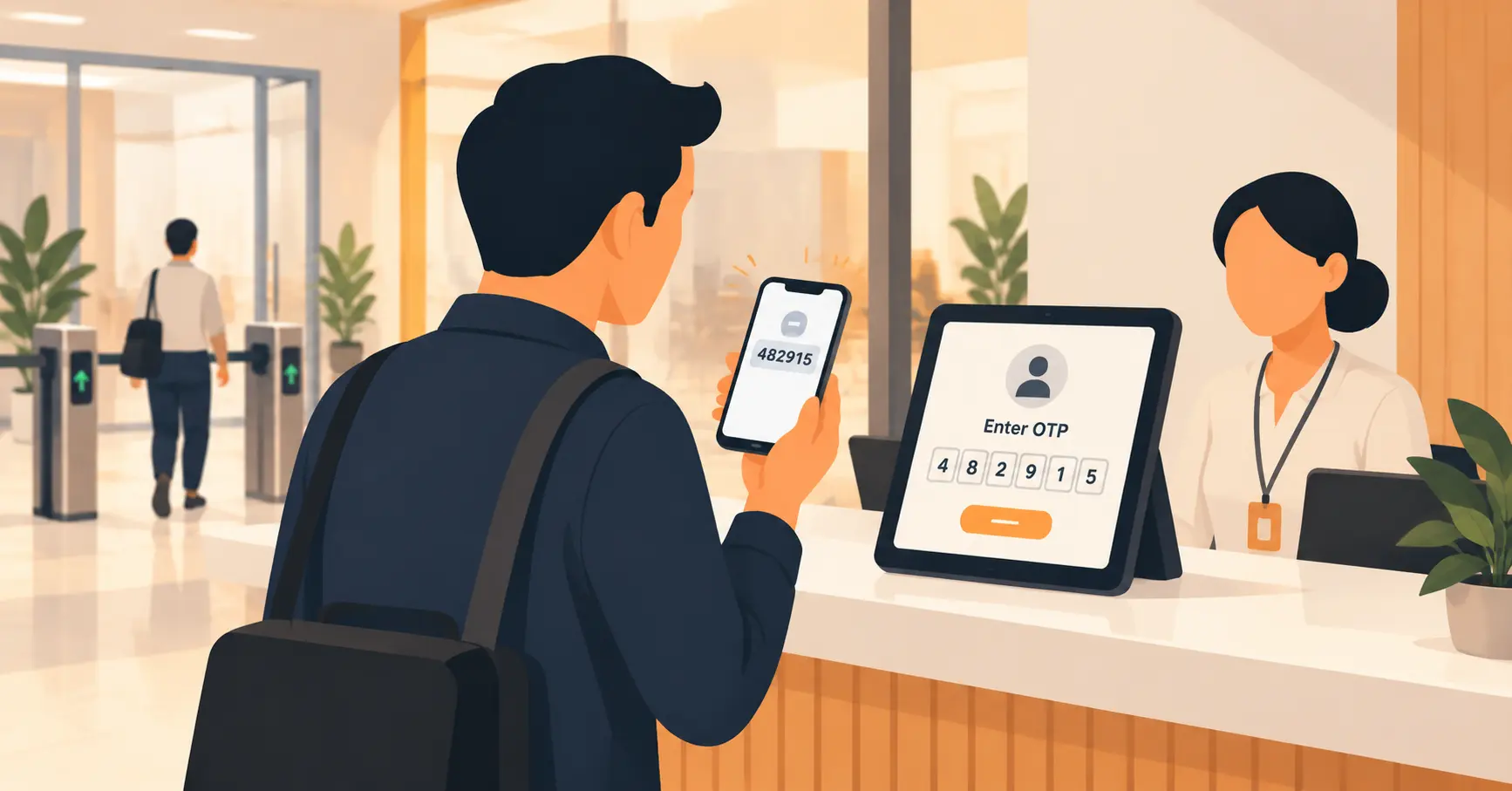
Table of Content
Try Vizitor for Free!
A visitor walks up to reception, types their name into a tablet, and walks in. Nothing confirms that the name they typed is actually theirs. Most of the time that’s fine. Sometimes it isn’t, and there’s no way to tell which visit was which until something goes wrong.
OTP-based visitor check-in adds one specific, verifiable fact to that record: the phone number the visitor gave really is reachable by them, right now, at the door. It doesn’t replace a name or a photo. It confirms something a typed name never can.
This post covers what OTP verification actually is, the exact steps it takes at check-in, why it works in almost any country without needing a smartphone or an app, where it’s genuinely useful, and where it falls short.
What Does “OTP” Actually Mean Here?
OTP stands for one-time password, a short code, usually four to six digits, that’s generated for a single use and expires within a few minutes. It’s the same idea used when a bank or an email provider texts a code to confirm a login. Applied to visitor check-in, the “login” being confirmed is simpler: does this phone number belong to the person standing in front of the reception desk?
The code itself carries no meaning. It’s not tied to the visitor’s identity, their company, or their reason for visiting. It only proves one thing: whoever entered that code has access to the phone that received it.
How OTP Verification Works at Check-In, Step by Step
The sequence is short and doesn’t require the visitor to have used the system before.
1. The visitor enters their phone number. This happens either during online pre-registration before the visit, or at a kiosk or tablet at reception on arrival.
2. The system sends a text message with a short code. This happens within seconds under normal network conditions, through the same SMS infrastructure that delivers any other text message.
3. The visitor reads the code and types it back into the check-in screen. No app, no camera, no internet connection on the visitor’s side beyond a plain SMS signal.
4. The system checks the code and confirms the match. Once confirmed, the number is marked as verified for that visit and tied to the check-in record.
5. Check-in completes. The host gets notified, a badge is issued if the site uses one, and the verified phone number sits alongside the rest of that visit’s record for as long as the site’s data retention policy allows.
The whole exchange typically adds well under a minute to check-in, mostly spent waiting for the text to arrive and typing four to six digits.
Why This Works in Almost Any Country
A phone number is one of the most widely available pieces of contact information there is, more so than a smartphone, an app, or a stable internet connection. According to GSMA’s Mobile Economy 2026 report, there are 5.8 billion unique mobile subscribers worldwide, close to 70% of the global population, with the total number of active mobile connections running even higher than that because many people carry more than one SIM.
That distinction matters for a front desk. A QR-code check-in or an app-based system still assumes the visitor has a smartphone, a working camera, and enough data or Wi-Fi to load something. OTP verification only assumes the visitor’s phone can receive a text message, which holds true on far more devices, in far more places, than any of those other assumptions. That’s why OTP-based verification travels well across markets with very different levels of smartphone adoption, instead of quietly working best only where everyone already carries the latest device.
OTP vs. QR Code vs. Photo ID: What Each One Actually Confirms
These three methods get compared often, but they’re not interchangeable. Each one verifies something different.
| Method | What it confirms | What it needs from the visitor |
|---|---|---|
| OTP (one-time code) | The phone number given is real and reachable right now | Any phone that can receive a text message |
| QR code | The visitor was pre-registered, or holds a code issued for this specific visit | A smartphone camera, or a printed code |
| Photo ID scan | The visitor’s name matches a government-issued document | A physical ID document on hand |
| Facial recognition | The person’s face matches a stored or scanned reference | A camera at the check-in point, plus prior enrollment or ID capture |
None of these is a strictly better version of another. A QR code check-in is faster for a pre-registered visitor who already has the code. A photo ID scan or digital visitor badge tied to a scanned document gives stronger identity confidence for a site that needs it. OTP verification sits in between: stronger than a self-reported name, lighter than a full ID check, and it doesn’t require any hardware beyond a phone the visitor already has in their pocket.
Most sites that take security seriously don’t pick just one. They layer them: QR pre-registration for routine visits, with OTP or ID verification added for restricted areas, residential buildings, or anyone without a prior registration on file.
Where OTP Verification Genuinely Helps
Residential and gated communities, where a phone number ties a visitor to a specific resident who invited them, and a wrong or fake number is easy for staff to catch immediately.
Coworking spaces and shared offices, where dozens of different companies host visitors through the same front desk, and a verified number gives the host something to actually contact if plans change.
Clinics and healthcare front desks, where confirming a real, reachable phone number matters for appointment reminders and follow-up as much as it does for security.
Schools and campuses, where a verified guardian phone number supports both check-in and pickup authorization; see how OTP verification fits into broader school visitor security for that specific workflow.
Any office replacing a paper sign-in book that wants more confidence than a handwritten name, without buying ID scanners or facial recognition hardware.
Where OTP Verification Falls Short
An honest guide names the limits too.
No signal, no code. Basements, some elevators, and rural sites with weak carrier coverage can delay or block delivery entirely. A front desk relying on OTP alone with no fallback will eventually get stuck on a visitor with a dead signal.
Shared or borrowed phones. A visitor using a colleague’s or a family member’s phone will have the code sent to someone else. This is a real edge case, not a hypothetical one, especially for visitors who don’t own a personal device.
Delivery isn’t instant or guaranteed. Carrier filtering, international numbers, and network congestion can delay a text by anywhere from a few seconds to a couple of minutes, and on rare occasions a message doesn’t arrive at all. A workable system needs a resend option and a manual override reception can trigger, not just a retry button that assumes the network will cooperate eventually.
It confirms a number, not an identity. Someone can register a real, working phone number under a false name. OTP verification proves the number is genuine; it says nothing about whether the name attached to it is true. Sites that need identity confidence, not just contact confidence, still need a photo, an ID scan, or both.
Privacy: A Phone Number Is Still Personal Data
Collecting and storing a visitor’s phone number puts it under whatever data privacy law applies to that site, not just one country’s rules. That includes GDPR in the European Union, DPDP in India, PDPA in Singapore, POPIA in South Africa, and equivalent laws in most other jurisdictions with a physical office receiving visitors.
In practice, that means the same baseline any visitor management system should already meet for a name or an ID scan: clear consent at the point of collection, a defined retention period rather than an indefinite one, and storage that’s encrypted and access-controlled rather than sitting in a spreadsheet anyone on staff can open.
How Vizitor Handles OTP Verification
OTP verification is one configurable step inside Vizitor’s broader visitor check-in system, which handles QR code entry, photo capture, and ID scanning within that same flow, so a site can choose the verification level that matches each visitor type rather than forcing every visitor through the same process. A routine, pre-registered guest can move through with a QR code. A first-time visitor to a residential building or a restricted floor can be asked for OTP verification, an ID scan, or both, configured once at the admin level and applied consistently regardless of who’s staffing the front desk that day.
The verified number becomes part of that visit’s record alongside the host notification, badge issuance, and timestamped log, the same audit trail used for reporting on who was on-site at any given time.
Book a demo to see OTP, QR, and ID-based check-in configured side by side for the visitor types that actually need each one.
Frequently Asked Questions
See Vizitor in action check-in a visitor in under 30 seconds
Trusted by 500+ businesses. QR check-in, badge printing, NDA signing. Plans from $36/mo.