What to Look for in Office Hoteling Software
Office hoteling software is a reservation-based workspace management platform that lets employees book desks, meeting rooms, and shared resources in advance. Employees reserve a space, check in on arrival to confirm occupancy, and the desk releases automatically if no check-in is recorded within a configurable grace period. Essential features include real-time availability on an interactive floor map, no-show auto-release, two-way calendar sync with Google Workspace and Outlook, team presence visibility, and utilization analytics. Adoption depends more on booking being frictionless living inside Teams, Slack, or Outlook than on feature breadth.


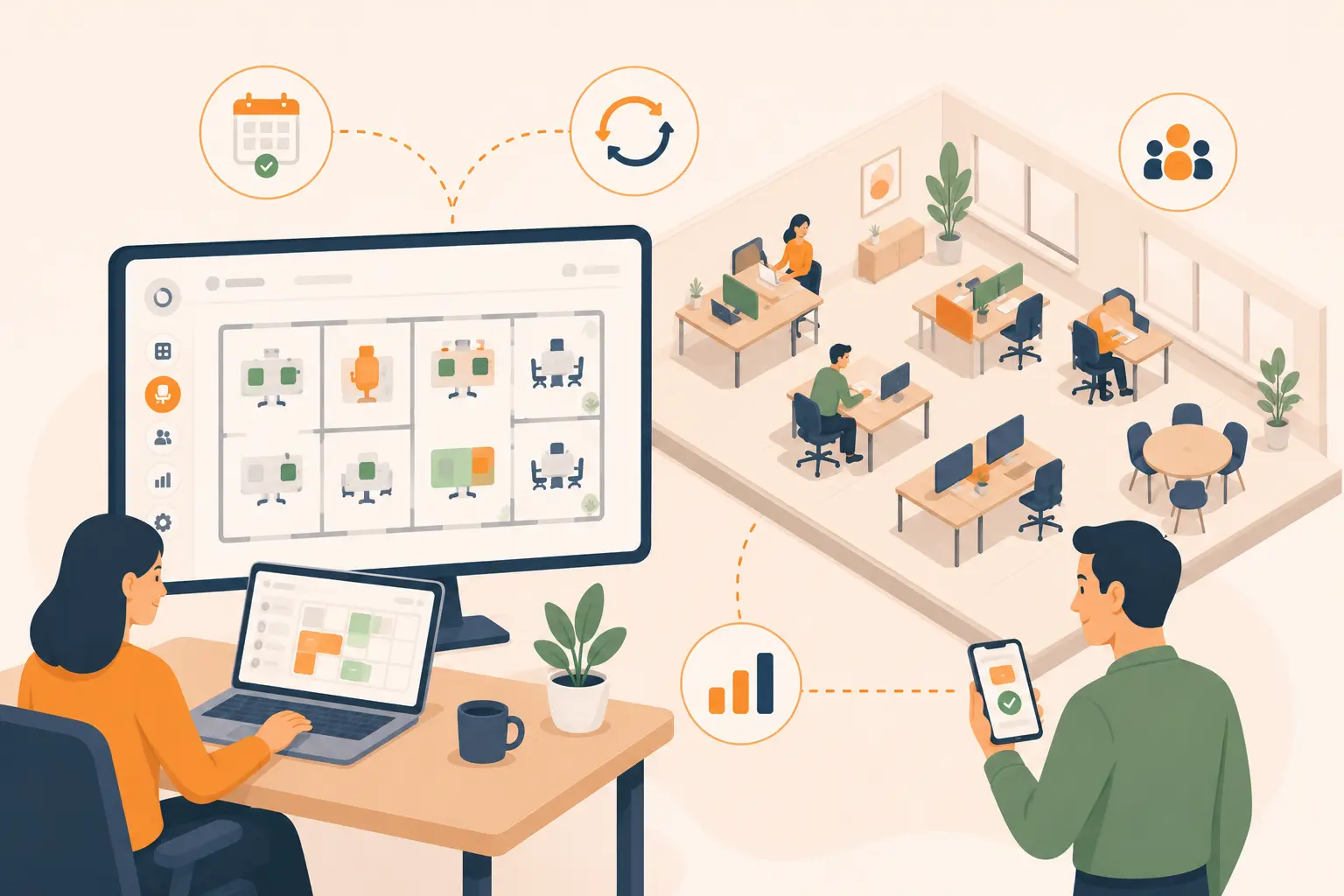
Table of Content
Try Vizitor for Free!
Most offices today are paying for more desks than they use. According to JLL’s 2024 Future of Work research, average utilization across hybrid organizations sits between 50% and 65% meaning on any given day, somewhere between a third and half of every desk in the building is empty. Employees either worked remotely that day, took meetings off-site, or simply did not come in.
Permanently assigned seating made sense when everyone came in every day. It does not make sense when attendance fluctuates by 40 percent between a Monday and a Thursday.
Office hoteling software is how organizations align the desks they pay for with the people who are actually using them.
This guide covers what office hoteling software is, how to evaluate it, what features matter and which ones do not, and how to implement it without losing employee buy-in along the way.
What Is Office Hoteling Software?
Office hoteling software is a reservation-based workspace management platform that lets employees book desks, rooms, and shared resources in advance for specific time windows. When they arrive, they check in to confirm occupancy. Desks not confirmed within a configurable grace window release automatically back to the available pool.
The name comes directly from the hotel model: you reserve a room, you check in, you use it for a defined period, you check out. The next guest books the same room for their stay. Office hoteling applies that logic to workspaces, treating desks as shared resources that belong to whoever booked them that day, rather than as permanently assigned territory.
The concept originated in the 1990s, when large consulting and audit firms recognised that field-based employees only needed a physical desk for a fraction of each week. What started as a cost-cutting measure for firms with high travel ratios has become the standard operating model for hybrid-first organisations managing variable weekly attendance.
What Is the Difference Between Hoteling Software and Desk Booking?
The terms are used interchangeably in most contexts, and in practice most platforms support both. The functional distinction is one of advance notice:
Hot desking is first-come, first-served. Employees arrive and claim any available desk. No booking, no reservation, no guarantee of a specific space.
Office hoteling is reservation-first. Employees book a specific desk in advance, similar to a hotel room ensuring a confirmed workspace before they leave home. Useful when employees need to coordinate in-office days with their teams, or when specific desks have amenities (standing desks, dual monitors, near-window positions) worth planning around.
Assigned seating permanently allocates desks to specific individuals regardless of usage, the model that worked before hybrid but increasingly does not match occupancy patterns.
Modern hoteling software typically supports all three modes simultaneously, configurable at the zone or floor level. A collaborative team neighborhood might run hoteling with advance booking; an open floor area might run hot desking; a few senior staff might retain assigned desks. The software handles the rules. The organisation sets the policy.
Why Office Hoteling Is Growing in 2026
The data on this is straightforward. According to CBRE’s 2025 Office Occupier Sentiment Survey, 72% of companies now meet their office attendance goals up from 61% the year prior while only 25% still use exclusively assigned seating. The shift to shared, bookable workspaces has moved from early adoption to standard practice.
The financial case is direct. Real estate is typically the second or third largest line item in an organisation’s operating budget. When average utilization sits at 50% to 65%, paying for 100% of the desk inventory permanently is a significant and measurable inefficiency. Hoteling software provides the occupancy data which desks are used, when, by whom, and how often, that makes right-sizing a real estate portfolio possible rather than speculative.
The employee experience case matters too. In a poorly managed shared-desk environment, employees arrive to find no available workspace, spend time hunting for somewhere to sit, and start the day frustrated. Hoteling software prevents this. Employees book before they leave home, arrive at a confirmed desk, and know exactly where they are going and who else from their team is in that day.
Both cases depend on the software actually working which is where the evaluation decision matters.
What Features Should Hoteling Software Have?
This is the question that most evaluation processes get wrong. Buyers often evaluate on feature breadth, how many things the software can do rather than on feature quality and adoption likelihood. A platform with fifty features that employees use three of is worse than a platform with twelve features that the entire organisation actually uses every day.
With that frame, here are the features that genuinely matter:
Real-time availability and interactive floor plans.
Employees should be able to see which desks are free, where they are in the building, and what amenities each one has from a visual floor map, not a dropdown list. Booking from a map is intuitive. Booking from a list of desk IDs is not. If the interface requires interpretation, adoption will be lower than you expect.
Advance booking with configurable rules.
The software should allow administrators to set booking windows, how far in advance desks can be reserved, maximum booking duration per day or per week, and booking quotas per department. These rules prevent one team from monopolising an entire floor and ensure fair access across the organisation.
Check-in and no-show auto-release.
This is the operational core of hoteling. If employees book desks and do not show up, the desk sits empty and unavailable, the same problem as assigned seating, just with extra steps. A check-in mechanism (QR code scan, mobile app confirmation, or badge reader integration) confirms occupancy. Desks not confirmed within a grace window release automatically. Without this, ghost bookings accumulate and erode the efficiency gains hoteling was meant to deliver.
Calendar integration.
The booking experience needs to live inside the tools employees already use. Platforms that require opening a separate app every time face adoption resistance. Two-way sync with Google Calendar, Microsoft Outlook, and native integrations with Microsoft Teams and Slack reduce the friction that kills usage after the initial launch period.
Team presence visibility.
One of the most common employee objections to hoteling is the feeling of losing their team. When you do not have an assigned desk near your colleagues, you lose the informal coordination that comes from sitting near the same people every day. Good hoteling software shows employees who else from their team has booked for a given day, so they can choose a desk near colleagues who are in, not just any available desk.
Utilisation analytics.
The business case for hoteling depends on having the data to act on it. Occupancy rates by desk, floor, and department; peak demand windows; no-show rates; and desk-to-employee ratios are the metrics that inform real estate decisions, identify underutilised zones, and demonstrate the ROI of the platform to leadership.
Mobile-first access.
Employees decide where to sit before they leave home, from their phone. A mobile app that makes this natural, showing team presence, available desks, and booking confirmation in a few taps, is a prerequisite for consistent usage.
Does Hoteling Software Work for Hybrid Teams?
Not only does it work for hybrid teams, it was designed for them. Office hoteling software solves the two specific problems that hybrid attendance creates for office space management.
The first is demand unpredictability. When attendance varies by 30 to 40 percent between peak and off-peak days, a fixed inventory of assigned desks either leaves too many empty on quiet days or creates a shortage on busy ones. Hoteling creates a managed pool that scales with actual attendance, the right number of desks available on any given day because employees only book what they need.
The second is team coordination. Remote-first and hybrid employees lose the passive coordination that comes from physical proximity. They do not know when their colleagues are in, whether it is worth the commute today, or where to sit to work near the people they need to collaborate with. Team presence features in hoteling software make this visible before the commute decision, employees can see that their team is largely in on Wednesday, which makes Wednesday a higher-value office day than a Monday where they would be working alone in a building their team is not using.
For HR and facilities teams managing hybrid mandates, hoteling software also provides the attendance data that makes mandate compliance measurable. Instead of relying on badge swipe data or manager self-reporting, the booking and check-in log shows who came in, when, and where they sat, an audit trail that supports both attendance policy and space planning decisions simultaneously.
What to Look for When Evaluating Hoteling Software
Beyond features, there are four buying criteria that determine whether a hoteling software investment works in practice:
Pricing model fit.
Two models dominate the market: per-user pricing (charged per employee on the platform) and per-space pricing (charged per desk or room managed). For organisations where employees significantly outnumber desks, a 300-person team sharing 150 desks, for example per-space pricing is almost always cheaper. Run the math for your specific desk-to-employee ratio before comparing headline prices.
Integration depth with your existing stack.
Surface-level calendar integration (creating a calendar event) is different from deep two-way sync (booking in the hoteling software updates the calendar, and cancellations in the calendar release the desk). Verify which type of integration is included in the plan tier you are evaluating, not just on the feature page.
Implementation overhead.
Some platforms require IT involvement, custom configuration, and a multi-week onboarding process. Others support self-service setup in under an hour. The right choice depends on your IT resource availability and timeline but budget the implementation effort realistically before committing.
Platform consolidation potential.
The defining buying pattern for workplace software in 2026 is consolidation. Buyers are moving away from single-function desk booking tools toward platforms that bundle desks, meeting rooms, visitor management, attendance tracking, and analytics in one place. Buying a standalone desk booking tool that you will need to replace or supplement in eighteen months costs more than buying a platform that covers your full workplace operations from the start.
How Do I Roll Out Hoteling in My Office?
Implementation is where most hoteling projects either build lasting adoption or quietly fail. The software is the easy part. The change management is not.
Start with a clear policy before you touch the technology.
Employees need to understand three things before you ask them to change how they work: what the new system is, why the organisation is doing it, and how it affects them specifically. Communicate the purpose whether that is real estate cost reduction, improved space data, or better hybrid coordination and explain what happens to their previous assigned desk. The absence of clear communication fills with speculation, and speculation about desk changes is rarely positive.
Phase the rollout by floor or department, not by feature.
Launching hoteling across the whole organisation simultaneously creates a support burden and a feedback bottleneck. Starting with one floor or one department lets you identify configuration issues, booking policy gaps, and user confusion before they scale to the full employee base.
Configure no-show auto-release from day one.
Many organisations launch hoteling without enabling auto-release because they are worried about employees who check in late. This is the wrong tradeoff. Without auto-release, ghost bookings accumulate within weeks and undermine the availability data the system is supposed to produce. Set a reasonable grace window ,30 to 45 minutes is common and communicate it clearly so late arrivals know to check in as soon as they arrive rather than assuming their booking holds indefinitely.
Make team presence visible immediately.
Employees who can see that their team is booking for a given day have a reason to book. Employees who cannot see this have less incentive to come in at all. Enable team presence features in the first week, not after the system has been running for a month.
Review utilisation data at 30 and 90 days.
The first 30 days reveal adoption gaps, floors or departments not using the system, no-show rates higher than expected, booking policy friction points. The 90-day review reveals utilisation patterns which days are genuinely oversubscribed, which zones are underused, and what the data says about whether the current desk-to-employee ratio is right. Act on both reviews rather than treating them as reporting exercises.
The Buyer’s Decision in 2026
The office hoteling software market has matured. What was once a choice between a handful of early tools is now a category with clearly differentiated products across market segments from lightweight tools for small teams to enterprise platforms with AI-assisted booking, badge reader integration, and deep analytics.
The clearest trend in buyer behaviour is consolidation. Teams that bought a standalone desk booking tool two or three years ago are now evaluating platforms that bundle desks, meeting rooms, visitor management, attendance tracking, and space analytics in a single subscription. The operational case for this is strong: one platform means one login, one data layer, one admin dashboard, and no manual integration between separate systems that were never designed to talk to each other.
Vizitor’s desk booking module sits within a workplace platform that already manages visitor check-ins, meeting room scheduling, attendance, deliveries, and ticketing management. Teams already using Vizitor for visitor management can activate desk booking without adopting new software, a new login, or a new learning curve. Teams new to the platform get the full workplace operations picture not a desk booking tool they will need to supplement later.
Frequently Asked Questions
See Vizitor in action check-in a visitor in under 30 seconds
Trusted by 500+ businesses. QR check-in, badge printing, NDA signing. Plans from $36/mo.