FERPA Compliance Checklist for K-12 Front Offices
This page explains how FERPA compliance for K-12 schools extends beyond student records to the front office visitor sign-in process covering visitor data collection, student-adjacent privacy obligations, and the latest Department of Education FERPA guidance that explicitly recommends visitor management systems. It addresses three real safeguarding scenarios schools are underprepared for: registered parents, custody disputes, and district-wide flagging gaps backed by research showing 97% of schools require visitor badges but only 17% of K-12 staff feel campus entrances are secure. Vizitor is presented as a digital visitor check-in and blocklist screening solution that creates audit-ready records for FERPA compliance and school safeguarding.


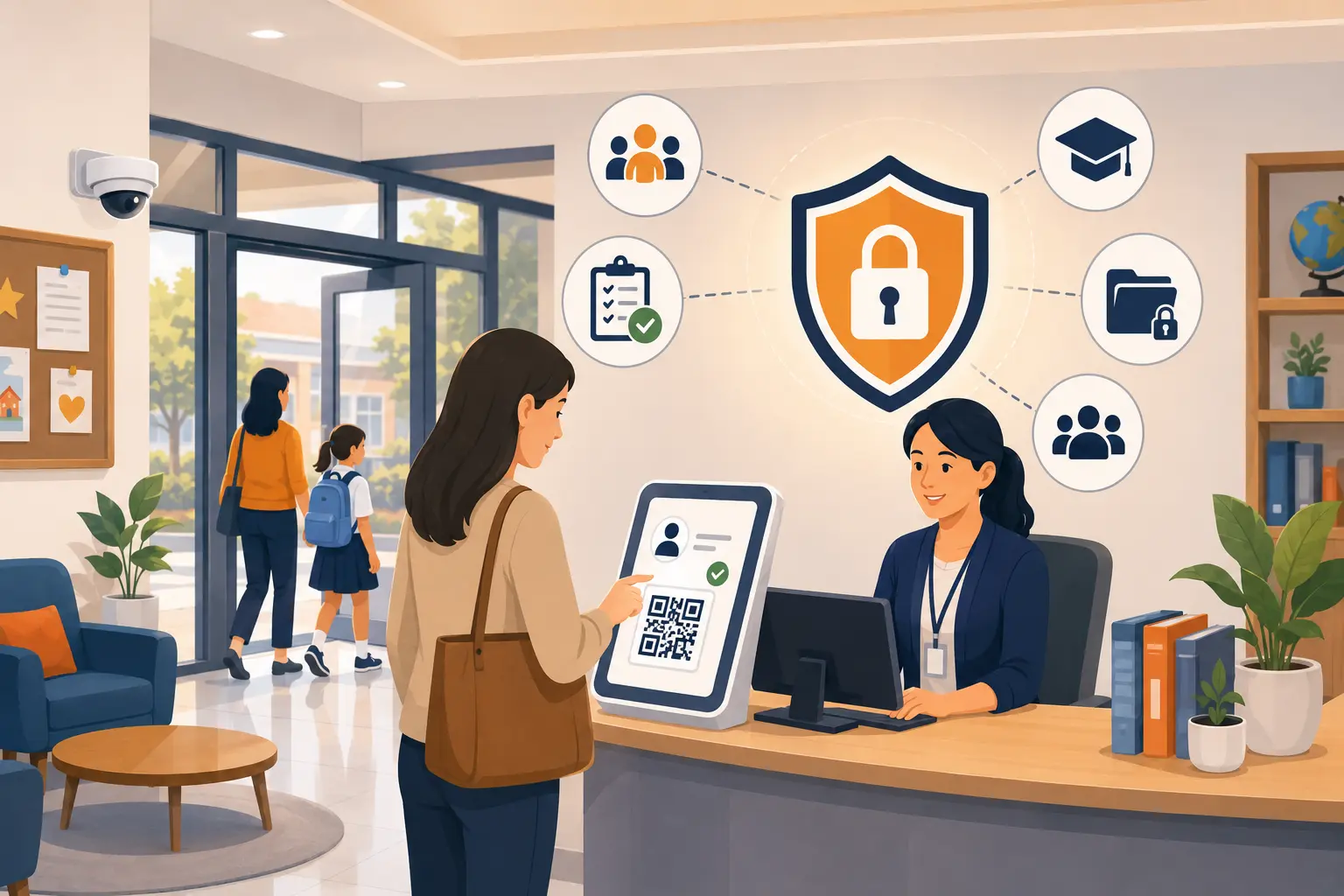
Table of Content
Try Vizitor for Free!
INTRODUCTION
A parent walks into your school’s front office on a Tuesday morning. They sign a paper sheet with a first name and a last initial, say they’re there to pick up their child, and stand by the counter while a staff member calls down to the classroom.
Nobody checked their ID. Nobody verified they’re authorized to pick up that student. Nobody screened their name against any list. The custody agreement on file, restricting this parent from school access, is in a binder behind the desk unseen, unchecked, irrelevant to what just happened.
This isn’t a worst-case scenario. It’s a Tuesday.
Most schools have visitor sign-in processes. Most don’t have visitor management. The difference between those two things is where student safety actually lives and where FERPA compliance starts to get complicated in ways most front office staff were never trained for.
What FERPA Actually Means for Your Front Office
FERPA, the Family Educational Rights and Privacy Act is a federal law enacted in 1974 that protects the privacy of student education records. Most schools understand it as a records management requirement: student data, grades, health files, disciplinary history. Locked in a system. Accessible only with consent.
What most front offices don’t fully recognize is that FERPA’s reach extends to the front desk. Visitor logs that record a student’s name alongside an adult’s visit, noting which child someone came to see, why, and when are student-adjacent records with privacy implications. FERPA requires schools to obtain written parental consent before disclosing educational records of students under 18 and maintain a log of anyone who accesses a student’s records. When visitor data intersects with student data, the privacy obligation follows.
The 2025 guidance update from the US Department of Education made this clearer. The updated FAQ includes commonly asked questions addressing how and when schools can disclose student information particularly to school resource officers, law enforcement, and other parties while staying compliant with FERPA. The guidance specifically flagged visitor management systems as a recommended tool for logging and restricting access to student records. That’s a federal recommendation, not a sales pitch.
The practical implication: your front office visitor process isn’t just a security measure. It’s a data handling function with federal compliance obligations attached.
Why the Paper Sign-In Sheet Is a Compliance Problem
The paper visitor log looks like a security measure. In practice, it’s a liability document that protects no one.
Here’s what a paper sign-in sheet cannot do. It cannot verify that the name written on it matches the person who wrote it. It cannot check that person against a database of restricted visitors, custody orders, or school blocklists. It cannot produce a timestamped, searchable record that an auditor, a law enforcement officer, or a state compliance review can actually use. And it cannot alert anyone, in real time when someone walks in who shouldn’t be there.
93% of public schools now use security cameras to monitor their facilities, up from just 61% in 2009-10, according to NCES. That’s a real investment in visible security infrastructure. Yet the front entrance, the primary point of contact between the school and the outside world often runs on a paper sheet that verifies nothing and alerts nobody.
A paper sheet creates the administrative appearance of visitor management without the operational reality of it. It tells a future auditor that someone came in. It tells you nothing about whether that person was safe, authorized, or who they actually were.
The Safeguarding Obligations Schools Carry, Beyond FERPA
FERPA governs data. Safeguarding governs people. Both obligations land at the front office, and they’re not the same thing.
Safeguarding in a K-12 context means preventing unauthorized individuals from accessing students whether that’s a non-custodial parent with a court order against campus access, a former staff member whose employment was terminated for cause, or a registered sex offender who’s technically someone’s relative and knows exactly how to present at a front desk.
There are approximately 795,000 registered sex offenders in the United States, according to SafeHome.org’s analysis of all 50 state registries, published December 2025. Most schools have dozens of visitors arriving every day. The math is uncomfortable. It doesn’t require pessimism, it requires process.
Safeguarding obligations in US schools are reinforced by state law, Title IX obligations, and increasingly by legislation. Multiple states now have digital visitor screening requirements or recommendations in place. The trend is accelerating and the standard schools are being held to is rising faster than most paper-based front offices can keep up with.
For the specific front-desk mechanics that close these gaps, from OTP-verified check-in to automated dismissal authorization, see what a modern school visitor system actually screens for.
The Three Scenarios Schools Aren’t Prepared For
Every school has a general visitor policy. Very few have documented procedures for the situations that actually test it.
Scenario 1: The registered parent. A biological parent arrives to pick up their child. They’re on the national sex offender registry. They’re not in violation of any court order, no custody restriction prevents campus access. Under your policy, they have a right to be there. Your front office has no system to identify them, no protocol for what to do if they are identified, and no documented procedure for how to handle the conversation.
This scenario is real. It’s where checks get skipped during morning rush, where common names trigger false alarms, and where a registered parent shows up for a conference and nobody knows what to do. The absence of a protocol is itself a liability, it means staff improvise, decisions aren’t consistent, and whatever happens isn’t documented.
Scenario 2: The custody dispute at the door. A non-custodial parent arrives and asks to pick up a child. A custody order in your files restricts their access. The order was updated six months ago, the front desk’s copy is the original. The parent insists their rights have changed. Staff have no way to verify, no system cross-referencing custody data in real time, and four other families waiting behind this person.
What happens next depends entirely on which staff member is working, how busy the morning is, and whether anyone can find the right binder in time.
Scenario 3: The person who’s already on your blocklist, at another campus. A school in your district identified and restricted a specific individual six months ago. That restriction exists in a spreadsheet on the principal’s computer at that school. Today, the same individual walks into a different campus in the district. Nobody knows. Nothing flags. They sign the paper sheet and walk in.
Effective screening programs layer multiple data sources: national sex offender registry checks, custom watchlists, custody alerts, and district-wide flagging where a person identified as a risk at one school is automatically flagged at every school in the district. Paper-based systems cannot do any of this.
What a Modern School Front Office Actually Looks Like
The goal isn’t to make visitors feel like suspects. It’s to make the entry process fast, dignified, and secure so that legitimate visitors move through quickly and risks are caught before they become incidents.
When a visitor arrives at a well-run modern front office, they present a government-issued ID. The system captures who they actually are not just the name they wrote on a clipboard. Within seconds, their information is checked against the school’s internal blocklist. If there’s a flag, the right staff member knows immediately and quietly, before the visitor has moved past the front desk. If they’re clear, they receive a visitor badge and the host is notified automatically, no phone call from the front desk, no message passed through a third person.
For parents picking up students, the system cross-references who is actually authorized before the child is called down. Custody restrictions, approved guardian lists, and parental access limitations are checked in real time, not retrieved from a binder under time pressure.
When visitors pre-register in advance for a parent night, a volunteer shift, a scheduled meeting their screening has already run before they arrive. The morning rush at the front desk slows down because most of the work is done before the day starts.
Every check-in, every flag, every cleared visit is logged automatically with a timestamp. When an auditor arrives six months later, the record is there complete, accurate, searchable, and ready in minutes. Not on a clipboard. Not subject to illegible handwriting. There.
That same real-time logging is what turns a lockdown drill into an accurate headcount instead of a guess, which is the emergency side of how visitor management strengthens campus safety beyond the compliance angle covered here.
That is the operational gap between a paper sign-in sheet and a modern front office. It’s not a small one.
How Vizitor Supports K-12 Front Office Safety
Vizitor’s visitor management platform provides the digital check-in infrastructure that modern school front offices need without turning arrival into an interrogation.
Digital check-in with visitor logging.
Every visitor who enters is logged automatically name, time of arrival, purpose of visit, host notification. The record is timestamped and searchable. When a safeguarding review, a compliance audit, or an incident investigation requires visitor history, it’s available immediately and completely.
Schools can maintain their own blocklists within Vizitor flagging individuals who should not be granted campus access. When a visitor’s name matches a blocklist entry at check-in, designated staff receive a real-time alert before access is granted. The check runs every time, automatically.
When a visitor checks in, the relevant staff member the teacher, the counselor, the administrator they’re there to see, receives an immediate notification. No front desk phone call. No guessing whether a message was passed on.
Pre-registration for scheduled visitors.
Parents attending events, volunteers with recurring access, and contractors with planned visits can pre-register before arriving. Their check-in is instant on arrival. The front office morning rush becomes manageable.
Audit-ready records for compliance.
Every check-in is logged in a format that can be exported for compliance documentation, district reporting, or incident reconstruction. The digital record replaces the paper clipboard and produces what a paper clipboard never could: a complete, accurate, timestamped account of every person who came through the door.
For schools evaluating full sex offender registry integration as part of their visitor management setup, Vizitor’s blocklist functionality provides the internal control layer and your district’s IT team can advise on database integrations appropriate for your state’s requirements.
Conclusion
The parent from the opening of this blog isn’t a hypothetical. That scenario or one just like it has played out in front offices across the country. A name written on a clipboard. A custody order in a binder. A staff member managing three other things at once. And nobody in the building who knows what actually happened or can prove it afterward.
FERPA tells you how to protect student data. Safeguarding tells you how to protect students. The front office has to do both simultaneously, under daily pressure, with the same staff member handling phones, late arrivals, and a line of parents at the counter.
Paper sign-in sheets were never designed to carry that responsibility. They were designed to record names. They record names. That’s all they do.
The schools that have closed this gap haven’t turned their lobbies into checkpoints. They’ve made their front office staff confident because the system handles the screening, the logging, and the alerting automatically, every time, without depending on someone remembering to do it during the busiest part of the morning.
That confidence is what a well-run K-12 front office actually looks like. And it doesn’t start with a filing cabinet. It starts at the door.
Frequently Asked Questions
See Vizitor in action check-in a visitor in under 30 seconds
Trusted by 500+ businesses. QR check-in, badge printing, NDA signing. Plans from $36/mo.