The IT Overhead Hiding in Your Workplace Software Stack
An IT-focused look at the real overhead created by running separate point solutions for visitor management, desk booking, attendance, and contractor tracking: more vendor security reviews, more help desk tickets from separate logins, and a harder offboarding process when access isn't centralized. Covers what single sign-on and one admin dashboard actually remove from IT's workload, what consolidation doesn't fix, and a short evaluation framework for IT teams.


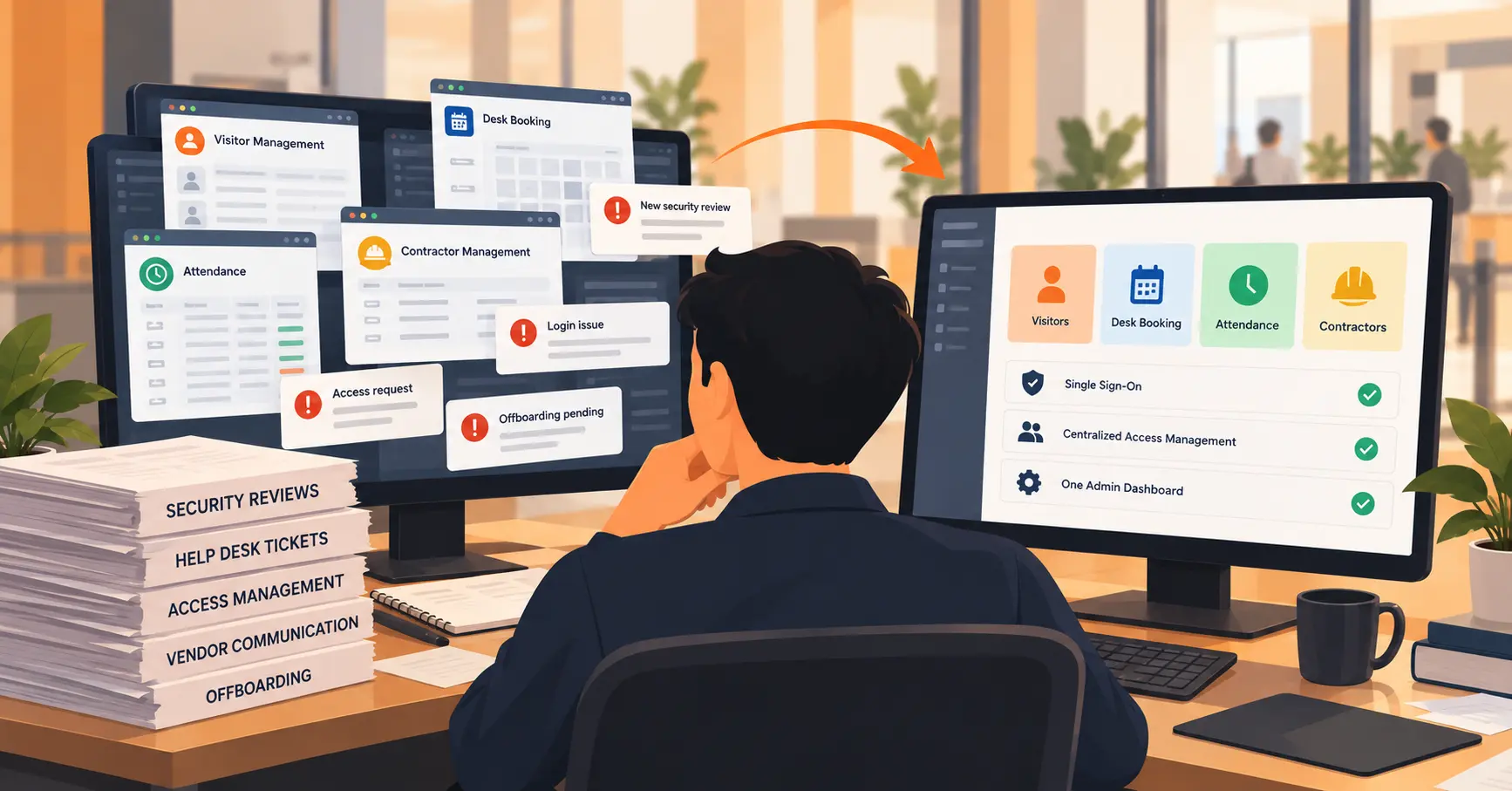
Table of Content
Try Vizitor for Free!
Every workplace tool a company adds costs more than its subscription fee. A visitor kiosk here, a desk booking app there, a separate attendance system somewhere else. Each one adds a line item IT absorbs that never shows up on the invoice: a security review, a login to manage, an integration to maintain, an offboarding step that has to be remembered. Running separate apps for related workplace tasks also has a cost on the operations side: time, accuracy, and trust. This is the other half of that problem. What does fragmentation specifically cost the IT and security team, and what does an integrated platform actually remove from their plate?
The Real Cost of Tool Sprawl
The average company’s software portfolio is larger than most people assume, and IT doesn’t control most of it. BetterCloud’s 2026 survey puts the average company at 118 SaaS apps, up from 106 the year before. Okta’s 2026 report puts the figure lower, around 98. Both numbers point the same direction: more tools than any single team can meaningfully track. IT commonly manages only a small slice of the total. Both reports cite a figure around 13 to 15 percent of apps and spend. The rest gets bought directly by individual departments, without IT ever reviewing it.
That gap is where overhead actually lives. A tool nobody on the security team evaluated is also a tool nobody deprovisions correctly later.
Every New Vendor Is a New Security Review
Each additional point solution means a separate vendor security questionnaire, a separate data processing agreement, and a separate renewal cycle to track. A separate visitor system, a separate queue tool, a separate attendance app, each one repeats the same review from scratch. Our RFP checklist covers what a single vendor review should actually ask: certifications, encryption standards, data retention. Multiply that review by four or five disconnected vendors instead of one, and the workload multiplies with it, even when each individual tool is small.
The Help Desk Cost of Fragmented Logins
Password reset tickets are one of the most consistently cited help desk costs. Forrester and Gartner-sourced estimates put it around $70 per reset, once identity verification and documentation are factored in. That cost scales with the number of separate logins a person has to remember. A front desk or facilities team juggling separate credentials for visitor check-in, desk booking, and attendance tracking generates more of these tickets than a team signing into one platform with one set of credentials.
Offboarding Is Where Fragmentation Becomes a Risk, Not Just an Annoyance
When someone leaves, their access has to be revoked everywhere they had it. Across five disconnected tools, that’s five separate manual steps. It’s common for at least one to get missed. An account nobody remembered to deactivate is a real, documented security exposure, not a hypothetical one. Centralized directory sync fixes this at the source. One action in the company directory deprovisions access everywhere at once, instead of relying on someone to remember every system a person touched.
SSO as the Actual Lever
Of everything consolidation promises, single sign-on through one identity provider has the clearest, most direct effect on IT workload. It replaces per-tool password management with one credential. It turns offboarding from a checklist into a single action. What it doesn’t do is reduce the number of vendor contracts IT has to track, or the number of integrations that can break. It’s worth being specific about what SSO actually fixes, and what it doesn’t.
What Consolidation Actually Removes From IT’s Plate
Fewer vendors means fewer security reviews to repeat annually. It means fewer separate update and patch cycles to track, and fewer integration points that can silently break when one vendor changes their API. It also means one admin console for configuring access and permissions, instead of a separate settings panel per tool, each with its own quirks.
What It Doesn’t Fix
Consolidation isn’t a one-time cutover. The gains tend to be gradual, not dramatic. Reported real-world reductions in software portfolios run closer to 10 to 15 percent over a few years, not an overnight collapse from dozens of tools to one. Migration effort is also routinely underestimated. Moving historical data and retraining a team on a new system takes real time. The honest version of this pitch is fewer logins and fewer vendor reviews for the tools you do consolidate, not the disappearance of every tool in a company’s stack.
A Short Evaluation Framework for IT
Before adding another workplace point solution, or consolidating existing ones, ask a few direct questions. How many separate logins does this add for staff who’ll use it daily? Does it support SSO through the identity provider already in place, rather than its own separate login system? Is access provisioned and revoked through directory sync, or does someone have to remember to do it manually? Is configuration managed from one admin view, or does every module need its own separate setup?
Where Vizitor Fits
Vizitor supports SSO through Google Workspace and Microsoft Azure AD (Entra ID). Directory sync provisions new employees and deprovisions departing ones automatically, rather than requiring a manual step per person. All integrations, including Slack, Microsoft Teams, and calendar sync, are configured from one admin dashboard. Visitor management, contractor management, desk and meeting room booking, and attendance run under a single account, not as separate logins per function. That’s the specific overhead this piece is about. See our security and compliance overview for the full list of certifications and access controls.
See One Admin Dashboard Instead of Five Logins
Watch how Vizitor handles visitor check-in, contractor access, desk booking, and attendance from a single account.
Frequently Asked Questions
See Vizitor in action check-in a visitor in under 30 seconds
Trusted by 500+ businesses. QR check-in, badge printing, NDA signing. Plans from $36/mo.