Delivery Management System for Large Workplaces | Vizitor


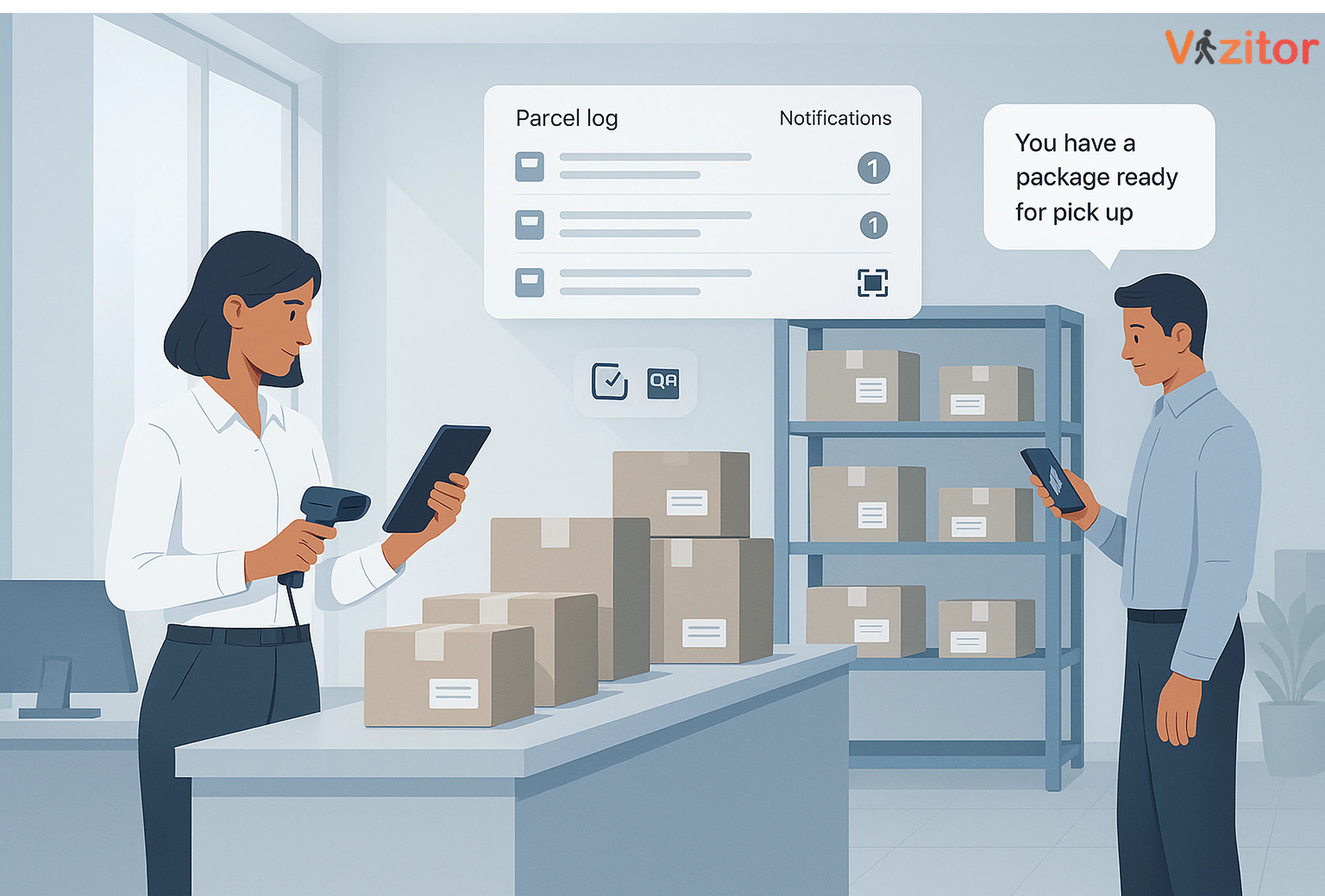
Table of Content
Try Vizitor for Free!
Delivery Management System for Large Workplaces: Why It Matters More Than Ever
Managing deliveries in a large workplace isn’t as simple as “sign and collect.”
Offices today receive dozens, sometimes hundreds of packages, documents, food orders, and courier drops; all meant for different employees, at different times, across different floors.
When the front desk is overwhelmed, deliveries get misplaced. Packages pile up. Employees didn’t get notified. And the reception team ends up spending half their day sorting parcels instead of doing their actual job.
This is where a delivery management system makes a real difference.
A modern, digital delivery workflow helps large offices:
- Keep track of every incoming package
- Notify employees instantly
- Maintain security
- Reduce lost or misplaced items
- Save hours of manual sorting daily
Let’s break down what a delivery management system does, why large workplaces need it, and how a smart tool like Vizitor can simplify the entire process.
What Is a Delivery Management System?
A delivery management system is software designed to receive, record, sort, and track workplace deliveries, everything from courier packages to documents, parcels, and food orders.
It replaces pen-and-paper logs with a fast, automated process.
What it typically includes:
- Automatic logging of recipient details
- Instant SMS/Email notifications to employees
- Digital signatures during pickup
- Parcel tracking records
- Safe handover workflows
- Storage location tagging
Large workplaces need clarity and speed and a delivery management system ensures nothing slips through the cracks.
Why Large Workplaces Need Delivery Management Software
In growing offices, mismanaged deliveries are one of the most common (and most ignored) operational headaches.
Here’s why digital delivery management matters:
1. High Volume Means High Risk of Misplacement
Big workplace = more employees = more packages.
Without automation, it’s easy for items to get mixed, misplaced, or forgotten.
2. Front-Desk Teams Spend Too Much Time Sorting Deliveries
Manual entry, searching names, calling departments, it’s a lot.
A system reduces this workload drastically.
3. Employees Expect Instant Notifications
If someone orders something important, they want to know the second it arrives.
A delivery management system sends alerts automatically.
4. Enhanced Security & Accountability
Digital records ensure packages don’t “disappear.”
Every handover is logged, time-stamped, and trackable.
5. Supports Hybrid Workplaces
Not in office today?
Let employees mark packages as “hold,” “forward,” or “authorize pickup.”
Key Features Large Workplaces Should Look For
Automated Package Logging
No more handwriting entries. One scan = full record.
Instant Employee Notifications
Avoid piles of unclaimed packages.
Secure Handover & Digital Signatures
Track who picked up what, and when.
Delivery Analytics
Identify busiest delivery days, volume patterns, and resource planning.
Multi-Location Support
Perfect for workplaces spread across multiple floors or buildings.
Contactless Pickup Options
Important for regulated industries or high-security workplaces.
Integration With Existing Workplace Systems
Directory sync, attendance systems, access control, etc.
Benefits of Delivery Management Software in Large Workplaces
1. Zero Lost Packages
Every delivery is logged digitally with time stamps and recipient data.
2. Faster Delivery Processing
Reception no longer wastes minutes searching for employee details.
3. Higher Employee Satisfaction
People get real-time updates instead of guessing when their delivery arrived.
4. Reduced Clutter at the Front Desk
Deliveries flow smoothly instead of piling up.
5. Stronger Workplace Security
Visitor and delivery logs create a complete audit trail.
6. Better Workplace Efficiency
Teams work without interruption, and reception handles more with less effort.
Delivery Management System vs. Manual Logging
| Feature | Manual Process | Delivery Management System |
|---|---|---|
| Package Tracking | Unreliable | Fully digital |
| Notifications | Manual calls | Instant automated alerts |
| Proof of Pickup | Paper slips | Digital signatures |
| Accuracy | Depends on staff | Error-free logs |
| Efficiency | Time-consuming | Quick and smooth |
| Security | Weak | High accountability |
Why Vizitor Is the Best Delivery Management System for Large Workplaces
Vizitor is more than a visitor management platform, it also includes a powerful Delivery Management System built to handle the scale of modern offices.
With Vizitor, you can:
- Log every package
- Auto-notify employees instantly
- Store items securely
- Track handovers with signatures
- Manage multiple work locations
- Reduce chaos at the reception desk
- Keep complete delivery records for audits
It improves operational flow, reduces workload, and brings clarity to a process that’s often overlooked but affects the whole organization.
Want to try it?
✔ Delivery management software – try for free
✔ No setup hassle
✔ Quick onboarding for office teams
Conclusion: Deliveries Don’t Have to Be Chaos
Large workplaces deal with high delivery volumes and relying on paper logs or manual calls creates confusion.
A delivery management system brings order, visibility, and speed.
If you want fewer misplaced parcels, faster workflows, and a happier front desk team, it’s time to switch to a digital solution.
Streamline workplace deliveries with Vizitor.
Your reception team will thank you.
FAQs
1. What is a delivery management system?
A tool that helps workplaces log, track, notify, and manage all incoming packages digitally.
2. Is delivery management software useful for large offices?
Yes, the higher your delivery volume, the more automation you need.
3. How does Vizitor handle workplace deliveries?
Vizitor logs packages, alerts employees, tracks pickups, and stores everything securely.
4. Can employees track their own packages?
Yes, they receive instant alerts and can pick up items anytime.
5. Is it expensive to use delivery management software?
Not at all. Vizitor offers free trials, and plans scale with your workplace.
Try Vizitor Free
No credit card required. Setup in under 5 minutes. Manage visitors, queues, meeting rooms, and more.
Start Free TrialSee Vizitor in action check-in a visitor in under 30 seconds
Trusted by 500+ businesses. QR check-in, badge printing, NDA signing. Plans from $36/mo.