Waiting in Line, Solved: The Complete Guide to Queue Management Systems
This guide rebuilds queue management systems into a real pillar resource, covering what a QMS is, the physical and digital types in use today, how one works step by step, a comparison table, and a framework for choosing and rolling one out without the common mistakes that undercut adoption. It replaces four outdated, unsourced statistics with a current 2025 consumer survey and links out to Vizitor's vertical-specific guides for hospitals, banks, government, and retail.


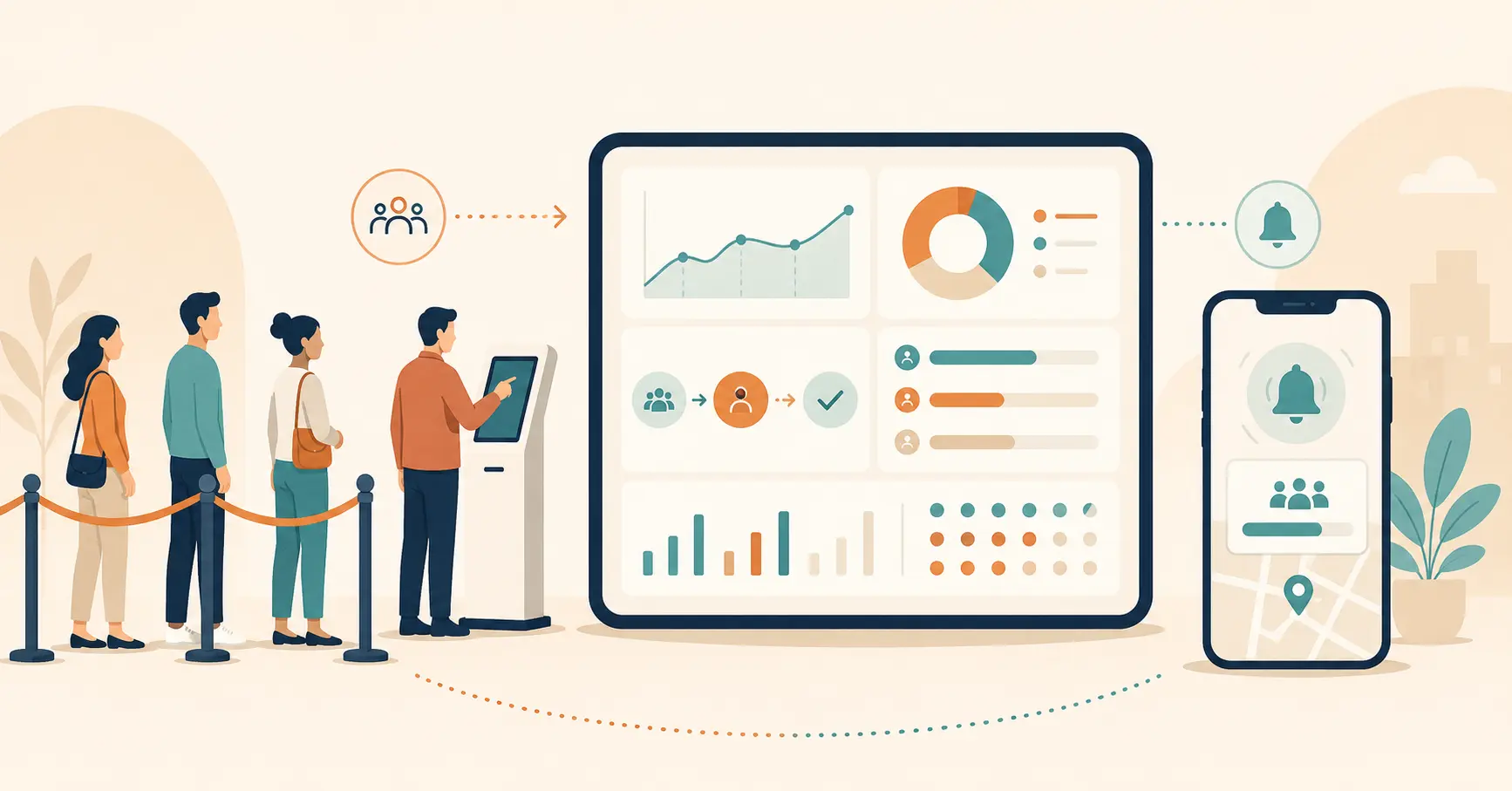
Table of Content
Try Vizitor for Free!
A queue management system is software, or in its simplest form, physical equipment. It replaces an unmanaged waiting line with an organized, trackable flow.
It gives each arrival a token or a digital position. It routes them to the right counter or department. It tells them when it’s their turn.
This matters because an unmanaged line costs more than a few minutes of patience. It costs customers who leave before they’re served. It costs staff who spend their shift managing crowds instead of doing the job they were hired for.
It’s also rarely an isolated problem. The wait at the counter is one stop in a longer customer journey that started before they walked in and continues after they leave, and a bad wait colors how someone remembers everything else about that visit.
Most guides on this topic stop at a single definition and a list of generic benefits. This one goes further.
It covers the real types of queue systems in use today. It shows how one works behind the scenes. It gives you a comparison table for weighing your options. It includes a framework for choosing the right system, plus the mistakes that undercut a rollout before it gets a fair test.
Already know the basics? Jump straight to the industry section below. It links out to Vizitor’s dedicated guides on hospitals, banks, government offices, and retail.
What Is a Queue Management System?
A queue management system organizes how people wait for service. It makes sure they’re served in a fair, predictable order.
Instead of a first-come line stretching out the door, a QMS gives each arrival a token, a number, or a virtual position. It then tracks that position until the person is called.
The idea itself isn’t new. The mathematics behind it goes back to 1908, when Danish engineer Agner Krarup Erlang joined the Copenhagen Telephone Company and started modeling call traffic and wait times, work that became the foundation of queueing theory. Bakeries later applied the same basic idea with numbered tickets, decades before anyone called it a system.
What’s changed is the technology behind it. A modern queue management system runs on software instead of a paper roll. It can route people to different departments automatically. It can send a text when their turn is close. It hands a manager real data on where a line is actually breaking down.
A queue manager and a queue management system aren’t quite the same thing, though people use the terms loosely.
A queue manager is the strategy: the rule that decides who goes next. A queue management system is the tool that carries out that strategy automatically.
A receptionist calling names off a clipboard is a manual queue manager. A digital token system with automated notifications is a queue management system applying the same logic through software. Our breakdown of the difference between a queue manager and a queue management system covers this distinction in more depth.
At its core, every queue management system does three things. It captures an arrival. It holds that arrival’s place in a defined order. It tells someone when that position is reached.
The kiosks, the SMS alerts, and the analytics dashboards are all built on top of that basic job.
It’s worth naming a distinction that explains why: actual wait time is the real number of minutes between arrival and being served. Perceived wait time is how long that wait feels to the person going through it. A queue management system can shrink actual wait time by routing people faster. It can shrink perceived wait time on its own, just by giving someone a number, a screen to watch, or an estimate to plan around, even when the real wait hasn’t changed at all.
Physical vs. Digital Queue Systems: The Types Businesses Actually Use
Every queue system on the market falls into one of two broad categories, physical or digital, though most real deployments blend the two.
Physical queue systems rely on people standing or sitting in a defined space.
A single serpentine line with stanchions is the simplest version. It’s common at airports and banks. It feels fair, since everyone can see their own position in it.
A multi-line setup, one line per counter, is common in supermarkets and government offices. It creates a problem anyone who’s picked the slow line already knows: some lines move faster than others, and there’s no way to switch without losing your place.
A token-based system solves that specific problem. Customers pull a numbered ticket, sit down, and wait for a display or announcement to call their number. It’s still physical, since people usually wait in a lobby, but it removes the need to stand in a fixed row.
Digital queue systems replace some or all of that physical waiting with software.
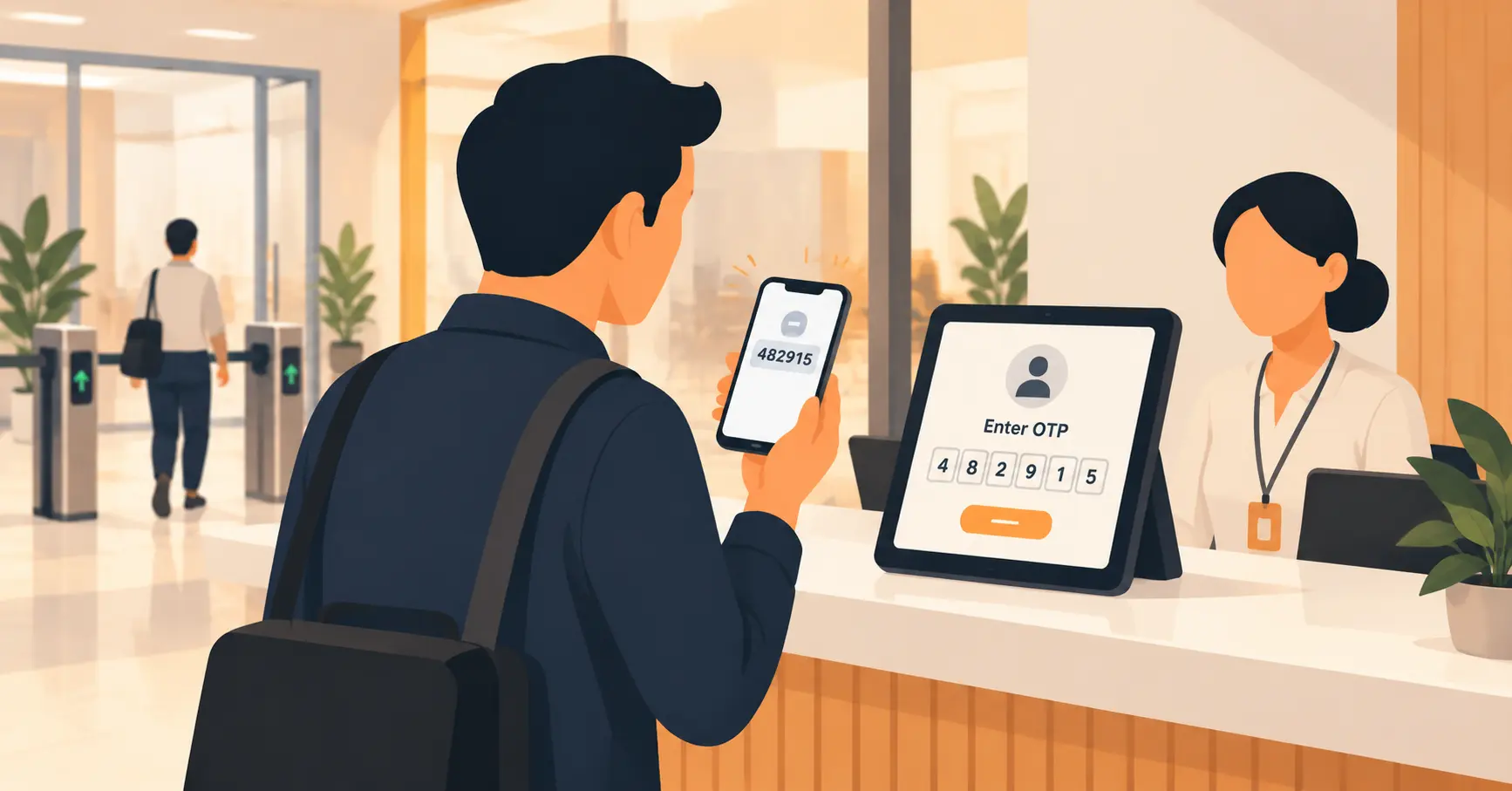
A virtual queue lets someone join by scanning a QR code, texting a number, or checking in on an app. Then they wait wherever they want: a car, a nearby coffee shop, a seat across the room. The system tracks their position the whole time and sends an alert as their turn approaches.
An appointment-based system goes a step further. It removes walk-in uncertainty almost entirely. Customers book a slot in advance, and the system manages arrivals against that schedule.
A hybrid system runs both models at once. Booked customers keep a reserved slot, while walk-ins join the same live queue under a fair, defined priority rule. For a deeper side-by-side on where each model wins, see this comparison of virtual and physical queuing.
Most businesses that grow past a single counter eventually land on a hybrid setup.
Pure physical queuing is simple to set up but breaks down at volume. Pure virtual queuing is efficient, but it can leave out visitors without a smartphone or a strong signal. That’s exactly the audience some public-facing services can’t afford to lose.
Our guide on alternatives to old-fashioned take-a-number machines covers what a practical middle ground looks like for an office moving off paper tickets.
How a Queue Management System Works, Step by Step
Strip away the branding, and every queue management system, physical or digital, runs through the same five steps.
First, a visitor checks in. That might mean walking up to a kiosk, scanning a QR code at the entrance, or being registered by a staff member at a desk.
Second, the system assigns a token or a virtual position, along with an estimated wait if the software supports it.
Third, the system routes that person to the right counter or department. This matters more than it sounds. A quick billing question and a long consultation shouldn’t sit in the same line. A good system separates them automatically, instead of leaving a receptionist to sort it out under pressure.
Fourth, the system tracks the wait and sends updates, on a screen, by SMS, or through an app, as the person’s turn gets closer.
Fifth, staff call the visitor through, either from a dashboard or an announcement. The interaction gets logged for reporting.
That last step matters more than most guides admit. A queue management system that doesn’t log wait times, abandonment, and throughput is only solving half the problem.
The other half is knowing whether the line actually got shorter, and whether people are leaving before they’re served. That’s where the real operational value shows up.
Abandonment rate, the share of people who check in and then leave before being served, is the single number most businesses should track and usually don’t. The calculation is simple: abandoned visits divided by total check-ins.
It’s a bigger problem than most businesses assume. A 2024 Waitwhile consumer survey of 1,000 U.S. respondents found that 61% have left a physical line before reaching their turn, and roughly 1 in 7 do it regularly, walking away more than half the time they wait.
A rising abandonment rate hiding behind a flat average wait time is one of the most common ways a real problem gets missed entirely.
Example, illustrative numbers only, not a Vizitor customer figure: a clinic checks in 60 patients on a busy Tuesday. Staff notice 9 of them leave before being called. That’s a 15% abandonment rate, calculated as 9 divided by 60.
On paper, the clinic’s average wait time might still look reasonable, since the people who left aren’t in that average at all. That’s exactly why abandonment rate and average wait time need to be tracked side by side, never one without the other.
Core Benefits of a Queue Management System
A queue management system earns its cost back in a few specific, measurable ways.
It keeps customers from leaving. This is the benefit that matters most, since it’s the one that shows up directly as lost revenue when it’s missing.
A 2025 consumer survey by Waitwhile, based on 1,000 U.S. respondents in its fourth annual report on waiting behavior, found that 84% of consumers avoid businesses with visible physical lines entirely. Another 39% will switch to a competitor or abandon a purchase once they hit a wait.
A queue system doesn’t make the underlying service any faster. What it removes is the visible signal, the line out the door, that causes people to turn around before they even walk in.
It gives staff back their actual job. A receptionist or counter agent spending half a shift answering “how much longer” and “who’s next” isn’t doing the work they were hired for.
Automated position tracking and routing answer those questions before anyone has to ask. That frees staff time for real service instead of crowd management.
It turns waiting into a choice instead of a sentence. The same Waitwhile report found that close to 65% of respondents prefer appointment scheduling over an open-ended wait. Another 50% favor a virtual queue over standing in a physical line.
People mind waiting far less when they can see their position and use the time for something else.
It gives managers real data instead of a guess. Every check-in and every service call is a timestamp.
Over a week or two, that’s enough to see exactly when a location’s peak hour actually happens, not when a manager assumes it does. It also shows which counter or department is consistently the bottleneck.
It supports structured spacing when that genuinely matters. Token-based and virtual queues both reduce how many people stand shoulder to shoulder in a lobby. That counts for something in healthcare settings and during high-volume public events.
It reduces the manual cost of running a line by hand. Fewer staff hours go into physically organizing a queue, answering repetitive questions, and resolving disputes about who arrived first.
Queue System Types Compared
| Type | Setup effort | Space needed | Handles peak volume | Data and reporting | Best fit |
|---|---|---|---|---|---|
| Single-line (stanchions) | Low | High, needs a physical lobby | Poor, one slow transaction stalls everyone behind it | None | Small, low-volume counters |
| Multi-line | Low | High | Uneven, some lines stall while others move | None | Simple retail checkout |
| Token-based (ticket and display) | Moderate | Moderate, seating instead of standing | Good for single-service counters | Basic wait time and volume counts | Government offices, single-service clinics |
| Virtual or mobile queue | Moderate to high | Minimal | Good, no physical bottleneck to form | Detailed: position, abandonment, throughput | Multi-service businesses with high foot traffic |
| Hybrid (appointment plus walk-in) | Highest | Minimal to moderate | Best, load-balances both streams | Most detailed, cross-references bookings against the live queue | Healthcare, banks, multi-department offices |
How to Choose the Right Queue Management System
Start with your actual numbers, not a features list. Count your real daily volume and identify your true peak hour. That’s the load your system has to handle, not your average day.
A week of manual counts at the busiest and quietest hours tells you more than a vendor’s generic capacity chart ever will. If your peak hour runs three times busier than your average hour, size the system for that peak, not the comfortable middle.
Think about deployment timeline honestly. A cloud-based virtual queuing platform can often go live within a day or two once services and staff are loaded in. A system that also needs new physical kiosks, signage, or lobby reconfiguration takes longer.
Staff training time usually gets underestimated more than the hardware install does. Build in a real training week, not just an install day, before judging whether the rollout worked.
Decide whether virtual queuing fits your visitors. A retail store with a young, phone-comfortable customer base is a natural fit for virtual queuing.
A government office serving an older population, or a clinic in an area with patchy mobile coverage, needs a strong staff-assisted fallback built in, not an app-only design.
Check what it needs to connect to. If you already run a visitor management system, an appointment calendar, or a CRM, check the queue platform first. Confirm it actually integrates, rather than creating a second, disconnected record of the same visit.
Confirm the reporting depth answers your actual questions. A system that only shows today’s queue length is missing the point. You want abandonment rate, average wait by service type, and peak-hour patterns over weeks, not just a live counter.
Ask about the manual fallback. Any system that assumes every visitor has a working smartphone will eventually turn away exactly the walk-in traffic it was meant to serve.
Price it against staff time saved, not the sticker cost alone. A cheaper system that still needs a staff member babysitting the line all day isn’t actually the cheaper option.
Vizitor’s guide to calculating queue management system ROI walks through that math directly. This roundup of queue management tools is a useful starting point if you’re comparing vendors before booking a demo.
Once you’ve picked one, the rollout itself is a short, specific sequence: set a measurable objective (a target abandonment rate or average wait, not just “make it better”), pilot at one counter or location before going wide, train staff on what a notification means and what to do when a token sits too long, and revisit the setup after 30 days against the objective you started with. Skipping straight from purchase to full deployment is where most of the mistakes in the next section actually start.
Queue Management Across Industries

The mechanics above hold across industries, but the stakes and the workflow details differ enough that each vertical deserves its own depth.
- Hospitals deal with variable urgency, multi-department patient journeys, and real consequences when a queue breaks down. Vizitor’s guide to queue management systems in hospitals covers priority routing, infection control considerations, and the rollout mistakes specific to a clinical setting.
- Banks and other financial institutions manage a mix of quick transactions and long consultations in the same lobby. The ultimate guide to queue management in banks covers how appointment scheduling and walk-in queuing coexist in a branch.
- Government offices serve a wide range of ages and technical comfort levels, and often can’t assume every visitor owns a smartphone. Our guide to queue management for the government sector covers that balance directly.
- Retail environments deal with sharp, short-lived surges rather than steady all-day volume. This guide to reducing customer waiting times in queues covers checkout-specific tactics that don’t apply the same way to an appointment-heavy business.
- Educational institutions face their own version of this at enrollment and fee-payment counters. Offices still moving off literal paper ticket machines should see the take-a-number alternatives guide for what replaces that specific piece of hardware.
Common Mistakes When Adopting a Queue Management System
Buying software before fixing the physical layout. A digital token display doesn’t fix a lobby with one entry point, no seating, and a reception desk that can’t see the door. Software can’t undo a room that was never designed for the volume it now handles.
Skipping staff training and change management. A queue system tells staff who’s next. It doesn’t tell them how to handle a frustrated visitor at position 40 during a Monday-morning rush. That’s still a people problem, and rollouts that skip training see staff quietly revert to calling names across the room.
Treating the queue tool as a separate system from visitor management or scheduling. When check-in, appointments, and the live queue live in three different tools, staff end up juggling three lists and no single view of who’s actually next.
Not tracking abandonment. If nobody is watching how many people leave before being served, a business has no way to know whether the new system works. It might just be moving the same walkout problem onto a screen.
Forcing virtual-only queuing without a manual fallback. Assuming every visitor has a working smartphone turns away the exact walk-in traffic the system was meant to serve. This hits hardest in healthcare settings with older patients, or any location with weak signal at the counter.
Choosing a vendor on price alone. The cheapest platform that lacks real reporting or routing logic often costs more in staff time than a slightly pricier system that actually solves the problem.
Installing once and never revisiting the setup. Peak hours shift with the season, the neighborhood, and the business’s own growth. A queue configuration that worked well a year ago can quietly stop matching current reality, and nobody notices until complaints climb again.
When a Queue Management System Isn’t Enough
A queue management system organizes the wait. It does not create staff who aren’t there.
If a branch is short two tellers during its lunch rush, a digital token display makes the wait fairer and more visible. But the line stays exactly as long. Fix the staffing gap first, then let the software organize what’s left.
It also won’t fix a badly designed physical space on its own. A single chokepoint entrance, no seating, or signage that doesn’t tell visitors where to go creates friction no amount of software resolves. The layout usually needs attention alongside the technology, not instead of it.
For a genuinely tiny operation, a handful of walk-ins a day with no real bottleneck, a full queue management platform is likely more system than the problem requires. A simple sign-in process might be enough until volume actually justifies the switch.
Some regulated or high-security environments also need in-person steps a queue system can’t shortcut. Verifying a government ID, collecting a wet signature on a regulated form, or screening a visitor against a watchlist still needs a human at a desk, regardless of how efficiently the line moves.
A queue management system can organize the wait leading up to that step. It can’t remove the step itself.
No queue system replaces the judgment a trained staff member brings to an unusual situation. An angry customer, a medical emergency in the waiting room, or a visitor who doesn’t fit any of the software’s categories still needs a person, not a workflow.
The system organizes the routine. People still have to handle the exception.
Waiting isn’t only an operational problem. It’s a signal customers read about how an organization is run.
A queue management system can change that signal, but only when it’s set up well. That means the right type for the visitor base, real staff training, and honest tracking of where it still falls short.
Book a demo to see how Vizitor’s queue management system handles routing, notifications, and reporting against your own visitor volume.
Frequently Asked Questions
See Vizitor in action check-in a visitor in under 30 seconds
Trusted by 500+ businesses. QR check-in, badge printing, NDA signing. Plans from $36/mo.