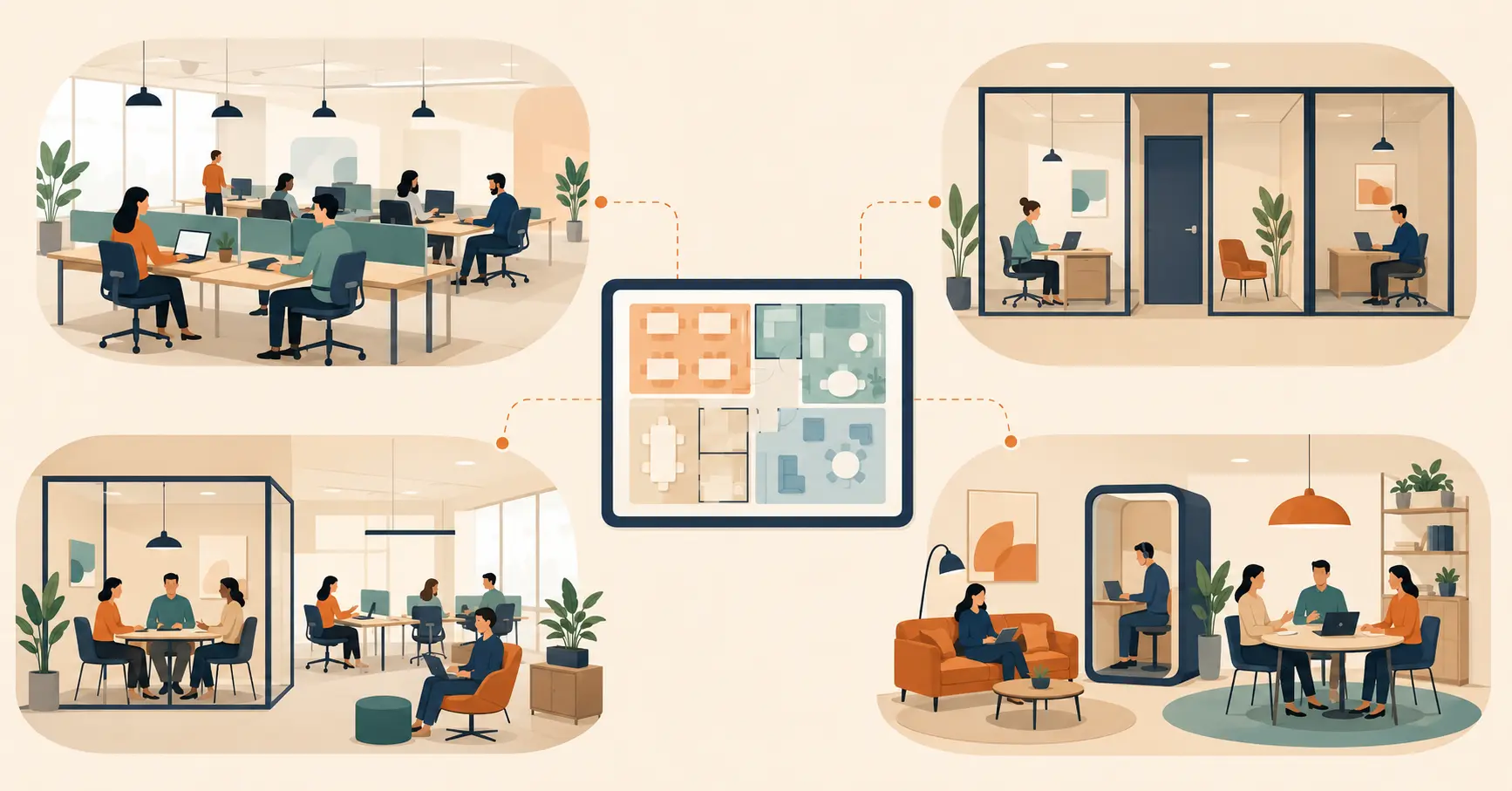
How Automated Access Management Secures Every Office Entry
Modern enterprises face increasing demands for security, efficiency, and seamless visitor management. Automated office access systems streamline employee and visitor entry, replacing manual logs with QR codes, smart badges, and biometric authentication. These systems enhance security, provide real-time monitoring, support compliance, and improve overall workplace productivity. Platforms like Vizitor integrate digital visitor management, meeting room scheduling, and analytics, offering enterprises a scalable, future-ready solution for secure and efficient office access.


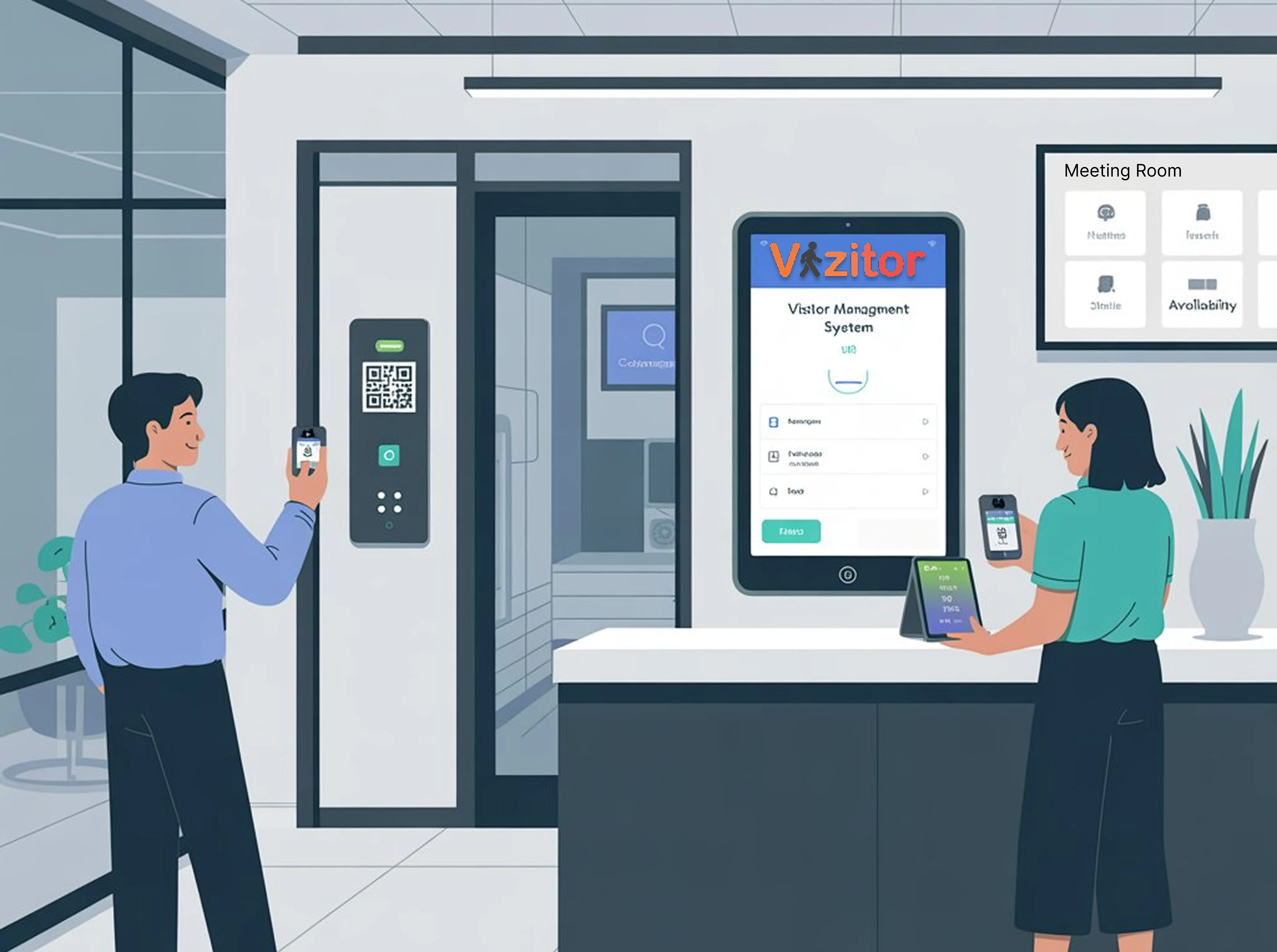
Table of Content
Try Vizitor for Free!
Introduction
Office security and access control have become critical operational requirements for modern enterprises. Traditional methods, including manual keys, physical logs, and static ID cards, are no longer sufficient to secure modern workplaces or support efficient operations.
Automated office access systems change how enterprises manage employee entry, visitor check-ins, and workplace security. By integrating advanced technologies like QR code scanning, AI analytics, IoT sensors, and cloud-based dashboards, organizations improve security, efficiency, and the overall visitor experience in ways that manual systems simply cannot match.
This post covers the importance of automated office access, its core components, measurable benefits, implementation best practices, and how platforms like Vizitor help enterprises manage access across complex, multi-site environments.
Why Automated Office Access Matters
Security Is Paramount
Manual access control is prone to errors, lost keys, and unauthorized entry. According to a 2023 Ponemon Institute study, over 45% of enterprises experienced at least one security breach due to poor access control practices. Automated systems reduce these risks by providing real-time monitoring, secure authentication, and detailed audit logs that manual processes cannot.
When an unauthorized individual attempts entry, automated systems detect and alert immediately. When you need to know who accessed a specific area during a security incident, automated logs provide a complete, timestamped record.
Efficiency and Time Savings
Automated access systems eliminate manual checks, queues at entry points, and administrative overhead. Employees and pre-registered visitors gain frictionless entry. Reception staff are freed from repetitive credential verification to focus on work that requires human judgment.
The cumulative time savings across a medium-sized organization are significant. At 2-3 minutes per manual check-in for 50 daily visitors, that’s 1.5-2.5 hours of staff time per day spent on a process that can be automated.
Compliance and Audit Readiness
Many industries require organizations to maintain detailed access logs for compliance purposes. Healthcare facilities need to track who accessed patient-adjacent areas. Financial institutions must document physical access to trading floors and data rooms. Manufacturing sites need contractor access records for safety inspections.
Automated systems capture entry and exit timestamps automatically and generate audit-ready reports without manual assembly. Compliance becomes a byproduct of normal operations rather than a separate effort.
Key Components of Automated Office Access Systems
Digital Authentication Methods
QR Code Scanning: Provides a contactless and efficient method for employee and visitor check-ins. Visitors receive a QR code via email when they pre-register, and scan it at the entry kiosk. The system verifies their identity and logs their arrival in under 10 seconds.
Biometric Authentication: Fingerprint, facial recognition, or iris scanning for secure access to high-security areas. Biometric methods are particularly effective for areas where even a lost or shared badge would create unacceptable risk.
RFID Cards and Smart Badges: Enable real-time tracking and access control across multiple entry points. Smart badges encoded with specific access permissions ensure that an employee or visitor can access only the areas their role requires.
Integrated Visitor Management
Pre-registration, automated notifications, and visitor badge printing ensure secure and smooth entry for external guests. When visitor management is integrated with access control, a visitor’s badge permissions are generated automatically based on their check-in data, without requiring manual configuration by security staff.
This integration is particularly valuable for contractors who visit regularly. Their access permissions can be set at pre-registration, tied to the specific areas they need, and expire automatically at the end of their approved visit window.
IoT-Enabled Access Points
Sensors track occupancy and alert security teams to anomalies. Smart locks and automated doors adjust based on visitor status: unlocking when an authorized badge approaches, remaining locked when an unregistered individual approaches. This creates a physical access control layer that scales without requiring additional security personnel.
Centralized Cloud Dashboards
Cloud dashboards provide real-time monitoring of all access points simultaneously. Security staff can see a live view of who is where across the entire facility. Access analytics reveal patterns: peak entry times, most-used access points, and anomalous activity that warrants investigation.
For multi-site enterprises, the centralized dashboard gives facility and security heads visibility across all locations from one interface, rather than requiring site-by-site reporting.
Benefits of Automated Office Access Systems
Enhanced Security
Automated systems ensure that only authorized individuals access sensitive areas. Authentication methods (QR codes, biometrics, smart badges) are significantly harder to circumvent than manual checks. When unauthorized access is attempted, the system alerts security immediately rather than relying on a receptionist to notice.
Operational Efficiency
Time spent on manual check-ins and credential verification is minimized. Staff focus on higher-value tasks. Visitors experience a faster, more professional entry process. The entire front-of-house operation runs with fewer people and less friction.
Data-Driven Insights
Automated systems capture data on entry patterns, occupancy levels, and visitor trends. This data informs resource planning: knowing your peak visitor windows lets you staff reception appropriately. Knowing which access points are most used informs facility planning. Knowing which contractors access which areas enables better security audits.
Improved Visitor Experience
Visitors who pre-register check in in under 30 seconds with a QR scan. They receive a professional badge immediately. Their host is automatically notified. The process is smooth and communicates organizational competence before any meeting begins.
For clients, partners, and candidates, this experience matters. It shapes their perception of how you run your business.
Scalability
Automated systems scale across multiple offices, floors, or locations without proportional increases in staff. As your organization grows, you add locations to the same platform rather than implementing separate systems at each site.
See how Vizitor handles visitor management
Join 2,000+ workplaces using Vizitor to manage visitors securely. Free trial.
Book a DemoBest Practices for Implementing Automated Office Access
Define Access Policies Before You Deploy
Categorize areas based on security requirements. Define access levels for employees by role, contractors by engagement type, and visitors by visit purpose. Document these policies clearly before configuring the system, so the technology enforces rules that are already decided rather than trying to make policy decisions during implementation.
Use Multi-Factor Authentication for High-Security Areas
For server rooms, executive floors, financial trading areas, or other sensitive locations, combine QR codes, biometric checks, or PIN authentication for an additional security layer. Single-factor authentication is appropriate for general access. High-value areas warrant more.
Integrate Visitor Management Completely
Ensure that external guests are pre-registered, their access is temporary and tied to their approved visit window, and their badge permissions expire automatically. A visitor who checks in for a meeting shouldn’t have badge access that extends beyond that meeting.
Use Analytics Regularly
Set a monthly review of access analytics. Review peak entry times, access patterns by area, and any access attempts that were flagged or denied. Use this data to refine access policies, optimize staffing, and identify security patterns that need attention.
Provide Staff Training
Reception and security staff need to understand the system to manage exceptions effectively and handle edge cases. The system handles routine check-ins automatically. Staff need to know what to do when the system flags an issue or a visitor needs help with the check-in process.
Case Study: Manufacturing Unit Access Optimization with Vizitor
Background: A mid-sized manufacturing company with multiple production floors and administrative offices was managing visitor and contractor access manually. Paper registers, physical keys, and security guards were causing delays, errors, and security gaps, particularly for external contractors and delivery personnel.
Challenges:
- Long queues at reception during shift changes and peak delivery windows
- Difficulty tracking contractors, vendors, and temporary staff accurately
- Compliance gaps in contractor access records required for safety audits
- Security risks in restricted areas such as production floors and storage facilities
Solution: The company implemented Vizitor’s automated access and visitor management system, deploying:
- QR code and mobile check-ins for employees, visitors, and contractors
- Smart visitor badges with access limited to authorized areas
- Centralized dashboards for real-time monitoring of all entry points
- Automated notifications to supervisors when contractors arrived
Results:
- 60% reduction in reception wait times
- Complete, audit-ready contractor access records for safety inspections
- Real-time visibility into who was on each production floor at any moment
- Zero manual coordination required between reception and supervisors for contractor arrivals
The manufacturing unit reduced the security risk from unauthorized access while simultaneously improving operational efficiency across multiple access points.
Checklist for Optimizing Office Access
Before deploying or upgrading your automated access system, work through this checklist:
- Define access levels for employees, contractors, and visitors by role and area
- Implement appropriate authentication methods for each access category
- Integrate visitor management so guest access is automatically time-bounded
- Connect to a centralized dashboard for real-time visibility
- Configure analytics reporting to surface patterns and anomalies
- Train reception and security staff on exception handling
- Test the full check-in flow from the visitor’s perspective before going live
- Review access logs monthly and refine policies based on what you find
How Vizitor Connects Visitor Management and Office Access
Vizitor provides a comprehensive platform that connects visitor management, automated access, and workplace analytics. Organizations deploy it on existing hardware (any Android or iOS tablet works as a kiosk), configure visitor types and access rules, and go live within an afternoon.
Key capabilities for automated access:
- Digital check-in with QR code, NFC, or tablet-based entry
- Smart visitor badges with encoded access permissions
- Pre-registration with automatic badge permission configuration
- Real-time host notifications via Slack, Teams, WhatsApp, SMS, or email
- Multi-site dashboard with site-level and enterprise-level views
- Access analytics for compliance reporting and operational optimization
- Integration with physical access control systems for badge-activated door access
- Meeting room booking integration for unified workspace management
For a broader view of how visitor management connects to overall workplace security, see our complete visitor management system overview. For a guide on common access management mistakes to avoid, see our front desk security gaps analysis.
Conclusion
Modern enterprises cannot rely on outdated, manual access control. Automated office access systems provide security, efficiency, compliance, and a superior visitor experience that scales with organizational growth.
Vizitor offers a comprehensive platform for automated office access that integrates visitor management, meeting room scheduling, and real-time analytics. Organizations that implement these systems ensure safe, efficient, and professional workplace operations while building the data foundation for continuous operational improvement.
Book a demo with Vizitor and start a free trial to experience automated visitor management, smart access control, and integrated meeting room management in your workplace.
Try Vizitor Free
Setup in under 5 minutes. Manage visitors, queues, meeting rooms, and more.
Start Free TrialFrequently Asked Questions
See Vizitor in action check-in a visitor in under 30 seconds
Trusted by 500+ businesses. QR check-in, badge printing, NDA signing. Plans from $36/mo.