Solving the 5 Most Common Visitor Management Problems
Managing visitors manually can lead to slow check-ins, security risks, compliance challenges, and a poor visitor experience. This blog breaks down 5 common visitor management problems, why manual systems produce them structurally, and how Vizitor solves each one with QR check-ins, watchlist screening, audit-ready records, and real-time analytics.


Table of Content
Try Vizitor for Free!
Introduction
Visitor management is a critical aspect of modern business operations. Whether you’re managing a corporate office, a co-working space, or a healthcare facility, ensuring a secure and professional visitor experience is essential for both reputation and compliance.
Traditional methods, including paper logs and manual check-ins, consistently produce the same problems: inefficiencies, security risks, compliance gaps, and poor experiences for visitors. These aren’t edge cases. They’re structural failures built into how manual systems operate.
This post covers five common visitor management problems, why they occur, and how Vizitor solves each one. Vizitor is a cloud-based, customizable visitor management system designed for businesses of all sizes and industries. If you’re starting from zero, our complete 2026 guide to visitor management systems covers how these platforms work end to end before you get into troubleshooting.
Problem 1: Slow and Inefficient Check-In Processes
The Problem
Manual check-in processes are time-consuming and error-prone by design. Visitors fill out forms by hand, resulting in long wait times, inconsistent data quality, and a poor first impression. Reception staff become a bottleneck: every visitor requires individual attention, which slows throughput during peak arrival windows.
The operational consequences extend beyond the reception area. Hosts wait without knowing whether their visitor has arrived. Visitors wait without a clear timeline. Everyone’s time is partially consumed by a process that should take 30 seconds but takes 3 minutes.
For organizations with high visitor volume, this problem scales badly. An office receiving 60 visitors in a 2-hour morning window with 3-minute manual check-ins requires full reception staff attention continuously during that entire window.
Example, illustrative numbers, not a Vizitor customer figure: picture a mid-size office with 50 visitors a day. At 3 minutes of manual paperwork each, that’s 150 minutes, roughly two and a half hours, of pure reception time spent on check-in alone, every single day. Pre-registration and QR scanning collapse that same batch of 50 visitors to a few seconds each, since the record already exists before the visitor walks in. The receptionist’s job shifts from data entry to actually greeting people.
How Vizitor Solves It
Vizitor speeds up the check-in process with multiple fast entry options:
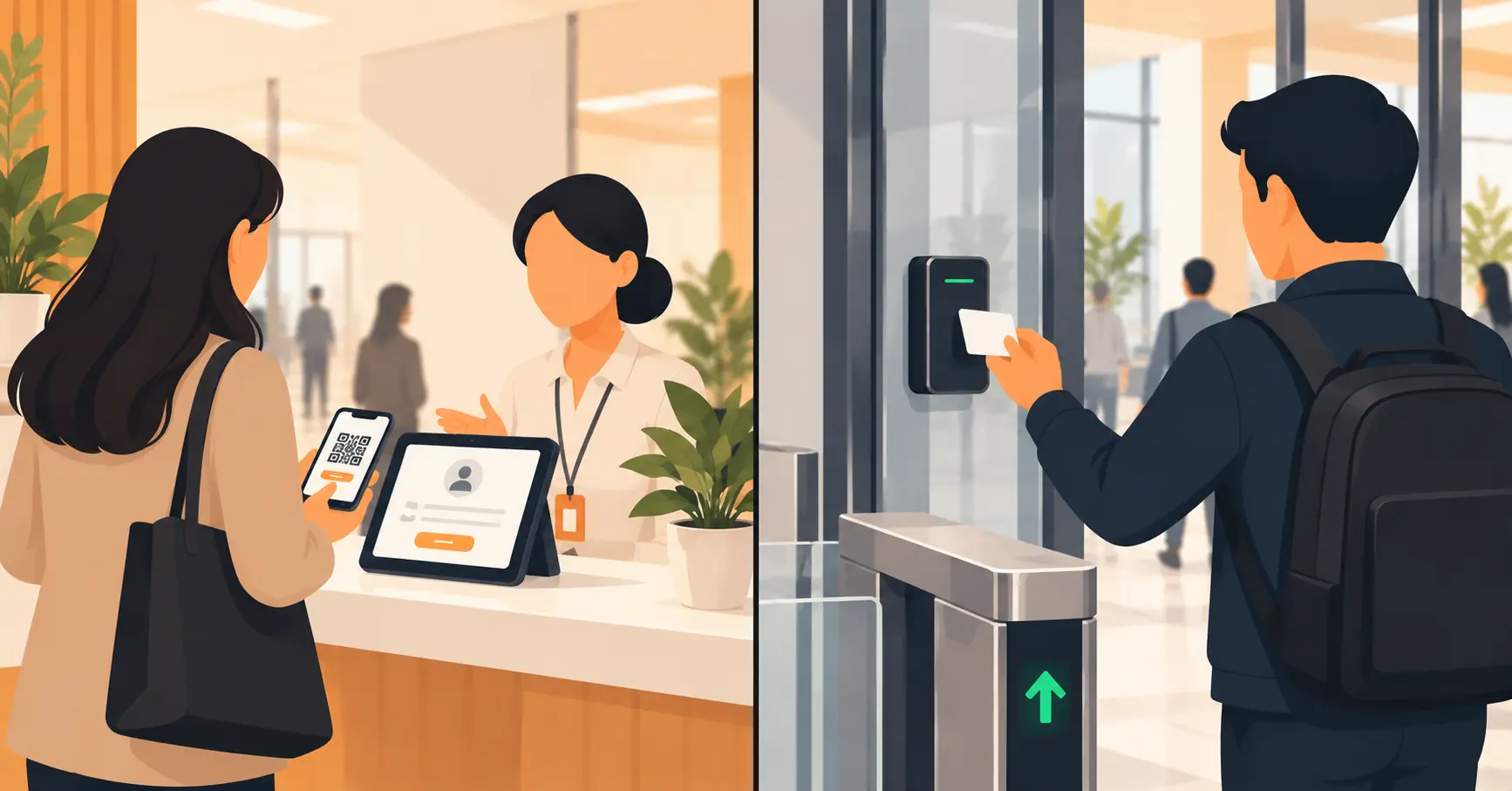
QR code scanning: Visitors pre-register in advance and receive a QR code. At arrival, a scan completes check-in in under 10 seconds. No form filling. No waiting for staff.
Pre-registration: Expected visitors complete their details before arriving. When they reach reception, the kiosk recognizes them and check-in is a confirmation rather than a full data entry process.
Mobile check-in: Visitors check in on their own phone by scanning a QR code displayed at reception. No app required. No hardware congestion.
Tablet kiosk: Self-service check-in on a reception tablet, guided by clear prompts, without requiring staff involvement for standard visitors.
Key Benefits:
- Snapdeal’s operations team measured a 5x faster entry process after moving from manual logs to Vizitor across their offices
- Accurate data collection without manual entry errors
- Reception staff freed for guests who genuinely need assistance
- Professional, consistent first impression for every visitor
Problem 2: Security Risks and Unauthorized Access
The Problem
Without proper visitor management controls, unauthorized individuals can gain access to restricted areas. Paper logs don’t verify identity. They don’t screen against watchlists. They don’t control physical access. And they don’t create alerts when something looks wrong.
Manual systems rely entirely on the judgment of whoever is at the desk. That means security depends on whether the right person is paying attention at the right moment, which is not a reliable security control.
The results are predictable: unauthorized visitors access areas they shouldn’t, contractors stay on-site beyond their approved window, and security incidents go undetected until after the damage is done.
How Vizitor Solves It
Vizitor enhances security through multiple layered controls:
Customizable access levels: Different visitor types receive different badge permissions. A client visiting for a meeting has different access than a contractor working on infrastructure. Access is defined at configuration, not left to discretion.
Watchlist screening: The system checks incoming visitors against flagged or blocked lists automatically. When a match occurs, an alert fires before the visitor gains access.
Real-time monitoring: Security staff can see who is on-site at any moment across all locations. The dashboard shows active visitors, their location, and how long they’ve been on-site.
Time-bound badges: Visitor badges are activated for the duration of the approved visit and expire automatically. A visitor who was approved for a 2-hour meeting doesn’t have a badge that works for 6 hours.
Key Benefits:
- Unauthorized individuals cannot check in without triggering an alert
- Access to restricted areas is controlled at the badge level
- Security staff have real-time visibility without manual monitoring
- Compliance with security protocols enforced at the system level, not left to human discretion
For a full rundown of security features your VMS should include, see our workplace security features guide.
Problem 3: Compliance Challenges and Audit Difficulties
The Problem
Many industries require strict compliance with regulations around visitor records. Healthcare facilities need carefully documented visitor logs. Financial institutions require documented access records for regulated areas. Manufacturing sites need contractor compliance documentation for safety audits. Any organization handling personal data under GDPR needs documented consent and data management processes.
Manual systems make compliance structurally difficult. Paper logs are incomplete, illegible, inconsistent, and impossible to search efficiently. When an auditor asks for the record of everyone who visited a specific area in the past 90 days, a paper logbook cannot provide that answer reliably.
Compliance gaps from inadequate visitor logs can result in regulatory fines, failed audits, and operational restrictions in regulated industries.
How Vizitor Solves It
Vizitor automates compliance as a built-in system function rather than a manual effort:
Automated record-keeping: Every visitor entry is digitally logged with timestamp, photo, purpose, host, and any signed documents. Records are complete, consistent, and accurate without depending on manual data entry.
Audit-ready reports: Generate compliance reports on demand, filtered by date range, location, visitor type, or any other parameter. What would take hours with paper logs takes seconds with a digital system.
GDPR-compliant data management: Consent is captured digitally during check-in. Every record is encrypted at rest. Data retention policies are configurable, and deletion requests are handled immediately with documentation.
Document signing at check-in: NDAs, safety agreements, health declarations, and any other compliance documents are signed digitally during check-in and stored automatically in the visitor’s record.
Key Benefits:
- Compliance records are always complete and current
- Audit reports generate in seconds, not hours
- Regulatory requirements are met as a product of normal operations
- No manual compliance effort required from reception or compliance teams
Problem 4: Poor Visitor Experience and Negative Impressions
The Problem
A slow, confusing, or impersonal check-in process creates a negative first impression that colors the entire visit. The visitor arrives for a meeting with some enthusiasm. If they spend 5 minutes waiting to check in, filling out a paper form, waiting while someone finds their host’s extension, and then waiting again for their host to arrive, they start the meeting slightly frustrated.
This problem is particularly acute in B2B contexts where client visits, partner meetings, and candidate interviews all have relationship stakes. The experience at your front desk is a data point about how you run your business.
Long wait times, confusing instructions, and lack of personalization all signal disorganization, regardless of how strong your actual work is.
How Vizitor Solves It
Vizitor creates a professional, personalized visitor experience from the first moment:
Personalized greetings: The check-in screen can display a personalized welcome message for expected visitors. The visitor sees their name when they arrive, signaling that your organization was prepared for their visit.
Customizable visitor badges: Vizitor’s visitor badge management system prints badges with the visitor’s name, photo, company, host, and any relevant access information in under 5 seconds. They’re professional and immediately useful for staff identification, and nobody stands at the printer waiting on a slow badge job.
Instant host notifications: The moment a visitor checks in, their host receives a notification via their preferred channel. No waiting for reception to make phone calls. No uncertainty about when the visitor arrived.
Guided navigation: Digital instructions can direct visitors to waiting areas, conference rooms, or other destinations, reducing confusion in unfamiliar facilities.
Key Benefits:
- Professional, branded check-in experience from arrival
- Visitors are greeted by name if pre-registered
- Hosts meet their visitors promptly, reducing lobby waiting time
- Overall visit quality reflected positively in the organization’s image
See how Vizitor handles visitor management
Join 2,000+ workplaces using Vizitor to manage visitors securely. Free trial.
Book a DemoProblem 5: No Data Insights or Visitor Analytics
The Problem
Without data, organizations miss opportunities to optimize their operations. Manual systems produce no useful analytics. You know how many visitors came, maybe, if the logbook is complete, but you don’t know peak times, repeat visitor frequency, which departments receive the most visitors, or how check-in completion rates compare across locations.
Without this visibility, operational decisions about staffing, facility layout, and security resource allocation are made on intuition rather than evidence. Peak visitor windows are understaffed. Resources are allocated to low-traffic areas while high-traffic areas are under-resourced.
The absence of data also creates compliance blind spots: you may not know whether visitors are completing their check-in flows fully, which means your records may be less complete than you assume.
How Vizitor Solves It
Vizitor provides real-time analytics and reporting that turn visitor data into operational intelligence:
Real-time dashboards: Vizitor’s visitor analytics dashboard gives a live view of all active visitors, categorized by type, department, and location. Security and facility teams can see exactly what’s happening at any moment.
Traffic analytics: Historical data on visitor volume by time of day, day of week, location, and visitor type. This data drives staffing decisions: knowing Monday at 10am is your peak check-in window lets you prepare accordingly.
Completion rate monitoring: Track whether visitors are completing the full check-in flow or abandoning partway through. Low completion rates indicate a flow that needs simplification.
Multi-site comparison: For enterprises with multiple locations, compare performance across sites to identify operational differences that need attention. Vizitor’s platform currently supports 500+ workplaces across 15+ countries, and multi-site comparison is exactly how a facilities team spots which office needs process changes before it becomes a pattern.
Key Benefits:
- Staffing decisions based on actual visitor patterns, not estimates
- Resource allocation optimized for real traffic flows
- Compliance gaps visible before they become audit failures
- Trend analysis informs facility planning and security strategy
Mistakes to Avoid When You Switch From Manual to Digital
Fixing these five problems takes more than buying software. Most rollouts that underdeliver make one of these mistakes.
Rolling out to every location at once. The assumption is that a single go-live date is faster. In reality, one broken workflow now shows up at ten sites simultaneously, and support tickets pile up faster than any team can answer them. Pilot at one location first, fix what breaks, then expand. If your locations already run inconsistent processes today, that gap gets worse at scale, not better; our guide on keeping visitor security consistent across multiple offices walks through how to standardize before you scale.
Treating pre-registration as optional. The assumption is that walk-in check-in alone is fast enough. In reality, most of the speed gain in Problem 1 comes from the record existing before the visitor arrives, not from the scanner itself. Skip pre-registration and you’ve bought a faster paper form, not a faster process. Make pre-registration the default request in every meeting invite.
Skipping host training on notifications. The assumption is that hosts will figure out the app. In reality, a host who doesn’t know how to check their notification channel still walks to reception to ask if their visitor arrived, which reintroduces the exact delay the system was meant to remove. A 10-minute walkthrough during rollout prevents months of quiet non-adoption.
Not migrating historical records into a comparable format. The assumption is that old paper logs can just sit in a filing cabinet. In reality, an auditor asking for 18 months of visitor history won’t accept “the digital half is searchable, the rest is in a box.” Scan or summarize the paper period, and note clearly which range came from which system.
Ignoring completion-rate data after go-live. The assumption is that once the kiosk is live, the visitor-experience problem is solved. In reality, a confusing screen still produces abandoned check-ins, just digitally instead of on paper. Watch completion rates in the first month, the way Problem 5 describes, and simplify any step visitors consistently skip or fail.
One honest caveat: a solo receptionist handling five visitors a week doesn’t need full watchlist screening or multi-site comparison dashboards. They still benefit from ditching paper for a searchable digital record, but the point is proportional. Configure for the visitor volume and risk you actually have, not the largest possible feature list.
Why Choose Vizitor for All Five Problems
Vizitor is designed to address each of these challenges through a single, integrated platform. Rather than deploying separate tools for check-in automation, security screening, compliance logging, and analytics, Vizitor provides all of these capabilities in one system.
Key platform characteristics:
- Customizable workflows: Every check-in flow can be configured for specific visitor types, locations, and compliance requirements
- Scalability: Suitable for a single office with 20 daily visitors or an enterprise with 50 sites and thousands of monthly visitors
- Integration: Connects with access control, HRMS, calendar tools, and communication platforms
- Ease of use: Runs on existing Android or iOS tablets; most organizations go live within one business day
- Free trial: Full functionality available for evaluation
For a full walkthrough of what visitor management should cover end-to-end, see our complete visitor management system guide.
Frequently Asked Questions
See Vizitor in action check-in a visitor in under 30 seconds
Trusted by 500+ businesses. QR check-in, badge printing, NDA signing. Plans from $36/mo.